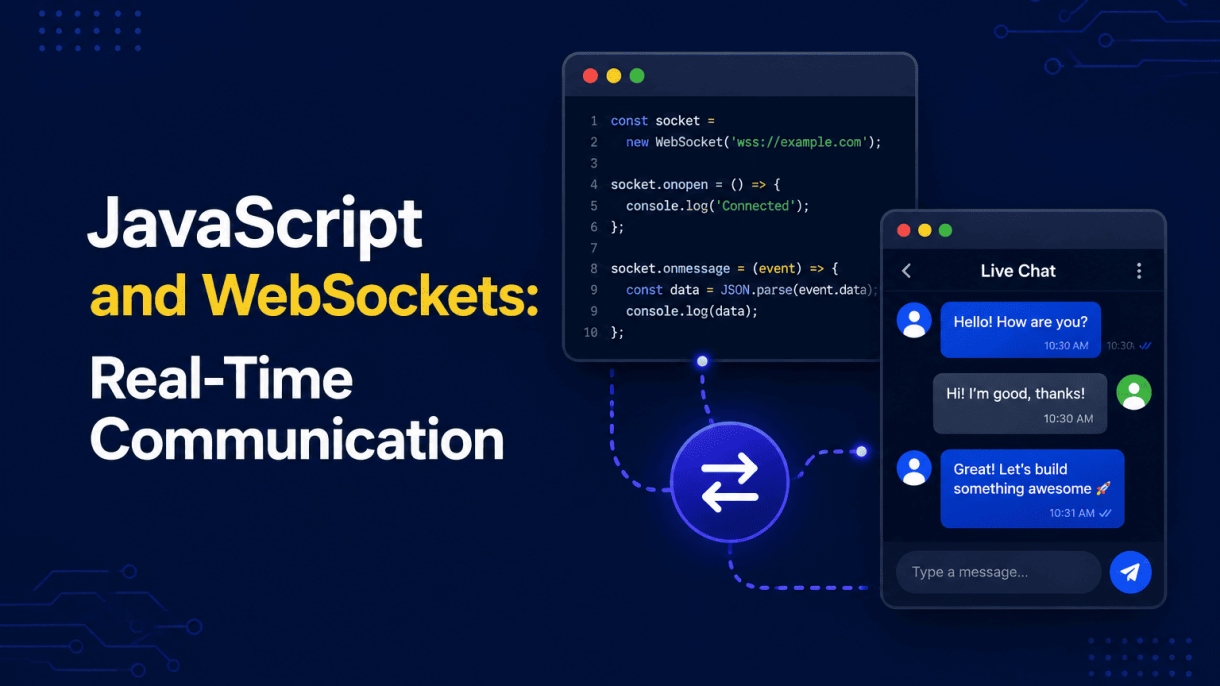

Introduction to Real-Time Communication on the Web
The modern web has moved far beyond static pages and click-and-wait interactions. Users now expect live updates, instant notifications, and seamless collaboration—whether they are monitoring a stock portfolio, chatting with a support agent, or editing a shared document with colleagues. Traditional HTTP, built on a request-response model, struggles to meet these demands efficiently. Every update requires a fresh client-initiated request, creating latency, overhead, and unnecessary network traffic. Real-time communication solves this by establishing a persistent, low-latency channel between client and server, enabling data to flow in both directions as events occur. This article explores the technology that makes this possible—JavaScript and WebSockets—and provides a practical guide to building real-time features.
The Evolution of Web Communication: From HTTP Polling to WebSockets
Before WebSockets, developers used workarounds to simulate real-time behavior. The earliest approach, HTTP polling, involves the client sending repeated requests at fixed intervals (e.g., every second) to check for new data. This is simple but wasteful: most responses return no new information, and each request carries headers, cookies, and latency. A refinement, long polling, holds the server response open until new data exists or a timeout occurs, reducing empty responses but still requiring a new connection for each update. Another technique, Server-Sent Events (SSE), allows one-way server-to-client streaming over a single HTTP connection, but it does not support client-to-server messaging without additional requests.
These methods share fundamental limitations: they operate over HTTP, which is stateless and half-duplex, meaning only one party can transmit at a time. WebSockets emerged to address these constraints directly. The WebSocket protocol, standardized in 2011, provides a full-duplex, persistent connection over a single TCP socket. Once established, either side can send data instantly without renegotiating headers or reconnecting. This eliminates polling overhead and reduces latency to near-zero, making true real-time interaction possible.
What Are WebSockets? A Technical Overview
At its core, a WebSocket connection begins with a standard HTTP upgrade request. The client sends a handshake with an Upgrade: websocket header; if the server supports it, it responds with a 101 Switching Protocols status, and the connection is upgraded. From that point, the HTTP protocol is abandoned in favor of the WebSocket framing protocol.
- Frames: Data is transmitted in small frames, each with an opcode (text, binary, close, ping, pong) and a payload length. Text frames are UTF-8 encoded; binary frames handle raw data like images or buffers.
- Bidirectional: Both client and server can send frames at any time, without waiting for a request. This is true full-duplex communication.
- Persistent: The connection remains open until explicitly closed by either party or lost due to network failure. Heartbeat ping/pong frames keep it alive through proxies and firewalls.
- Low overhead: After the handshake, each frame has a minimal header (2 to 14 bytes) compared to HTTP headers, which can be hundreds of bytes.
In JavaScript, the browser API is straightforward: new WebSocket('ws://example.com/socket') creates a connection, and you listen for onopen, onmessage, onerror, and onclose events. The server side can be implemented in Node.js using libraries like ws or Socket.IO, which provide additional features such as automatic reconnection and fallback to polling for older browsers.
Use Cases: Live Chat, Gaming, Financial Tickers, and Collaborative Tools
The practical applications of WebSockets are broad, but they all share a need for immediate, two-way data exchange.
| Use Case | Why WebSockets Fit | Example |
|---|---|---|
| Live Chat | Instant message delivery without page refresh; typing indicators and read receipts in real time. | Customer support widgets, team messaging apps. |
| Online Gaming | Low-latency updates of player positions, actions, and scores; frequent server-to-client state sync. | Multiplayer browser games, real-time trivia. |
| Financial Tickers | Streaming price updates with sub-second precision; simultaneous push to thousands of clients. | Stock trading dashboards, cryptocurrency exchanges. |
| Collaborative Tools | Shared document editing, whiteboards, and code collaboration—every change broadcast to all participants. | Google Docs-style editors, project management boards. |
Each scenario benefits from the persistent connection that eliminates polling delays and reduces server load. While WebSockets are not a silver bullet—they require careful handling of connection state, reconnection logic, and message ordering—they remain the most robust standard for real-time web communication. The rest of this article will cover implementation details, error handling, and security considerations to help you build reliable real-time features in JavaScript.
How WebSockets Work: The Protocol and Handshake
At its core, WebSocket is a distinct network protocol (RFC 6455) that provides full-duplex communication over a single TCP connection. Unlike traditional HTTP, where the client always initiates requests and the server responds, WebSocket allows either party to send data at any time. This fundamental shift enables low-latency, event-driven applications like live chat, collaborative editing, and real-time dashboards. To achieve this, the protocol begins with an HTTP-based handshake, then transitions to a lightweight binary framing format.
The HTTP Upgrade Handshake: From HTTP/1.1 to WebSocket
The connection starts as a standard HTTP/1.1 request from the client. Crucially, this request includes two special headers: Connection: Upgrade and Upgrade: websocket. The client also generates a random, base64-encoded 16-byte value for the Sec-WebSocket-Key header. The server receives this request, validates it, and appends the globally unique identifier 258EAFA5-E914-47DA-95CA-C5AB0DC85B11 to the key. It then computes a SHA-1 hash of this combined string and base64-encodes the result, returning it in the Sec-WebSocket-Accept header of its 101 Switching Protocols response.
Here is a minimal example of the client’s initial request using Node.js built-in http module:
const http = require('http');
const crypto = require('crypto');

const key = crypto.randomBytes(16).toString('base64');

const req = http.request({
  hostname: 'example.com',
  port: 80,
  path: '/socket',
  headers: {
    'Connection': 'Upgrade',
    'Upgrade': 'websocket',
    'Sec-WebSocket-Key': key,
    'Sec-WebSocket-Version': '13'
  }
});

req.end();
Once the 101 response arrives, the HTTP protocol is abandoned. The TCP socket is now dedicated to WebSocket frames, and the handshake is complete. No further HTTP headers are exchanged for the life of the connection.
Understanding WebSocket Frames: Text, Binary, Ping/Pong, and Close
After the handshake, all data travels in discrete frames. Each frame begins with a 2-byte header that encodes the opcode, payload length, and masking flag. The server-to-client frames are unmasked, while client-to-server frames must be masked to prevent cache poisoning attacks. The primary opcodes are:
- 0x1 (Text): UTF-8 encoded string data. Most chat messages and JSON payloads use this.
- 0x2 (Binary): Arbitrary bytes, such as images, audio, or protocol buffers.
- 0x8 (Close): Initiates the closing handshake. May include a status code and a reason string.
- 0x9 (Ping) and 0xA (Pong): Keep-alive control frames. A peer receiving a Ping must reply with a Pong containing the same payload.
Frames can also be fragmented: a message may be split into multiple frames, with the first having the FIN bit unset (0) and the final frame having FIN set (1). This is useful for streaming large payloads without buffering the entire message in memory.
Connection Lifecycle: Opening, Maintaining, and Closing a Socket
The lifecycle has three distinct phases. First, opening occurs via the HTTP upgrade handshake described above. Once open, the connection enters the maintaining phase, where either peer can send data frames at will. To keep the connection alive through proxies and load balancers that idle-out inactive TCP connections, the application or library may send periodic Ping frames. The remote peer must respond with Pong, confirming the link is still healthy.
Finally, closing is a cooperative process. Either side sends a Close frame (opcode 0x8) with an optional status code (e.g., 1000 for normal closure, 1001 for going away). The receiving side echoes a Close frame back. After both sides have exchanged Close frames, the underlying TCP connection is terminated. If a peer does not respond within a timeout, the connection is forcibly closed. This explicit handshake ensures that both parties can clean up resources and avoid data loss on abrupt disconnects.
Implementing WebSockets in JavaScript: Client-Side Essentials
WebSockets provide a full-duplex communication channel over a single TCP connection, enabling low-latency data exchange between a browser and a server. Unlike HTTP, which follows a request-response model, WebSockets allow either party to send data at any time, making them ideal for live dashboards, chat applications, and collaborative tools. The browser-native WebSocket API simplifies this process, but correct usage requires attention to lifecycle management, message framing, and failure recovery.
Creating a WebSocket Object and Handling Connection Events
To establish a connection, instantiate a WebSocket object with the server’s URL, using the ws:// or wss:// scheme (the latter for encrypted connections). The constructor immediately begins the handshake. You then attach event handlers to manage the connection’s lifecycle:
const socket = new WebSocket('wss://api.example.com/live');
Four primary events drive the connection state:
onopen: Fires when the handshake completes successfully. This is the safe point to start sending data.onmessage: Triggered whenever the server sends a message. The event object’sdataproperty contains the payload.onerror: Fires on network errors, protocol violations, or malformed frames. The connection may close shortly after.onclose: Fires when the connection is terminated, either cleanly (code 1000) or due to an error. Theevent.codeandevent.reasonproperties provide diagnostics.
Always check socket.readyState before sending. This property returns 0 (CONNECTING), 1 (OPEN), 2 (CLOSING), or 3 (CLOSED). Attempting to send while not in the OPEN state throws an exception.
Sending and Receiving Messages: The send() Method and onmessage Event
Once the socket is open, use send(data) to transmit information. The API accepts strings, ArrayBuffer, Blob, or typed arrays. For JSON-based protocols, stringify objects before sending:
socket.send(JSON.stringify({ type: 'ping', timestamp: Date.now() }));
Receiving messages is asynchronous. The onmessage handler receives an event with a data property. If the server sends binary data, you can set socket.binaryType = 'arraybuffer' to receive it as an ArrayBuffer instead of a Blob for easier manipulation. A common pattern is to parse JSON and dispatch based on a message type:
socket.onmessage = (event) => {
  const msg = JSON.parse(event.data);
  if (msg.type === 'update') { renderDashboard(msg.payload); }
};
Be mindful of message size. The WebSocket protocol does not impose a limit, but browsers and intermediaries often cap payloads (typically around 1–10 MB). For larger payloads, consider chunking or using a streaming protocol.
Error Handling and Graceful Reconnection Strategies
Network interruptions, server restarts, or idle timeouts can sever a WebSocket connection. A robust client must detect failures and reconnect intelligently. The onerror event fires first, followed by onclose. Never attempt to reuse a closed socket—create a new instance instead.
A common reconnection strategy uses exponential backoff with a maximum delay:
let retries = 0;
const maxDelay = 30000; // 30 seconds

function connect() {
  const socket = new WebSocket('wss://api.example.com/live');

  socket.onopen = () => { retries = 0; };
  socket.onclose = (event) => {
    if (event.code !== 1000) { // Not a clean close
      const delay = Math.min(1000 * 2 ** retries, maxDelay);
      retries++;
      setTimeout(connect, delay);
    }
  };
  socket.onerror = () => socket.close(); // Force close to trigger reconnection
}
Also implement a heartbeat: send a lightweight ping every 30–60 seconds and expect a pong. If no response within a timeout, close the socket and reconnect. This detects half-open connections where the TCP link persists but the server is unresponsive.
| Reconnection Strategy | Delay Pattern | Best Use Case |
|---|---|---|
| Fixed interval | Constant (e.g., 5s) | Short-lived, low-traffic apps where immediate recovery is not critical |
| Linear backoff | Incremental (e.g., 1s, 2s, 3s) | Moderate traffic; balances responsiveness with server load |
| Exponential backoff | Doubling (e.g., 1s, 2s, 4s, capped) | High-traffic production systems where server overload must be avoided |
Finally, always close the socket cleanly when the page unloads using socket.close(1000, 'page unload') to free resources and avoid leaked connections. By mastering these client-side essentials, you ensure reliable, responsive real-time communication in your web applications.
Building a WebSocket Server with Node.js
Node.js is the natural choice for implementing WebSocket servers because its event-driven, non-blocking I/O model aligns perfectly with the persistent, bidirectional nature of WebSocket connections. While the native `http` module can handle the initial upgrade handshake, production-ready servers typically rely on dedicated libraries. The two most prominent are the lightweight `ws` library and the feature-rich Socket.IO. The `ws` library is minimal, fast, and adheres closely to the WebSocket protocol specification, making it ideal for applications that need raw performance and control. Socket.IO, by contrast, adds automatic reconnection, fallback to HTTP long-polling, and a simple room-based event system, which suits applications requiring resilience and rapid development. For most real-time use cases—chat, live dashboards, collaborative editing—starting with `ws` offers a cleaner foundation and fewer abstractions.
Setting Up a WebSocket Server with the `ws` Library
To begin, install the `ws` package from npm. The following command creates a new project and adds the dependency:
npm init -y
npm install ws
Then, create a basic server that listens for connections and echoes any received message back to the sender. This example also handles the WebSocket upgrade request from the HTTP server:
const WebSocket = require('ws');
const http = require('http');

const server = http.createServer((req, res) => {
  res.writeHead(200, { 'Content-Type': 'text/plain' });
  res.end('HTTP server running');
});

const wss = new WebSocket.Server({ server });

wss.on('connection', (ws) => {
  console.log('Client connected');
  ws.on('message', (data) => {
    ws.send(`Echo: ${data}`);
  });
  ws.on('close', () => console.log('Client disconnected'));
});

server.listen(8080, () => console.log('Server listening on :8080'));
This code demonstrates the core pattern: create an HTTP server, attach a `WebSocket.Server` instance to it, and handle the `connection` event. The `ws` object represents a single client, and its `message` event provides the payload. The `send` method transmits data back.
Broadcasting Messages to Multiple Clients
A common requirement is sending a message to every connected client simultaneously. The `ws` library makes this straightforward by iterating over the `wss.clients` set. Below is a practical example that broadcasts a notification whenever a new client connects:
wss.on('connection', (ws) => {
  const welcome = `New client joined. Total: ${wss.clients.size}`;
  wss.clients.forEach((client) => {
    if (client.readyState === WebSocket.OPEN) {
      client.send(welcome);
    }
  });
});
Important considerations for broadcasting:
- Always check `readyState` — clients may be in the process of closing, and sending to them throws an error.
- For high-traffic applications, consider throttling or batching broadcasts to avoid overwhelming the event loop.
- If you need to target specific groups (e.g., users in a room), maintain your own `Map` or `Set` of WebSocket instances keyed by room ID.
Integrating WebSocket with an Existing HTTP Server
One of the strongest advantages of using `ws` is its seamless integration with a standard Node.js HTTP server. This allows you to serve regular REST API endpoints and WebSocket connections from the same port, simplifying deployment and avoiding CORS issues. The earlier echo server already demonstrates this pattern, but here is a more explicit example showing how to route HTTP requests separately:
const server = http.createServer((req, res) => {
  if (req.url === '/health') {
    res.writeHead(200);
    res.end('OK');
  } else {
    res.writeHead(404);
    res.end('Not Found');
  }
});

const wss = new WebSocket.Server({ server, path: '/socket' });

wss.on('connection', (ws) => {
  // Handle WebSocket messages
});
By specifying the `path` option, you restrict WebSocket connections to a dedicated URL (e.g., `ws://example.com/socket`). This keeps the HTTP routes clean and prevents accidental upgrade attempts on other endpoints. In production, you can also place this server behind a reverse proxy like Nginx, which can be configured to forward WebSocket upgrade headers correctly. For authentication, you can validate tokens during the HTTP `upgrade` event before the WebSocket connection is established, adding a layer of security without complicating the WebSocket message handler.
Advanced WebSocket Patterns and Best Practices
Moving beyond basic chat applications and live dashboards, production-grade WebSocket implementations demand careful attention to connection lifecycle, data efficiency, and infrastructure architecture. The following patterns address the most common failure points in real-time systems, ensuring that your JavaScript and WebSockets remain responsive, stable, and scalable under real-world conditions.
Heartbeat and Keep-Alive: Using Ping/Pong Frames
Network intermediaries—such as load balancers, proxies, and mobile carriers—often terminate idle TCP connections without notice. Without a keep-alive mechanism, a client may believe it is still connected while the server has already dropped the socket. The WebSocket protocol provides dedicated control frames for this purpose: ping and pong. Implement a heartbeat loop on the server that sends a ping every 30 seconds (adjustable based on your infrastructure). The client must respond with a pong; if no response arrives within a timeout window (e.g., 10 seconds), close the connection and clean up resources.
On the client side, you can listen for the pong event to confirm server responsiveness. However, note that browsers do not expose the ability to send unsolicited pings—only the server initiates this handshake. For client-side liveness detection, rely on a custom application-level heartbeat (e.g., sending a small JSON message like {"type":"heartbeat"}) and resetting a timer on any received data. This dual-layer approach prevents zombie connections and reduces memory leaks.
Message Formatting and Compression for Efficiency
The choice of message serialization directly impacts bandwidth and CPU usage. JSON is human-readable and ubiquitous, but its verbosity adds overhead. For high-throughput systems, consider the following trade-offs:
| Format | Pros | Cons | Use Case |
|---|---|---|---|
| JSON (text) | Debug-friendly, native browser support | Larger payloads, slower parsing | Low-frequency updates, logging |
| MessagePack (binary) | Compact, fast parsing | Requires library, not human-readable | High-frequency telemetry |
| Protocol Buffers | Strong schema, very small | Schema management overhead | Multi-language microservices |
Beyond serialization, enable per-message compression using the permessage-deflate extension. This is negotiated during the WebSocket handshake. In Node.js, the ws library supports it via perMessageDeflate: true. Compression works best for text-heavy JSON payloads; for already-binary data (e.g., images), skip it to avoid CPU cost. Additionally, batch multiple small updates into a single message (e.g., aggregate stock ticks over 100ms) to reduce frame overhead and network round-trips.
Scaling WebSocket Connections: Sticky Sessions and Horizontal Scaling
WebSocket connections are long-lived and stateful—unlike HTTP requests, they cannot be freely routed to any server instance. When scaling horizontally across multiple Node.js processes or machines, you face two primary challenges: connection affinity and state synchronization.
Sticky sessions (also called session affinity) ensure that all messages from a given client are routed to the same server instance that handled the initial handshake. Most load balancers (NGINX, HAProxy, AWS ALB) support this via a cookie or source-IP hash. Without sticky sessions, the WebSocket upgrade request might hit server A, but subsequent frames could arrive at server B, which has no active socket for that client—causing immediate disconnection.
However, sticky sessions alone create a single point of failure. If server A crashes, all its clients lose connection. To mitigate this, implement a shared pub/sub layer (e.g., Redis Pub/Sub or a message broker like RabbitMQ) that broadcasts messages across all server instances. When a client sends a message to server A, A publishes it to the bus; all other servers receive it and forward to their respective connected clients. This pattern decouples connection ownership from message routing, allowing you to add or remove servers dynamically. For stateful data (e.g., presence or typing indicators), store it in Redis with a short TTL rather than in server memory.
Finally, monitor connection counts per instance and set a maximum threshold (e.g., 10,000 sockets per Node.js process). When nearing the limit, reject new handshakes with an HTTP 503 or redirect them to a different region via DNS. Use a process manager like PM2 in cluster mode to utilize multiple CPU cores, but combine it with the external pub/sub bus—cluster mode alone does not share memory between processes.
WebSocket Security: Authentication and Authorization
While WebSockets enable efficient, low-latency communication, their persistent, bidirectional nature introduces security challenges that differ from traditional HTTP requests. A single misconfigured WebSocket endpoint can expose sensitive data or allow unauthorized control of server-side functions. Robust security for WebSockets hinges on three pillars: validating the request’s origin, authenticating the client identity, and encrypting the data in transit. Ignoring any of these creates exploitable gaps, from session hijacking to data interception.
Validating the Origin Header to Prevent Cross-Site WebSocket Hijacking
Cross-Site WebSocket Hijacking (CSWSH) occurs when a malicious website initiates a WebSocket connection to a trusted server using the victim’s existing cookies or credentials. The browser automatically attaches cookies, so the server may mistakenly trust the connection. The first line of defense is strict validation of the Origin header sent by the client during the handshake. This header indicates the source page’s domain. The server must compare this value against an explicit allowlist of trusted origins.
- Reject mismatched origins: If the
Originheader is absent or does not match the allowlist, terminate the handshake with an HTTP 403 response. - Do not rely on
Sec-WebSocket-Keyalone: This key only confirms a WebSocket handshake, not the legitimacy of the requester. - Update the allowlist frequently: Remove stale or unused domains to reduce the attack surface.
A practical server-side check (Node.js with the ws library) might look like this:
const allowedOrigins = ['https://app.example.com', 'https://admin.example.com'];

const server = new WebSocketServer({ port: 8080, verifyClient: (info) => {
    const origin = info.origin;
    return origin && allowedOrigins.includes(origin);
}});
Authenticating WebSocket Connections with Tokens
Cookies are often insufficient for WebSocket authentication because they are automatically attached and vulnerable to CSWSH. Token-based authentication offers explicit control. The client must present a short-lived token—typically a JSON Web Token (JWT)—either in the query string, a custom header, or the first message after connection. The server validates the token’s signature, expiry, and claims before allowing any subsequent data exchange.
- Issue tokens via a secure HTTP endpoint: The client logs in over HTTPS and receives a signed token.
- Validate the token during the WebSocket handshake: Parse the token, verify its signature using a secret or public key, and check the
exp(expiration) claim. - Enforce authorization per message: Do not assume the token grants all permissions. Check user roles or scopes for each incoming message, especially for destructive actions.
- Rotate or revoke tokens: Implement a token revocation list for immediate logout or role changes.
For example, a client might connect with wss://api.example.com/socket?token=eyJhbGciOi.... The server then extracts and verifies this token before upgrading the connection.
Encrypting WebSocket Traffic with WSS (TLS/SSL)
Unencrypted WebSocket connections (ws://) transmit all frames in plain text, allowing any network eavesdropper to read or modify data. Always use the secure variant, wss://, which runs WebSockets over Transport Layer Security (TLS/SSL). This encrypts the entire communication channel, protecting credentials, tokens, and payloads from interception.
| Protocol | Encryption | Use Case |
|---|---|---|
ws:// |
None | Local development only, never production |
wss:// |
TLS 1.2 or higher | All production environments, especially with sensitive data |
Deploying WSS requires a valid TLS certificate on the server. In practice, terminate TLS at a reverse proxy (e.g., Nginx or HAProxy) and forward the decrypted traffic to the WebSocket backend over a private network. This simplifies certificate management while ensuring the client-facing connection remains encrypted. Additionally, enforce a minimum TLS version and disable weak ciphers to prevent downgrade attacks.
Comparing WebSockets with Alternative Real-Time Technologies
Choosing the right real-time communication technology is critical for application performance, scalability, and developer experience. While WebSockets are a popular default, they are not always the optimal solution. This comparison examines WebSockets against Server-Sent Events (SSE), Long Polling, and WebRTC, focusing on architectural differences, latency profiles, and use-case fit.
WebSockets vs. Server-Sent Events (SSE): When to Use Each
WebSockets and SSE both maintain a persistent connection between client and server, but they operate in fundamentally different directions. WebSockets provide full-duplex communication—both client and server can send messages at any time. SSE, by contrast, is one-way: the server streams events to the client over a standard HTTP connection.
- Directionality: WebSockets support bidirectional messaging; SSE is unidirectional (server to client only).
- Protocol: WebSockets use a dedicated protocol (ws:// or wss://) after an HTTP upgrade handshake; SSE uses plain HTTP with a
text/event-streamcontent type. - Auto-reconnection: SSE has built-in reconnection and event ID tracking; WebSockets require manual reconnection logic.
- Binary data: WebSockets handle binary frames natively; SSE is text-only (though you can base64 encode).
- Browser support: Both are widely supported, but SSE is simpler to implement over existing HTTP infrastructure and works through proxies that may block WebSocket upgrades.
Use WebSockets for interactive applications like chat, multiplayer games, or collaborative editing where the client must send frequent updates. Use SSE for one-way push scenarios such as live news feeds, stock tickers, or server-side progress notifications, where the client only needs to receive updates.
WebSockets vs. Long Polling: Latency and Overhead
Long Polling is a fallback technique that simulates real-time communication. The client sends a request, and the server holds the connection open until new data is available or a timeout occurs, then responds and the client immediately sends a new request. This creates a near-real-time effect but with significant overhead compared to WebSockets.
| Aspect | WebSockets | Long Polling |
|---|---|---|
| Connection type | Persistent, single TCP connection | Repeated HTTP requests |
| Latency | Low, near-instant after initial handshake | High, due to request/reply cycle and network round trips |
| Overhead | Minimal after handshake (2-byte frame header) | High: HTTP headers, cookies, and TLS handshake on every request |
| Server resources | Fewer connections, but each is long-lived | Many short-lived connections, higher load |
| Message ordering | Guaranteed per connection | Guaranteed per request, but gaps possible between polls |
For low-latency applications, WebSockets clearly outperform Long Polling. However, Long Polling can be useful in legacy environments where WebSocket support is unavailable or behind restrictive firewalls. If your application tolerates a few hundred milliseconds of delay and you need maximum compatibility, Long Polling may suffice—but for real-time responsiveness, WebSockets are the better engineering choice.
WebSockets vs. WebRTC: Data Channels and Peer-to-Peer Communication
WebRTC is a different paradigm: it enables peer-to-peer (P2P) communication between browsers without a central server relaying every message. WebRTC includes audio, video, and generic data via RTCDataChannel, which is a full-duplex, low-latency channel similar to WebSockets—but with key distinctions.
- Architecture: WebSockets rely on a central server for message relay; WebRTC connects clients directly after a signaling phase (usually via a server).
- Latency: WebRTC can be lower latency because data travels directly between peers, avoiding server round trips.
- NAT traversal: WebRTC uses STUN/TURN servers to handle firewalls and NAT; WebSockets simply use a server that is publicly reachable.
- Reliability: WebSockets use TCP, guaranteeing ordered, reliable delivery; WebRTC data channels can be configured as unreliable (UDP-like) for speed or reliable (TCP-like) for accuracy.
- Use cases: WebRTC excels in file sharing between two users, video conferencing, or multiplayer games where a server would add latency; WebSockets are better for client-server architectures like dashboards, notifications, or centralized chat rooms.
Choose WebSockets when you need a simple, server-authoritative model with easy state management. Choose WebRTC only when you require direct peer-to-peer transfer and can handle the complexity of signaling, codecs, and NAT traversal—typically for media streaming or large file transfers where server bandwidth is a bottleneck.
Real-World WebSocket Applications and Case Studies
WebSockets transition from theoretical protocol to production workhorse when applied to specific, high-concurrency scenarios. The following case studies demonstrate how persistent, bidirectional channels solve problems that HTTP request-response cycles cannot, while also exposing common pitfalls in state management, reconnection logic, and message ordering.
Case Study: Building a Multi-User Live Chat Application
The canonical WebSocket use case—chat—appears simple but reveals critical design decisions. A production chat system must handle presence (who is online), message delivery guarantees, and horizontal scaling across multiple server instances. The core pattern involves a connection manager that maintains a map of user IDs to WebSocket instances, but this map becomes a bottleneck in distributed deployments.
Lessons learned from production chat systems include:
- Heartbeat mechanism: Send ping/pong frames every 30 seconds to detect dead connections and free server resources.
- Message queue fallback: Persist messages to a durable store (e.g., Redis) before broadcasting, ensuring no loss if a client disconnects mid-delivery.
- Sticky sessions vs. shared pub/sub: With multiple nodes, use a message broker (like Redis Pub/Sub) to broadcast to all connected clients, not just those on the same server.
- Backpressure handling: If a slow client cannot keep up with incoming messages, buffer with a maximum size, then close the connection rather than exhausting memory.
Authentication should occur during the initial HTTP upgrade request via token in the query string or cookie, never after the WebSocket is established, as the protocol has no built-in auth headers.
Case Study: Collaborative Document Editing with Operational Transforms
Real-time collaborative editors (like Google Docs) use WebSockets to transmit operations—not full document snapshots—between clients and a central server. The server applies operational transforms (OT) to reconcile concurrent edits from multiple users. Each client sends a delta (e.g., insert character at position 5), and the server transforms incoming operations against those already applied to maintain consistent state across all participants.
Critical implementation patterns observed in production editors:
- Version vector tracking: Each client maintains a revision counter; any operation includes its base version, allowing the server to detect and transform conflicting changes.
- Throttled broadcast: Coalesce rapid keystrokes into batches (e.g., every 100ms or after 10 operations) to reduce network overhead without perceptible lag.
- Conflict resolution fallback: When OT logic fails (e.g., due to a bug), fall back to a last-write-wins strategy and send a full document state to affected clients.
WebSockets are essential here because HTTP would introduce unacceptable latency for each keystroke, and the persistent connection allows the server to push transformed operations back to clients without polling.
Case Study: Real-Time Analytics Dashboard with Live Updates
Dashboards monitoring server metrics, user traffic, or financial data require sub-second updates without page refreshes. A production analytics dashboard using WebSockets typically subscribes to a data stream (e.g., Kafka or a time-series database) and pushes aggregated metrics to connected clients. The key design challenge is filtering and aggregation—not every client needs every data point.
Common production patterns include:
- Subscription-based channels: Clients send a JSON message like
{"subscribe": "server.cpu.usage"}; the server maintains a topic-to-connection mapping and only forwards relevant updates. - Downsampling on the server: Aggregate raw metrics into 1-second, 5-second, or 1-minute buckets before pushing, reducing message frequency and client rendering load.
- Reconnect with state resync: On disconnection, the server stores the last sent timestamp; upon reconnect, it sends a catch-up batch of missed data points.
This approach reduces bandwidth by 80-90% compared to polling a REST endpoint every few hundred milliseconds, and it enables instant visual feedback (e.g., chart animations) that polling cannot achieve.
| Application Type | Primary WebSocket Role | Key Failure Mode | Mitigation Strategy |
|---|---|---|---|
| Live Chat | Bidirectional message relay | Lost messages on disconnect | Persist to queue before broadcast |
| Collaborative Editor | Operation propagation with OT | Divergent document state | Version vectors + transform server |
| Analytics Dashboard | Push-based metric streaming | Overwhelming slow clients | Server-side downsampling + backpressure |
Across all three cases, the recurring lesson is that WebSockets solve the transport problem but not the state synchronization problem. Production systems must pair the protocol with application-level mechanisms—heartbeats, acknowledgments, versioning, and buffering—to achieve the reliability that users expect from real-time interfaces.
Troubleshooting Common WebSocket Issues
Even with a solid understanding of the WebSocket protocol, real-world deployments often hit snags. Connection instability, silent message loss, and mysterious handshake failures usually stem from a handful of recurring culprits. This section breaks down the most frequent problems and gives you concrete, actionable steps to diagnose and resolve them.
Diagnosing Connection Drops and Timeouts
Intermittent disconnects are the most common complaint. Before blaming your server code, systematically isolate the cause. A dropped connection often leaves a clue in the browser console or server logs, but the timing matters.
- Check for idle timeouts: Many servers and intermediaries close WebSocket connections after a period of inactivity (often 30–60 seconds). Implement application-level
ping/pongframes (or a simple JSON heartbeat) every 15–25 seconds to keep the connection alive. - Examine the close code: A close frame with code 1006 (abnormal closure) means the connection was lost without a proper close handshake—typically a network or proxy issue. Code 1001 (going away) often indicates a server restart or a load balancer draining connections.
- Log the network path: Use
tracerouteormtrto see if a specific hop is dropping packets. For local tests, runnetstat -an | grep :8080on Linux/macOS to confirm the TCP socket is still established.
If timeouts are your suspected culprit, here is a minimal Node.js heartbeat example using the ws library:
const WebSocket = require('ws');
const wss = new WebSocket.Server({ port: 8080 });

wss.on('connection', (ws) => {
  ws.isAlive = true;
  ws.on('pong', () => { ws.isAlive = true; });
});

const interval = setInterval(() => {
  wss.clients.forEach((ws) => {
    if (ws.isAlive === false) return ws.terminate();
    ws.isAlive = false;
    ws.ping();
  });
}, 30000); // Run every 30 seconds
Dealing with Proxies and Load Balancers (e.g., Nginx, HAProxy)
Reverse proxies are a frequent source of WebSocket failure because the HTTP upgrade request is not always forwarded correctly. The fix usually involves explicit configuration. Below are the essential settings for two popular proxies.
| Proxy | Critical Directive | Purpose |
|---|---|---|
| Nginx | proxy_set_header Upgrade $http_upgrade; and proxy_set_header Connection "upgrade"; |
Forwards the Upgrade and Connection headers required for the WebSocket handshake. |
| HAProxy | timeout tunnel 3600s and option http-server-close |
Prevents the proxy from closing idle connections and forces proper HTTP handling for the upgrade. |
Additionally, ensure your proxy has a sufficiently long proxy_read_timeout (Nginx) or timeout client/server (HAProxy) to avoid killing long-lived sockets. If you are using sticky sessions, verify that the load balancer is not routing the WebSocket to a different backend after the handshake—this will cause an immediate drop.
Using Browser DevTools and Network Inspectors for Debugging
The browser’s built-in debugging tools are your first line of defense. They expose the raw frames and handshake details that are invisible in application logs.
- Open the Network tab and filter by
WS(WebSocket). Click the connection name to see the Headers tab, which shows the request URL, status code (101 for success), and response headers likeSec-WebSocket-Accept. - Switch to the Messages tab to view every sent and received frame. Look for unexpected
Ping,Pong, orCloseframes. ACloseframe with a code like 1008 (policy violation) or 1011 (internal error) will help you pinpoint server-side logic issues. - Use the Console for live errors. A common error like
WebSocket connection to 'ws://...' failed: Error during WebSocket handshake: Unexpected response code: 400indicates the server rejected the upgrade—check your server’s CORS or authentication middleware.
For deeper analysis, use the wscat CLI tool to test the raw protocol outside the browser:
wscat -c ws://localhost:8080
This bypasses any browser-specific quirks and confirms whether your server is functioning correctly on its own. If wscat connects but your browser does not, the issue lies in the client code or browser security policies, not the WebSocket endpoint.
The Future of WebSockets and Real-Time Web Standards
As the web platform evolves, WebSockets remain a cornerstone for bidirectional, low-latency communication. However, emerging standards and protocols are poised to complement—and in specific use cases, surpass—what WebSockets offer today. The future is not about replacing WebSockets outright, but about creating a richer toolkit where developers choose the optimal transport based on network conditions, payload size, and reliability requirements.
WebTransport and HTTP/3: The Next Generation of Web Communication
WebTransport, built on top of HTTP/3 (which uses QUIC instead of TCP), represents the most significant architectural shift in real-time web communication since WebSockets debuted. Unlike WebSockets, which operate over a single ordered TCP stream, WebTransport leverages QUIC’s multiplexed, connection-oriented design. This yields several concrete advantages:
- Independent streams: Each stream can have its own reliability and ordering semantics, meaning you can send lossy, time-sensitive data (e.g., game state) alongside reliable, ordered data (e.g., chat logs) without head-of-line blocking.
- Faster connection establishment: QUIC’s 0-RTT and 1-RTT handshakes reduce latency compared to TCP+TLS, especially for repeated connections.
- Built-in congestion control: HTTP/3’s modern congestion control algorithms adapt better to fluctuating network conditions than the older TCP stacks used by WebSockets.
- Unidirectional streams: Perfect for server-push scenarios where client-to-server traffic is minimal, reducing overhead.
However, WebTransport is not a drop-in replacement. As of late 2025, browser support is robust in Chrome and Edge, but Firefox and Safari have lagged behind, making WebSockets the safer default for cross-browser production applications. The practical path forward is progressive enhancement: use WebTransport where supported, fall back to WebSockets elsewhere.
Enhancements in WebSocket APIs and Browser Support
While WebTransport garners headlines, the WebSocket API itself is not stagnant. Recent and upcoming enhancements focus on developer ergonomics and performance:
| Feature | Status / Direction | Benefit |
|---|---|---|
| WebSocketStream (proposed) | Under discussion in W3C | Integrates with the Streams API, enabling backpressure handling and more efficient chunked processing without manual buffering. |
| Compression extensions (permessage-deflate) | Widely available | Reduces payload size for text-heavy protocols, though at a CPU cost; future refinements may add smarter negotiation. |
| Subprotocol negotiation improvements | Ongoing | Better support for multiple subprotocols and clearer error handling during handshake failures. |
| Automatic reconnection and heartbeat utilities | Emerging in frameworks, not core spec | Standardized patterns would reduce boilerplate and prevent common edge-case bugs. |
Browser vendors are also converging on consistent behavior for edge cases like sudden network drops, partial message delivery, and close code semantics. This reduces the need for polyfills and custom error-handling logic, making WebSockets more reliable out of the box.
Integrating WebSockets with Other Real-Time Technologies (e.g., GraphQL Subscriptions)
WebSockets are rarely used in isolation today. The most prominent integration is with GraphQL subscriptions, where a WebSocket connection carries the subscription protocol. This pattern works well but has known friction: connection state management, reconnection logic, and scaling across multiple server instances. Emerging trends address these issues:
- Defer and stream directives in GraphQL: Combined with WebSockets, these allow incremental delivery of query results, reducing initial payload size and enabling smoother real-time updates for large datasets.
- Protocol multiplexing: Instead of dedicating one WebSocket per subscription, newer libraries multiplex many subscriptions over a single socket, using message tags to route responses. This cuts connection overhead significantly.
- Hybrid approaches: Some architectures use WebSockets for bidirectional control messages (e.g., subscription lifecycle) while offloading high-volume data to Server-Sent Events (SSE) or WebTransport streams. This leverages WebSockets’ low-latency handshake and SSE’s simpler reconnection semantics.
- Edge and serverless integration: Platforms like Cloudflare Workers and Deno Deploy now support WebSocket sessions at the edge, enabling geographically distributed subscription handling with global state synchronization via KV stores or broadcast channels.
The key takeaway is that WebSockets will not disappear. Instead, they will become one layer in a multi-protocol stack, chosen for their maturity, universal browser support, and straightforward request-response style. As WebTransport matures and GraphQL evolves, developers will combine these tools to build resilient, low-latency applications that scale gracefully from a single user to millions of concurrent connections.
Frequently Asked Questions
What are WebSockets and how do they work?
WebSockets are a protocol that provides full-duplex communication over a single TCP connection. Unlike HTTP, which is request-response, WebSockets allow the server to push data to the client without a prior request. The connection starts as an HTTP upgrade handshake (GET with Upgrade: websocket header) and then switches to the WebSocket protocol. This enables low-latency, real-time data transfer, ideal for chat, gaming, and live updates. The JavaScript WebSocket API in browsers provides a simple interface to connect and send/receive messages via events.
How do I create a WebSocket connection in JavaScript?
To create a WebSocket connection in JavaScript, use the `new WebSocket(url)` constructor, where `url` uses the `ws://` or `wss://` scheme. For example: `const socket = new WebSocket('wss://example.com/socket');`. Then attach event handlers: `onopen` for connection established, `onmessage` for incoming data, `onerror` for errors, and `onclose` for connection closure. To send data, use `socket.send(data)`. Remember to close the connection with `socket.close()` when done. Always handle reconnection logic and check `socket.readyState` to ensure the connection is open.
What is the difference between WebSocket and HTTP?
HTTP is a request-response protocol where the client sends a request and the server responds. It is stateless and each request creates a new connection (or uses persistent connections but still requires a new request for each response). WebSocket is a full-duplex protocol that maintains a persistent, single connection between client and server, allowing both to send messages at any time. This reduces latency and overhead compared to HTTP polling or long-polling. WebSocket is suited for real-time applications, while HTTP is better for standard REST APIs and document retrieval.
What are the security considerations for WebSockets?
Security is crucial for WebSockets. Always use `wss://` (WebSocket Secure) to encrypt data in transit, similar to HTTPS. Validate and sanitize all data received from clients to prevent injection attacks. Implement authentication and authorization, preferably using tokens (e.g., JWT) passed during the handshake or in the first message. Be aware of Cross-Site WebSocket Hijacking: check the Origin header on the server and use CSRF tokens. Also, protect against denial-of-service by limiting message size and connection rates. Use secure frameworks and libraries that handle these aspects.
How do I handle disconnections and reconnections in WebSockets?
WebSocket connections can drop due to network issues or server restarts. To handle disconnections, listen to the `onclose` event. Implement a reconnection strategy with exponential backoff: attempt to reconnect after a short delay, then double the delay with each failure, up to a maximum. Use a heartbeat mechanism (e.g., ping/pong frames) to detect stale connections. On the server, keep track of connected clients and clean up on close. When reconnecting, restore any necessary state (e.g., subscribe to rooms or resend missed messages). Libraries like Socket.io provide built-in reconnection handling.
What are the performance benefits of using WebSockets?
WebSockets offer significant performance benefits for real-time applications. By maintaining a single persistent connection, they eliminate the overhead of HTTP headers and connection setup for each message, reducing latency and bandwidth usage. Full-duplex communication allows the server to push updates instantly, enabling real-time collaboration, live feeds, and gaming. Compared to HTTP polling (where clients repeatedly request data), WebSockets reduce unnecessary network traffic and server load. This makes them ideal for applications requiring high-frequency, low-latency updates.
Can WebSockets be used with Node.js?
Yes, Node.js is an excellent platform for WebSockets due to its event-driven, non-blocking architecture. You can use the `ws` library for a lightweight WebSocket server, or higher-level libraries like Socket.io that add features like rooms, broadcasting, and reconnection. Node.js handles many concurrent connections efficiently, making it suitable for real-time applications. Example: `const WebSocket = require('ws'); const wss = new WebSocket.Server({ port: 8080 });`. Node.js also integrates well with other real-time technologies like Redis for scaling across multiple servers.
What are some common use cases for WebSockets?
WebSockets are ideal for any application requiring real-time, bidirectional communication. Common use cases include: live chat and messaging apps, real-time collaboration tools (like Google Docs), multiplayer online games, live sports scores and financial tickers, real-time notifications, IoT device monitoring, and live location tracking. They are also used in customer support systems, streaming dashboards, and interactive webinars. WebSockets enable instant updates without user refresh, enhancing user experience and enabling new types of interactive applications.
Sources and further reading
- WebSocket API – MDN Web Docs
- RFC 6455 – The WebSocket Protocol
- WebSocket – WHATWG
- W3C WebSocket API Specification
- Using WebSockets – MDN Web Docs
- WebSocket – Wikipedia
- WebSocket Streams API – MDN
- Node.js WebSocket API – Node.js Documentation
- Socket.io – Official Site
- ws: a Node.js WebSocket library
Need help with this topic?
Send us your details and we will contact you.