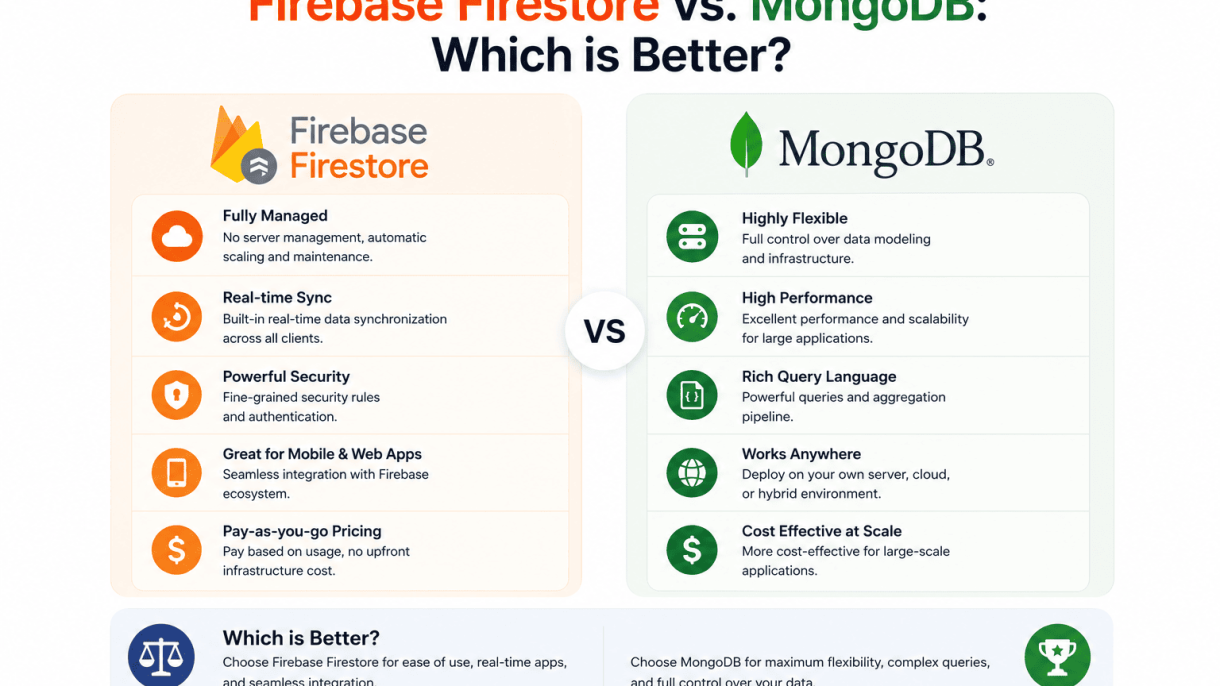

Introduction: The NoSQL Database Dilemma
Modern applications demand databases that can handle high velocity, diverse data types, and seamless real-time updates. Traditional relational databases, while powerful for structured data and complex joins, often struggle under the weight of dynamic schemas and horizontal scaling needs. This tension has fueled the rapid adoption of NoSQL databases, which prioritize flexibility, scalability, and developer velocity. Among the most prominent contenders are Firebase Firestore—a fully managed, real-time document store from Google—and MongoDB, the open-source document database that has become a cornerstone of modern backend development. Choosing between them is not a matter of hype; it is a technical decision shaped by infrastructure preferences, data consistency requirements, and the specific operational demands of your application. This article provides a balanced, feature-by-feature comparison to help you determine which NoSQL solution aligns with your project’s real-world constraints.
Why NoSQL Databases Dominate Modern App Development
The shift toward NoSQL is driven by three core needs that relational databases often fail to meet at scale:
- Schema flexibility: NoSQL databases allow you to store data without a predefined schema, making them ideal for agile development where data structures evolve rapidly.
- Horizontal scalability: Most NoSQL systems are designed to distribute data across clusters of commodity hardware, enabling near-linear performance gains as workloads grow.
- Real-time capabilities: Many NoSQL platforms, including Firestore, offer built-in real-time listeners that push data changes to clients instantly—a critical feature for chat apps, live dashboards, and collaborative tools.
These advantages have made NoSQL the default choice for startups, mobile-first applications, and any project requiring rapid iteration without database migration headaches.
The Rise of Firebase Firestore and MongoDB
Firebase Firestore emerged from Google’s ecosystem as a serverless, real-time database tightly integrated with Firebase Authentication, Cloud Functions, and client SDKs for iOS, Android, and web. Its key selling points are automatic scaling, strong consistency guarantees for single-document operations, and a generous free tier that attracts early-stage projects. In contrast, MongoDB has evolved from a simple document store into a full-featured database with secondary indexes, aggregation pipelines, ACID transactions (since version 4.0), and flexible deployment options—self-hosted, cloud via MongoDB Atlas, or hybrid. While Firestore excels in serverless, low-ops environments where Google handles infrastructure, MongoDB offers greater control over data modeling, indexing strategies, and operational tuning. Both databases support geospatial queries, but their approaches to replication, sharding, and query performance differ significantly.
What This Article Will and Will Not Cover
This article focuses on practical, technical differentiators to guide your choice: data modeling paradigms, query capabilities, real-time and offline support, scaling limits, cost structures, and ecosystem integrations. It will not provide generic “best database” rankings, vendor benchmarks without context, or advice suited only to enterprise-scale deployments. The goal is to equip you with concrete criteria—such as whether you need multi-region writes, serverless auto-scaling, or custom aggregation pipelines—so you can evaluate each database against your specific application requirements. We assume you already have a basic understanding of NoSQL concepts but may be unfamiliar with the trade-offs between a managed, real-time database and a self-hosted or cloud-hosted document store.
Architecture and Data Model
The foundational difference between Firebase Firestore and MongoDB lies in how they structure and store data. Both are NoSQL databases, but their architectural choices lead to distinct trade-offs in flexibility, querying, and scalability. Understanding these differences is critical when deciding which database fits your application’s needs.
Firestore: Documents, Collections, and Subcollections
Firestore organizes data into documents and collections. A document is a lightweight record containing key-value pairs (field names mapped to values). Documents are stored inside collections, which are simply containers for documents. A key feature is the ability to create subcollections—collections nested within a document, allowing for hierarchical data organization. For example:
// Example Firestore structure
/users/{userId}/orders/{orderId}
Here, each user document contains a subcollection named “orders,” which holds order documents. This model enforces a strict parent-child relationship: subcollections exist only within a specific document. Queries are scoped to a single collection or subcollection, and cross-collection queries require multiple reads or composite indexes. Firestore automatically indexes every field by default, but complex queries (e.g., range filters on multiple fields) require manual composite indexes. Data nesting within a single document is limited to 1 MB and 20,000 fields, encouraging shallow, normalized structures.
MongoDB: Documents, Collections, and Embedded vs. Referenced Data
MongoDB also uses documents and collections, but its data model is more flexible. Documents are stored as BSON (Binary JSON), supporting richer data types (e.g., dates, binary data, ObjectIds). Unlike Firestore, MongoDB allows deep nesting within a single document—up to 100 levels of embedded documents and arrays. This enables embedded data models, where related data (e.g., order items within an order) is stored directly inside a parent document. Alternatively, referenced data uses ObjectId links to connect documents across collections, similar to foreign keys in relational databases. For example:
// Embedded approach (MongoDB)
{
  "_id": ObjectId("..."),
  "name": "Alice",
  "orders": [
    { "orderId": "001", "total": 29.99 },
    { "orderId": "002", "total": 49.99 }
  ]
}

// Referenced approach
// users collection
{ "_id": ObjectId("user1"), "name": "Alice" }
// orders collection
{ "_id": ObjectId("order1"), "userId": ObjectId("user1"), "total": 29.99 }
MongoDB does not automatically index all fields; you must create indexes explicitly. However, it supports compound indexes, text indexes, and geospatial indexes out of the box. The BSON size limit per document is 16 MB, which is far larger than Firestore’s limit, making it suitable for richer, nested data structures.
Schema Enforcement and Validation Approaches
Both databases are schema-flexible by default, but they provide different mechanisms for validation.
| Feature | Firestore | MongoDB |
|---|---|---|
| Default schema | No schema enforcement | No schema enforcement |
| Validation method | Security rules (server-side) | JSON Schema validation (collection-level) |
| Client-side enforcement | Not built-in (use client libraries) | Not built-in (use ODM like Mongoose) |
| Indexing | Automatic single-field indexes; manual composite | Manual indexes on any field or compound |
Firestore uses security rules to control read/write access and validate data structure at the server level. For example, you can enforce that a “title” field must be a string and exist on every document in a collection. MongoDB offers JSON Schema validation (via $jsonSchema) during write operations, allowing you to specify required fields, data types, and value ranges. Additionally, many MongoDB developers use ODMs like Mongoose for Node.js to enforce schemas at the application layer, providing type coercion and validation before data reaches the database.
In practice, Firestore’s approach is more integrated with its security ecosystem, while MongoDB’s validation is decoupled and more flexible for complex rules. The choice depends on whether you prefer a tightly managed (Firestore) or highly customizable (MongoDB) schema enforcement.
Query Capabilities and Performance
When evaluating Firebase Firestore vs. MongoDB for query capabilities and performance, the choice hinges on real-time needs versus analytical depth. Firestore excels at live synchronization with minimal latency, while MongoDB offers sophisticated querying through aggregation pipelines. Understanding their indexing strategies is critical for optimizing speed in production workloads.
Firestore Queries: Real-Time Listeners and Limitations
Firestore queries are designed for real-time applications, using snapshot listeners to push data changes to clients instantly. Queries are shallow—they return only documents at the collection level, not subcollections—and support simple filters, sorting, and limited compound conditions. However, Firestore imposes strict limitations: compound queries require composite indexes, range filters on multiple fields are restricted, and there is no native full-text search. For text search, you must integrate third-party services like Algolia or Meilisearch. Aggregation is also limited; count(), sum(), and average() require client-side computation or cloud functions. Performance is strong for small to medium datasets, but complex queries can degrade due to index constraints.
MongoDB Queries: Aggregation Pipeline and Advanced Filtering
MongoDB provides a mature query system built around its aggregation pipeline, which supports multi-stage transformations like $match, $group, $sort, and $lookup for joins. This enables complex analytics, such as computing averages across nested arrays or joining collections, directly on the database. MongoDB also offers native full-text search via text indexes, along with geospatial and array queries. For real-time needs, you can use change streams, which deliver document changes to applications, though they require more setup than Firestore’s built-in listeners. Performance scales well with large datasets, especially when indexes are properly designed, but write-heavy workloads can cause contention if indexes are not optimized.
Indexing Strategies and Their Impact on Speed
Indexing is the backbone of query performance for both databases. Firestore automatically indexes single-field queries but requires manual composite indexes for compound queries. Without the correct composite index, queries fail with an error. This forces developers to plan indexes ahead of time, but it also ensures consistent performance for simple reads. However, each composite index consumes storage and increases write latency (by up to 20% in high-write scenarios). MongoDB offers flexible indexing: single-field, compound, multikey (for arrays), text, and geospatial indexes. Developers can create indexes on the fly, and the query planner selects the most efficient index. Over-indexing can slow writes, but MongoDB’s explain() tool helps fine-tune. For speed, MongoDB generally outperforms Firestore on complex aggregations, while Firestore wins on low-latency real-time reads.
| Feature | Firebase Firestore | MongoDB |
|---|---|---|
| Real-time listeners | Built-in, low latency | Via change streams (requires setup) |
| Compound queries | Supported, but require composite indexes | Supported, no pre-defined indexes needed |
| Aggregation pipeline | Limited (no native pipeline) | Full pipeline with $lookup, $group, etc. |
| Full-text search | Not native (third-party required) | Native text indexes |
| Write performance impact | Composite indexes increase write latency | Over-indexing degrades writes |
| Query planning tools | Limited (index errors only) | explain() for optimization |
In practice, Firestore is ideal for apps needing instant sync with simple queries, such as chat or live dashboards. MongoDB suits applications requiring complex data processing, reporting, or flexible search. Both databases deliver strong performance when indexes are aligned with query patterns, but the trade-offs in query scope and real-time capability often dictate the better fit.
Scalability and Pricing Models
When comparing Firebase Firestore vs. MongoDB, scalability and pricing are often the deciding factors for development teams. Firestore employs a fully managed, automatic scaling model with a pay-per-operation cost structure, while MongoDB offers both manual and automated scaling options through sharding and tiered Atlas pricing. Understanding these differences is critical to avoid unexpected costs and to choose a database that aligns with your application’s growth trajectory.
Firestore: Automatic Scaling and Read/Write Costs
Firestore scales automatically without any configuration from the developer. As your user base grows, Firestore distributes data across multiple regions and partitions, handling traffic spikes seamlessly. This “serverless” approach eliminates the need to provision or manage infrastructure. However, this convenience comes with a cost model based on the number of reads, writes, and deletes your application performs, plus storage and network egress.
- Read costs: Charged per document read. Real-time listeners and queries count each document returned.
- Write costs: Charged per document write or update.
- Delete costs: Charged per document delete.
- Free tier: 50,000 reads, 20,000 writes, 20,000 deletes per day, plus 1 GiB stored.
- Hidden cost: Large collections or complex queries can inflate read counts significantly.
For example, a chat application that reads 100 messages per user per day would incur 100 reads per user. With 1,000 active users, that’s 100,000 reads daily—exceeding the free tier and incurring costs at $0.06 per 100,000 reads.
MongoDB: Horizontal Scaling with Sharding and Atlas Tiers
MongoDB scales horizontally through sharding, where data is partitioned across multiple servers. This requires careful planning: you must choose a shard key that distributes data evenly to avoid “hot spots.” MongoDB Atlas, the managed cloud service, simplifies this with automated sharding and tiered pricing. Atlas offers dedicated clusters (M10 and above) that support sharding, as well as serverless instances (starting at M0) for variable workloads.
- M0 (Free tier): 512 MB storage, shared RAM, no sharding. Suitable for development or very small apps.
- M10 (Dedicated): 2 GB RAM, 10 GB storage, supports sharding. Starts at $57/month.
- M30+: Higher RAM, storage, and IOPS. Sharding adds $60/month per shard.
- Serverless: Pay per read/write operation, similar to Firestore, with a minimum monthly charge of $0.10 per million reads.
- Hidden cost: Sharding requires operational overhead—monitoring, rebalancing, and backup costs can add 20-30% to the base price.
Cost Comparison for Small, Medium, and Large Applications
| Application Size | Firestore (Monthly Estimate) | MongoDB Atlas (Monthly Estimate) |
|---|---|---|
| Small (1,000 users, 10 reads/user/day) | $0 (within free tier) | $0 (M0 free tier) |
| Medium (10,000 users, 50 reads/user/day) | $30–$50 (500k reads/day, 500k writes/day) | $57–$100 (M10 dedicated, plus storage) |
| Large (100,000 users, 100 reads/user/day) | $300–$600 (10M reads/day, 1M writes/day) | $200–$400 (M30 with sharding, optimized) |
Key takeaway: Firestore can become expensive at scale due to per-operation costs, especially for read-heavy applications. MongoDB Atlas offers predictable monthly pricing for dedicated clusters but requires upfront planning for sharding. For bursty or unpredictable workloads, MongoDB’s serverless tier may align more closely with Firestore’s cost structure, while Firestore’s auto-scaling remains simpler to implement.
Real-Time and Offline Capabilities
When evaluating Firebase Firestore vs. MongoDB: Which is Better for real-time and offline functionality, the fundamental architectural differences become stark. Firestore was designed from the ground up as a real-time database, while MongoDB’s real-time capabilities are layered on top of its document store. This distinction shapes which platform suits collaborative apps, field service tools, and other latency-sensitive applications.
Firestore: Native Real-Time Sync and Offline Support
Firestore provides built-in real-time listeners that automatically push data changes to all connected clients without polling. When a document is updated, deleted, or added, every active listener receives the change within milliseconds. This native sync is ideal for:
- Collaborative editing tools (e.g., shared documents or whiteboards) where multiple users must see edits instantly.
- Live dashboards that display metrics or sensor data as it arrives.
- Chat applications requiring low-latency message delivery.
Offline persistence is equally native. Firestore caches recently accessed documents and pending writes locally on the device. When the network reconnects, it automatically synchronizes changes with the server, handling conflicts via last-write-wins or custom resolvers. This makes Firestore a strong choice for field service tools where technicians work in remote areas with intermittent connectivity. The SDK manages offline reads and writes transparently, so developers write the same code regardless of network state.
MongoDB: Change Streams and Realm Sync
MongoDB offers real-time via change streams, which allow applications to listen for document-level changes (inserts, updates, deletes) on a collection. However, change streams require a persistent connection to a replica set and are not as frictionless as Firestore’s listeners. They are best suited for:
- Event-driven architectures where changes trigger downstream processes (e.g., updating a search index).
- Backend-to-backend sync between services.
For mobile and web offline support, MongoDB provides Realm Sync, a separate product that synchronizes a local Realm database with the backend MongoDB Atlas cluster. Realm Sync uses a conflict-resolution system based on last-write-wins or custom strategies, but it introduces additional complexity: developers must manage a separate Realm SDK, define sync rules, and handle schema versioning. Unlike Firestore, where offline reads are automatic, Realm requires explicit configuration and can struggle with large datasets or high-frequency writes.
| Feature | Firestore | MongoDB (with Realm) |
|---|---|---|
| Real-time listeners | Native, automatic | Change streams (server-side) |
| Offline persistence | Built-in, transparent | Realm Sync (separate setup) |
| Conflict resolution | Last-write-wins or custom | Last-write-wins or custom |
| Mobile SDK complexity | Low | Moderate to high |
When Real-Time Matters Most
Real-time and offline capabilities are critical for specific use cases. For collaborative apps (e.g., project management tools, multiplayer games), Firestore’s instant sync and seamless offline mode reduce development time and improve user experience. For field service tools where workers log repairs or inspections offline, Firestore’s automatic sync ensures data integrity without manual reconciliation.
MongoDB’s change streams excel in server-side event processing, such as triggering notifications or updating caches when data changes. Realm Sync is viable for mobile apps that need offline support, but the added setup and maintenance overhead make it less attractive for small teams. In high-write scenarios (e.g., IoT sensor ingestion), Firestore’s real-time architecture can become costly due to per-document read and write charges, whereas MongoDB’s change streams may be more cost-effective for backend pipelines.
Ultimately, for applications where real-time collaboration and offline resilience are paramount, Firestore’s native approach offers a simpler, more reliable path. MongoDB remains better suited for complex querying and server-side event-driven workflows where real-time is a feature, not the foundation.
Security and Authentication
When comparing Firebase Firestore vs. MongoDB, security models diverge significantly in philosophy and implementation. Firestore adopts a declarative, platform-integrated approach tightly coupled with Firebase Authentication, while MongoDB offers a more traditional, layered security model based on user roles, network controls, and encryption. Understanding these differences is critical to avoiding common pitfalls that can expose your data.
Firestore Security Rules and Firebase Auth
Firestore’s security model is built around declarative rules written in a custom language, evaluated server-side before every read or write operation. These rules integrate seamlessly with Firebase Authentication, allowing you to restrict access based on user identity, custom claims, and request attributes. A common pitfall is leaving rules in test mode (allow read, write: if true;) in production, which grants unrestricted access. Another frequent mistake is failing to validate data structure within rules, leading to injection of malformed documents.
Example rule that restricts access to authenticated users and validates data:
rules_version = '2';
service cloud.firestore {
  match /databases/{database}/documents {
    match /users/{userId} {
      allow read, write: if request.auth != null && request.auth.uid == userId;
      allow create: if request.resource.data.keys().hasAll(['name', 'email']);
    }
  }
}
Key characteristics of Firestore security:
- Declarative: Rules are written once and apply to all database operations.
- Identity-driven: Directly uses Firebase Auth tokens (UIDs, email, custom claims).
- Granular: Can target specific collections, documents, and fields.
- No network-layer controls: Relies entirely on rules and client SDKs.
MongoDB: User Roles, IP Whitelisting, and Encryption
MongoDB’s security is layered and configurable at the database, network, and transport levels. User authentication uses SCRAM (Salted Challenge Response Authentication Mechanism) or x.509 certificates, with roles assigned per database or cluster. Access control is role-based (RBAC), allowing fine-grained permissions such as readWrite, dbAdmin, or custom roles. A common pitfall is enabling authentication but using weak passwords, or granting overly permissive roles like root to application users. Another is failing to enable TLS for data in transit, exposing queries to interception.
Network security relies on IP whitelisting (access control lists) to restrict which source IPs can connect. MongoDB Atlas also supports VPC peering and private endpoints. Encryption at rest is available via WiredTiger storage engine encryption or cloud provider-managed keys. A typical configuration example for creating a user with limited privileges:
use admin
db.createUser({
  user: "app_user",
  pwd: "securePassword123",
  roles: [ { role: "readWrite", db: "my_app_db" } ]
})
Key security layers in MongoDB:
- Authentication: SCRAM, x.509, LDAP, or AWS IAM.
- Authorization: Role-based access control with built-in and custom roles.
- Network: IP whitelisting, VPC peering, private endpoints.
- Encryption: TLS for transport, AES-256 for at-rest encryption.
Best Practices for Securing Your Database
Regardless of which database you choose, common security gaps can be avoided with disciplined practices. For Firestore, always deploy rules that reject unauthenticated requests and use request.auth to scope access. Test rules in the Firebase console simulator before deploying. For MongoDB, never expose your database to the public internet—use IP whitelisting and prefer private network connections. Enforce TLS for all client connections and rotate credentials regularly.
Additional universal best practices include:
- Principle of least privilege: Grant only the permissions necessary for each user or service.
- Audit logging: Enable and monitor database logs (Firestore audit logs via Cloud Audit Logs; MongoDB audit log).
- Data validation: Validate all data at the application layer in addition to database-level rules.
- Regular updates: Keep database drivers and server software patched to fix known vulnerabilities.
- Environment separation: Use different credentials and configurations for development, staging, and production.
Avoid the pitfall of assuming default configurations are secure. Both databases require explicit, intentional security setup. Firestore’s tight integration with Firebase Auth simplifies identity management but demands rigorous rule testing. MongoDB’s flexibility offers strong network and encryption controls but requires careful role and access management. The choice between them depends on your infrastructure and operational capacity to maintain these layers.
Ecosystem and Tooling
When choosing between Firebase Firestore and MongoDB, the surrounding ecosystem often determines long-term productivity and scalability. Firestore is tightly woven into Google Cloud’s suite, offering a unified backend experience, while MongoDB provides a more open, cross-platform toolkit. This section evaluates the developer experience, community support, and integrations that each platform brings to the table.
Firebase Ecosystem: Seamless Integration with Google Cloud
Firebase Firestore is part of a cohesive ecosystem designed to reduce boilerplate and accelerate development. Key components include:
- Firebase Hosting: Fast, secure hosting for web apps with automatic SSL and CDN delivery. Integrates directly with Firestore for serverless backends.
- Cloud Functions: Serverless compute that triggers on Firestore events (e.g., document writes) or HTTP requests, enabling real-time data processing without managing servers.
- Firebase Authentication: Pre-built sign-in flows for email/password, Google, Apple, and other providers, with seamless Firestore security rules integration.
- Firebase Analytics: Free, unlimited analytics that track user behavior and app performance, directly feeding into Firestore queries and A/B testing via Remote Config.
- Google Cloud Services: Firestore projects automatically benefit from Cloud Storage (for files), Cloud Scheduler (for cron jobs), and BigQuery (for complex analytics via streaming exports).
The developer experience is opinionated but streamlined: a single Firebase project handles auth, database, hosting, and analytics, reducing context switching. The Firebase console provides a unified dashboard for monitoring, logging, and testing security rules. Community support is strong, with extensive official documentation, YouTube tutorials, and an active Stack Overflow community.
MongoDB Ecosystem: Atlas, Compass, and BI Connectors
MongoDB’s ecosystem emphasizes operational control and enterprise integration. Its core tools include:
- MongoDB Atlas: Fully managed cloud database service with built-in backup, monitoring, and auto-scaling. Supports multi-cloud deployments (AWS, Azure, GCP) and global clusters for low-latency reads.
- MongoDB Compass: A rich GUI for ad-hoc queries, document visualization, schema analysis, and performance profiling. Ideal for debugging and exploring data without writing shell commands.
- BI Connectors: Native connectors to Tableau, Power BI, and SQL-based tools via the MongoDB Connector for BI. This allows business teams to query MongoDB data using standard SQL, bridging the gap between NoSQL and analytics workflows.
- Atlas Search: Built-in full-text search powered by Lucene, eliminating the need for a separate Elasticsearch instance.
- Realm SDKs: Mobile and web SDKs for offline-first apps, with automatic syncing to Atlas—similar to Firestore’s real-time capabilities but with more granular conflict resolution.
MongoDB’s developer experience is more customizable but requires more setup for authentication, hosting, and analytics. The MongoDB Cloud console provides metrics, alerts, and slow query analysis, while the mongosh shell remains a powerful tool for power users. Community support is vast, with hundreds of third-party drivers, a robust Stack Overflow presence, and MongoDB University offering free certification courses.
Third-Party Libraries and Community Resources
Both platforms benefit from rich third-party ecosystems, though their approaches differ:
| Resource | Firebase Firestore | MongoDB |
|---|---|---|
| ORM/ODM | Limited; Firebase Admin SDK is the primary client. Third-party libraries like react-firebase-hooks exist but are thin wrappers. |
Rich ODM ecosystem: Mongoose (Node.js), Morphia (Java), MongoEngine (Python). These provide schema validation, middleware, and query builders. |
| Testing Tools | Firebase Emulator Suite for local Firestore, Auth, and Functions testing. | mongodb-memory-server for in-memory testing; jest-mongodb for integration tests. |
| Deployment & CI/CD | Firebase CLI with firebase deploy; GitHub Actions templates available. |
MongoDB Atlas CLI; Helm charts for Kubernetes; Terraform provider for infrastructure-as-code. |
| Community Libraries | Fewer but tightly focused: firebase-tools, @firebase/testing. |
Thousands of drivers and wrappers for every language, plus tools like mongo-express for web-based administration. |
For developers who prefer opinionated, turnkey solutions, Firestore’s ecosystem minimizes configuration overhead. For those needing flexibility, custom drivers, or enterprise analytics, MongoDB’s broader library support and BI connectivity offer a more adaptable foundation. Community resources for both are abundant, but MongoDB’s longer history grants it a deeper pool of third-party integrations and battle-tested patterns.
Use Case Suitability
Choosing between Firebase Firestore and MongoDB often comes down to the specific demands of your application’s environment, data structure, and operational overhead. Firestore is a fully managed, serverless NoSQL document database from Google, tightly integrated with the Firebase ecosystem. MongoDB, in its self-hosted or Atlas managed form, offers more granular control over data modeling, indexing, and consistency. The table below distills the key differences for common application types.
| Application Type | Firebase Firestore Suitability | MongoDB Suitability |
|---|---|---|
| Mobile-first apps (iOS/Android) | Excellent — native SDKs, offline persistence, real-time sync | Good — requires separate SDKs or REST/GraphQL layer; offline sync needs custom logic |
| Real-time dashboards | Strong — built-in snapshot listeners for sub-100ms updates | Moderate — change streams require polling or dedicated change data capture |
| IoT sensor data ingestion | Limited — max 1 write per second per document; can be a bottleneck | Excellent — high write throughput, flexible indexing, and time-series collections |
| Content management systems (CMS) | Good for simple CMS — limited querying and aggregation | Excellent — rich aggregation pipeline, text search, and relational-like joins |
| Enterprise systems (ERP, CRM) | Rarely suitable — lacks ACID transactions across multiple documents | Excellent — multi-document ACID transactions, strong consistency options |
When to Choose Firebase Firestore
Firebase Firestore is the preferred choice when your primary goal is rapid development of mobile or web applications that require real-time synchronization with minimal backend management. Its key advantages include:
- Real-time listeners: Any client subscribed to a document or query receives updates within milliseconds, making it ideal for chat apps, collaborative tools, and live scoreboards.
- Offline-first support: Firestore caches data on the client device and automatically syncs when connectivity returns, a critical feature for mobile apps in variable network conditions.
- Serverless scaling: No need to provision servers or manage database clusters; Firestore automatically scales from zero to millions of concurrent users, though with limits on write throughput per document.
- Integrated authentication and security: Firebase Authentication combined with Firestore’s security rules allow fine-grained, client-side access control without a custom backend.
Choose Firestore if your application is mobile-first, requires real-time updates, and you are willing to accept eventual consistency for most reads (strong consistency is available for single-document reads only). It is less suitable for complex aggregation, multi-document transactions, or high-frequency IoT data ingestion.
When to Choose MongoDB
MongoDB is the better fit when your application demands complex data modeling, advanced query capabilities, or strict consistency guarantees across multiple documents. Its strengths include:
- Rich query and aggregation pipeline: MongoDB supports geospatial queries, text search, faceted aggregation, and powerful pipeline stages (e.g.,
$lookupfor joins,$facetfor multi-faceted analytics). - Multi-document ACID transactions: Since version 4.0, MongoDB supports transactions that span multiple documents, collections, and shards, making it viable for financial systems and inventory management.
- Flexible schema design: MongoDB allows embedding or referencing data to optimize for read patterns, and its schema validation can enforce structure without rigidity.
- High write throughput: Unlike Firestore’s single-document write limit, MongoDB can handle thousands of writes per second per shard, essential for IoT, logging, and event sourcing.
- Self-managed or managed (Atlas): MongoDB Atlas provides a managed service similar to Firestore, but with more control over cluster size, backup policies, and region selection.
Choose MongoDB if you need strong consistency, complex queries, or high-volume writes. It requires more operational expertise, especially for sharding and indexing, but offers far greater flexibility for enterprise-grade applications.
Hybrid Approaches: When to Use Both
Some architectures benefit from using Firestore and MongoDB together, each serving its strength. For example:
- Firestore as the front-end real-time layer: Use Firestore to handle user-facing data that requires instant updates and offline support, such as chat messages or live notifications.
- MongoDB as the back-end analytics and transactional store: Use MongoDB for complex business logic, reporting, and multi-document transactions. Synchronize data between the two via Cloud Functions (Firebase) or change streams (MongoDB).
- Eventual consistency bridge: Write to MongoDB as the source of truth, then replicate to Firestore for real-time consumption. This approach mitigates Firestore’s write limits while still delivering responsive UIs.
This hybrid model is common in SaaS platforms that require both real-time collaboration (Firestore) and robust data analysis (MongoDB). It adds complexity but can unlock capabilities neither database provides alone.
Migration and Vendor Lock-In
When comparing Firebase Firestore and MongoDB, the ease of migrating data in and out of each platform is a critical factor for long-term flexibility. Vendor lock-in occurs when deep integration with proprietary features makes switching providers costly or technically prohibitive. Both databases offer export tools, but their approaches to data portability differ significantly, impacting how easily you can move your data or change backends.
Firestore: Export Options and Google Cloud Lock-In
Firestore is tightly integrated with the Google Cloud ecosystem, which simplifies operations for teams already using Google services but creates substantial dependency. Exporting data is possible but limited in scope and format:
- Export tool: Firestore provides a managed export via
gcloud firestore exportthat writes data to a Cloud Storage bucket in a proprietary format (namespace-level metadata and entity files). - Format limitations: Exports are not directly readable by other databases without custom transformation. The data is stored in a custom protocol buffer schema, not JSON or BSON.
- Import constraints: Imports require the same Firestore database structure and are only supported from Google Cloud Storage. You cannot import from external sources without building a custom pipeline.
- Real-time lock-in: Firestore’s real-time listeners, security rules, and Firebase Authentication are deeply proprietary. Replicating these features in another system requires rewriting application logic.
Example command to export Firestore data:
gcloud firestore export gs://my-bucket/export --collection-ids='users','orders'
This command exports only specified collections, but the resulting files are not human-readable and require a custom parser to convert to JSON or CSV.
MongoDB: Data Portability and Open Source Advantages
MongoDB offers significantly better data portability due to its open-source core and standard data format. Key advantages include:
| Feature | Details |
|---|---|
| Data format | BSON (binary JSON) is widely supported and easily convertible to JSON, CSV, or other formats. |
| Export tools | mongodump exports to BSON files; mongoexport exports to JSON or CSV. |
| Import tools | mongorestore and mongoimport accept standard formats from any source. |
| Open-source core | MongoDB Community Server is free and self-hostable, eliminating forced vendor lock-in. |
| Migration flexibility | Data can be moved to Atlas, self-managed instances, or even other document databases like Couchbase with minimal transformation. |
Example command to export MongoDB data to JSON:
mongoexport --db=myapp --collection=users --out=users.json --jsonArray
This produces a standard JSON array that can be imported into any system supporting JSON, including Firestore (with schema adjustments).
Strategies to Mitigate Vendor Dependency
To reduce lock-in risks with either platform, consider these practical approaches:
- Abstract database access: Use a repository pattern or ORM/ODM (e.g., Mongoose for MongoDB, Firestore’s SDK wrappers) to isolate database-specific code from business logic.
- Standardize data formats: Store data in JSON-compatible structures without relying on proprietary data types (e.g., avoid Firestore’s
Timestampor MongoDB’sObjectIdin critical fields). - Regular export testing: Periodically export data and verify it can be imported into a different system. For Firestore, test converting exports to JSON; for MongoDB, ensure
mongoexportoutput is usable. - Limit use of proprietary features: Avoid deep integration with Firestore security rules, real-time listeners, or MongoDB Atlas-specific features like Atlas Search unless you are willing to accept higher switching costs.
- Plan for schema evolution: Design schemas that are database-agnostic, using simple data types (strings, numbers, arrays) and avoiding vendor-specific indexing or validation.
By implementing these strategies, you can maintain the flexibility to migrate between Firebase Firestore and MongoDB—or to a different solution—without extensive rework. For teams prioritizing long-term data freedom, MongoDB’s open-source nature and standard export formats provide a clear advantage, while Firestore’s convenience is best suited for projects committed to the Google Cloud ecosystem.
Final Verdict and Recommendations
Choosing between Firebase Firestore and MongoDB is not about declaring a universal winner; it is about aligning a database’s strengths with your project’s specific constraints. Firestore excels in rapid, serverless development with real-time sync, while MongoDB offers mature, self-managed flexibility for complex queries and multi-cloud architectures. The decision ultimately hinges on your team’s expertise, budget, latency requirements, and long-term maintainability goals.
Firestore Wins If…
- Your team lacks dedicated DevOps resources: Firestore eliminates server management, scaling, and patching, allowing frontend-heavy teams to focus on features.
- Real-time synchronization is critical: For collaborative apps, live dashboards, or chat systems, Firestore’s built-in listeners (onSnapshot) provide sub-100ms updates without custom WebSocket setup.
- Budget favors predictable, pay-per-operation costs: Firestore charges per document read/write/delete, which suits apps with moderate, consistent traffic. No idle server costs.
- You need tight integration with Firebase ecosystem: Authentication, Cloud Functions, and Firebase Hosting reduce boilerplate for apps already using Google Cloud.
- Low-latency reads from a single region: Firestore’s multi-region replication ensures fast reads, but write latency can increase under heavy contention.
MongoDB Wins If…
- Your team has database administration expertise: MongoDB’s flexible schema, indexing options, and aggregation pipeline require careful tuning but offer unmatched query power.
- You need multi-cloud or hybrid deployment: MongoDB Atlas runs on AWS, Azure, and GCP, with cross-region replication and global clusters for low-latency writes.
- Complex queries and joins are essential: MongoDB’s $lookup, $unwind, and geospatial queries outperform Firestore’s limited query capabilities (no OR, no joins).
- Long-term cost predictability matters: For high-volume writes, MongoDB’s infrastructure cost can be lower than Firestore’s per-operation pricing, especially with reserved instances.
- Latency-sensitive writes across regions: MongoDB’s sharding and local write concerns (with eventual consistency) better support globally distributed applications requiring fast writes.
Next Steps: Prototyping and Proof of Concept
Before committing, run a structured proof of concept (PoC) over two weeks:
- Define three core use cases (e.g., user profile reads, real-time feed updates, analytics aggregation).
- Prototype identical features in both databases using their native SDKs. Measure read/write latency under simulated load (e.g., 1,000 concurrent users).
- Evaluate operational overhead: Track time spent on schema migrations, indexing, and scaling tests. Firestore auto-scales but requires composite indexes; MongoDB needs manual shard management.
- Calculate 12-month cost projections using each platform’s pricing calculator. Include storage, bandwidth, and operational labor (e.g., DBA hours for MongoDB).
- Test vendor lock-in: Attempt to export data from Firestore to MongoDB (or vice versa) using official tools. Note complexity and data transformation costs.
For most startups with real-time needs and lean teams, Firestore reduces time-to-market. For enterprises with complex data models and multi-cloud strategies, MongoDB offers long-term flexibility. Document your PoC results and revisit the decision after six months of production use—neither database is a permanent choice.
Frequently Asked Questions
What are the main differences between Firebase Firestore and MongoDB?
Firebase Firestore is a fully managed, real-time NoSQL document database by Google, tightly integrated with Firebase and Google Cloud. It offers automatic scaling, real-time listeners, and strong consistency for mobile and web apps. MongoDB is a general-purpose NoSQL database available as self-hosted or MongoDB Atlas (cloud). It provides flexible schemas, rich querying (aggregation pipelines), and horizontal sharding. Firestore excels in real-time sync and serverless simplicity, while MongoDB offers deeper query capabilities, indexing options, and broader deployment control.
Which database is better for real-time applications?
Firebase Firestore is specifically designed for real-time updates with built-in listeners that push data changes to clients instantly, making it ideal for chat apps, live dashboards, and collaborative tools. MongoDB can also support real-time features using change streams (available in replica sets), but it requires more configuration and is not as seamless out-of-the-box. For applications demanding minimal latency and automatic client synchronization, Firestore has an edge. However, MongoDB's change streams are powerful for complex event-driven architectures.
How do pricing models compare between Firestore and MongoDB Atlas?
Firestore charges based on document reads, writes, deletes, stored data, and network egress, with a free tier (10GB storage, 50K reads/day). Costs can escalate for high-read/write apps. MongoDB Atlas offers a free tier (512MB storage) and charges per hour for cluster resources (RAM, storage, vCPU) plus data transfer. For predictable workloads, MongoDB Atlas may be cheaper; for sporadic usage with low throughput, Firestore's pay-per-operation can be cost-effective. Always estimate based on your app's specific read/write patterns.
Can I use Firestore and MongoDB together in the same application?
Yes, it's possible to use both databases in a single application, often called a polyglot persistence approach. For example, you might use Firestore for real-time features and client-side sync, while using MongoDB for complex analytics, large-scale batch processing, or legacy integrations. However, this adds complexity in data synchronization, consistency management, and operational overhead. Evaluate if the benefits outweigh the costs. Some projects use a sync layer to keep data consistent between the two.
What query capabilities does each database offer?
Firestore supports compound queries with equality and range filters on single fields, as well as limited OR queries (via 'in' and 'array-contains-any'). Indexes are automatically managed but can be customized. MongoDB offers a rich query language including aggregation pipelines, text search, geospatial queries, and complex joins using $lookup. MongoDB's indexing is more flexible (compound, partial, TTL, etc.). For advanced analytics and reporting, MongoDB is significantly more powerful. Firestore is optimized for simple, predictable queries common in real-time apps.
How do Firestore and MongoDB handle scalability?
Firestore automatically scales horizontally across regions and is fully managed, requiring no manual sharding. It provides strong consistency and automatic multi-region replication for high availability. MongoDB scales horizontally via sharding, which requires manual setup and monitoring in self-managed deployments; MongoDB Atlas simplifies this but still involves cluster configuration. Firestore's auto-scaling is simpler for apps with variable traffic, while MongoDB offers finer control over data distribution and performance tuning for demanding workloads.
Which database is easier to learn for beginners?
Firebase Firestore is generally easier for beginners due to its tight integration with Firebase, clear documentation, and client SDKs for web and mobile that handle real-time synchronization out-of-the-box. Its security rules model is straightforward for simple apps. MongoDB has a steeper learning curve because of its richer query language, aggregation framework, and deployment options. However, MongoDB's flexibility and widespread use mean abundant learning resources. For quick prototyping, Firestore is often more beginner-friendly.
What are the security features of Firestore vs MongoDB?
Firestore uses Firebase Authentication and declarative security rules that control read/write access at the document and collection level, enforced server-side. MongoDB offers role-based access control (RBAC), authentication (SCRAM, x.509, LDAP), and field-level redaction in Atlas. For self-managed MongoDB, network security and encryption are user responsibilities. Firestore's security rules are easier to set up for simple apps, while MongoDB provides enterprise-grade security features suitable for compliance-heavy environments.
Sources and further reading
- Firebase Firestore Documentation
- MongoDB Documentation
- Firebase Firestore Pricing
- MongoDB Atlas Pricing
- Firebase Firestore Security Rules
- MongoDB Security Reference
- Firebase Firestore Queries
- MongoDB Query and Aggregation
- Firebase Firestore Real-time Updates
- MongoDB Change Streams
Need help with this topic?
Send us your details and we will contact you.