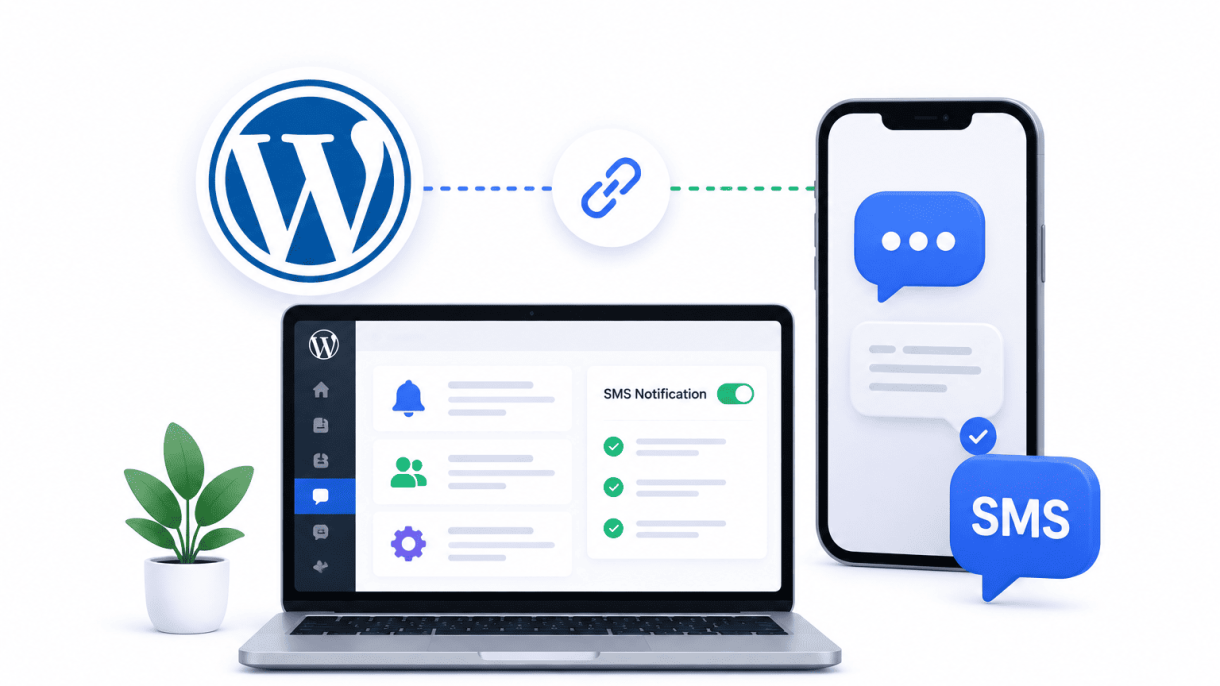

Introduction to WordPress and SMS Integration
In an era where mobile devices dominate digital interactions, the phrase “WordPress and SMS Integration” represents a strategic pivot toward immediate, personal communication. Email, once the cornerstone of online engagement, now faces declining open rates and inbox saturation. SMS, with its near-instant delivery and 98% open rate within minutes, offers a direct line to users who are constantly on their phones. For WordPress site owners, this integration bridges the gap between passive browsing and active, time-sensitive engagement. By weaving SMS capabilities into your site’s workflow, you transform a static platform into a dynamic communication hub—ideal for notifications, marketing, and customer support. This guide explores why SMS matters, its practical applications, and the technical mechanics that make it work.
Why SMS Complements Your WordPress Site
WordPress excels at content management, but its default communication channels—email and on-site alerts—often fail to capture immediate attention. SMS fills this void by offering:
- Higher engagement rates: Text messages are read within seconds, compared to hours for emails.
- Mobile-first alignment: Over 60% of web traffic now comes from mobile devices, making SMS a natural extension.
- Lower spam perception: Users trust SMS more than email, reducing the risk of messages being ignored.
- Actionable immediacy: Perfect for time-critical updates like order confirmations, event reminders, or two-factor authentication.
Unlike email, which requires subject lines and formatting, SMS is concise and direct. This simplicity reduces cognitive load for users, making it ideal for quick calls to action. For WordPress site owners, this means higher conversion rates from marketing campaigns and fewer missed interactions from support queries.
Key Use Cases for SMS in WordPress
The integration unlocks a spectrum of practical applications across industries. Common scenarios include:
| Use Case | Description | Example |
|---|---|---|
| E-commerce notifications | Order status updates, abandoned cart reminders, shipping alerts | “Your package from ShopABC has shipped. Track here: [link]” |
| Membership management | Renewal reminders, subscription expirations, exclusive offers | “Your premium plan renews in 3 days. Update payment: [link]” |
| Event management | Event confirmations, schedule changes, countdown reminders | “Webinar starts in 1 hour. Join: [link]” |
| Lead generation | Instant follow-ups from forms, opt-in confirmations, appointment booking | “Thanks for your inquiry. We’ll call within 30 minutes.” |
| Security and authentication | Two-factor authentication (2FA), password reset codes, login alerts | “Your verification code is 48291. Expires in 5 minutes.” |
These use cases demonstrate how SMS enhances automation, reduces friction, and builds trust. For example, a restaurant using WordPress for reservations can send table-ready texts, while a nonprofit can confirm donations instantly. The key is aligning SMS with user expectations—timely, relevant, and permission-based.
How SMS Integration Works Under the Hood
Integrating SMS with WordPress relies on a straightforward technical stack: an SMS gateway API, a WordPress plugin or custom code, and a database for user consent. The process typically follows these steps:
- User opt-in: Visitors submit their phone number via a form (e.g., Gravity Forms, Contact Form 7), which is stored in the WordPress database with a consent flag.
- Trigger event: A site action—such as a new order, form submission, or scheduled event—activates a hook in WordPress.
- API call: The plugin or custom function sends a POST request to an SMS service provider (e.g., Twilio, Plivo, or ClickSend) with the recipient’s number and message content.
- Delivery and logging: The provider processes the message, returns a status (sent, failed, or queued), and the plugin logs the interaction in the database for auditing.
Popular plugins like WP SMS, SMS Alert Notifications, or Twilio for WordPress simplify this by offering prebuilt hooks for WooCommerce, User Registration, and other common plugins. For developers, custom integration involves using the WordPress HTTP API to call SMS endpoints, handling error responses, and ensuring compliance with regulations like GDPR or TCPA. The core principle remains: SMS integration is not about complexity but about connecting a reliable API to your site’s existing event-driven architecture. This ensures that every text message is timely, automated, and traceable, enhancing both user experience and operational efficiency.
Core Benefits of Adding SMS to Your WordPress Workflow
Integrating SMS with your WordPress site unlocks a direct, high-impact communication channel that outperforms email in speed and engagement. Text messages boast open rates above 90%, with most read within three minutes—far surpassing email’s average of 20-30%. This immediacy transforms how you connect with users, driving deeper interaction and operational efficiency. Below, we break down three key advantages: real-time alerts, conversion optimization, and enhanced support through two-way messaging.
Boosting User Engagement with Real-Time Alerts
Real-time SMS alerts keep your audience informed and active without requiring them to check email or a dashboard. For WordPress sites, this is especially powerful for time-sensitive updates. Common use cases include:
- Order confirmations and shipping updates for e-commerce stores using WooCommerce.
- Event reminders for membership sites or booking plugins, reducing no-shows by up to 30%.
- Password reset codes or account verification for membership and community platforms.
- Urgent security alerts for admin users, such as failed login attempts or plugin updates.
To implement this, you can use a plugin like Twilio SMS for WordPress and trigger alerts via hooks. For example, sending a custom message on order status change:
add_action( 'woocommerce_order_status_changed', 'send_sms_on_order_update', 10, 4 );
function send_sms_on_order_update( $order_id, $old_status, $new_status, $order ) {
    $phone = $order->get_billing_phone();
    $message = "Your order #{$order_id} is now {$new_status}. Thank you!";
    // Use your SMS API (e.g., Twilio) to send $message to $phone
}
This code snippet, placed in your theme’s functions.php or a custom plugin, sends an instant SMS when an order status changes. The result: customers stay engaged without friction, and you build trust through proactive communication.
Improving Conversion Rates via SMS Campaigns
SMS campaigns drive conversions because they reach users at the right moment with minimal noise. Unlike email, which can languish in spam folders, SMS lands directly in the recipient’s primary inbox. Effective strategies include:
| Campaign Type | Example | Expected Impact |
|---|---|---|
| Abandoned cart recovery | “You left items in your cart! Complete your purchase now for 10% off.” | Up to 15% recovery rate |
| Flash sale alerts | “24-hour sale: 20% off all products. Use code SMS20.” | 30-40% click-through rate |
| Exclusive offers for subscribers | “Thanks for subscribing! Here’s a free shipping code: FREESHIP.” | 20% higher conversion than email |
| Re-engagement for inactive users | “We miss you! Come back and get 15% off your next order.” | 10-12% reactivation rate |
To maximize conversions, segment your audience based on behavior (e.g., past purchases, page visits) and personalize messages with dynamic fields like first name or product name. Use a plugin that integrates with your CRM or email marketing tool to sync opt-ins and avoid over-messaging. A/B test send times—evening hours often yield higher response rates for B2C sites.
Enhancing Customer Support Through Two-Way Messaging
Two-way SMS transforms support from a one-way broadcast into a conversation. Users can reply to alerts, ask questions, or resolve issues without logging into your site. This reduces support ticket volume and improves satisfaction. Key implementations:
- Automated replies for common queries: “Reply 1 for order status, 2 for returns, 3 to speak to an agent.”
- Order tracking updates where users can text a keyword like “STATUS” to get real-time info.
- Appointment scheduling with confirmations and reminders via text.
- Escalation to human agents when automated responses fail—integrate with helpdesk tools like Zendesk or Freshdesk.
To set this up in WordPress, choose a plugin that supports incoming SMS webhooks (e.g., Twilio or Vonage). Configure a webhook endpoint in your site to process replies and route them to the appropriate handler. For example, a reply to a support alert can be logged as a comment in your ticket system. This closes the loop: users feel heard, and you gain a scalable support channel that works on any device.
Choosing the Right SMS Gateway for WordPress
Selecting an SMS gateway for your WordPress integration is a decision that hinges on technical capability, budget, and geographic reach. The right gateway ensures reliable delivery, straightforward API management, and scalable pricing as your audience grows. Below, we compare three leading providers—Twilio, Nexmo (Vonage), and Plivo—focusing on factors critical for WordPress developers and site owners: ease of integration, cost predictability, and regional support.
Twilio: The Industry Standard for Developers
Twilio remains the most widely adopted SMS gateway due to its robust API documentation, extensive SDK support, and developer-centric tools. For WordPress integration, Twilio offers a dedicated PHP library that simplifies sending and receiving messages via RESTful calls. Its reliability is backed by a 99.95% uptime SLA for SMS, and it supports two-way messaging, which is essential for subscriber opt-ins and interactive campaigns. However, Twilio’s pricing is per-message and can become expensive at high volumes, especially for traffic outside North America. It also requires a verified sender ID (usually a toll-free number or short code) for transactional messages, adding a setup step. Twilio is ideal for developers who need granular control and advanced features like message scheduling or delivery analytics.
Nexmo (Vonage) and Alternatives for Scalability
Nexmo, now under the Vonage brand, competes closely with Twilio, particularly for international scalability. Its API is similarly RESTful and offers a PHP wrapper, making WordPress integration straightforward. Nexmo excels in global reach, with direct connections to over 200 countries and competitive rates for high-volume sending. It also provides virtual numbers in 100+ countries, enabling local sender IDs for better deliverability. For WordPress sites targeting a global audience, Nexmo’s transparent pricing and lack of minimum commitments are advantageous. An alternative worth considering is Plivo, which offers lower per-message costs for bulk SMS and a simpler pricing model with no monthly fees. Plivo’s API is less feature-rich than Twilio’s but sufficient for most WordPress notification and marketing use cases. For scalability, evaluate message throughput limits and concurrency support—Nexmo and Plivo both allow high-volume bursts without throttling, whereas Twilio may require a credit increase request.
Evaluating Pricing Models and Regional Support
Pricing models vary significantly and directly impact your WordPress site’s operational costs. Twilio charges per segment (up to 160 characters) with additional fees for carrier fees and regulatory compliance. Nexmo uses a similar model but offers volume discounts at lower thresholds. Plivo provides a simpler flat-rate structure for many countries. Regional support is critical: Twilio has strong coverage in North America and Western Europe but can be expensive in Asia-Pacific and Africa. Nexmo offers competitive rates in emerging markets. Plivo is cost-effective for high-volume campaigns in the US and India. Below is a comparison table summarizing key factors:
| Gateway | Pricing Model | Best For | Regional Strengths | API Ease |
|---|---|---|---|---|
| Twilio | Per message, no monthly fee; volume discounts available | Developers needing advanced features, two-way SMS, and analytics | North America, Western Europe | Excellent (extensive PHP SDK) |
| Nexmo (Vonage) | Per message, tiered pricing; no minimum commitment | Global campaigns with local numbers and high throughput | Over 200 countries, strong in Asia and Africa | Very good (simple REST API) |
| Plivo | Flat-rate per message (US/India); no monthly fees | High-volume bulk SMS at low cost | United States, India | Good (basic PHP SDK) |
When choosing, consider your WordPress site’s primary audience location and message volume. For a global ecommerce store with moderate traffic, Nexmo balances cost and reach. For a US-based newsletter, Plivo offers the best value. Twilio remains the safest choice for custom integrations requiring deep control, despite higher per-message costs in some regions.
Top WordPress Plugins for SMS Integration
Choosing the right plugin for WordPress and SMS integration is critical for reliable engagement and automation. The best plugins offer a balance of features, ease of use, and support for various SMS gateways. Below is a detailed look at two leading options, followed by a comparison to help you decide.
WP SMS Plugin: Features and Setup
The WP SMS plugin is a robust, feature-rich solution suitable for both free and premium use. It supports over 250 SMS gateways, including Twilio, Nexmo, and Plivo, making it highly adaptable to different regions and budgets. Key features include:
- Two-Factor Authentication (2FA): Enhance login security by sending one-time codes via SMS.
- Mobile Field Manager: Add a phone number field to user registration, checkout, or profile pages.
- Subscriber Management: Build and segment SMS subscriber lists directly from WordPress.
- WooCommerce Notifications: Automate order confirmations, shipping updates, and abandoned cart reminders.
Setup Process:
- Install and activate the WP SMS plugin from the WordPress repository or via premium download.
- Navigate to SMS → Settings in the WordPress admin panel.
- Select your SMS gateway (e.g., Twilio) and enter your account credentials (API SID, Auth Token, and sender number).
- Configure default notifications under SMS → Notifications by toggling events like “New User Registration” or “Order Completed.”
- Test the integration by sending a manual SMS from the plugin’s dashboard.
For advanced automation, you can use the plugin’s built-in hooks. Below is a practical PHP code example to send a custom SMS when a user publishes a new post:
add_action( 'publish_post', 'send_sms_on_new_post', 10, 2 );
function send_sms_on_new_post( $post_id, $post ) {
    if ( function_exists( 'wp_sms_send' ) ) {
        $message = 'New post published: ' . $post->post_title;
        $to = '+1234567890'; // Replace with recipient number
        wp_sms_send( $to, $message );
    }
}
SMS Alert Notifications for WordPress
SMS Alert Notifications is a simpler, lightweight plugin ideal for users who need basic notifications without complex features. It supports popular gateways like Twilio, ClickSend, and Textlocal. Its primary use cases include:
- User Notifications: Alert admins or users on new registrations, password changes, or content updates.
- Order Alerts: Send real-time SMS to store owners or customers for WooCommerce orders.
- Form Integration: Trigger SMS alerts from Contact Form 7, Gravity Forms, or Ninja Forms submissions.
Setup involves entering gateway credentials under Settings → SMS Alerts and selecting which events trigger SMS. The plugin lacks advanced subscriber management but excels in straightforward, no-fuss configuration.
Comparing Plugin Performance and Support
To help you choose between WP SMS and SMS Alert Notifications, consider the following comparison table:
| Feature | WP SMS Plugin | SMS Alert Notifications |
|---|---|---|
| Free Version | Limited to basic notifications; premium adds 2FA and subscriber management | Full features for up to 100 SMS/month; premium for higher limits |
| Gateway Support | 250+ gateways | 15+ gateways |
| Subscriber Management | Robust (segments, lists, opt-in forms) | Not available |
| Performance | Moderate impact on site speed; caching recommended | Lightweight; minimal load |
| Support Quality | Dedicated ticket system; active community forum | Email support with 24-hour response; limited documentation |
| Best For | E-commerce sites, membership platforms, and complex automation | Small businesses needing basic alerts without overhead |
For WordPress and SMS integration, WP SMS is the stronger choice if you require scalability and granular control. SMS Alert Notifications suits users who prioritize simplicity and lower resource usage. Both plugins offer free tiers, allowing you to test performance with your specific gateway before committing to a premium plan.
Step-by-Step: Setting Up SMS Notifications for User Actions
Integrating SMS notifications into your WordPress site transforms passive user actions into immediate, engaging touchpoints. By configuring alerts for key events like registrations, purchases, and password resets, you reduce friction, build trust, and keep users informed without requiring them to check email. This guide walks you through the practical setup using a reliable SMS gateway plugin (such as Twilio or Clickatell) and WordPress hooks.
Triggering SMS on New User Registration
To send an SMS when a new user registers, you first need an SMS plugin that hooks into the user_register action. Follow these steps:
- Install and activate an SMS plugin like “WP SMS” or “Twilio for WordPress.”
- Navigate to the plugin settings and enter your SMS gateway credentials (Account SID, Auth Token, and sender number).
- Find the “User Registration” notification toggle and enable it.
- Set the recipient number—typically the admin or the user’s phone number if collected during registration.
- Customize the message template. A default example: “Welcome, {username}! Your account at {sitename} is active.”
- Save changes. Test by registering a dummy user; you should receive the SMS within seconds.
For advanced control, use a snippet in your theme’s functions.php to send SMS only to users who opt in during signup:
add_action( 'user_register', 'send_registration_sms', 10, 1 );
function send_registration_sms( $user_id ) {
    $phone = get_user_meta( $user_id, 'billing_phone', true );
    if ( $phone ) {
        // Your SMS sending function here
    }
}
Sending Order Confirmations and Shipping Updates
For WooCommerce stores, SMS alerts for orders dramatically reduce support queries. Configure these steps:
- Order confirmation: In your SMS plugin, locate the WooCommerce integration tab. Enable “New Order” notification. Set the recipient to the customer’s billing phone. Template example: “Order #{order_number} confirmed. Total: {order_total}. Thank you, {customer_name}!”
- Shipping updates: Use the “Order Status Changed” hook. Map each status (e.g., “Processing” to “Shipped”) to a distinct SMS. For shipping, include a tracking link: “Your order #{order_number} has shipped! Track it here: {tracking_url}.”
- Admin alerts: Add a separate notification for store managers when a high-value order (over $100) is placed. Set recipient to the admin’s mobile number.
Below is a table of recommended status triggers and message variables:
| Order Status | Trigger Event | Example Dynamic Variables |
|---|---|---|
| Pending Payment | Payment reminder (optional) | {customer_name}, {order_total}, {payment_link} |
| Processing | Order confirmation | {order_number}, {order_date} |
| Completed | Delivery confirmation | {customer_name}, {order_number} |
| Shipped | Tracking update | {tracking_number}, {carrier_name} |
Customizing SMS Templates with Dynamic Data
Dynamic data makes each SMS personal and actionable. Most SMS plugins support shortcodes that pull user and order details. Common placeholders include:
{username}— user’s display name{order_total}— formatted order total{reset_link}— password reset URL (shortened via URL shortener to fit SMS length){site_name}— your website name{current_date}— date of the event
To customize a password reset SMS, for example, use this template: “Hi {username}, reset your {site_name} password here: {reset_link}. Link expires in 24 hours.” For purchase confirmations, include product names: “Thanks, {customer_name}! Your {product_name} is confirmed. Order #{order_number}.” Always test templates by sending a sample SMS to yourself. Limit messages to 160 characters per segment to avoid extra charges. Additionally, use a dedicated shortcode for opt-out instructions, such as “Reply STOP to unsubscribe,” to comply with SMS regulations.
Building Two-Way SMS Conversations from WordPress
Enabling two-way SMS from your WordPress site transforms passive notifications into interactive dialogues. When users can reply to messages, you unlock real-time support, appointment confirmations, and feedback loops—all managed from your dashboard. This section covers the technical setup and workflow for handling inbound replies, integrating responses with your existing tools, and maintaining organized conversation logs.
Setting Up Inbound SMS Webhooks
To receive replies from users, you must configure a webhook endpoint in WordPress that listens for incoming SMS from your SMS provider (e.g., Twilio, Vonage, or Plivo). A webhook is a URL that the provider sends data to whenever a user replies. Follow these steps:
- Register an endpoint: Create a custom API endpoint in your theme’s
functions.phpor via a plugin like WP REST API. Example code for a simple endpoint:
add_action( 'rest_api_init', function () {
    register_rest_route( 'sms/v1', '/inbound', array(
        'methods' => 'POST',
        'callback' => 'handle_inbound_sms',
        'permission_callback' => '__return_true',
    ) );
} );

function handle_inbound_sms( $request ) {
    $from = sanitize_text_field( $request->get_param( 'From' ) );
    $body = sanitize_textarea_field( $request->get_param( 'Body' ) );
    // Log reply to database or CRM
    global $wpdb;
    $wpdb->insert( $wpdb->prefix . 'sms_conversations', array(
        'direction' => 'inbound',
        'phone' => $from,
        'message' => $body,
        'timestamp' => current_time( 'mysql' ),
    ) );
    return new WP_REST_Response( array( 'success' => true ), 200 );
}
- Configure your SMS provider: In your provider’s dashboard, set the webhook URL to
https://yoursite.com/wp-json/sms/v1/inbound. Test with a sample message to confirm the endpoint logs replies correctly. - Secure the endpoint: Add a secret token or IP whitelist to prevent unauthorized POST requests. For example, check a custom header like
X-SMS-Secretin the callback function.
Integrating with a CRM or Helpdesk Plugin
Once inbound SMS data flows into WordPress, route it to a CRM or helpdesk plugin for structured management. Popular options include FluentCRM, Groundhogg, or Awesome Support. Use the webhook data to create or update contact records and log conversations:
- Create contact profiles: When a new phone number replies, check if a contact exists in your CRM. If not, create a new contact with the phone number as the primary identifier. Use hooks like
fluentcrm_contact_createdto attach the SMS history. - Log as a note or ticket: In helpdesk plugins, map inbound SMS to a new ticket or append it to an existing conversation. For example, in Awesome Support, use the
wpas_add_custom_fieldsfilter to store the SMS body as a custom field in the ticket. - Automate follow-ups: Based on reply content, trigger workflows—e.g., if a user replies “YES” to an appointment reminder, update the booking status in your calendar plugin via a custom action.
Best Practices for Managing SMS Replies
To keep two-way SMS efficient and user-friendly, follow these guidelines:
- Centralize conversation logs: Store all inbound and outbound SMS in a custom database table (as shown in the webhook example) or a dedicated plugin like SMS Conversations. Display logs in the user’s profile or order edit screen for easy reference.
- Set reply expectations: In your outbound messages, include a note like “Reply STOP to opt out” or “We’ll respond within 1 hour” to manage user expectations. Use automated replies for common keywords (e.g., “HOURS” returns your business hours).
- Monitor and moderate: Implement rate limiting to prevent spam replies—e.g., allow only 5 messages per number per hour. Use a simple moderation queue in the dashboard for flagged content (e.g., messages containing offensive words).
- Maintain compliance: Always provide opt-out instructions (e.g., “Reply STOP”). Log opt-out requests and remove those numbers from future campaigns. For regulated industries, store consent records alongside the conversation log.
Marketing Automation: SMS Campaigns and Segmentation
Integrating SMS into your WordPress marketing strategy unlocks powerful automation capabilities, enabling direct, high-open-rate communication with your audience. By leveraging user data from your WordPress site, you can move beyond generic blasts to deliver personalized promotions, timely reminders, and structured drip campaigns. This approach not only boosts engagement but also drives conversions through precise segmentation and behavioral triggers.
Creating Targeted SMS Lists Using WordPress User Data
Effective SMS marketing begins with building segmented lists from your existing WordPress user base. Your site already collects valuable data through registration forms, purchase history, and interaction logs. Use this information to categorize subscribers for tailored messaging. Key data points to consider include:
- User role or membership level: Separate free users from premium subscribers to offer exclusive promotions.
- Purchase behavior: Segment by past purchases, abandoned carts, or repeat buyers for targeted reminders or upsells.
- Geolocation: Use IP-based or form-collected location data to send local event invites or region-specific offers.
- Engagement history: Identify active users (recent logins, commenters) versus dormant ones for re-engagement campaigns.
- Opt-in preferences: Ensure compliance by respecting explicit consent for SMS, segmented by topic (e.g., promotions, updates, reminders).
To build these lists, integrate your WordPress database with an SMS marketing plugin (e.g., Twilio or TextMagic) that syncs user meta fields. Regularly clean lists by removing unsubscribes and invalid numbers to maintain deliverability.
Scheduling Automated SMS Drip Sequences
Automated drip sequences nurture leads and customers over time without manual effort. Using WordPress user data, you can trigger SMS messages based on specific actions or time intervals. A typical drip campaign might follow this structure:
| Stage | Trigger | Example SMS Content |
|---|---|---|
| Welcome | User signs up via form | “Welcome to [Brand]! Enjoy 10% off your first order with code WELCOME10.” |
| Reminder | Abandoned cart (24 hours) | “Your cart is waiting! Complete your purchase today for free shipping.” |
| Re-engagement | No activity for 30 days | “We miss you! Here’s a 15% discount to come back. Valid for 48 hours.” |
| Post-purchase | 7 days after order | “Thanks for your order! Rate your experience and get a chance to win a gift card.” |
To schedule these sequences, use a WordPress automation plugin like Uncanny Automator or a dedicated SMS tool with CRM integration. Set delays based on user behavior (e.g., time since last login) and ensure each message includes an opt-out link to comply with regulations.
A/B Testing SMS Content and Timing
Optimizing SMS campaigns requires systematic A/B testing of both message content and send times. Start by defining clear variables to test:
- Content variations: Compare different call-to-action phrases (e.g., “Shop now” vs. “Claim your deal”), personalization levels (including first name vs. generic greeting), or message length (short vs. detailed).
- Timing experiments: Test different days of the week (e.g., Tuesday morning vs. Thursday afternoon) or specific hours (10 AM vs. 6 PM) to identify peak engagement windows.
- Offer types: Contrast percentage discounts (20% off) with fixed amounts ($10 off) or free shipping.
To run tests, split your targeted list into equal segments (e.g., 50% control, 50% variant) using your SMS platform’s built-in A/B testing feature. Track metrics like click-through rate, conversion rate, and opt-out rate over a defined period (typically 1-2 weeks). Analyze results statistically—look for a minimum 10% difference in performance to declare a winner. Apply the winning combination to future campaigns and iterate continuously for sustained improvement.
Security, Compliance, and Privacy Considerations
Integrating SMS into your WordPress site demands rigorous attention to legal and security frameworks. Failure to comply with regulations like the Telephone Consumer Protection Act (TCPA) in the U.S., the General Data Protection Regulation (GDPR) in Europe, and the CAN-SPAM Act can result in significant fines and reputational damage. This section outlines how to manage consent, secure data, and adhere to global standards while using WordPress and SMS integration.
Obtaining Explicit Consent and Maintaining Opt-Outs
Explicit consent is the cornerstone of lawful SMS communication. You must obtain clear, affirmative permission from users before sending any marketing or transactional messages. This means no pre-checked boxes or implied consent. Implement a double opt-in process: after a user submits their phone number via a WordPress form, send a confirmation SMS asking them to reply “YES” to verify. Maintain a log of each consent event, including the timestamp, IP address, and the specific message the user agreed to receive.
To manage opt-outs effectively, include clear instructions in every SMS (e.g., “Reply STOP to unsubscribe”). Use a WordPress plugin that automatically processes STOP replies and adds the number to a suppression list. The table below compares two common approaches to opt-out management:
| Feature | Manual Opt-Out List | Automated Plugin-Based System |
|---|---|---|
| Consent Logging | Requires manual entry of STOP replies into a spreadsheet or custom database | Automatically logs all opt-out requests with timestamps and user data |
| Real-Time Sync | Delayed; you must update lists after each campaign | Instant suppression across all scheduled and future campaigns |
| Audit Trail | Prone to human error and missing records | Secure, unalterable log suitable for regulatory audits |
| User Experience | User may receive messages for hours after opting out | Opt-out takes effect within seconds, reducing complaints |
Always honor opt-outs immediately and never resend to suppressed numbers. Under the TCPA, failure to do so can lead to statutory damages of $500 to $1,500 per violation.
Storing SMS Data Securely in WordPress
Phone numbers and message content are sensitive personal data. Store them securely within your WordPress environment by following these practices:
- Encrypt phone numbers and message bodies at rest using a WordPress encryption plugin or custom encryption function (e.g., AES-256).
- Use HTTPS for all data transmission between your site, SMS gateway, and user devices.
- Limit database access to only necessary roles (e.g., site administrator). Avoid storing SMS data in plain text in custom post types or user meta fields.
- Regularly audit your WordPress installation for vulnerabilities, including outdated plugins and themes that could expose SMS data.
- Choose a reputable SMS gateway provider that offers end-to-end encryption and complies with SOC 2 or ISO 27001 standards.
Additionally, implement a data retention policy: delete SMS logs after 30 to 90 days unless required for legal purposes. Use a cron job or plugin to automate this cleanup.
Complying with Global SMS Regulations
WordPress and SMS integration must respect the regulatory landscape of each recipient’s country. Key requirements include:
- TCPA (United States): Requires prior express written consent for marketing SMS, clear opt-out instructions, and adherence to time-of-day restrictions (8 a.m. to 9 p.m. local time).
- GDPR (European Union): Mandates a lawful basis for processing phone numbers (e.g., consent or legitimate interest), data minimization, and the right to erasure. You must provide a privacy policy that details SMS data use.
- CAN-SPAM (United States): While focused on email, its rules on commercial messaging and opt-out mechanisms often apply to SMS. Include your business name and contact information in every message.
- PIPEDA (Canada): Requires meaningful consent and the ability to withdraw consent at any time.
To manage compliance, use a WordPress plugin that supports region-specific consent forms and automatically adjusts message content based on the user’s IP geolocation. Regularly review your SMS practices against updated guidance from regulatory bodies such as the Federal Communications Commission (FCC) and the European Data Protection Board (EDPB). Document all compliance procedures in your site’s privacy policy and make it accessible to users.
Performance Optimization and Troubleshooting
Integrating SMS functionality into a WordPress site can introduce performance bottlenecks if not handled carefully. The key is to balance real-time communication needs with site speed. Below are strategies to keep your integration lean, along with debugging techniques for common issues.
Minimizing API Call Latency with Caching
Every SMS API call adds network overhead. To reduce latency without sacrificing delivery reliability, implement the following caching and batching techniques:
- Transient-based caching for status lookups: Store SMS delivery statuses in WordPress transients for 30-60 seconds. This prevents repeated API calls for the same message.
- Batch queueing for bulk sends: Instead of sending individual API requests per user, collect messages into a batch array and send them via your SMS provider’s bulk endpoint. Many providers support up to 1000 messages per request.
- Pre-fetch phone number validation: Validate phone numbers locally using a cached regex or a lightweight library before making an API call. This avoids unnecessary requests for invalid numbers.
Practical code example: Below is a PHP snippet that caches the last SMS delivery status for 60 seconds using WordPress transients:
// After sending an SMS, store status in transient
$message_id = send_sms_via_api( $phone, $message );
if ( $message_id ) {
    set_transient( 'sms_status_' . $message_id, 'pending', 60 );
}

// Retrieve status without re-calling API
$status = get_transient( 'sms_status_' . $message_id );
if ( false === $status ) {
    // Only then call the API again
    $status = fetch_delivery_status_from_api( $message_id );
    set_transient( 'sms_status_' . $message_id, $status, 60 );
}
This pattern reduces redundant API calls and keeps your site responsive.
Debugging Failed SMS Deliveries
When an SMS fails to deliver, the root cause often lies in incorrect configuration or provider-side issues. Follow this structured debug checklist:
- Verify API credentials: Check that your SMS provider’s API key, sender ID, and endpoint URL are correctly entered in WordPress settings. A common mistake is trailing spaces in keys.
- Enable logging: Use a plugin like WP Debug Logging or add
error_log( print_r( $response, true ) );after your API call to capture raw responses. - Check phone number formatting: Ensure numbers include the country code (e.g., +1 for US). Use a validation function before sending.
- Test with a single number: Send a test SMS to your own phone via the WordPress admin to isolate issues from user inputs.
- Review provider error codes: Most SMS APIs return specific error codes (e.g., 402 for insufficient credits, 429 for rate limits). Map these in your code to user-friendly messages.
If logs show a “401 Unauthorized” error, regenerate your API key and update the integration settings.
Handling Rate Limits and Queue Management
SMS providers enforce rate limits (e.g., 10 messages per second) to prevent abuse. Exceeding them causes failed deliveries. Manage this with a queue system:
- Use a cron-based queue: Store pending SMS messages in a custom database table or as post meta. Schedule a WordPress cron job to process the queue every 60 seconds, sending a limited batch per run.
- Implement exponential backoff: If a rate limit error (HTTP 429) occurs, pause the queue for 30 seconds and reduce the batch size by half. Retry three times before logging the failure.
- Monitor queue size: Add a dashboard widget showing pending SMS count. If it grows above 500, alert the admin to adjust rate limits or provider plan.
| Queue Size | Batch Size | Wait Time |
|---|---|---|
| 0–50 | 10 | 1 second |
| 51–200 | 5 | 2 seconds |
| 201+ | 3 | 5 seconds |
This adaptive approach ensures your integration respects provider limits while maintaining delivery reliability. Regularly review your provider’s documentation for updated rate limit thresholds.
Future Trends: SMS, WordPress, and Omnichannel Communication
As digital communication evolves, the integration of WordPress and SMS is poised to expand beyond simple text alerts. The future lies in richer, more interactive channels that blend seamlessly into a unified omnichannel strategy. Businesses that prepare now will gain a competitive edge in customer engagement, automating not just notifications but entire conversational experiences directly from their WordPress sites.
The Rise of Rich Communication Services (RCS)
RCS is the next-generation upgrade to traditional SMS, offering features akin to messaging apps like WhatsApp or iMessage—but without requiring users to download additional software. For WordPress site owners, this means the ability to send branded, media-rich messages directly to a user’s native messaging app. Key capabilities include:
- Rich media support: Send high-resolution images, videos, and GIFs within SMS threads.
- Interactive buttons: Include clickable options for booking, purchasing, or confirming appointments.
- Read receipts and typing indicators: Gain real-time feedback on message delivery and engagement.
- Verified sender branding: Display your business name and logo instead of a generic phone number.
WordPress plugins are already beginning to support RCS APIs, allowing automated workflows—such as abandoned cart reminders or order confirmations—to deliver a more immersive experience without losing the simplicity of SMS. This trend will make text-based communication more competitive with email and push notifications.
Combining SMS with Push Notifications and Email
The most effective future strategies will not rely on a single channel. Instead, WordPress and SMS integration will serve as a critical layer within a multi-channel automation sequence. A typical omnichannel flow might look like this:
| Stage | Channel | Example Action |
|---|---|---|
| 1. Trigger | WordPress user action | User abandons a WooCommerce cart. |
| 2. Immediate | SMS (or RCS) | Send a time-sensitive discount code via text. |
| 3. Follow-up (1 hour) | Push notification | Remind mobile app users of the saved cart. |
| 4. Follow-up (24 hours) | Send a personalized product recommendation. |
This layered approach ensures that messages reach users on their preferred platform, reducing opt-out rates and increasing conversion. WordPress plugins that unify SMS, email, and push notification triggers—such as those using webhooks or REST APIs—will become standard tools for marketers.
Preparing Your WordPress Site for AI-Powered Chatbots
Artificial intelligence is transforming SMS from a one-way broadcast channel into a conversational interface. By integrating AI-powered chatbots with your WordPress site and SMS gateway, you can automate customer support, lead qualification, and even booking management. To prepare, consider these steps:
- Choose a flexible chatbot platform: Look for solutions that offer SMS channel support (e.g., Twilio, MessageBird) and easy WordPress integration via plugins or custom API hooks.
- Define clear conversation flows: Map out common queries (shipping, returns, FAQs) and train your bot to handle them via SMS, escalating to human agents when needed.
- Sync with WordPress data: Ensure your chatbot can access user order history, account details, and content from your site (e.g., blog posts or product pages) to provide contextual responses.
- Test compliance and privacy: With AI handling SMS conversations, verify that your setup adheres to GDPR, TCPA, and other regulations, including obtaining explicit consent for automated messaging.
As natural language processing improves, SMS chatbots will become indistinguishable from human agents—offering 24/7 support directly from a user’s messaging app. WordPress sites that adopt this integration early will see higher customer satisfaction and reduced support costs, all while maintaining a cohesive brand voice across every channel.
Frequently Asked Questions
What is WordPress SMS integration?
WordPress SMS integration connects your WordPress site to an SMS gateway (like Twilio, Vonage, or AWS SNS) to send and receive text messages. This enables automated notifications for order confirmations, form submissions, password resets, two-factor authentication, and marketing campaigns directly from your WordPress dashboard. It boosts user engagement by reaching customers instantly on their mobile devices, bypassing email clutter.
How do I choose the best SMS plugin for WordPress?
Evaluate plugins based on supported SMS gateways (Twilio, Nexmo, etc.), ease of setup, features (two-way messaging, scheduling, templates), compatibility with your form builder (e.g., Contact Form 7, Gravity Forms), pricing (pay-as-you-go vs. monthly), and support. Popular choices include WP SMS, Twilio for WordPress, and SMS Alert Notifications. Test the free version or trial before committing.
Can I send automated SMS from WordPress forms?
Yes, many SMS plugins integrate with form builders like Contact Form 7, Elementor Forms, or Fluent Forms. When a user submits a form, you can trigger an automated SMS confirmation, a notification to the admin, or a follow-up message. For example, WP SMS can map form fields to SMS templates. This streamlines communication for booking systems, contact forms, and order requests.
Is two-factor authentication via SMS available for WordPress?
Absolutely. Plugins like WP SMS, Wordfence, and Two Factor provide SMS-based two-factor authentication. When a user logs in, a one-time code is sent to their mobile phone via SMS. This adds a critical security layer, reducing unauthorized access. Ensure your SMS gateway supports high delivery rates and consider fallback methods like email for reliability.
What are the costs associated with WordPress SMS integration?
Costs include the SMS plugin (many have free tiers with premium upgrades) and per-message charges from your SMS gateway provider (e.g., Twilio charges ~$0.0079 per SMS in the US). Some plugins also offer bundled credits. For high-volume sending, negotiate rates with the gateway. Factor in costs for two-way messaging and international messages, which may be higher.
How can I use SMS for marketing automation in WordPress?
Integrate SMS with marketing automation tools like Mailchimp, HubSpot, or via WooCommerce subscriptions. Send automated SMS for abandoned cart reminders, order updates, birthday offers, and re-engagement campaigns. Use segmentation based on user behavior. For example, trigger an SMS when a user completes a purchase or visits a specific page. Always comply with GDPR and CAN-SPAM by obtaining consent.
What are the compliance requirements for SMS marketing from WordPress?
You must obtain explicit opt-in from users (e.g., via checkbox on forms), provide clear privacy policies, and include opt-out instructions in every message. In the US, comply with the TCPA and CTIA guidelines. In the EU, adhere to GDPR. Keep records of consent. Use a professional SMS gateway that handles opt-out management and respects time-of-day restrictions (e.g., no messages after 9 PM).
Sources and further reading
- Twilio SMS API Documentation
- WordPress Plugin Directory: WP SMS
- WordPress Plugin Directory: Twilio for WordPress
- WordPress Plugin Directory: SMS Alert Notifications
- Vonage SMS API Overview
- ClickSend SMS API Documentation
- AWS SNS SMS Documentation
- GDPR Compliance for Marketing (European Commission)
- WooCommerce SMS Notifications Documentation
- WordPress.org Support: SMS Plugins
Need help with this topic?
Send us your details and we will contact you.