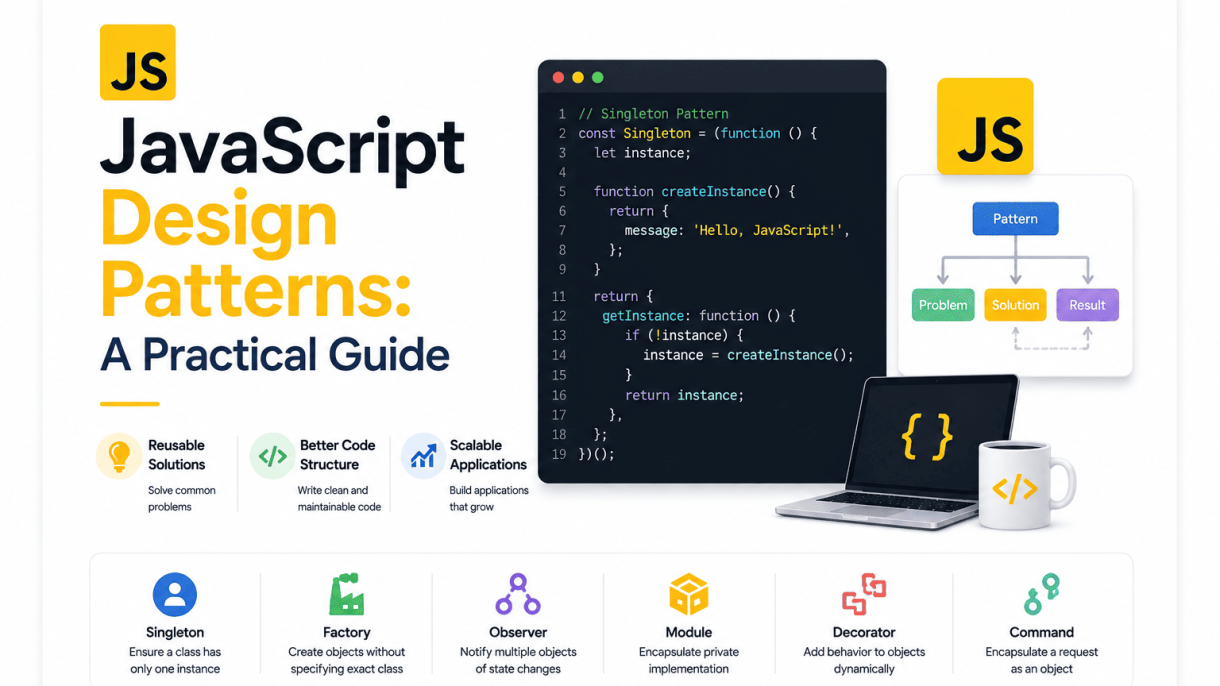

Introduction to JavaScript Design Patterns
Design patterns are proven, reusable solutions to recurring problems in software architecture. In JavaScript, where flexibility and asynchronous behavior create unique challenges, these patterns act as structured blueprints for organizing code. Rather than offering copy-paste functions, they provide a conceptual framework that you adapt to your specific context. This guide focuses on practical, real-world applications—not theoretical abstractions—so you can immediately improve how you write, test, and scale your JavaScript projects.
What Are Design Patterns?
A design pattern is a general, repeatable answer to a common design problem. Think of it as a template for how to structure classes, objects, or functions to achieve a particular goal. In JavaScript, patterns often emerge from the language’s prototype-based inheritance, first-class functions, and event-driven nature. They are not libraries or frameworks; they are architectural ideas. For example, the Module pattern uses closures to create private state, while the Observer pattern manages event subscriptions. Each pattern has a name, a problem it solves, and a set of participants (e.g., objects, functions) with defined roles. You can implement the same pattern in multiple ways, depending on whether you use ES6 classes, factory functions, or plain objects.
Why Use Design Patterns in JavaScript?
Adopting design patterns yields three major benefits: reusability, maintainability, and scalability.
- Reusability: Patterns encapsulate proven logic, so you can apply the same structure across different parts of an application or even across projects. For instance, a Singleton for a configuration manager works identically in a small script or a large codebase.
- Maintainability: Because patterns offer a shared vocabulary, other developers can quickly understand your code’s intent. A well-named pattern (e.g., “Decorator”) instantly communicates how objects are extended, reducing cognitive load and making refactoring safer.
- Scalability: Patterns help you manage complexity as your codebase grows. The Factory pattern, for example, centralizes object creation, making it easier to introduce new types without modifying existing logic. Similarly, the Mediator pattern reduces tight coupling between components, allowing you to add features without breaking existing interactions.
You should consider using a pattern when you notice recurring pain points: duplicated logic, tightly coupled modules, or difficulty testing side effects. However, avoid over-engineering. If a simple function suffices, do not force a pattern. Use them when the problem’s structure matches the pattern’s solution.
How to Choose a Pattern for Your Project
Selecting the right pattern depends on your specific constraints. Use the following criteria as a practical guide:
| Problem You Face | Recommended Pattern | Why It Works |
|---|---|---|
| Need to ensure only one instance of an object (e.g., a database connection) | Singleton | Centralizes resource access and prevents duplicate state. |
| Creating multiple related objects without specifying their concrete classes | Factory Method or Abstract Factory | Decouples client code from object creation, easing future expansion. |
| Managing one-to-many dependencies between objects (e.g., UI events) | Observer | Allows objects to react to changes without being tightly coupled. |
| Adding responsibilities to an object dynamically (e.g., logging, validation) | Decorator | Wraps objects with new behavior without altering existing code. |
| Coordinating complex communication between multiple components | Mediator | Centralizes control, reducing chaotic inter-object references. |
Start by identifying your primary architectural pain point. If you are unsure, begin with the Module pattern—it is foundational for organizing code and works well with ES6 modules. Then, as your project grows, introduce more specialized patterns. The following sections will walk through each pattern with concrete JavaScript examples, showing you how to implement them step by step. By the end, you will have a toolkit to make informed, practical choices for your next project.
Creational Patterns: Object Creation Strategies
Creational patterns in JavaScript address a fundamental challenge: how to create objects in a way that is both flexible and reusable. Instead of hard-coding construction logic directly into client code, these patterns abstract the instantiation process. This separation allows you to choose when, how, and which concrete object to create, making your codebase easier to maintain and extend. In a language as dynamic as JavaScript, these patterns often leverage prototypes, closures, and the inherent flexibility of functions. Below, we explore three foundational creational patterns—Constructor, Factory, and Singleton—each offering a distinct strategy for object creation.
Constructor Pattern: Prototype-Based Inheritance
The Constructor pattern is the most familiar way to create multiple objects of the same shape. In JavaScript, any function can act as a constructor when invoked with the new keyword. This pattern leverages the prototype chain to share methods across instances, which is key for memory efficiency. Instead of redefining a method for every object, you define it once on the constructor’s prototype.
function Person(name, age) {
  this.name = name;
  this.age = age;
}

Person.prototype.greet = function() {
  return `Hi, I'm ${this.name} and I'm ${this.age} years old.`;
};

const alice = new Person('Alice', 30);
const bob = new Person('Bob', 25);
console.log(alice.greet()); // "Hi, I'm Alice and I'm 30 years old."
console.log(alice.greet === bob.greet); // true (shared method)
This pattern is ideal when you need many objects with similar behavior. However, be mindful of this binding if you pass methods as callbacks. Modern JavaScript also supports class syntax, which is syntactic sugar over this prototype-based approach, but understanding the underlying mechanics remains valuable for debugging and advanced use cases.
Factory Pattern: Simplifying Object Creation
The Factory pattern provides an alternative to constructors by encapsulating the creation logic in a function that returns a new object. This approach is more flexible because it can return different types of objects based on input, or even return an existing cached instance. It also avoids the pitfalls of new, such as forgetting the keyword or dealing with complex inheritance hierarchies.
function createUser(type, data) {
  const base = { createdAt: new Date(), ...data };
  switch (type) {
    case 'admin':
      return { ...base, permissions: ['read', 'write', 'delete'], role: 'admin' };
    case 'guest':
      return { ...base, permissions: ['read'], role: 'guest' };
    default:
      return { ...base, permissions: ['read'], role: 'member' };
  }
}

const admin = createUser('admin', { name: 'Carol' });
const guest = createUser('guest', { name: 'Dave' });
Key advantages of the Factory pattern include:
- Abstraction: The caller only sees the returned object, not the complex creation steps.
- Conditional logic: You can centralize decision-making about which object to create.
- Encapsulation: It can hide private variables using closures, which is impossible with constructors.
Use a factory when object creation is complex, when you need to return different variants, or when you want to avoid the ceremony of new and prototype setup.
Singleton Pattern: Ensuring a Single Instance
The Singleton pattern restricts a class to a single instance and provides a global point of access to it. This is useful for shared resources like configuration settings, database connections, or logging utilities. In JavaScript, you can implement a Singleton using a combination of a constructor and a static method, or more elegantly with a module pattern and closures.
let instance = null;

class Config {
  constructor() {
    if (instance) {
      return instance;
    }
    this.settings = { theme: 'dark', language: 'en' };
    instance = this;
  }

  get(key) {
    return this.settings[key];
  }
}

const config1 = new Config();
const config2 = new Config();
console.log(config1 === config2); // true
While straightforward, the Singleton pattern is often criticized for introducing global state, which can complicate testing and increase coupling. In modern JavaScript, you can achieve a similar result with a simple object literal or by exporting a frozen object from a module, which is often preferable for its simplicity and immutability. Consider a Singleton only when you are certain that a single shared instance is necessary and that its global nature won’t hinder your application’s maintainability.
Structural Patterns: Composing Objects Efficiently
Structural design patterns focus on how objects and classes are assembled to form larger structures, ensuring that the system remains flexible, maintainable, and free of unnecessary entanglement. Rather than altering individual object behavior, these patterns define relationships that simplify code organization, reduce duplication, and clarify dependencies. In JavaScript—where objects are dynamic and prototypal—these patterns adapt well, offering pragmatic solutions for common architectural challenges. The Module, Decorator, and Facade patterns each address a distinct structural concern: encapsulation, runtime enhancement, and complexity hiding. Below, we examine each with practical use cases and a comparison of their core traits.
Module Pattern: Encapsulation and Privacy
The Module pattern leverages JavaScript’s function scope to create private variables and methods, exposing only a controlled public API. This is achieved by returning an object from an immediately invoked function expression (IIFE), where closures retain access to internal state. The pattern is ideal for managing application-wide state, configuration objects, or utility libraries that require a single, consistent interface without polluting the global namespace.
Practical use case: A shopping cart module that stores items in a private array and exposes methods like addItem, removeItem, and getTotal. External code cannot directly modify the items array, preventing accidental corruption.
- Pros: True privacy, simple to implement, eliminates global scope pollution.
- Cons: No automatic tree-shaking in bundlers, and all public methods are recreated per instance (if not using a singleton).
const Cart = (() => {
  let items = [];
  return {
    addItem: (item) => items.push(item),
    getTotal: () => items.reduce((sum, i) => sum + i.price, 0)
  };
})();
Decorator Pattern: Adding Behavior Dynamically
The Decorator pattern allows you to attach additional responsibilities to an object at runtime without modifying its underlying class or affecting other instances. In JavaScript, this is often done by wrapping an object with another that intercepts or extends its methods. This pattern is particularly useful when you need to add cross-cutting concerns—such as logging, caching, or validation—to existing functions or objects without rewriting their logic.
Practical use case: Enhancing a user profile object with a role-based permission decorator. The base object holds basic data, while a decorator adds an canEdit method that checks the user’s role before allowing changes.
- Pros: Flexible composition, adheres to the open/closed principle, avoids class explosion.
- Cons: Can lead to complex chains, and debugging is harder due to multiple wrapping layers.
function withLogging(fn) {
  return function(...args) {
    console.log(`Calling ${fn.name} with`, args);
    return fn.apply(this, args);
  };
}
const safeDelete = withLogging(deleteRecord);
Facade Pattern: Hiding Complexity
The Facade pattern provides a simplified, unified interface to a larger body of code, such as a complex library, a set of APIs, or multiple subsystems. It does not add functionality but rather hides intricate details behind a clean, easy-to-use surface. This pattern is invaluable when integrating third-party libraries, legacy code, or browser APIs that have verbose or inconsistent interfaces.
Practical use case: Creating a PaymentGateway facade that wraps payment processing, fraud detection, and receipt generation. Client code calls a single process(order) method instead of coordinating three separate services.
- Pros: Reduces coupling, improves readability, simplifies testing of client code.
- Cons: May become a “god object” if overused, and can hide necessary flexibility from advanced users.
class PaymentFacade {
  constructor() { this.gateway = new StripeAPI(); }
  process(order) {
    const auth = this.gateway.authenticate(order.token);
    if (auth.success) return this.gateway.charge(order.amount);
    return { error: 'Auth failed' };
  }
}
| Pattern | Primary Goal | Key Mechanism | Common Use Case |
|---|---|---|---|
| Module | Encapsulation & privacy | Closures over IIFE | Singleton state or utility libraries |
| Decorator | Runtime behavior addition | Object wrapping or function composition | Logging, caching, permission checks |
| Facade | Simplify complex interfaces | Unified wrapper over subsystems | Integrating APIs or legacy code |
Each pattern solves a specific structural problem: the Module pattern protects internal data, the Decorator pattern extends capabilities on demand, and the Facade pattern reduces cognitive load for consumers. Choosing among them depends on whether your priority is privacy, flexibility, or simplicity—though they can be combined, such as using a Module to expose a Facade that internally applies Decorators. Mastery of these three patterns gives you a robust toolkit for composing objects in a way that is both efficient and resilient to change.
Behavioral Patterns: Managing Communication
Behavioral design patterns shift focus from object creation and structure to the interactions between objects. They define clear protocols for communication, reducing tight coupling and promoting flexibility. Instead of objects calling each other directly, these patterns introduce intermediaries, event systems, or encapsulated actions. This results in code that is easier to extend, test, and maintain, especially as application complexity grows. The three most impactful patterns in this category—Observer, Mediator, and Command—solve distinct communication problems.
Observer Pattern: Event Handling and Pub/Sub
The Observer pattern establishes a one-to-many dependency. When one object (the subject) changes state, all its dependents (observers) are automatically notified and updated. This is the backbone of event-driven programming. In JavaScript, this appears in two common forms:
- DOM Events:
element.addEventListener('click', handler)is a direct implementation. The DOM element is the subject; the handler functions are observers. - Pub/Sub (Publish/Subscribe): A more decoupled variant uses a central message bus. Publishers emit named events, and subscribers listen for those names without knowing about each other.
Consider a simple stock ticker. Instead of the ticker directly updating a chart, a list, and a log (which would create rigid dependencies), it publishes a priceUpdate event. Each UI component subscribes to that event and reacts independently. To add a new feature, you simply add another subscriber—no changes to the ticker’s core logic.
// Minimal Pub/Sub implementation
const eventBus = {
  events: {},
  subscribe(event, callback) {
    if (!this.events[event]) this.events[event] = [];
    this.events[event].push(callback);
  },
  publish(event, data) {
    if (!this.events[event]) return;
    this.events[event].forEach(cb => cb(data));
  }
};

// Usage
eventBus.subscribe('userLogin', (user) => console.log(`Welcome, ${user.name}`));
eventBus.publish('userLogin', { name: 'Ada' });
Mediator Pattern: Centralizing Control
While Observer decouples senders from receivers, the Mediator pattern centralizes communication between multiple objects into a single mediator object. Instead of objects referencing each other directly (forming a tangled web of dependencies), they all communicate with the mediator. This is ideal for complex workflows with many interacting components, such as a form with interdependent fields or a chat room.
Key advantages include:
- Reduced Coupling: Objects no longer need explicit references to each other, only to the mediator.
- Centralized Logic: Orchestration rules (e.g., “if field A is empty, disable button B”) live in one place, making them easier to debug and change.
- Simplified Maintenance: Adding or removing a participant only requires updating the mediator, not every connection.
For example, a flight booking form might have a date picker, a passenger count selector, and a price display. The mediator listens to changes from each, recalculates the total price, and updates the display. The date picker never directly calls the price display; it just notifies the mediator.
Command Pattern: Encapsulating Actions
The Command pattern turns a request into a standalone object. This object contains all information needed to perform the action—the method to call, the object to call it on, and the arguments. This transformation enables powerful capabilities:
- Undo/Redo: Keep a history of executed command objects. To undo, call a
undo()method on the last command. - Queuing and Logging: Store commands to execute later or replay them for auditing.
- Macro Commands: Combine multiple commands into a single composite command that executes them in sequence.
In a text editor, each action (typing, deleting, formatting) is a command. The editor’s toolbar buttons don’t directly manipulate the document. Instead, they create a BoldCommand or DeleteCommand object, execute it, and push it onto an undo stack. This separates the UI trigger from the business logic and makes undo trivial. The command object’s execute() and undo() methods provide a uniform interface for all actions, regardless of their underlying complexity.
JavaScript Design Patterns: A Practical Guide
The Module pattern has been a cornerstone of JavaScript code organization long before the language natively supported modules. Its enduring value lies in providing encapsulation—a way to keep private state and methods out of the global scope, preventing collisions and unintended access. In its classic form, the pattern leverages an immediately invoked function expression (IIFE) to create a closure. This closure returns only the public API, while everything else remains inaccessible from the outside. This simple yet powerful technique laid the groundwork for modern JavaScript architecture.
Revealing Module Pattern: A Variation
A popular refinement of the classic Module pattern is the Revealing Module Pattern. Instead of attaching methods to an object returned by the IIFE, you define all functions and variables privately within the closure. At the end, you “reveal” only the intended public API by returning an object that references those private functions. This approach offers several advantages:
- Consistent syntax: All functions are declared the same way (as `function` declarations), making the code easier to read and debug.
- Explicit public API: The returned object clearly shows what is exposed, acting as a self-documenting interface.
- Better privacy control: You can rename private functions when exposing them, or choose to expose only certain methods while keeping others hidden.
For example, a simple counter module might look like this:
const counter = (function() {
  let count = 0;
  function increment() { count++; }
  function getCount() { return count; }
  return { add: increment, value: getCount };
})();
counter.add();
console.log(counter.value()); // 1
While this pattern works well, it has limitations: it requires manual dependency injection, and managing multiple modules becomes cumbersome as the application grows.
ES6 Modules: Syntax and Benefits
ES6 (ECMAScript 2015) introduced a native module system that supersedes the need for IIFE-based patterns in most cases. ES6 modules use import and export statements, providing static, analyzable dependencies. The syntax is straightforward:
// math.js
export function add(a, b) { return a + b; }
export const PI = 3.14159;

// app.js
import { add, PI } from './math.js';
console.log(add(2, 3)); // 5
Key benefits over the classic Module pattern include:
- Static analysis: Imports and exports are resolved at parse time, enabling tree-shaking (removing unused code) and better tooling support.
- Scoped top-level: Variables declared in a module are scoped to that module, not global, eliminating namespace pollution.
- Lazy loading: Dynamic
import()allows code splitting, loading modules only when needed. - Circular dependency handling: The module system handles circular references more gracefully than manual IIFE patterns.
- Default and named exports: You can export a single default value or multiple named values, offering flexibility in API design.
CommonJS vs. ES6 Modules
Understanding the difference between CommonJS (used in Node.js) and ES6 modules is crucial for modern development. CommonJS uses require() and module.exports, and it is synchronous, meaning modules are loaded at runtime. This works well for server-side applications where files are on disk. ES6 modules, by contrast, are asynchronous and static, which suits browser environments where network latency matters. Here is a quick comparison:
| Feature | CommonJS | ES6 Modules |
|---|---|---|
| Loading | Synchronous (runtime) | Asynchronous (static) |
| Syntax | require() / module.exports |
import / export |
Top-level this |
module.exports |
undefined |
| Tree-shaking | Not supported | Supported |
| Dynamic loading | Yes, via require() in conditionals |
Yes, via import() (returns a promise) |
| Circular deps | Can cause issues | Handled better |
In practice, Node.js now supports ES6 modules (using .mjs extension or "type": "module" in package.json), but CommonJS remains widely used in legacy codebases. For new projects, ES6 modules are the recommended choice because they align with browser standards and enable modern build optimizations. However, when working with existing Node.js libraries, you may need to interop between the two systems, which is possible but requires careful handling (e.g., using default imports for CommonJS modules). Ultimately, the shift from the Module pattern to ES6 modules represents a natural evolution toward more robust, maintainable, and tool-friendly code organization.
Prototype Pattern: Sharing Behavior
In JavaScript, the Prototype pattern is not a workaround but a fundamental expression of the language’s core mechanics. Unlike classical object-oriented languages where classes define blueprints and instances copy their structure, JavaScript uses prototype-based inheritance. Every object has an internal link to another object—its prototype—from which it can inherit properties and methods. The Prototype pattern leverages this native behavior to create objects that share a common template, promoting code reuse and reducing redundancy without the overhead of repeating method definitions across every instance.
Understanding Prototypal Inheritance
Prototypal inheritance is a form of delegation. When you access a property on an object, JavaScript first checks the object itself. If not found, it walks up the prototype chain until it finds the property or reaches null. This chain is created at object creation time via Object.create(), the __proto__ accessor, or constructor functions with new. The key distinction from classical inheritance is that objects inherit directly from other objects, not from abstract classes. This enables dynamic and flexible behavior: you can add or modify methods on the prototype at runtime, and all existing instances immediately see the changes.
Consider the built-in Array.prototype. Every array you create inherits methods like map, filter, and reduce from a single shared prototype object. You never recreate these methods for each array; they are delegated. This is the essence of the pattern—define once, share everywhere.
Implementing the Prototype Pattern
To implement the Prototype pattern, you create a prototype object that holds the shared state and behavior, then use Object.create() to spawn new objects that inherit from it. Here’s a practical example for a game entity system:
// Prototype object with default properties and methods
const enemyPrototype = {
  health: 100,
  damage: 10,
  attack() {
    console.log(`${this.name} deals ${this.damage} damage!`);
  },
  takeHit(amount) {
    this.health -= amount;
    if (this.health <= 0) console.log(`${this.name} is defeated.`);
  },
  clone() {
    // Creates a new object inheriting from this prototype
    return Object.create(this);
  }
};

// Create instances via clone()
const goblin = enemyPrototype.clone();
goblin.name = "Goblin";
goblin.damage = 15; // Override only the damage

const troll = enemyPrototype.clone();
troll.name = "Troll";
troll.health = 200; // Override health

goblin.attack(); // "Goblin deals 15 damage!"
troll.takeHit(50); // "Troll has 150 health left" (if you add logging)
Notice that clone() returns a new object with enemyPrototype as its prototype. The attack and takeHit methods are not copied; they are shared. Overrides like goblin.damage = 15 create own properties that shadow the prototype’s defaults, leaving the prototype untouched for other instances.
Performance and Memory Considerations
The primary performance benefit is memory efficiency. Without the pattern, creating 10,000 enemies would require 10,000 separate copies of attack and takeHit functions. With the prototype, only one copy of each function exists in memory, and all instances delegate to it. This dramatically reduces memory footprint, especially for data-heavy applications like games or UI component libraries.
However, there are trade-offs to consider:
- Property lookup overhead: Accessing a property that exists only on the prototype requires a chain walk. This is negligible in modern engines (V8, SpiderMonkey) due to inline caching, but extremely deep chains can degrade performance.
- Shared mutable state risk: If the prototype holds an array or object as a property, any instance that mutates it will affect all instances. Always initialize mutable values as own properties in the constructor or clone method.
- Debugging complexity: Because properties are inherited,
hasOwnProperty()becomes necessary to distinguish own versus inherited properties. This can confuse developers unfamiliar with the pattern.
For most cases, the memory savings outweigh the minor lookup overhead. But if you need to create a small number of objects with highly unique state, a factory function or class (which also uses prototypes under the hood) may be simpler. The Prototype pattern shines when you have many objects sharing common behavior and you want to keep the code DRY while maintaining runtime flexibility—such as adding a new ability to all enemies at once by simply updating the prototype.
Mixin Pattern: Composing Behaviors
In JavaScript, strict classical inheritance often leads to rigid hierarchies that crack under real-world requirements. The Mixin pattern offers a flexible alternative: instead of asking what an object is, you ask what an object can do. A mixin is a reusable collection of methods and properties that can be blended into any number of target objects or classes, promoting code reuse without forcing a parent-child relationship. This approach keeps your models shallow, your logic decoupled, and your codebase easier to refactor as features evolve.
Using Object.assign for Mixins
The simplest way to apply a mixin is with Object.assign(), which copies enumerable properties from one or more source objects to a target. This works perfectly for plain objects and class instances alike. Consider a logger mixin:
const loggerMixin = {
  log(message) {
    console.log(`[${this.name}] ${message}`);
  },
  error(message) {
    console.error(`[${this.name}] ERROR: ${message}`);
  }
};

class User {
  constructor(name) {
    this.name = name;
  }
}

Object.assign(User.prototype, loggerMixin);
const alice = new User('Alice');
alice.log('Profile created'); // [Alice] Profile created
By targeting User.prototype, every instance gains the methods without duplicating them in memory. You can also mix into individual instances:
const admin = { name: 'Bob' };
Object.assign(admin, loggerMixin);
admin.log('Admin login'); // [Bob] Admin login
This method is straightforward, but beware of property collisions: later sources overwrite earlier ones. Also, Object.assign performs a shallow copy, so nested objects are shared by reference—a subtle pitfall if your mixin holds state.
Functional Mixins in JavaScript
Functional mixins elevate the pattern by wrapping the assignment logic in a function. This allows you to pass parameters, compose multiple mixins, and even add private state via closures. Here is the logger rewritten as a functional mixin:
const withLogger = (Base) => class extends Base {
  log(message) {
    console.log(`[${this.name}] ${message}`);
  }
  error(message) {
    console.error(`[${this.name}] ERROR: ${message}`);
  }
};

class User { constructor(name) { this.name = name; } }
const LoggedUser = withLogger(User);
const carol = new LoggedUser('Carol');
carol.log('Data fetched'); // [Carol] Data fetched
You can chain functional mixins to build a class with multiple capabilities:
const withTimestamp = (Base) => class extends Base {
  timestamp() { return new Date().toISOString(); }
};

const LoggedAndTimedUser = withTimestamp(withLogger(User));
const dave = new LoggedAndTimedUser('Dave');
dave.log(`Event at ${dave.timestamp()}`); // [Dave] Event at 2025-01-01T...
This pattern also supports private data. For example, a counter mixin can keep a hidden tally:
const withCounter = (Base) => class extends Base {
  #count = 0;
  increment() { this.#count++; return this.#count; }
  get count() { return this.#count; }
};
Functional mixins give you the best of both worlds: the flexibility of composition and the familiarity of class syntax.
Mixins vs. Composition
While mixins and composition both avoid deep inheritance, they differ in intent. Mixins are behavioral fragments—they add methods to a class or object. Composition, in the stricter sense, involves holding references to other objects and delegating to them. Consider these distinctions:
| Aspect | Mixin | Composition |
|---|---|---|
| Relationship | “Has-a” via copied methods | “Has-a” via owned instance |
| State sharing | Direct, shared context | Encapsulated, delegated |
| Flexibility | Adds many behaviors quickly | Swaps behaviors at runtime |
| Debugging | Harder to trace source | Clearer ownership |
For example, a Car class using a driveMixin gains a drive() method directly. Using composition, the car would instead hold an engine object with its own start() method, and the car would call this.engine.start(). Mixins are excellent for cross-cutting concerns like logging or validation. Composition shines when you need to change behavior dynamically or when the sub-object has its own lifecycle. In practice, many codebases use both: mixins to bundle related methods, and composition to manage complex dependencies. Choose mixins when you want to share stateless utilities; choose composition when the delegated object has meaningful internal state or needs to be replaced at runtime.
JavaScript Design Patterns: A Practical Guide
The Revealing Constructor pattern is a structural approach that shifts the moment of encapsulation from object creation to object construction. Instead of exposing a fully formed object with all its methods and properties, the constructor receives a revealing function that grants access to only a curated subset of the object’s internals. This pattern is particularly valuable for objects that manage asynchronous operations, subscriptions, or other stateful resources where uncontrolled external access can lead to inconsistent behavior.
How the Pattern Works
The pattern hinges on a constructor that takes a single revealer function as its argument. This function is invoked immediately during construction, receiving a publicApi object (often called move, resolve, or emit) that contains only the methods the object’s creator wants to expose to the outside world. The constructor itself retains private variables and functions in its closure, which are not accessible after construction. The key sequencing is:
- Create private state – Variables and functions defined inside the constructor closure.
- Define public API – An object with methods that intentionally expose or manipulate that private state.
- Invoke the revealer – Pass the public API to the revealer function, allowing the caller to configure, subscribe, or trigger actions during construction.
- Freeze or return – The constructor returns the public API (often frozen) or a final object that only references the public API, severing access to the closure.
This differs from the Module pattern, where the entire interface is decided internally. Here, the caller decides what to do with the public API during the construction phase, but afterward, no further modifications are possible.
Practical Example: Promises and Other Libraries
The most ubiquitous example is the native Promise constructor. When you write new Promise((resolve, reject) => { ... }), the executor function is the revealer. It receives resolve and reject – the only two methods that can transition the promise’s state. After construction, the promise object exposes only then, catch, and finally, but no way to manually resolve it. This prevents accidental or malicious state changes from outside.
Other libraries that use this pattern include:
- RxJS Subjects – The
new Subject()exposesnext,error,completepublicly, but theObservablecreated viaasObservable()only exposes subscription methods. - Node.js EventEmitter – The constructor takes an options object, but the internal
_eventsmap remains private; onlyon,emit, andremoveListenerare exposed. - Moment.js (legacy) – The
moment()constructor returns a frozen object with only display and query methods, not mutation methods.
| Pattern Aspect | Revealing Constructor | Module Pattern |
|---|---|---|
| Encapsulation timing | During construction, via revealer callback | During definition, via closure |
| External modification | Impossible after construction (often frozen) | Possible if returned object is mutable |
| Configuration flexibility | High – caller configures during construction | Low – configuration is fixed at definition |
| Typical use cases | Promises, event emitters, stateful services | Utility namespaces, singletons |
Benefits and Limitations
Benefits:
- True privacy – Private variables are inaccessible from the outside, preventing accidental mutation or dependency on internal implementation details.
- Controlled initialization – The revealer allows the caller to set up subscriptions or trigger actions exactly once, at the right moment, without exposing those mechanisms afterward.
- Improved readability – The public API is explicit and minimal; a developer can see exactly what is available by reading the revealer’s parameters.
- Testability – Because the revealer is a function, it can be mocked or spied on in unit tests, isolating the construction logic.
Limitations:
- Complexity – The pattern adds a layer of indirection; simple objects do not need this ceremony.
- One-time configuration – If the caller forgets to call a method during construction, there is no way to do it later, which can lead to rigid designs.
- Memory overhead – Each instance creates a new closure and a new set of functions, which can be less memory-efficient than prototype-based methods.
- Debugging difficulty – Stack traces may be less clear because the revealer function is invoked asynchronously or inside a framework’s constructor.
Use this pattern when you need to guarantee that certain operations happen only once, at creation time, and when you want to prevent any post-construction tampering with core state. For simple data containers or stateless utilities, a plain object or class is more appropriate.
Anti-Patterns: Mistakes to Avoid
Even with a solid grasp of design patterns, JavaScript developers often fall into traps that negate the benefits of clean architecture. Anti-patterns are recurring practices that appear helpful but ultimately increase complexity, introduce bugs, or harm maintainability. Recognizing these pitfalls is as crucial as knowing the patterns themselves. Below, we dissect three of the most damaging anti-patterns and provide concrete strategies to sidestep them.
Global Variables and Namespace Pollution
The most pervasive anti-pattern in JavaScript is the indiscriminate use of global variables. In a browser environment, every global variable becomes a property of the window object, while in Node.js, it pollutes the module’s global scope. This practice creates several severe problems:
- Naming collisions: Two scripts or libraries that define the same global name will overwrite each other silently.
- Unpredictable coupling: Any part of the application can mutate a global, making it impossible to trace which module changed a value.
- Harder testing: Global state persists between test cases, causing tests to interfere with one another.
Instead of relying on globals, use an IIFE (Immediately Invoked Function Expression) to create a private scope, or adopt ES6 modules which inherently scope variables. For example, consider this flawed code:
// Anti-pattern: leaking to global scope
let userCount = 0;
function incrementCount() {
  userCount++;
}
incrementCount();
// Better: encapsulated module pattern
const Counter = (() => {
  let count = 0;
  return {
    increment() { count++; },
    getCount() { return count; }
  };
})();
Counter.increment();
If you must use a global for a third-party integration, explicitly attach it to window with a single, namespaced object (e.g., window.MyApp = {}) and document its usage.
Modifying Built-in Prototypes
Extending the prototypes of native objects like Array, String, or Object is a classic anti-pattern that can cause catastrophic failures. While it might seem convenient to add a custom method like Array.prototype.first(), this practice is hazardous:
- Future conflicts: The ECMAScript specification may later introduce a native method with the same name, breaking your code.
- Library incompatibility: Different libraries may add the same method with different semantics, causing unpredictable behavior.
- Non-enumerable issues: If you add properties via direct assignment, they become enumerable, which can break
for...inloops or object spread operations.
A safer alternative is to use composition or standalone utility functions. For instance, instead of patching Array.prototype, create a helper function:
// Anti-pattern
Array.prototype.last = function() {
  return this[this.length - 1];
};
const arr = [1, 2, 3];
console.log(arr.last()); // 3
// Better: utility function
const last = (arr) => arr[arr.length - 1];
console.log(last([1, 2, 3])); // 3
If you absolutely must extend a prototype (e.g., for polyfills), always check if the method already exists, use Object.defineProperty() to make it non-enumerable, and add clear documentation. But in professional codebases, avoid this entirely.
Over-Engineering with Patterns
Applying a design pattern where a simple function would suffice is a subtle but costly anti-pattern. This often stems from a desire to “future-proof” code or impress peers, but it leads to unnecessary abstraction layers, more files, and cognitive overload. For example, using a full Singleton class to manage a configuration constant, or wrapping a trivial calculation in an Abstract Factory, adds boilerplate without tangible benefits.
Signs of over-engineering include:
- Patterns used for their own sake: You cannot explain the concrete problem the pattern solves.
- Indirection: Tracing a simple data flow requires jumping through five files.
- Premature flexibility: You are building for hypothetical future requirements that may never arrive.
A practical rule: start with the simplest possible solution—a plain object, a function, or a single module. Introduce a pattern only when you encounter a real, repeatable problem. For instance, a simple object literal is often the best “singleton” for configuration:
// Anti-pattern: singleton class for a static value
class Config {
  constructor() {
    if (!Config.instance) {
      this.apiUrl = 'https://api.example.com';
      Config.instance = this;
    }
    return Config.instance;
  }
}
const config = new Config();
// Better: plain object
const config = { apiUrl: 'https://api.example.com' };
Remember that patterns are tools, not rules. If your code is readable, testable, and simple, you are already ahead of most codebases. When in doubt, prefer clarity over cleverness.
Applying Design Patterns in Modern JavaScript
The JavaScript ecosystem has evolved dramatically, shifting from simple scripts to complex applications built with frameworks, server-side runtimes, and type-safe tooling. While classic design patterns remain relevant, their implementation must adapt to modern syntax, component models, and asynchronous paradigms. Integrating patterns today means leveraging built-in language features and framework primitives rather than forcing older object-oriented structures. The goal is not to label code but to solve recurring problems with clarity, testability, and maintainability.
Design Patterns in React: Hooks and Context
React’s component model has largely replaced the traditional Observer and Mediator patterns with declarative state management. Hooks, particularly useState and useEffect, enable a functional approach to the State and Lifecycle patterns. The Context API, combined with useContext, serves as a modern implementation of the Singleton pattern for shared application state, avoiding prop drilling without introducing global mutable objects.
- Custom Hooks encapsulate reusable logic, acting as a Factory for stateful behaviors (e.g.,
useFetchfor data retrieval). - Context + Reducer mirrors the Command pattern: actions are dispatched, and a reducer function interprets them, centralizing state transitions.
- Render Props and Higher-Order Components are legacy patterns now often replaced by hooks, but they still appear in older codebases for cross-cutting concerns like authentication.
For example, a theme toggler uses Context to provide a theme object and a toggle function. Instead of a Singleton class, the provider component owns the state, and consumers subscribe via useContext, adhering to the Observer pattern’s spirit without explicit subscription management.
Design Patterns in Node.js: Modules and Events
Node.js naturally embraces the Module pattern through its CommonJS and ES module systems. Each file is a module, encapsulating private variables and exposing a public API via module.exports or export. This built-in encapsulation replaces the need for manual IIFE-based module patterns. The EventEmitter class is a direct implementation of the Observer pattern, forming the backbone of asynchronous I/O handling.
| Pattern | Node.js Implementation | Use Case |
|---|---|---|
| Singleton | Module caching (a required module is cached) | Database connections, configuration objects |
| Observer | EventEmitter (e.g., stream, http) |
Handling file uploads, real-time notifications |
| Factory | Functions returning object instances (e.g., createServer) |
Creating HTTP servers or logger instances |
| Middleware | Pipeline pattern (Express, Koa) | Request processing, authentication, logging |
In practice, a typical Node.js service uses a module to export an EventEmitter instance. Other modules subscribe to its events, decoupling the producer from consumers. This aligns with the pattern’s goal: loose coupling and scalability for concurrent operations.
TypeScript and Design Patterns
TypeScript enhances design patterns by adding static typing, interfaces, and access modifiers, making pattern intent explicit and reducing runtime errors. Interfaces allow you to define contracts for Factory products or Strategy algorithms, while generics enable reusable, type-safe Repository implementations. The private and protected keywords enforce encapsulation, a core tenet of the Module pattern, even at compile time.
Key improvements include:
- Singleton with
private constructorprevents instantiation outside the class, ensuring a single instance. - Strategy uses an interface for interchangeable algorithms, with TypeScript’s structural typing allowing easy substitution.
- Decorator pattern gains native support via experimental decorators or the newer
@decoratorsyntax, enabling clean cross-cutting logic.
Moreover, TypeScript’s type inference works well with React hooks and Node.js events, providing compile-time checks on state shapes and event payloads. This does not change the pattern’s structure but adds a safety net, making large-scale refactoring safer. For instance, a typed Context object in React ensures that all consumers receive the correct state and dispatch functions, eliminating a whole class of runtime bugs. Thus, TypeScript acts as a force multiplier for pattern adoption, pushing teams toward more disciplined architecture.
Frequently Asked Questions
What are JavaScript design patterns?
JavaScript design patterns are reusable solutions to common software design problems in JavaScript. They provide proven templates for structuring code, improving readability, and reducing bugs. Patterns like module, observer, and factory help manage complexity, promote code reuse, and facilitate maintenance. They are not language-specific but are adapted to JavaScript's prototypal inheritance and functional nature. Using patterns makes code more predictable and easier for teams to collaborate on.
Why should I use design patterns in JavaScript?
Using design patterns in JavaScript brings several benefits. They offer battle-tested solutions to recurring problems, saving development time. Patterns improve code maintainability and scalability by promoting clean separation of concerns. They also enhance communication among developers, as pattern names convey architectural ideas quickly. Additionally, patterns help avoid common pitfalls and anti-patterns, leading to more robust and flexible applications. However, they should be used judiciously to avoid unnecessary complexity.
What is the module pattern in JavaScript?
The module pattern is a design pattern used to encapsulate code into logical units, providing private and public access. It leverages JavaScript's function scoping and closures to create private variables and methods, exposing only a public API. This pattern helps prevent global scope pollution and name collisions. In modern JavaScript, the module pattern can be implemented using ES6 modules, which offer built-in encapsulation and dependency management. It is widely used for organizing code in both browser and Node.js environments.
What is the observer pattern and how is it used in JavaScript?
The observer pattern defines a one-to-many dependency between objects, where when one object (the subject) changes state, all its dependents (observers) are notified and updated automatically. In JavaScript, this pattern is commonly used for event handling, state management (e.g., Redux), and reactive programming. It decouples the subject from observers, promoting flexibility and reusability. Implementing it involves maintaining a list of observers and providing methods to subscribe and unsubscribe, often using callbacks or event emitters.
What is the singleton pattern and when should you use it?
The singleton pattern ensures a class has only one instance and provides a global point of access to it. In JavaScript, it can be implemented using a static method that returns the same instance, or using a module that exports a single object. It is useful for managing shared resources like configuration settings, database connections, or caches. However, it should be used sparingly, as it introduces global state and can make testing difficult. In modern JavaScript, module scoping often makes explicit singletons unnecessary.
What is the factory pattern in JavaScript?
The factory pattern is a creational pattern that provides an interface for creating objects without specifying the exact class of object that will be created. In JavaScript, a factory function returns a new object, often based on parameters, allowing for flexible object creation. It encapsulates the creation logic, making code more maintainable and testable. Factories can produce objects that share common interfaces but have different implementations. This pattern is especially useful for managing complex object creation or when the type of object isn't known until runtime.
How do design patterns relate to JavaScript frameworks?
Design patterns are foundational to many JavaScript frameworks. For example, React uses patterns like component composition and hooks (a form of functional patterns). Angular implements the module pattern, dependency injection, and observer patterns for data binding. Vue.js also uses observer patterns for reactivity. Understanding core patterns helps developers better understand how frameworks work under the hood, make informed choices, and write more efficient code. Frameworks often enforce or encourage certain patterns to promote best practices.
What are some common anti-patterns to avoid in JavaScript?
Common anti-patterns in JavaScript include polluting the global scope with too many variables, deeply nested callbacks (callback hell), using synchronous operations in async contexts, and overusing inheritance. Also, mixing concerns, such as combining DOM manipulation with business logic, can lead to maintenance nightmares. Avoiding these anti-patterns improves code quality. Using design patterns, modular architecture, and modern async/await syntax can help mitigate these issues.
Sources and further reading
- MDN Web Docs: JavaScript
- MDN Web Docs: Design Patterns
- W3Schools JavaScript Tutorial
- JavaScript.info: Design Patterns
- Addy Osmani's Learning JavaScript Design Patterns
- MDN Web Docs: Closures
- MDN Web Docs: Prototypal Inheritance
- MDN Web Docs: EventTarget
- Node.js Documentation: Events
- MDN Web Docs: Classes
Need help with this topic?
Send us your details and we will contact you.