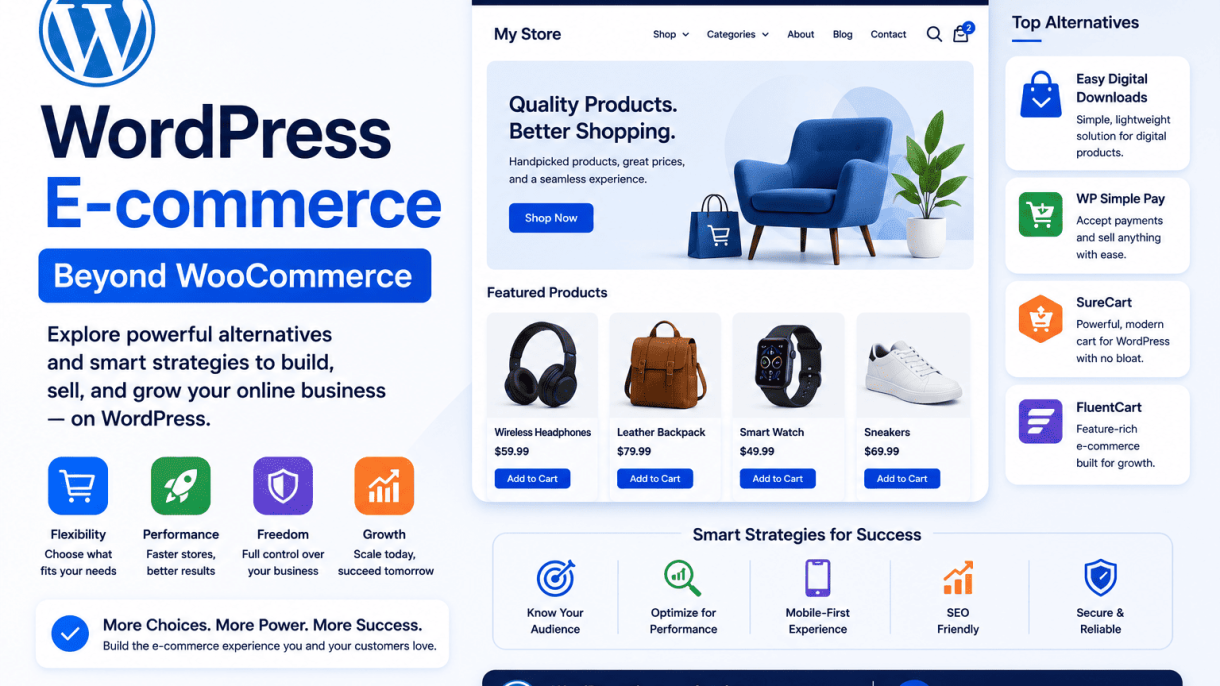

Introduction: Why Look Beyond WooCommerce?
WordPress powers over 40% of all websites, and WooCommerce—its most popular e-commerce plugin—commands a significant share of the online store market. For many, WooCommerce is the default choice: free, open-source, and deeply integrated with WordPress. Yet as online businesses grow or face unique challenges, its limitations become apparent. Scalability bottlenecks, performance overhead, and complexity in managing custom requirements often push store owners to explore alternative platforms and strategies. This article examines why looking beyond WooCommerce is not just a niche consideration but a strategic move for certain e-commerce operations.
The Rise of WooCommerce and Its Market Share
WooCommerce emerged in 2011 and quickly became the dominant e-commerce solution on WordPress, capturing over 25% of all online stores globally by 2023. Its appeal lies in its simplicity: it turns any WordPress site into a fully functional store with minimal setup. However, this dominance masks a fragmented reality—many store owners eventually outgrow its default capabilities. For small to medium stores with straightforward product catalogs and low traffic, WooCommerce remains ideal. But as businesses scale, the plugin’s reliance on WordPress core and its plugin ecosystem can create friction.
Common Pain Points: Performance, Flexibility, and Cost
WooCommerce’s flexibility is a double-edged sword. While it offers thousands of extensions, achieving advanced functionality often requires a patchwork of plugins, leading to performance degradation. Key pain points include:
- Performance issues: WooCommerce loads scripts and styles globally, even on non-store pages, slowing down site speed. Heavy product queries and large databases strain shared hosting, especially with many products or high traffic.
- Flexibility constraints: Custom checkout flows, subscription models, or complex product variations often require custom code or premium plugins, increasing development time and cost.
- Hidden costs: While the base plugin is free, essential extensions for payment gateways, shipping, and SEO can accumulate hundreds of dollars annually. Managed hosting optimized for WooCommerce adds further expense.
For stores with thousands of products or high transaction volumes, these issues compound, making WooCommerce less viable without significant investment in infrastructure and custom development.
When Alternative Solutions Make Sense
Alternative platforms and strategies become sensible when WooCommerce’s limitations directly hinder business goals. Consider these scenarios:
| Use Case | Why WooCommerce Falls Short | Alternative Approach |
|---|---|---|
| High-volume catalogs (10k+ products) | Database queries slow down, caching becomes complex. | Use headless WordPress with a decoupled frontend (e.g., Next.js) or switch to a dedicated platform like Shopify. |
| Niche business models (subscriptions, memberships, rentals) | Requires multiple plugins that may conflict or lack support. | Explore specialized plugins like Easy Digital Downloads (digital goods) or MemberPress (membership sites). |
| Performance-critical stores (high traffic, fast load times) | WooCommerce’s monolithic architecture adds overhead. | Consider a lightweight e-commerce plugin like Ecwid or a SaaS solution like BigCommerce for built-in scalability. |
| Complex customizations (unique checkout, multi-currency) | Custom development is costly and may break with updates. | Use a headless CMS with a custom API or migrate to a platform like Magento (now Adobe Commerce) for enterprise needs. |
Alternative solutions also make sense for store owners who prioritize simplicity over feature depth. Lightweight plugins or hosted platforms reduce maintenance burden while still leveraging WordPress for content. Ultimately, the decision to move beyond WooCommerce hinges on aligning platform capabilities with specific business requirements—not just following the default path.
Evaluating Your E-commerce Needs: A Framework for Choice
Choosing the right e-commerce platform for your WordPress site requires a clear-eyed assessment of your specific business requirements. A platform that excels for a small artisan shop may crumble under the demands of a high-volume electronics retailer. This framework helps you systematically evaluate your needs across three critical dimensions, ensuring you select a solution that aligns with your operational reality rather than following default options like WooCommerce without due consideration.
Product Complexity and Inventory Management
The nature of your products directly dictates the complexity your e-commerce platform must handle. Begin by categorizing your inventory:
- Simple products: Single, non-variable items (e.g., a book or a single art print). Most platforms handle these easily.
- Variable products: Items with attributes like size, color, or material (e.g., clothing or furniture). Requires robust variation management.
- Complex products: Items with bundles, custom pricing, subscriptions, or digital downloads (e.g., software licenses or curated subscription boxes).
- Multi-warehouse inventory: Stock spread across physical and digital locations, requiring real-time synchronization.
For example, if you sell t-shirts in 10 sizes and 15 colors, you need a platform that can manage 150 unique SKUs without manual entry. A platform like Easy Digital Downloads is ideal for digital goods, while WP eCommerce offers superior handling of physical product variations without the overhead of WooCommerce’s extensions. If your inventory involves complex stock management across multiple locations, consider a solution like Shopp that integrates with external inventory systems.
Scalability and Performance Expectations
Your current traffic and projected growth define the performance demands. Use this simple checklist to gauge your scalability needs:
| Factor | Low Volume (under 1,000 visitors/day) | Medium Volume (1,000–10,000 visitors/day) | High Volume (over 10,000 visitors/day) |
|---|---|---|---|
| Product count | Fewer than 100 | 100–5,000 | 5,000+ |
| Peak traffic events | Rare (e.g., seasonal sales) | Monthly promotions | Daily flash sales or launches |
| Server resource requirements | Shared hosting sufficient | VPS or dedicated server needed | Cloud infrastructure with CDN |
| Plugin overhead tolerance | High (few critical plugins) | Moderate (optimized plugins) | Low (minimal, custom-coded) |
For high-volume stores, consider headless commerce with a platform like Snipcart, which decouples the frontend from backend, or use a lightweight solution like Cart66 that relies on external payment processing to reduce server load. A practical code example for monitoring performance is adding this to your wp-config.php to enable debug logging during load testing:
define('WP_DEBUG', true);
define('WP_DEBUG_LOG', true);
define('WP_DEBUG_DISPLAY', false);
@ini_set('display_errors', 0);
Budget and Maintenance Considerations
Cost goes beyond the initial plugin purchase. Evaluate total cost of ownership across these categories:
- Transaction fees: Some platforms (e.g., BigCommerce for WordPress) charge a percentage per sale, while others (like WooCommerce) only charge for payment gateways.
- Extension costs: WooCommerce often requires paid extensions for subscriptions, memberships, or advanced shipping, which can exceed $200/year. Alternatives like WP eCommerce include many features for a single license fee.
- Maintenance overhead: Self-hosted solutions like Jigoshop demand regular updates and security patches. Managed e-commerce plugins (e.g., Ecwid) handle these automatically, reducing your technical burden.
- Hosting adjustments: High-traffic stores may need premium hosting costing $50–$200/month, while a low-volume shop can operate on a $10/month shared plan.
If your budget is under $500 annually and your technical skill is limited, a hosted solution like Shopify’s WordPress integration or Ecwid may be more cost-effective than WooCommerce, which can quickly accumulate hidden costs for essential features. Conversely, if you have development resources, open-source platforms like WP eCommerce offer lower long-term costs through custom development.
WordPress E-commerce: Beyond WooCommerce – Exploring Alternative Platforms and Strategies: Easy Digital Downloads: For Digital Products and Memberships
When your business revolves around selling software, PDFs, music, courses, or membership access, a full-featured physical product platform like WooCommerce can introduce unnecessary overhead. Easy Digital Downloads (EDD) is purpose-built for this niche, offering a lean, high-performance solution that strips away cart complexity and focuses entirely on digital fulfillment. With over 60,000 active installations and a dedicated ecosystem of extensions, EDD provides a specialized foundation that prioritizes speed, security, and streamlined checkout for intangible goods. Its architecture is designed to handle high-volume file delivery without the bloat of shipping modules, inventory tracking for physical items, or tax calculations for variable product types, making it an ideal choice for creators, developers, and membership site operators.
Key Features: File Access Control and Licensing
EDD excels in managing the lifecycle of digital products through granular access controls. Its core file access system allows you to set per-product download limits, expiration dates, and email-based delivery links. For software vendors, the built-in Software Licensing extension provides automated license key generation, activation limits, and version tracking. This enables you to sell a single product with tiered licensing (e.g., single site vs. unlimited sites) and automatically push updates to customers. Key capabilities include:
- File Access Control: Restrict downloads to logged-in users only, set time-limited access after purchase, and limit the number of times a file can be downloaded.
- Software Licensing: Generate unique license keys per purchase, manage activation counts, and support renewal discounts for expiring licenses.
- Version Management: Automatically deliver file updates to licensed customers through the WordPress dashboard or custom API.
- Protected File Delivery: Serve files through a secure tokenized URL, preventing direct hotlinking or unauthorized access.
Performance Benefits Over WooCommerce for Digital Stores
For stores selling only digital goods, EDD consistently outperforms WooCommerce in key performance metrics. The plugin avoids loading scripts and database queries for shipping calculations, physical inventory tracking, and product variation attributes. This results in faster page loads, lower server resource usage, and a simpler checkout process. The following table compares critical performance factors for a typical digital store:
| Performance Factor | Easy Digital Downloads | WooCommerce (for digital-only stores) |
|---|---|---|
| Active plugin overhead | ~6-8 database tables | ~12-15 database tables |
| Frontend script weight | ~35 KB (minified) | ~80+ KB (minified, with cart and checkout scripts) |
| Checkout page queries | 3-5 database queries | 10-15 database queries |
| Page load time (median) | 0.8–1.2 seconds | 1.5–2.5 seconds |
| Memory usage per request | ~12 MB | ~20 MB |
These differences become critical as your catalog grows to hundreds or thousands of digital products. EDD’s streamlined architecture reduces page load times by up to 40% compared to WooCommerce for identical digital store setups, directly improving conversion rates and user experience.
Integration with Membership and Email Marketing Tools
EDD’s extensibility allows seamless connection with membership plugins and email marketing services, creating a unified workflow for recurring revenue and subscriber management. For membership sites, EDD integrates natively with Restrict Content Pro and MemberPress, enabling you to grant access to protected content based on product purchases or subscription tiers. This removes the need for complex membership gateways and allows you to manage digital sales and member access from a single dashboard. In terms of email marketing, EDD offers dedicated add-ons for major platforms:
- Mailchimp: Automatically add customers to specific lists or tags based on purchased products.
- ConvertKit: Trigger sequences for new purchases, renewals, or license expirations.
- ActiveCampaign: Sync customer data for advanced segmentation and automation.
- Drip: Track purchase behavior and send targeted follow-up campaigns.
These integrations ensure that your digital storefront not only delivers files efficiently but also supports sophisticated marketing funnels and recurring membership models without relying on WooCommerce’s heavier infrastructure. For businesses focused exclusively on digital products and memberships, EDD provides a purpose-built, performance-optimized alternative that reduces complexity while enhancing control and scalability.
Paid Memberships Pro: Combining E-commerce with Subscriptions
While WooCommerce dominates the WordPress e-commerce landscape, it is not always the optimal solution for businesses built around recurring revenue and content access. Paid Memberships Pro (PM Pro) offers a specialized alternative that merges e-commerce functionality with a robust subscription framework. Unlike WooCommerce, which primarily focuses on one-time product sales, PM Pro is architected from the ground up to handle membership tiers, recurring payments, and content restriction. This makes it an ideal choice for digital products, online courses, subscription boxes, and member-only communities. The plugin’s lightweight core and modular add-on ecosystem allow site owners to build a tailored e-commerce experience without the overhead of a full shopping cart system.
Setting Up Recurring Billing and Payment Gateways
Configuring recurring payments in PM Pro is straightforward, but requires careful attention to gateway selection and billing cycle settings. The plugin supports multiple payment gateways, each with distinct features:
- Stripe: Best for modern sites; supports credit cards, Apple Pay, and Google Pay with automatic recurring billing.
- PayPal Express: Ideal for international customers; handles subscriptions via PayPal’s Reference Transactions.
- Authorize.net: Suitable for high-volume merchants needing advanced fraud detection.
- Check/Invoice: Good for offline payments (e.g., manual bank transfers) with manual renewal tracking.
To set up a basic recurring subscription with Stripe, you must first install the PM Pro Stripe add-on and obtain API keys from your Stripe dashboard. Then, navigate to Memberships > Settings > Payment Gateway and configure your keys. For a practical example, you can define a monthly billing cycle in your membership level settings. The following PHP snippet (added to your theme’s functions.php or a custom plugin) ensures that new subscriptions default to a 30-day cycle:
add_filter('pmpro_cycle_period', 'custom_pmpro_cycle_period', 10, 3);
function custom_pmpro_cycle_period($cycle_period, $level_id, $user_id) {
    // Force monthly billing for membership level ID 2
    if ($level_id == 2) {
        $cycle_period = 'Month';
    }
    return $cycle_period;
}
Managing Membership Levels and Content Drip
PM Pro excels at organizing access through membership levels, which can be structured as free, one-time paid, or recurring subscriptions. Each level can have its own pricing, billing cycle, and content access rules. Content dripping—releasing content over time—is a key feature for membership sites. To manage this:
- Go to Memberships > Levels and create or edit a level (e.g., “Gold Plan” at $19/month).
- Under the “Advanced Settings” section, enable “Drip Content” and set a delay (e.g., 7 days) for posts assigned to that level.
- Use the “Expiration” settings to define how long access lasts after the last payment (e.g., “End of billing period”).
For granular control, you can assign multiple levels to a single user, allowing tiered access. For example, a “Basic” level might grant access to forum posts, while a “Premium” level unlocks video courses. PM Pro’s built-in content restriction works on pages, posts, and custom post types, with options to show excerpts, teasers, or custom messages to non-members.
Extending Functionality with Add-Ons and Integrations
PM Pro’s true power lies in its extensibility through official add-ons and third-party integrations. Key add-ons include:
| Add-On | Purpose |
|---|---|
| PMPro Email Templates | Customize membership-related emails (welcome, renewal, expiration). |
| PMPro Multiple Memberships per User | Allow users to hold multiple active subscription levels simultaneously. |
| PMPro Subscription Delays | Set trial periods or free access before billing begins. |
| PMPro Gift Codes | Enable members to purchase gift subscriptions for others. |
| PMPro Advanced Levels | Add complex pricing rules (e.g., tiered discounts, quantity-based pricing). |
Integrations with popular plugins like LearnDash (for courses), BuddyPress (for social communities), and WooCommerce (for hybrid stores) further extend functionality. For instance, you can use PMPro to restrict access to WooCommerce products only for members of a specific level, creating a private store within your e-commerce site. The plugin also integrates with email marketing services like Mailchimp and ActiveCampaign, enabling automated list segmentation based on membership status.
MarketPress: A Lightweight Alternative for Small Stores
For many small to medium store owners, the complexity and resource demands of WooCommerce can feel overwhelming. MarketPress offers a streamlined alternative, focusing on essential e-commerce functionality without the bloat. Designed for simplicity, it provides a clean, efficient platform for managing basic product catalogs and checkout processes, making it an ideal choice for startups, niche retailers, or anyone prioritizing speed and ease of use over extensive feature sets.
Core Features: Product Management and Checkout
MarketPress excels at the fundamentals. Its product management system is intuitive, allowing store owners to quickly add, edit, and organize items without navigating complex meta-boxes. Key features include:
- Simple product types: Supports physical goods, digital downloads, and external/affiliate products with straightforward settings.
- Unlimited products and categories: No artificial limits on catalog size, though performance is optimized for smaller inventories.
- Basic inventory tracking: Manage stock levels with low-stock notifications and out-of-stock settings.
- Streamlined checkout: A minimal, two-step checkout process that reduces cart abandonment. Supports guest checkout and major payment gateways (PayPal, Stripe, Authorize.net) via built-in integrations.
- Order management: View and update order statuses, send email notifications, and generate simple invoices from the WordPress admin.
This focused approach means MarketPress avoids the advanced features (subscriptions, memberships, complex shipping zones) that often complicate WooCommerce, making it faster to learn and maintain.
Performance and Simplicity Compared to WooCommerce
The most significant advantage of MarketPress is its performance efficiency. Unlike WooCommerce, which loads extensive scripts and database queries even for simple stores, MarketPress is built with a lightweight codebase. This results in:
| Aspect | MarketPress | WooCommerce |
|---|---|---|
| Page load speed | Faster, especially on shared hosting | Slower due to heavy scripts and hooks |
| Database footprint | Minimal, fewer custom tables | Large, with multiple custom post types and tables |
| Plugin conflicts | Lower risk, fewer dependencies | Higher risk, extensive compatibility layers |
| Learning curve | Short, intuitive for beginners | Steep, requires understanding of advanced settings |
| Server resource use | Low, ideal for budget hosting | High, often requires dedicated or VPS hosting |
For a store with fewer than 100 products and straightforward checkout needs, MarketPress can deliver a more responsive, reliable experience on the same hosting plan that might struggle with WooCommerce. Its simplicity also means fewer updates and maintenance tasks, freeing up time for store owners to focus on marketing and customer service.
Theming and Customization Options
MarketPress integrates seamlessly with most WordPress themes, using standard template tags and shortcodes. Customization is handled through:
- Shortcodes: Insert product listings, checkout forms, and order history into any page or post without coding.
- Template overrides: Copy plugin templates to your theme folder for full control over layout and styling, following WordPress coding standards.
- Filters and actions: Developers can hook into MarketPress functions to modify pricing, add custom fields, or integrate third-party services.
- CSS styling: All output uses semantic HTML classes, allowing for easy CSS customization without modifying core files.
While MarketPress lacks the extensive theme ecosystem of WooCommerce, its compatibility with standard WordPress themes means you can use any well-coded theme and simply add e-commerce functionality. This approach keeps the site lightweight and avoids the visual bloat often associated with dedicated e-commerce themes. For store owners who prioritize a clean, fast, and maintainable website over a vast array of design options, MarketPress provides a practical, performance-oriented foundation for WordPress e-commerce beyond WooCommerce.
WordPress E-commerce: Beyond WooCommerce – Exploring Alternative Platforms and Strategies
Historical Context and Current Development Status
WP eCommerce stands as one of the earliest dedicated e-commerce plugins for WordPress, first released in 2006—predating WooCommerce by nearly five years. Initially developed as a lightweight solution for small storefronts, it gained a loyal following before the WooCommerce juggernaut reshaped the market. As of 2025, WP eCommerce remains actively maintained, with its latest stable version (3.15.x) supporting PHP 8.2 and WordPress 6.7. The plugin’s development pace has slowed compared to its heyday, but the core team continues to release security patches and compatibility updates. This makes it a reliable choice for store owners who prioritize stability over cutting-edge features, particularly those running simpler product catalogs or legacy sites that require minimal migration effort.
Key Features: Product Variations and Shipping
WP eCommerce offers a robust set of features for managing product variations, though it approaches the task differently than modern competitors. Rather than relying on a dynamic variation matrix, it uses a flat variation system where each variant is a separate product linked by a parent SKU. This can be simpler for stores with fewer than 50 variations but becomes unwieldy for complex configurations.
- Product variations: Supports size, color, and custom attributes via dropdowns or radio buttons, with per-variant pricing and stock control.
- Shipping options: Includes flat rate, per-item, weight-based, and table-rate shipping, plus integration with real-time carriers like USPS, FedEx, and UPS through premium add-ons.
- Digital goods: Handles downloadable products with file access control and download limits.
Shipping zones and rules are configured through a straightforward admin interface, though advanced features like conditional shipping logic require custom code or third-party plugins.
Integration with Payment Gateways and Third-Party Services
WP eCommerce supports a curated set of payment gateways out of the box, including PayPal Standard, Stripe, Authorize.Net, and offline payments (check, bank transfer). For broader coverage, paid extensions add gateways like Square, Amazon Pay, and Braintree. The plugin also integrates with popular third-party services:
| Service Category | Examples | Integration Method |
|---|---|---|
| Email marketing | Mailchimp, AWeber | API add-ons |
| Accounting | QuickBooks, Xero | CSV export or paid connectors |
| Shipping carriers | USPS, FedEx, UPS | Premium extensions |
| Analytics | Google Analytics, Facebook Pixel | Built-in or third-party plugins |
For developers, WP eCommerce provides a comprehensive action and filter system. A practical example of customizing the checkout page to add a field for order notes is shown below:
add_action('wpsc_before_shopping_cart_form', 'custom_order_notes_field');
function custom_order_notes_field() {
    echo '<label for="order_notes">Special Instructions:</label>';
    echo '<textarea id="order_notes" name="custom_order_notes" rows="3"></textarea>';
}
This flexibility, combined with a mature codebase, makes WP eCommerce a viable alternative for store owners who need a stable, no-frills platform without the overhead of WooCommerce’s ecosystem. Its legacy status means fewer updates but also fewer breaking changes, ideal for niche stores with predictable requirements.
Cart66: All-In-One E-commerce with Hosting
For WordPress users seeking a streamlined alternative to the plugin-and-hosting puzzle, Cart66 offers a cohesive all-in-one solution that bundles a dedicated e-commerce plugin with managed hosting. This approach eliminates the need to separately source and configure a web host, payment gateway, and SSL certificate, making it particularly attractive for beginners or small business owners who prioritize simplicity over granular control. Cart66 positions itself as a turnkey platform where the technical heavy lifting—from server maintenance to PCI compliance—is handled by the provider.
Managed Hosting and Security Benefits
Cart66’s managed hosting is tailored specifically for its e-commerce plugin, ensuring that server resources are optimized for WooCommerce-free store operations. Key security features include:
- Automatic PCI compliance: The platform is built to meet Payment Card Industry Data Security Standards (PCI DSS) out of the box, reducing the risk of fines or data breaches.
- Server-level caching and CDN: Built-in caching and a content delivery network improve page load speeds without requiring additional plugins.
- Automated backups and updates: The hosting plan includes daily backups and one-click updates for the core software and security patches.
- Malware scanning and firewall: Proactive threat detection and a web application firewall (WAF) protect against common attacks.
This managed environment means store owners do not need to configure SSL certificates, manage server logs, or worry about hosting-level vulnerabilities. Instead, they can focus on product listings and customer engagement.
Built-In Payment Processing and Inventory Management
Cart66 integrates payment processing directly into the platform, removing the need for third-party gateways like Stripe or PayPal. The system supports credit card payments through its own merchant account, with funds deposited directly into the user’s bank account. Inventory management is handled through a unified dashboard that tracks stock levels across physical and digital products. Key capabilities include:
- Real-time inventory tracking: Automatic updates when orders are placed, with low-stock alerts.
- Digital product delivery: Secure file hosting and automated download links for e-books, software, or memberships.
- Subscription management: Recurring billing for membership sites or subscription boxes, with proration options.
- Order management: A centralized view of all transactions, with the ability to edit, refund, or resend invoices.
The payment system is PCI-compliant by default, so sensitive cardholder data never touches the user’s server. This reduces liability and simplifies compliance for store owners who might otherwise need to manage a separate payment gateway.
Pros and Cons of the All-In-One Approach
Choosing an all-in-one platform like Cart66 involves clear trade-offs. The table below summarizes the primary advantages and disadvantages:
| Pros | Cons |
|---|---|
| Simplified setup with no separate hosting or gateway configuration required | Limited flexibility for advanced customization or third-party integrations |
| Built-in PCI compliance reduces security overhead and risk | Vendor lock-in: migrating to another platform may be difficult |
| Unified support for hosting, payments, and plugin issues | Higher monthly cost compared to self-hosted alternatives |
| Optimized performance for Cart66’s specific plugin architecture | Smaller community and fewer extensions than WooCommerce |
For users who value time savings and a managed experience over complete control, Cart66’s all-in-one model is a viable option. However, those who anticipate needing custom shipping rules, complex tax calculations, or integration with niche services may find the ecosystem too restrictive. The platform is best suited for simple product catalogs, digital goods, and subscription-based businesses that do not require extensive third-party add-ons.
Headless E-commerce: Decoupling WordPress from the Storefront
Headless e-commerce represents a paradigm shift in how online stores are built and managed. In this architecture, WordPress is retained as a powerful backend content management system (CMS) for managing products, inventory, and editorial content, while the storefront—the customer-facing interface—is built and served by a separate frontend framework, such as React, Vue.js, or Angular. Communication between the two occurs via APIs, typically REST or GraphQL. This decoupling allows each layer to be optimized independently, offering significant advantages over traditional monolithic setups where the frontend and backend are tightly intertwined within a single theme.
Benefits: Performance, Flexibility, and Omnichannel
The primary benefits of a headless approach center on three pillars: performance, flexibility, and omnichannel readiness. Performance gains arise because the frontend can be built as a single-page application (SPA) or static site, which loads content instantly and reduces server load. Flexibility is enhanced because developers are not constrained by WordPress’s template hierarchy; they can design unique, interactive experiences using modern JavaScript libraries. Omnichannel capability is a natural byproduct: because the backend exposes content via APIs, the same product data can be served to a web storefront, a mobile app, a digital kiosk, or even a voice assistant without duplicating effort. This makes headless architectures particularly attractive for brands that need to maintain a consistent experience across multiple touchpoints.
Popular Headless Solutions: Snipcart, BigCommerce, and Shopify Integration
Several solutions facilitate headless WordPress e-commerce. Snipcart is a lightweight, developer-friendly option that adds a shopping cart and checkout to any static site via a simple embed, with WordPress acting purely as a content repository. BigCommerce offers a robust headless integration through its WordPress plugin, allowing merchants to use BigCommerce’s cart, checkout, and payment infrastructure while controlling content in WordPress. Shopify’s headless approach, via its Storefront API, enables building custom storefronts that pull product data from Shopify, with WordPress handling blog posts, pages, and SEO. Each solution has trade-offs in terms of complexity, cost, and feature depth, as summarized in the table below.
| Solution | Backend Role | Frontend Flexibility | Key Strength | Typical Use Case |
|---|---|---|---|---|
| Snipcart | Content management only | Very high (any static site) | Lightweight, developer control | Small to medium stores with custom design |
| BigCommerce | Content management + some product data | High (via API) | Built-in cart, checkout, and payment | Mid-sized stores needing robust commerce features |
| Shopify | Content management only | Very high (via Storefront API) | Vast app ecosystem and scalability | Stores requiring omnichannel and third-party integrations |
Technical Requirements and Development Considerations
Adopting a headless architecture introduces specific technical requirements. You will need a modern JavaScript framework (e.g., Next.js for React, Nuxt.js for Vue) to build the frontend, along with familiarity with API consumption and state management. WordPress must be configured to expose custom endpoints, often via the built-in REST API or the WPGraphQL plugin for GraphQL support. Hosting becomes more complex, as the frontend and backend may reside on separate servers—for example, WordPress on a traditional host and the frontend on a CDN or serverless platform like Vercel or Netlify. Development time increases because you are effectively building two applications that must communicate seamlessly. Additionally, you lose the convenience of WordPress’s visual editor for layout changes; all frontend modifications require code updates. For teams with strong JavaScript expertise, these trade-offs are worthwhile, but for smaller projects or those with limited developer resources, a traditional setup may remain more practical.
WordPress E-commerce: Beyond WooCommerce – Custom-Built E-commerce Solutions with WordPress
When your e-commerce requirements demand unique product relationships, complex membership tiers, or proprietary checkout flows that no existing plugin can accommodate, building a custom e-commerce system directly on WordPress core becomes a strategic choice. This approach trades plugin convenience for complete control, allowing you to model your store exactly as your business logic dictates. It is best suited for enterprises with dedicated development resources, highly specialized digital goods, or legacy system integrations where off-the-shelf solutions introduce unnecessary overhead or compliance risks.
Leveraging Custom Post Types and Taxonomies
WordPress’s built-in content architecture is your foundation. Instead of relying on WooCommerce’s product post type, you define your own custom_post_type—for example, subscription_plan or digital_asset—using the register_post_type() function in your theme’s functions.php or a custom plugin. This gives you precise control over the data fields, meta boxes, and display logic.
- Custom Post Types (CPTs): Create post types that mirror your inventory structure. For a SaaS platform, you might create a CPT called
license_keywith custom meta fields for expiration dates and activation limits. - Custom Taxonomies: Use hierarchical or non-hierarchical taxonomies to organize products. For example, a taxonomy
pricing_tiercan group products by monthly, annual, or lifetime access. - Custom Meta Boxes: Add fields like price, stock quantity, or file download links using
add_meta_box()to keep data entry intuitive for your team.
Practical code example to register a simple CPT for digital downloads:
function create_digital_product_cpt() {
    $args = array(
        'public'       => true,
        'label'        => 'Digital Products',
        'supports'     => array( 'title', 'editor', 'thumbnail', 'custom-fields' ),
        'menu_icon'    => 'dashicons-download',
        'rewrite'      => array( 'slug' => 'digital-products' ),
    );
    register_post_type( 'digital_product', $args );
}
add_action( 'init', 'create_digital_product_cpt' );
Integrating Payment Gateways and Shipping APIs
With custom post types handling product data, you must connect payment and shipping logic directly via APIs. This requires careful handling of nonces, SSL enforcement, and data validation.
- Payment Gateway Integration: Use Stripe’s PHP library or PayPal’s REST API. Process payments on the server side using
wp_remote_post()or a dedicated SDK. Create a custom endpoint (e.g.,example.com/api/process-payment) to handle AJAX requests from your checkout form. - Shipping API Integration: For physical goods, integrate with carriers like FedEx or USPS via their APIs. Use
wp_remote_get()to retrieve real-time rates based on cart weight and destination, then store results in a transient for caching. - Cart and Session Management: Use PHP sessions or WordPress transients to track cart state across pages. Avoid relying on cookies alone for security-sensitive data.
Example of a simplified Stripe charge function:
function custom_stripe_charge( $amount, $token, $email ) {
    StripeStripe::setApiKey( 'sk_live_your_secret_key' );
    try {
        $charge = StripeCharge::create( array(
            'amount'      => $amount,
            'currency'    => 'usd',
            'source'      => $token,
            'receipt_email' => $email,
        ) );
        return $charge->id;
    } catch ( StripeExceptionCardException $e ) {
        return new WP_Error( 'stripe_error', $e->getMessage() );
    }
}
Security, Maintenance, and Long-Term Viability
A custom e-commerce system demands rigorous security practices and ongoing maintenance. Unlike plugin-based solutions, you bear full responsibility for vulnerabilities.
| Aspect | Key Considerations |
|---|---|
| Security | Always validate and sanitize user input with sanitize_text_field() and wp_kses(). Use prepared statements for database queries via $wpdb->prepare(). Enforce HTTPS and implement CSRF tokens on all forms. |
| Maintenance | Schedule regular updates for WordPress core, your custom code, and any third-party libraries (e.g., Stripe SDK). Monitor logs for failed transactions or API errors. |
| Long-Term Viability | Document all custom endpoints, database schema changes, and API keys. Plan for deprecations—Stripe occasionally updates its API versions. Consider building a modular plugin architecture to isolate payment logic from theme code. |
Custom e-commerce on WordPress is a powerful but resource-intensive path. It offers unmatched flexibility for niche business models but requires ongoing investment in security audits, code reviews, and developer expertise to remain viable over years of operation.
Making the Switch: Migration and Implementation Best Practices
Transitioning from WooCommerce to a new e-commerce platform requires a structured approach to ensure data integrity, minimal downtime, and a seamless user experience. Whether you are moving to a headless solution, a SaaS platform like Shopify or BigCommerce, or an alternative open-source system like Magento, following best practices for migration and implementation is critical. The process typically involves three core phases: data export and import, payment and checkout testing, and SEO preservation.
Exporting and Importing Product Data and Orders
The first technical step is extracting your existing WooCommerce data. Focus on these key datasets:
- Products: Export all product titles, descriptions, SKUs, prices, stock levels, categories, tags, images, and variations.
- Customers: Export customer names, email addresses, billing and shipping addresses, and order histories (comply with privacy regulations).
- Orders: Export order IDs, statuses, items purchased, totals, payment methods, and dates.
- Reviews and Ratings: Preserve user-generated content for social proof.
Use native WooCommerce CSV export tools or plugins like WP All Export for more complex data. For importing into the new platform, prepare your CSV files to match the target platform’s schema. Many platforms offer built-in import wizards. Before the final import, run a dry run with a small subset of data (e.g., 10 products and 5 orders) to verify field mapping and avoid errors. For large catalogs (over 1,000 products), consider using an API-based migration service or a dedicated plugin like Cart2Cart to automate the process and reduce manual work.
Key considerations during data transfer:
| Data Type | Common Pitfalls | Solution |
|---|---|---|
| Product images | Broken URLs after migration | Use absolute URLs or re-upload images via media library |
| Order statuses | Mismatched status labels | Map WooCommerce statuses (e.g., “processing”) to target platform equivalents |
| Customer passwords | Cannot be exported due to hashing | Send password reset emails or use a third-party authentication bridge |
Testing Payment Gateways and Checkout Flows
Payment processing is the most sensitive part of any e-commerce site. After data migration, thoroughly test all payment gateways you intend to use. Follow these steps:
- Sandbox testing: Activate test modes for each gateway (e.g., Stripe test keys, PayPal sandbox).
- Complete a test purchase: Add a product to the cart, proceed through checkout, and submit payment using test card numbers or credentials.
- Verify order confirmation: Check that the order appears correctly in the admin panel and that the customer receives an email receipt.
- Test edge cases: Try failed payments (e.g., insufficient funds), declined cards, and refunds to ensure error handling works.
- Check multi-currency and tax calculations: If you sell internationally, test with different billing addresses and currencies.
Document any issues in a checklist and resolve them before going live. Also, ensure that the checkout flow is optimized for speed and mobile usability. Avoid redirecting users to external payment pages unless necessary; embedded checkout solutions typically convert better.
SEO and User Experience Considerations During Migration
Migrating platforms can harm your search rankings if not handled carefully. Preserve SEO equity by implementing the following:
- Maintain URL structures: Keep product and category URLs identical to your WooCommerce site. If changes are unavoidable, set up 301 redirects from old URLs to new ones.
- Preserve meta data: Export and re-import title tags, meta descriptions, and alt text for images.
- Update sitemaps: Generate a new XML sitemap on the target platform and submit it to Google Search Console. Remove the old WooCommerce sitemap.
- Monitor indexation: Use a tool like Screaming Frog to crawl the new site and check for broken links or missing pages.
- Test user experience: Run a full site audit for page speed (aim for under 3 seconds load time), mobile responsiveness, and navigation clarity. Use heatmaps or session recordings to identify friction points.
Finally, schedule the migration during low-traffic periods and communicate changes to your customer base via email or a banner. After launch, monitor analytics for any drop in organic traffic or conversion rates, and be prepared to roll back if critical issues arise. With careful planning and testing, your new platform can outperform WooCommerce while retaining your hard-earned SEO value.
Frequently Asked Questions
What are the best WooCommerce alternatives for WordPress?
Top alternatives include Easy Digital Downloads (EDD) for digital products, WP eCommerce for simplicity, and Shopify integration via plugins like ShopWP for a hybrid approach. Each offers unique features: EDD excels in digital sales with minimal bloat, WP eCommerce provides a lightweight cart system, and Shopify integration leverages a hosted solution with WordPress CMS. Consider your product type, scalability needs, and budget when choosing.
Can I use Shopify with WordPress instead of WooCommerce?
Yes, you can integrate Shopify with WordPress using plugins like ShopWP or Buy Button. This allows you to manage products, inventory, and payments on Shopify while displaying them on your WordPress site. It's ideal for those who prefer a hosted, secure e-commerce backend with WordPress's content management strengths. However, it adds subscription costs and may limit customization compared to native plugins.
Is Easy Digital Downloads better than WooCommerce for selling digital products?
Easy Digital Downloads (EDD) is often better for pure digital products due to its lightweight, focused feature set, including file access control, software licensing, and customer management. WooCommerce can handle digital goods but includes many physical product features that may slow performance. For a streamlined, scalable digital store, EDD is preferred, while WooCommerce suits mixed inventory.
What factors should I consider when choosing a WordPress e-commerce platform?
Key factors include product type (physical, digital, or services), scalability, payment gateway support, performance impact, cost (free vs premium), and ease of use. Also consider integrations with email marketing, accounting, and shipping. For high-volume stores, a dedicated hosted solution like Shopify might be better, while for content-rich sites, native plugins like EDD offer tight WordPress integration.
How do I migrate from WooCommerce to another WordPress e-commerce platform?
Migration involves backing up your site, exporting product data (CSV/XML), and importing to the new platform using its native tools or plugins. For example, Easy Digital Downloads has a built-in import tool for products. Test on a staging site first, update URL structures, and ensure payment gateways are reconfigured. Expect some manual adjustments for custom fields and orders.
Are there free alternatives to WooCommerce for WordPress?
Yes, WP eCommerce and Easy Digital Downloads (with core free version) are popular free alternatives. WP eCommerce offers a basic cart system with free extensions, while EDD's free core handles digital sales. For more features, premium add-ons are available. These options avoid subscription fees but may have fewer built-in features than WooCommerce.
What is the best e-commerce strategy for a content-driven WordPress site?
For content-driven sites, use a lightweight plugin like Easy Digital Downloads for digital products or integrate a buy button from a hosted service like Shopify. Focus on SEO-optimized product pages, blog integration, and email marketing. Avoid bloated plugins that slow down content delivery. Consider membership plugins like Restrict Content Pro for recurring subscriptions.
Can I run a subscription-based store without WooCommerce?
Yes, plugins like MemberPress, Restrict Content Pro, or Paid Memberships Pro handle subscriptions without WooCommerce. They offer content restriction, recurring payments, and integration with payment gateways like Stripe. For digital products with subscriptions, Easy Digital Downloads has a Recurring Payments extension. These are lighter and more focused than WooCommerce's subscription add-on.
Sources and further reading
- Easy Digital Downloads Official Site
- WP eCommerce Plugin
- WooCommerce Official Site
- Shopify Official Site
- MemberPress – Membership Plugin
- Restrict Content Pro
- Paid Memberships Pro
- WordPress Plugin Directory – E-commerce
- Stripe Official Site
- PayPal Official Site
Need help with this topic?
Send us your details and we will contact you.