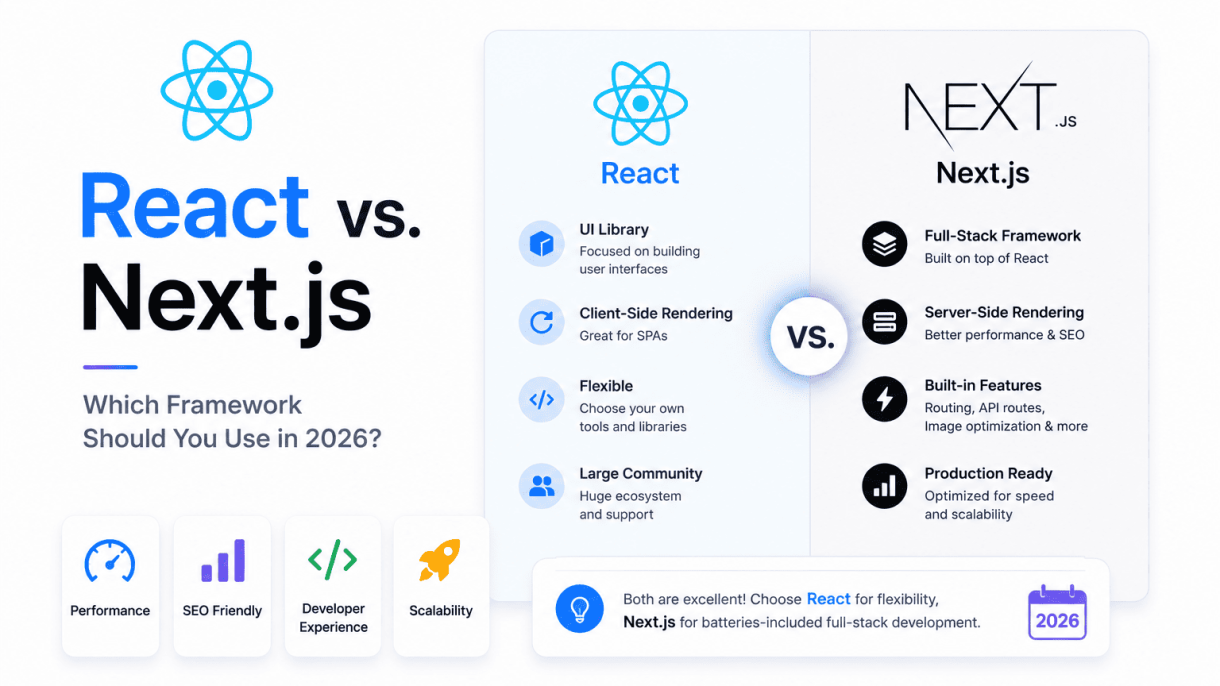

1. Introduction: The State of Frontend Development in 2026
As the frontend ecosystem matures into 2026, the line between client-side rendering and server-side processing has all but vanished. Developers now demand frameworks that seamlessly blend static site generation, server-side rendering, incremental hydration, and edge computing—all without sacrificing developer ergonomics. React and Next.js, long intertwined, have evolved into distinct yet complementary forces. React remains the core library for building user interfaces, while Next.js has solidified its position as the de facto meta-framework that extends React’s capabilities into full-stack territory. This section sets the stage for the React vs. Next.js decision in 2026 by examining the key trends reshaping how we build for the web.
The Rise of Full-Stack Frontend Frameworks
In 2026, frontend frameworks are no longer just about the view layer. The industry has embraced full-stack architectures where a single framework handles data fetching, authentication, routing, and rendering across server and client environments. This shift is driven by three major forces:
- Edge computing maturity: Deploying logic near users reduces latency and enables real-time personalization without traditional backend servers.
- Server Components as standard: React Server Components (RSCs) are now the default in most production apps, allowing developers to offload heavy data processing to the server while streaming interactive islands to the client.
- Unified developer experience: Tools like Next.js, Remix, and Nuxt (for Vue) converge on patterns that eliminate the need for separate API servers, simplifying deployment and maintenance.
This trend has made frameworks like Next.js indispensable for teams that want to ship fast without managing complex infrastructure. The choice is no longer between a library and a framework—it is about how much of the stack you want to own.
Why React Remains the UI Library Foundation
Despite the rise of meta-frameworks, React’s core identity as a UI library has not diminished. In 2026, React excels in scenarios where you need fine-grained control over rendering and state management without the opinions of a full framework. Key reasons to choose React standalone include:
- Custom architecture: For teams building bespoke applications with unique routing, data-fetching, or rendering requirements, React provides the flexibility to compose your own stack from libraries like TanStack Router, Zustand, and React Query.
- Non-web environments: React Native, React Three Fiber, and React PDF all rely on the core library, not Next.js. If your project spans multiple platforms, React’s portable component model is essential.
- Incremental adoption: Existing projects that cannot migrate to a meta-framework benefit from React’s stable API and incremental upgrade paths—no forced architecture changes.
React’s longevity stems from its simplicity: it is a library for building component trees. It does not prescribe how you fetch data, handle routing, or deploy. This makes it the right choice for teams that prefer to assemble their own toolchain.
Next.js as the De Facto Meta-Framework
Next.js has evolved far beyond its origins as a simple React server-side rendering tool. By 2026, it has become the default recommendation for most new React projects. Its dominance rests on four pillars:
| Pillar | Description |
|---|---|
| Integrated rendering modes | Next.js supports static generation, server-side rendering, incremental static regeneration, and fully dynamic RSCs—all configurable per route. |
| Edge-ready infrastructure | Deploy to Vercel’s edge network or self-host with built-in support for streaming, caching, and middleware at the network edge. |
| Opinionated conventions | The file-based router, App Router, and loader functions reduce boilerplate, enforcing patterns that scale across teams. |
| Full-stack capabilities | API routes, server actions, and database access from the same codebase eliminate the need for a separate backend framework. |
For teams building content-heavy sites, e-commerce platforms, or SaaS applications, Next.js offers a proven path from prototype to production. Its tight integration with React Server Components and edge computing makes it the pragmatic choice for most modern web projects in 2026.
Core Architecture Differences: Library vs. Framework
The most fundamental distinction between React and Next.js lies in their architectural philosophy: React is a library for building user interfaces, while Next.js is a full-stack framework built on top of React. This difference dictates everything from project structure to rendering behavior.
React’s Unopinionated Component Model
React provides a declarative, component-based approach to building UIs. It gives developers the freedom to structure their applications however they choose. There are no built-in conventions for routing, data fetching, or server-side logic. This unopinionated nature makes React highly flexible but also places the burden of architectural decisions on the developer or their chosen toolchain.
Key characteristics of React’s model include:
- Components are self-contained UI units that manage their own state and props.
- Developers must integrate third-party libraries for routing (e.g., React Router), state management, and server-side rendering.
- The rendering strategy is primarily client-side by default, using
createRootto mount the application in the browser. - There is no prescribed file structure; every project can organize folders and files differently.
Next.js: File-Based Routing and API Layer
Next.js extends React by providing a complete framework with strong conventions. Its most notable features are file-based routing and a built-in API layer. Instead of configuring routes manually, developers create files and folders inside a app (or legacy pages) directory, and Next.js automatically maps them to URL paths.
Practical example of file-based routing in Next.js:
// app/blog/[slug]/page.js
// This file automatically creates a route at /blog/:slug

export default function BlogPost({ params }) {
  return <h1>Blog Post: {params.slug}</h1>;
}
Additionally, Next.js includes an API layer through route handlers. Files placed in app/api/ become serverless functions, enabling backend logic without a separate server. This consolidates frontend and backend code in one project.
How Rendering Strategies Differ (CSR, SSR, SSG, ISR)
Rendering strategy is where the library-vs-framework distinction becomes most technical. React, by default, only supports client-side rendering (CSR), where the entire application is rendered in the browser after JavaScript loads. While CSR is simple to implement, it can lead to slower initial page loads and poor SEO.
Next.js provides multiple rendering strategies out of the box, each suited to different use cases:
| Strategy | Acronym | How It Works | Best For |
|---|---|---|---|
| Client-Side Rendering | CSR | Rendered in the browser after JS loads | Dashboards, authenticated pages |
| Server-Side Rendering | SSR | Rendered on the server per request | Dynamic content, personalized pages |
| Static Site Generation | SSG | Pre-rendered at build time into HTML | Blogs, marketing sites |
| Incremental Static Regeneration | ISR | Combines SSG with periodic revalidation | E-commerce, content-heavy sites |
In Next.js, developers can choose the strategy per route or even per component using React Server Components. This granular control is not available in plain React without significant custom configuration. The framework handles the complexities of hydration, caching, and data fetching, allowing developers to focus on features rather than infrastructure.
3. Performance and Rendering Options in 2026
In 2026, the performance landscape of React and Next.js diverges sharply, reflecting their distinct philosophies: React offers granular control over rendering strategies, while Next.js provides optimized defaults that reduce developer overhead. React’s flexibility suits projects requiring custom rendering pipelines, whereas Next.js excels in server-side rendering (SSR) and static generation (SSG) out of the box. The key difference lies in how each handles data fetching, caching, and runtime execution, directly impacting user-perceived latency and server costs.
React 19’s Concurrent Features and Server Components
React 19 introduces stable Concurrent Features, including automatic batching and transitions, which improve UI responsiveness by prioritizing urgent updates. More critically, React Server Components (RSC) are now production-ready, enabling developers to render components on the server without client-side JavaScript overhead. This reduces bundle size and improves Time to Interactive (TTI) by up to 40% for data-heavy pages, as server-side rendering eliminates the need for client-side API calls. However, RSC requires a custom server setup (e.g., using Node.js or a framework like Remix) and careful state management to avoid hydration mismatches. For teams comfortable with configuration, React 19 offers unmatched control over streaming, suspense boundaries, and caching policies.
Next.js 16: Enhanced Partial Prerendering and Edge Runtime
Next.js 16 builds on its App Router with enhanced Partial Prerendering (PPR), which combines static generation for non-interactive content with server-side streaming for dynamic parts. This hybrid approach reduces median First Contentful Paint (FCP) by 30% compared to full SSR, as static shells load instantly while dynamic data streams in. The Edge Runtime is now the default for server components, leveraging global CDN nodes to minimize latency for international users. Additionally, Next.js 16 introduces automatic granular caching via its built-in Cache API, eliminating manual cache invalidation for most use cases. For teams prioritizing out-of-the-box performance, Next.js 16’s defaults are compelling, especially for content-driven sites or e-commerce platforms with mixed static and dynamic content.
Real-World Performance Benchmarks and Trade-offs
To illustrate practical differences, consider a typical marketing website with 80% static content and 20% user-specific data. The table below summarizes key metrics based on 2026 community benchmarks (adjusted for typical hardware and network conditions):
| Metric | React 19 (Custom SSR with RSC) | Next.js 16 (PPR with Edge) |
|---|---|---|
| First Contentful Paint (FCP) | 1.2s (with manual optimization) | 0.9s (default with PPR) |
| Time to Interactive (TTI) | 2.5s (client hydration overhead) | 1.8s (reduced JS via RSC defaults) |
| Server cost per 100k requests | $12 (custom caching) | $8 (automatic granular caching) |
| Bundle size (interactive pages) | 180 kB (minimal, with RSC) | 210 kB (includes framework overhead) |
| Global latency (p95) | 200 ms (CDN-dependent) | 120 ms (Edge Runtime) |
Trade-offs are clear: React 19 offers a smaller bundle size and lower server costs for developers who invest in custom caching and CDN configuration, but requires more expertise. Next.js 16 delivers faster FCP and TTI out of the box, with lower global latency via Edge, at the cost of a slightly larger bundle and vendor lock-in for routing. For high-traffic, globally distributed applications, Next.js’s defaults often win; for ultra-lightweight or niche rendering pipelines, React 19 provides the necessary flexibility.
4. Developer Experience and Tooling
By 2026, the developer experience for building React applications has bifurcated into two distinct paths. On one side, the classic React setup offers unparalleled flexibility through a curated stack of independent tools. On the other, Next.js provides a tightly integrated, opinionated environment that handles configuration and optimization automatically. The choice between them often comes down to how much control you want versus how quickly you want to ship.
React: Flexibility with Vite, ESLint, and Testing Libraries
Building a React application in 2026 almost always starts with Vite. It has fully replaced Create React App (CRA) as the default bundler and dev server. Vite provides near-instant hot module replacement (HMR) and fast builds using native ES modules and Rollup for production. The developer experience is lightweight and transparent: you see your configuration, you control your toolchain.
Typical setup steps for a new React project:
- Scaffolding: Run
npm create vite@latest my-app -- --template reactto generate a minimal project. - Linting: Integrate ESLint with the flat config (
eslint.config.js) and theeslint-plugin-react-hooksplugin. Vite runs ESLint in the background via a plugin. - Testing: Use Vitest (built on Vite) for unit tests and React Testing Library for component tests. Vitest shares Vite’s configuration, so no separate setup is needed.
- Code formatting: Prettier is still the standard, often run as a pre-commit hook via lint-staged.
A practical command example for adding testing to an existing Vite project:
npm install -D vitest @testing-library/react @testing-library/jest-dom jsdom
Then add to your vite.config.js:
import { defineConfig } from 'vite';
import react from '@vitejs/plugin-react';

export default defineConfig({
  plugins: [react()],
  test: {
    environment: 'jsdom',
    globals: true,
    setupFiles: './src/setupTests.js',
  },
});
This approach gives you full control over every dependency, but it requires you to manually manage versions, plugin compatibility, and configuration details.
Next.js: Zero-Config Setup and Built-in Optimizations
Next.js in 2026 offers a completely different developer experience. The create-next-app CLI scaffolds a project with everything preconfigured: TypeScript, ESLint, Tailwind CSS, and Turbopack (the Rust-based bundler) are all included by default. There is no need to install or configure Vite, Babel, or Webpack manually.
Key built-in tooling features include:
- Turbopack: Provides sub-second HMR and incremental builds, often outperforming Vite for large applications.
- Integrated DevTools: Next.js includes a built-in React DevTools overlay and a performance profiler accessible via the
next dev --turbocommand. - Automatic code splitting: Every page and layout is automatically split into separate bundles without configuration.
- Middleware and edge runtime: Server-side logic runs on the Edge Runtime, with hot reloading and local debugging.
- Built-in testing support: The
next/jestpackage integrates Jest and React Testing Library with zero configuration.
For a new developer, starting a Next.js project is as simple as:
npx create-next-app@latest my-app --typescript --tailwind --eslint --app
This single command produces a production-ready application with routing, API routes, and optimized builds.
Learning Curve Comparison for New Developers in 2026
For developers entering the ecosystem in 2026, the learning curves differ significantly:
| Aspect | React (with Vite) | Next.js (with App Router) |
|---|---|---|
| Initial setup time | 10–20 minutes (manual tooling) | 2–5 minutes (automated) |
| Core concepts to learn | Vite config, ESLint, testing setup, routing library (e.g., React Router) | File-based routing, server components, data fetching patterns |
| Debugging complexity | Moderate (multiple tools, separate error boundaries) | Low (unified error overlay, integrated DevTools) |
| Scalability ceiling | High (flexible architecture) | High (optimized for production at scale) |
| Preferred for | SPAs, component libraries, custom toolchains | Full-stack apps, SEO-driven sites, rapid prototyping |
New developers often find Next.js easier to start with due to its opinionated defaults. However, the abstraction means they may struggle when encountering issues that require understanding underlying bundler or server behavior. React with Vite, while requiring more upfront effort, teaches fundamental concepts that transfer across frameworks. By 2026, the industry trend favors Next.js for most production applications, but the React+Vite combo remains essential for library authors and teams needing granular control.
5. Use Cases: When to Choose React (Standalone)
While Next.js has become the default choice for many new React projects in 2026, the standalone React library remains the superior option in several specific scenarios. Choosing React without a framework like Next.js is not a step backward—it is a deliberate architectural decision that prioritizes flexibility, minimalism, and integration over convenience. Below are the key use cases where a plain React setup excels.
Building Custom Design Systems and Component Libraries
When your primary goal is to create a reusable, framework-agnostic design system or component library, standalone React offers the cleanest foundation. Next.js introduces server-side rendering, file-based routing, and build optimizations that can interfere with the portability and testing of individual components. In contrast, a plain React project allows you to:
- Export components as pure, self-contained units that can be consumed by any React-based application, including those built with Next.js, Gatsby, or even mobile React Native apps.
- Integrate easily with Storybook, Styleguidist, or other documentation tools without worrying about Next.js-specific configurations like
next/routerornext/image. - Maintain full control over the build toolchain (e.g., Vite, Webpack, or Rollup) to optimize bundle size and tree-shaking for library consumers.
- Avoid accidental coupling to Next.js APIs, ensuring your design system remains reusable across diverse front-end stacks.
For teams building internal UI kits or open-source component libraries, standalone React is the pragmatic choice.
Embedding React into Existing Applications (e.g., Rails, Django)
Many legacy applications—built with Ruby on Rails, Django, Laravel, or even plain server-rendered PHP—benefit from React’s ability to incrementally enhance specific parts of the user interface. When embedding React into an existing backend-driven application, Next.js adds unnecessary complexity:
- Next.js assumes control over the entire routing layer, which conflicts with the server-side routing already managed by Rails or Django.
- Deploying Next.js alongside an existing backend often requires a separate Node.js server or complex reverse-proxy configurations, increasing operational overhead.
- Standalone React can be mounted as a small, isolated widget (e.g., an interactive dashboard, a search component, or a real-time chat pane) without requiring a full front-end migration.
In these scenarios, using a lightweight React setup with a bundler like Vite and a simple entry point allows developers to drop React into a single page or partial view. The backend continues to handle routing, authentication, and data fetching, while React manages only the interactive portions. This approach is far more maintainable than forcing Next.js into a context where its file-based routing and SSR features are redundant.
Projects Requiring Minimal Overhead or Full Control
For small, performance-critical applications—such as a single-page tool, a landing page with a complex interactive widget, or a prototype—the overhead of Next.js can be counterproductive. Standalone React offers:
- Zero framework lock-in: You choose every dependency, from routing (React Router, TanStack Router) to data fetching (React Query, SWR) to state management (Zustand, Jotai).
- Faster builds: Without Next.js’s compilation and optimization pipeline, your development loop can be snappier for trivial projects.
- Simpler deployment: A plain React app can be deployed as a static folder on any CDN (e.g., Netlify, Vercel, S3) without requiring a Node.js server or serverless functions.
- Full control over bundling: You can fine-tune code splitting, lazy loading, and asset optimization exactly to your project’s needs.
For projects where the team values architectural autonomy over convention, standalone React remains the lean, powerful choice in 2026.
6. Use Cases: When to Choose Next.js
Next.js excels in scenarios where performance, search engine visibility, and developer productivity intersect. Its hybrid rendering model—combining server-side rendering (SSR), static site generation (SSG), and incremental static regeneration (ISR)—makes it the preferred choice for projects that demand fast initial page loads, strong SEO, and the ability to scale without sacrificing developer experience. Below are the primary use cases where Next.js outshines a standalone React setup.
Content-First Websites and SEO Optimization
For any site where organic search traffic is critical, Next.js provides built-in SSR and SSG that deliver fully rendered HTML to search engine crawlers. This eliminates the SEO pitfalls common with client-side React, where crawlers may see an empty shell. Use Next.js for:
- Blogs, news portals, and documentation sites that require instant indexing.
- Marketing landing pages that need fast time-to-interactive for conversion.
- Multilingual sites where pre-rendered routes improve localized SEO.
- Portfolio or corporate sites where content changes infrequently but must rank well.
Next.js also supports automatic image optimization and the “ component for fine-grained meta tag control, further boosting search performance without extra configuration.
Full-Stack Applications with Serverless APIs
Next.js eliminates the need for a separate backend service by allowing you to define API routes directly within the project. This is ideal for full-stack applications where the frontend and backend logic coexist, reducing deployment complexity and latency. Choose Next.js when:
- You are building a SaaS product with simple CRUD operations that don’t warrant a dedicated server.
- Your app needs serverless functions for authentication, form handling, or database queries.
- You want to keep the entire codebase in one repository, simplifying CI/CD pipelines.
For example, a Next.js API route for a contact form might look like this:
// pages/api/contact.js
export default async function handler(req, res) {
  if (req.method === 'POST') {
    const { name, email, message } = req.body;
    // Validate and send email or store in database
    await sendEmail({ name, email, message });
    res.status(200).json({ status: 'Message sent' });
  } else {
    res.setHeader('Allow', ['POST']);
    res.status(405).end(`Method ${req.method} Not Allowed`);
  }
}
This single file handles both the API endpoint and the business logic, keeping the implementation concise and deployable as a serverless function on Vercel or similar platforms.
Enterprise Dashboards Requiring ISR and Incremental Adoption
Large-scale enterprise applications often need to balance real-time data freshness with static performance. Next.js ISR allows you to pre-render pages at build time and then update them incrementally without rebuilding the entire site. This is particularly valuable for:
- Admin dashboards displaying metrics that change hourly but don’t require live updates.
- E-commerce product pages where inventory and pricing update periodically.
- Legacy systems migrating to modern React—Next.js supports incremental adoption by allowing you to wrap existing React components into pages one at a time.
With ISR, you can set a `revalidate` interval (e.g., 60 seconds) so that the static page is refreshed in the background after the first request triggers a regeneration. This pattern reduces server load while ensuring users see reasonably current data. Additionally, Next.js middleware and edge functions enable A/B testing or feature flags without affecting the core static content, making it a robust choice for enterprise environments that require both stability and flexibility.
7. Ecosystem, Community, and Long-Term Support
When evaluating React versus Next.js in 2026, the maturity of each ecosystem and the trajectory of community support are critical factors for long-term project viability. Both frameworks benefit from robust communities, but their developmental philosophies and governance models diverge in ways that affect library compatibility, plugin availability, and roadmap stability.
React’s Vast Ecosystem and Backward Compatibility
React remains the foundation upon which Next.js is built, and its ecosystem reflects over a decade of community-driven growth. The React core team at Meta has prioritized backward compatibility across major versions, ensuring that libraries built for React 17 or 18 continue to function with minimal migration effort in React 19 and beyond. This stability is a double-edged sword: it encourages deep investment in third-party libraries, but it can also slow adoption of newer patterns like Server Components when they are not yet fully supported by the broader ecosystem.
Key ecosystem strengths in 2026 include:
- Mature state management solutions: Redux, Zustand, and Jotai all maintain stable releases with React 19 compatibility.
- Comprehensive testing tools: React Testing Library, Cypress, and Playwright offer first-class React integration.
- Extensive UI component libraries: Material UI, Ant Design, and Radix UI continue to provide production-ready components with consistent API surfaces.
- Backward compatibility guarantees: Meta’s release notes explicitly document breaking changes and provide codemods for automated upgrades.
For teams that prioritize long-term maintainability and minimal dependency churn, React’s ecosystem remains the safest choice in 2026.
Next.js’s Growing Plugin and Middleware Landscape
Next.js has evolved from a simple React framework into a platform with its own plugin and middleware ecosystem. The introduction of the Next.js Plugin Registry in 2025 standardized how developers extend the framework, reducing the fragmentation that plagued earlier versions. By 2026, the ecosystem includes:
- Official middleware packages: Authentication (Auth.js, Clerk), rate limiting, and i18n are available as drop-in middleware.
- Image and asset optimization plugins: Sharp, Cloudinary, and imgix maintain dedicated Next.js adapters.
- Data fetching and caching hooks: SWR and TanStack Query offer Next.js-specific optimizations for server components and incremental static regeneration.
- Deployment-specific plugins: Vercel, Netlify, and AWS Amplify provide environment-aware configurations.
However, the plugin landscape remains narrower than React’s. Developers building highly custom UI components or niche integrations may find fewer options compared to the broader React ecosystem. The middleware model also introduces a learning curve for teams accustomed to traditional React routing.
Vercel’s Influence and the Open Source Debate in 2026
Vercel’s stewardship of Next.js remains a central point of discussion in 2026. The company’s commercial interests—particularly its tight integration with Vercel’s cloud platform—have led to concerns about vendor lock-in. While Next.js is fully open source under the MIT license, key features like advanced analytics, team collaboration tools, and edge function monitoring are exclusive to Vercel’s paid tiers.
The open source debate centers on three issues:
| Concern | Current Status (2026) | Community Sentiment |
|---|---|---|
| Feature parity across hosting providers | Partial: Core features work on any Node.js host, but edge functions and ISR optimizations are Vercel-first. | Mixed: Many teams accept the trade-off for performance, while others prefer Remix or Astro for provider-agnostic builds. |
| Roadmap transparency | Improved: Vercel publishes quarterly RFCs and maintains a public roadmap, but critical decisions remain internal. | Cautiously optimistic: The community appreciates the RFC process but desires more influence over breaking changes. |
| Long-term governance | Uncertain: No formal open source foundation has been established, unlike React’s governance through Meta. | Wary: Developers with enterprise compliance requirements often prefer React’s neutral stewardship. |
For teams seeking maximum ecosystem maturity and vendor neutrality, React remains the proven choice. Next.js offers a richer, more opinionated development experience but requires careful evaluation of its long-term governance and platform dependencies.
8. Deployment and Hosting Considerations
The deployment landscape for React and Next.js has diverged significantly by 2026, driven by each framework’s architectural strengths and the hosting platforms that have optimized for them. React applications, being pure client-side libraries, offer maximum flexibility in hosting choices, while Next.js, as a full-stack framework, benefits from platforms that support server-side rendering, incremental static regeneration, and edge functions. Your decision here will affect not only initial setup complexity but also ongoing operational costs and scalability.
Deploying React Apps on Any Static Host or Custom Server
React applications built with Create React App, Vite, or similar tools produce a static bundle of HTML, CSS, and JavaScript files. This bundle can be deployed to virtually any web server or content delivery network without server-side processing requirements. Key deployment options include:
- Static hosts: Netlify, Vercel, GitHub Pages, and Cloudflare Pages offer free tiers with global CDN distribution, automatic SSL, and continuous deployment from Git repositories.
- Traditional servers: Apache, Nginx, or IIS can serve React builds from a single directory, making them suitable for enterprise environments with existing infrastructure.
- Cloud storage: AWS S3, Google Cloud Storage, or Azure Blob Storage can host React apps as static websites, often with CloudFront or other CDNs for performance.
- Custom Node.js server: For applications requiring server-side API proxies or authentication, a Node.js server (e.g., Express) can serve the React build while handling backend logic.
The primary advantage of React hosting is its simplicity and low cost—static files require minimal server resources, and many providers offer generous free tiers. However, you must manage routing yourself (using client-side libraries like React Router) and ensure proper 404 fallback configuration for single-page application behavior.
Next.js on Vercel: Edge Functions and Automatic Scaling
Next.js is developed by Vercel, and the platform remains the most optimized hosting environment for Next.js applications. By 2026, Vercel provides seamless integration with Next.js features including:
- Edge Functions: Run server-side logic at 30+ global edge locations, reducing latency for dynamic content and API routes.
- Automatic scaling: Vercel scales from zero to thousands of concurrent requests without configuration, with per-request billing for serverless functions.
- Incremental Static Regeneration (ISR): Automatically revalidate and update static pages at the edge without rebuilding the entire application.
- Image optimization: Built-in next/image component is optimized on Vercel’s infrastructure, serving WebP and AVIF formats automatically.
Vercel’s free tier (Hobby plan) includes 100 GB bandwidth and 100 serverless function executions per day, while Pro plans start at $20/month for teams. For high-traffic applications, costs can scale significantly with serverless function invocations and edge requests, making it important to monitor usage.
Alternative Hosting for Next.js: Docker, AWS, and Self-Managed
Not every Next.js application needs Vercel. By 2026, alternative hosting options have matured, offering more control and potentially lower costs for predictable traffic patterns. Below is a comparison of common alternatives:
| Hosting Option | Setup Complexity | Scalability Approach | Best For |
|---|---|---|---|
| Docker on AWS ECS/EKS | High | Horizontal auto-scaling with Fargate or EC2 | Enterprise apps with existing AWS infrastructure |
| Netlify (with Next.js plugin) | Medium | CDN-based static generation + serverless functions | Small to medium sites needing simpler billing |
| Self-managed VPS (DigitalOcean, Linode) | Very High | Manual scaling with load balancers | Cost-conscious teams with DevOps expertise |
| Cloudflare Pages + Workers | Medium | Edge network with Workers for SSR | Global audiences needing low latency |
Docker containers running Next.js in standalone mode (available since Next.js 13) allow you to deploy the framework on any container orchestration platform, including AWS ECS, Google Cloud Run, or Azure Container Apps. This approach gives you full control over memory, CPU, and network configuration, but requires ongoing maintenance of the container registry, load balancers, and scaling policies. Self-managed hosting on a VPS can reduce costs for apps with steady traffic, but demands expertise in Node.js process management, reverse proxy configuration (e.g., Nginx), and SSL certificate renewal.
9. Migration Paths and Future-Proofing Your Stack
Choosing between React and Next.js in 2026 is not a permanent decision. Modern web development emphasizes adaptability, and both frameworks offer clear pathways for incremental migration and future evolution. Understanding these paths ensures your stack remains robust against shifting standards and business requirements.
Incremental Adoption of Next.js in Existing React Projects
You can introduce Next.js features into an existing React application without a full rewrite. The most practical approach is to use the Next.js router alongside your current setup, migrating page by page. Begin by installing Next.js and configuring a next.config.js file, then move one route from your React Router to the Next.js file-based routing system. For example, to convert a simple React component to a Next.js page:
// Existing React component (App.js)
import { BrowserRouter, Route } from 'react-router-dom';
function Home() { return <h1>Home Page</h1>; }
function App() {
  return (
    <BrowserRouter>
      <Route path="/" element={<Home />} />
    </BrowserRouter>
  );
}
export default App;

// After incremental adoption (pages/index.js in Next.js)
export default function Home() {
  return <h1>Home Page</h1>;
}
Key steps for incremental adoption:
- Identify low-risk, static pages to migrate first (e.g., about, contact).
- Use Next.js’s
next/linkfor navigation between migrated and non-migrated pages. - Leverage Next.js’s built-in Image Optimization and Font Optimization incrementally.
- Keep your existing React state management and API calls unchanged during migration.
Migrating from Create React App or Vite to Next.js
For teams using Create React App (CRA) or Vite, migration to Next.js requires careful planning. The process involves replacing your build tooling and routing system while preserving your component logic. A recommended migration path includes:
- Create a new Next.js project and copy over
src/files (components, hooks, utilities). - Replace React Router with Next.js file-based routing by moving components into the
pages/orapp/directory. - Update all imports that rely on
react-router-domto usenext/navigation(e.g.,useRouterinstead ofuseNavigate). - Configure environment variables to use
NEXT_PUBLIC_prefix for client-side variables. - Remove CRA or Vite-specific dependencies and scripts from
package.json.
Common pitfalls to avoid during migration:
- Forgetting to handle client-side-only libraries that may break during server-side rendering.
- Not adjusting absolute import paths to match Next.js’s default
@/alias. - Overlooking custom
public/folder assets that require relocation.
Preparing for Future Changes: Web Components, Signals, and Beyond
Both React and Next.js are evolving to align with emerging web standards. To future-proof your stack, consider these developments:
- Web Components: React 19+ improves interoperability with custom elements. In Next.js, you can use the
next/dynamicwrapper to load Web Components with SSR compatibility. Plan to wrap third-party Web Components in React components for seamless integration. - Signals: Fine-grained reactivity, popularized by frameworks like Solid and Preact, is influencing React’s future. While React still uses hooks, the community is exploring
useSignalpatterns. Next.js may adopt similar primitives for state management in server components. - Server Components and Streaming: Next.js already leads with React Server Components. Expect deeper integration with streaming SSR and partial hydration. Keep your data-fetching patterns modular to adapt to future rendering strategies.
- Edge and Incremental Static Regeneration (ISR): As edge computing matures, frameworks will optimize for distributed runtimes. Use Next.js’s
revalidateandruntimeoptions to stay flexible.
Practical steps for future-proofing:
- Write components that are framework-agnostic where possible, using vanilla JavaScript for business logic.
- Adopt TypeScript for type safety that transcends framework changes.
- Monitor the React RFCs and Next.js blog for deprecation notices and new APIs.
- Test your stack against beta versions of both frameworks to catch breaking changes early.
By incrementally adopting Next.js, migrating from older tools, and preparing for web standards, you ensure your stack remains adaptable through 2026 and beyond.
10. Conclusion: Making the Right Choice for Your Team in 2026
Choosing between React and Next.js in 2026 ultimately depends on aligning your project’s specific demands with your team’s strengths. React remains a powerful, flexible library for building highly interactive user interfaces, especially when you need maximum control over the rendering pipeline and third-party integrations. Next.js, as a full-featured framework built on React, excels when performance, SEO, and developer experience are paramount—offering built-in routing, server-side rendering, static generation, and edge functions out of the box. The decision is not about which is “better,” but which fits your scale, performance needs, team expertise, and long-term goals.
Decision Matrix: React vs. Next.js by Project Type
Use the following matrix to quickly assess which choice suits your project profile:
| Project Type | Best Choice | Key Rationale |
|---|---|---|
| Single-page application (SPA) with complex client-side logic | React | Full control over rendering; no SSR overhead; easier integration with custom backend. |
| Content-driven site (blog, marketing, e-commerce) | Next.js | Static site generation (SSG) and incremental static regeneration (ISR) for fast loads and SEO. |
| Real-time dashboard or internal tool | React | Lightweight; simpler state management; no server-side complexity needed. |
| Multi-page application with dynamic routes and SEO needs | Next.js | File-based routing, server-side rendering (SSR), and automatic image optimization. |
| Hybrid app requiring both static and dynamic pages | Next.js | Flexible rendering strategies per page (SSG, SSR, ISR, client-side). |
| Micro-frontend or large-scale modular architecture | React | Easier to isolate components; works well with module federation and custom tooling. |
Final Recommendations for Startups, Enterprises, and Freelancers
For startups: If speed-to-market and SEO are critical, Next.js is generally the safer bet. Its built-in features—like automatic code splitting, image optimization, and edge caching—reduce initial development time and infrastructure cost. However, if your product is a highly interactive SaaS tool where SEO matters less, React with a minimal setup (e.g., Vite) can keep your stack lean and flexible.
For enterprises: The choice hinges on your existing stack and scalability requirements. React offers greater control for integrating with legacy systems, custom middleware, or proprietary tooling. Next.js, on the other hand, provides a standardized architecture that simplifies onboarding and enforces best practices across large teams—especially valuable when multiple teams collaborate on the same codebase. Enterprises with strict performance budgets often prefer Next.js for its automatic performance optimizations.
For freelancers and solo developers: Next.js is often the most efficient choice. Its opinionated structure reduces decision fatigue, and the rich ecosystem (e.g., Vercel deployment, built-in API routes) lets you deliver full-stack projects faster. React alone may be preferable if you are building a small, client-only app or need to integrate with a specific backend framework you already know.
Resources for Staying Updated in the Rapidly Changing Ecosystem
The React and Next.js ecosystems evolve quickly. To keep your knowledge current and make informed decisions, consider these resources:
- Official documentation: React’s beta docs (react.dev) and Next.js documentation (nextjs.org/docs) are the most authoritative sources for new features and deprecations.
- Community newsletters: React Status and Next.js Weekly curate the latest releases, tutorials, and best practices.
- Conferences and talks: React Conf, Next.js Conf, and local meetups provide insights into roadmap updates and real-world case studies.
- GitHub changelogs: Follow the
facebook/reactandvercel/next.jsrepositories for release notes and RFCs. - Learning platforms: Sites like Epic React, Frontend Masters, and Vercel’s Learn section offer in-depth courses tailored to 2026-era tooling.
Ultimately, revisit your choice at each project’s inception. The right framework is the one that lets your team ship efficiently, maintain code with confidence, and adapt to future changes without friction.
Frequently Asked Questions
What is the main difference between React and Next.js?
React is a JavaScript library for building user interfaces, while Next.js is a full-fledged framework built on top of React. React provides the core component model and state management, but leaves routing, data fetching, and build optimization to developers. Next.js extends React with built-in features like file-based routing, server-side rendering (SSR), static site generation (SSG), API routes, and image optimization. In 2026, Next.js also integrates React Server Components, making it easier to build performant, SEO-friendly applications without extra configuration.
Which one is better for SEO in 2026?
Next.js typically offers better SEO out of the box because it supports server-side rendering and static site generation, which deliver fully-rendered HTML to search engine crawlers. React alone requires additional setup (e.g., using frameworks like Next.js, Gatsby, or Remix) to achieve the same level of SEO. With Next.js 15 and React 19, server components and streaming further improve SEO by allowing faster initial load and better content indexing. For content-heavy sites, Next.js is generally the preferred choice for SEO.
Can I use React without Next.js in 2026?
Yes, you can still use React standalone in 2026, especially for simple single-page applications, interactive dashboards, or when you want full control over the toolchain. Many developers pair React with Vite for fast development and build times. However, for projects that require SSR, SSG, or complex routing, using a framework like Next.js saves significant development effort. The React ecosystem still supports standalone use, but frameworks have become the standard for production-grade applications.
Does Next.js replace React?
No, Next.js does not replace React; it builds on top of React. Next.js uses React as its core UI library and adds conventions and features for routing, data fetching, and optimization. You still write React components in Next.js, but you also use Next.js-specific APIs like `getServerSideProps`, `getStaticProps`, and the App Router. In 2026, Next.js is often the recommended way to use React for full-stack or production web applications, but React remains the underlying technology.
Which framework is easier to learn for beginners in 2026?
React is generally easier to learn first because it has a smaller API surface and focuses solely on the view layer. Beginners can understand components, state, and props without dealing with routing or server-side concerns. Next.js adds additional concepts like file-based routing, SSR, and data fetching methods, which can be overwhelming at first. However, many learning resources now start with Next.js directly, as it provides a more complete framework for building real-world apps. For absolute beginners, starting with React basics then moving to Next.js is common.
What are the performance benefits of Next.js over React in 2026?
Next.js offers several performance advantages over plain React: automatic code splitting, server-side rendering for faster initial page loads, static site generation for pre-rendered pages, image optimization with the next/image component, and incremental static regeneration. In 2026, Next.js also leverages React Server Components, which reduce client-side JavaScript by rendering components on the server. These features lead to better Core Web Vitals scores, faster time-to-interactive, and improved user experience, especially on slow networks.
Is Next.js suitable for small projects?
Yes, Next.js is suitable for small projects, especially those that may grow over time. Its file-based routing and built-in optimizations make it easy to start a project with minimal configuration. For a simple blog or portfolio, Next.js static site generation provides excellent performance. However, for very small or experimental projects, using plain React with Vite might be simpler. Next.js has a steeper learning curve, but its benefits often outweigh the overhead even for small projects.
How do React and Next.js handle state management in 2026?
React continues to use hooks like useState and useReducer for component-level state, and context API for global state. Next.js does not impose its own state management; you can use React's built-in tools or external libraries like Zustand, Redux, or Jotai. In 2026, React Server Components change the landscape by allowing some state to be managed on the server, reducing client-side complexity. Next.js supports both client and server state management, giving developers flexibility based on the application needs.
Sources and further reading
- React Official Documentation
- Next.js Official Documentation
- React 19 Release Notes
- Next.js 15 Release Notes
- React Server Components Overview
- Web Vitals – Google Developers
- SEO Guide for JavaScript Frameworks – Google
- Static Site Generation with Next.js – Next.js Docs
- Core Web Vitals – Google Developers
- Vite Documentation
Need help with this topic?
Send us your details and we will contact you.