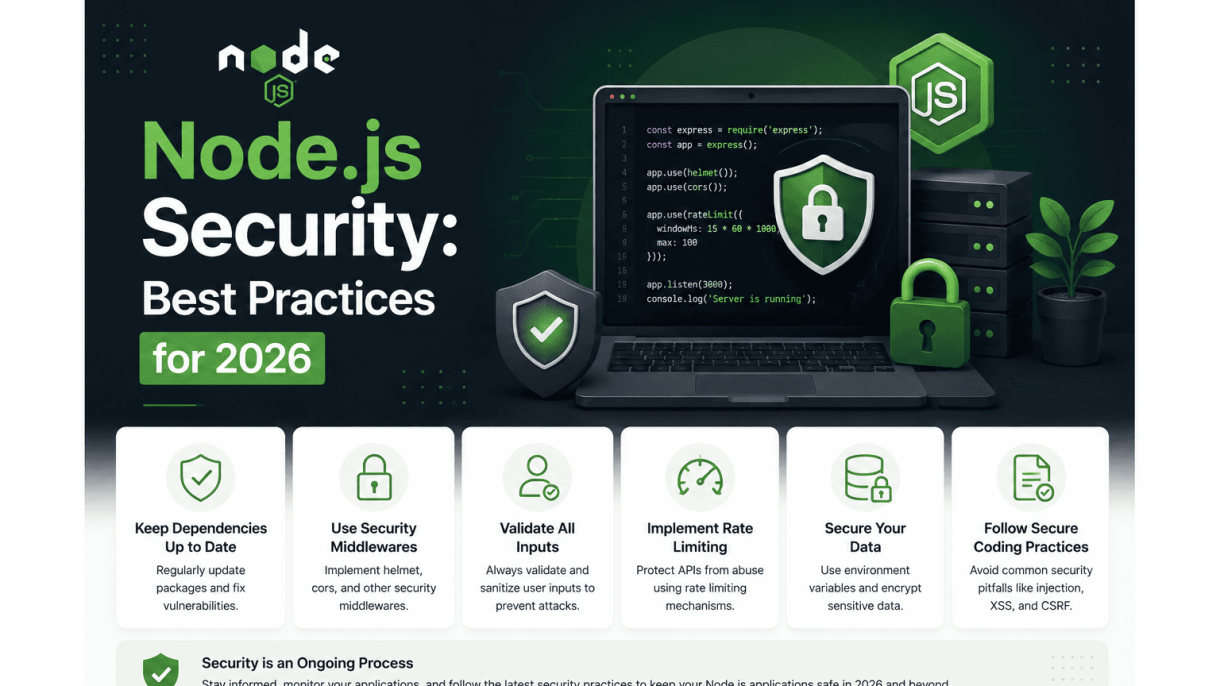

Introduction: The Shifting Threat Landscape for Node.js in 2026
Node.js continues to power a vast portion of modern web applications, from API gateways to real-time services. As the ecosystem matures, so too do the tactics of adversaries. In 2026, the threat landscape is defined by increased automation, supply chain exploitation, and the weaponization of asynchronous logic. Proactive security is no longer a feature—it is a prerequisite for maintaining trust, compliance, and operational continuity. This section outlines why Node.js remains a prime target, the key trends shaping application security this year, and the tangible costs of neglecting security practices.
Why Node.js Remains a Prime Target for Cyber Attacks
Node.js applications are attractive targets for several structural reasons. The event-driven, non-blocking architecture, while performant, can introduce subtle vulnerabilities when handling untrusted input. Additionally, the widespread use of open-source packages creates an expansive attack surface. Attackers exploit these factors through:
- Prototype pollution: Manipulating shared object prototypes to alter application behavior without direct code injection.
- Asynchronous race conditions: Exploiting gaps between I/O operations to corrupt state or bypass validation.
- Dependency confusion: Publishing malicious packages with names matching internal modules, tricking package managers into fetching them.
- Event listener leaks: Overloading or abusing unmanaged event emitters to cause denial of service or memory exhaustion.
These attack vectors are amplified by the sheer scale of Node.js deployments. According to recent ecosystem reports, the npm registry hosts over two million packages, with millions of weekly downloads. Each dependency chain introduces potential risk, making Node.js a high-value target for automated scanners and manual exploiters alike.
Key Trends in Application Security for 2026
Security practices evolve in response to emerging threats. In 2026, several trends define how teams approach Node.js application defense:
| Trend | Impact on Node.js |
|---|---|
| Software Bill of Materials (SBOM) adoption | Mandatory for compliance; enables rapid vulnerability identification across dependency trees. |
| AI-assisted code analysis | Detects logic flaws and insecure patterns earlier in CI/CD pipelines, reducing manual review overhead. |
| Zero-trust runtime environments | Minimizes blast radius by enforcing least-privilege permissions for Node.js processes at the OS and container level. |
| Real-time dependency monitoring | Automatically blocks deployments if a newly published vulnerability is found in a direct or transitive dependency. |
| Secure by design frameworks | Frameworks now embed default protections against common Node.js flaws (e.g., automatic input sanitization). |
These trends reflect a shift from reactive patching to preventive, automation-driven security. Organizations that integrate these practices into their development lifecycle reduce their exposure to both known and novel threats.
The Cost of Neglecting Node.js Security
The consequences of inadequate security extend beyond immediate technical damage. Financial, reputational, and legal costs compound rapidly. Consider the following outcomes:
- Data breaches: Exposure of user credentials, personal data, or proprietary business logic leads to regulatory fines (e.g., GDPR, CCPA) and mandatory disclosure costs.
- Downtime and recovery: A successful denial-of-service or ransomware attack can halt critical services for days, with recovery expenses exceeding six figures for mid-sized applications.
- Loss of customer trust: Post-breach churn rates often spike by 20–40%, directly impacting recurring revenue.
- Supply chain liability: If a compromised dependency originates from your application, you may face legal action from downstream consumers.
- Engineering overhead: Retroactively fixing security debt consumes 3–5 times more developer hours than implementing protections during initial development.
In 2026, the cost of neglect is not abstract. Automated vulnerability scanners and public exploit databases mean that unpatched applications are often compromised within hours of a disclosure. Investing in proactive security—through tooling, training, and architectural choices—directly reduces these risks and ensures that Node.js applications remain resilient in a rapidly evolving threat environment.
1. Secure Dependency Management with Modern Tooling
Modern Node.js applications rely on a vast ecosystem of third-party packages. Each dependency introduces potential risk, from malicious code injection to unpatched vulnerabilities. Effective security in 2026 demands a proactive, tool-driven approach to dependency management that moves beyond simple updates. This section covers the essential practices for vetting, monitoring, and remediating dependencies using advanced static analysis and automated workflows.
Using SBOMs and Supply Chain Levels for Software Artifacts (SLSA)
A Software Bill of Materials (SBOM) provides a machine-readable inventory of all components in your application, including transitive dependencies. Generating an SBOM is now a baseline security practice. Tools like cyclonedx-bom or spdx-sbom-generator can produce these documents. The SBOM enables rapid vulnerability triage when a new CVE is disclosed.
Supply Chain Levels for Software Artifacts (SLSA) is a security framework that provides a graduated set of standards for build integrity. Aim for SLSA Level 2 or higher for critical dependencies. This requires:
- Build integrity verification (e.g., signed provenance).
- Isolated build environments.
- Automated provenance generation.
Practical command to generate an SBOM using CycloneDX:
npx @cyclonedx/bom --output bom.json --project-name my-app --project-version 1.0.0
Automated Vulnerability Scanning with npm audit and Snyk
Automated scanning is non-negotiable. The built-in npm audit command checks your dependency tree against a known vulnerability database. However, for comprehensive coverage, integrate a dedicated tool like Snyk. Snyk provides advanced static analysis that identifies vulnerabilities in both direct and transitive dependencies, including those in development containers and CI/CD pipelines.
Key differences between tools:
| Tool | Scope | Remediation | Integration |
|---|---|---|---|
| npm audit | Basic vulnerability scan | Manual or npm audit fix |
CLI, limited CI |
| Snyk | Deep static analysis, open source and license issues | Automated PR creation, fix advice | CI/CD, IDE, CLI |
Run npm audit in your CI pipeline to fail builds on high-severity vulnerabilities. For Snyk, use the following command to test your project:
npx snyk test --all-projects --severity-threshold=high
Enforcing Package Integrity via Lockfiles and Signatures
Lockfiles (e.g., package-lock.json) ensure deterministic installs by pinning exact versions and integrity hashes. Always commit lockfiles to version control. In 2026, integrity verification extends to package signatures. npm supports package signing via the --sign-git-commit flag and verification with npm audit signatures.
To enforce signature verification for all installed packages, configure your .npmrc file:
sign-git-commit=true
audit-signatures=true
Additionally, use npm install --ignore-scripts during CI to prevent malicious install scripts from executing. Combine this with a policy that restricts package publishing to verified publishers only. Regularly audit your lockfile for unexpected changes using tools like lockfile-lint.
By combining SBOMs, SLSA compliance, automated scanning, and lockfile integrity, you create a defense-in-depth strategy for Node.js dependency management that is both practical and resilient against emerging threats.
2. Hardening the Runtime Environment
Hardening the Node.js runtime environment is a critical layer in a defense-in-depth strategy. By configuring runtime flags, enforcing process isolation, and setting resource limits, you can significantly reduce the attack surface that malicious actors can exploit. This section provides actionable steps for 2026, focusing on the latest tools and techniques.
Leveraging –experimental-vm-modules for Safer Code Execution
The --experimental-vm-modules flag, while still experimental in many production environments, enables the use of the vm.Module API. This allows you to execute untrusted code within a sandboxed context, isolating it from the main application’s global scope and preventing direct access to system resources. Unlike the older vm.Script or eval(), vm.Module provides a more secure module system that respects import/export boundaries and can be combined with the --experimental-vm-modules flag to limit the damage from code injection attacks. For example, you can create a sandbox that only exposes a limited set of APIs to user-submitted scripts, such as mathematical functions or data transformation utilities, without granting access to fs, child_process, or the network stack. However, always pair this with other isolation techniques, as the VM sandbox is not a complete security boundary—it does not prevent denial-of-service attacks or resource exhaustion.
Restricting Process Capabilities with seccomp and AppArmor
Operating system-level security modules like seccomp (secure computing mode) and AppArmor (Application Armor) provide powerful mechanisms to restrict what system calls and file system operations a Node.js process can perform. Seccomp allows you to define a whitelist of allowed syscalls (e.g., read, write, exit) and block all others, effectively preventing an attacker from using exploits that rely on uncommon or dangerous syscalls like ptrace or execve. AppArmor, on the other hand, enforces mandatory access control (MAC) on file paths, network sockets, and capabilities. For a Node.js application, you can create an AppArmor profile that restricts write access to specific directories (e.g., /var/log/app, /tmp/uploads) and denies access to sensitive paths like /etc/shadow or /proc files. Combining both tools—seccomp for syscall filtering and AppArmor for file system confinement—offers a layered defense that is difficult for attackers to bypass.
Setting Memory and CPU Limits with Container Orchestration
Container orchestration platforms like Kubernetes and Docker Compose allow you to set hard limits on memory and CPU usage per container, preventing a single compromised Node.js process from consuming all host resources. This is essential for mitigating resource exhaustion attacks, such as those that spawn infinite loops or allocate large buffers. The following table compares common resource limit configurations:
| Platform | Memory Limit Setting | CPU Limit Setting | Key Behavior |
|---|---|---|---|
| Kubernetes | resources.limits.memory (e.g., 512Mi) |
resources.limits.cpu (e.g., 1 core) |
Hard limit; process is OOM-killed if exceeded; CPU is throttled to limit. |
| Docker | --memory (e.g., 512m) |
--cpus (e.g., 1.0) |
Hard limit; container is killed if memory exceeded; CPU shares are used. |
In addition to container limits, you should also configure Node.js-specific flags like --max-old-space-size to restrict the V8 heap size, and use --max-semi-space-size for garbage collection tuning. For example, in a Kubernetes deployment, you might set --max-old-space-size=384 to leave headroom for the operating system and other processes. Always ensure that the sum of all container limits does not exceed the node’s total capacity to avoid resource starvation.
To further harden the runtime, consider using a minimalist base image (e.g., node:20-slim or node:20-alpine) that removes unnecessary tools like curl, bash, or package managers. This reduces the attack surface by eliminating utilities that attackers could leverage for lateral movement or data exfiltration. Finally, run the Node.js process as a non-root user (e.g., USER node in the Dockerfile) to prevent privilege escalation if the container is compromised.
3. Input Validation and Output Encoding Best Practices
Injection attacks remain one of the most prevalent threats to Node.js applications in 2026, exploiting unchecked user input to manipulate databases, execute shell commands, or inject malicious scripts. Rigorous input validation, coupled with context-aware output encoding, forms the first line of defense. By treating all external data as untrusted—whether from HTTP requests, file uploads, or third-party APIs—developers can prevent attackers from injecting harmful payloads. The following best practices provide a layered approach to sanitization and encoding, reducing the attack surface across your application stack.
Using Schema-Based Validation Libraries (e.g., Joi, Zod)
Schema-based validation libraries enforce strict data structures and types before processing user input. In 2026, Zod has become the preferred choice for TypeScript-heavy projects due to its inferable types and runtime safety, while Joi remains popular for plain JavaScript environments. These libraries allow you to define schemas that specify allowed fields, data types, length limits, and custom regex patterns, rejecting any malformed or unexpected input early in the request lifecycle. For example, a login endpoint should validate that the email field matches a standard email pattern and that the password is a string within a certain length range. Always validate on the server side, never relying solely on client-side checks, as they can be bypassed. Combine schema validation with a whitelist approach—reject anything not explicitly allowed—rather than attempting to blacklist dangerous characters. This practice prevents injection of SQL fragments, NoSQL operators, or JavaScript code through form fields, query parameters, or JSON payloads.
Escaping Output for HTML, SQL, and Shell Commands
Output encoding transforms data before it is rendered in a different context, neutralizing embedded scripts or commands. For HTML contexts, always escape characters like <, >, &, and " using libraries such as escape-html or built-in template engine features (e.g., EJS’s auto-escaping). For SQL queries, never concatenate user input directly; instead, use parameterized queries or prepared statements with drivers like pg or mysql2. For shell commands, avoid child_process.exec with user input; prefer child_process.spawn with arguments passed as an array, which prevents command injection. Below is a practical example demonstrating safe shell command execution:
const { spawn } = require('child_process');
const safeArg = sanitize(userInput); // Validate and sanitize beforehand
const ls = spawn('ls', ['-la', safeArg]);
ls.stdout.on('data', (data) => {
  console.log(`Output: ${data}`);
});
ls.stderr.on('data', (data) => {
  console.error(`Error: ${data}`);
});
This approach ensures that user input is never interpreted as part of the command itself, mitigating injection risks.
Implementing Content Security Policy (CSP) Headers
Content Security Policy headers provide a browser-enforced mechanism to prevent cross-site scripting (XSS) and data injection attacks by restricting the sources from which content can be loaded. In a Node.js application using Express, you can set CSP headers via middleware like helmet. A typical policy might restrict scripts to same-origin sources only, block inline event handlers, and disable dangerous features like eval(). Key directives to include are:
- script-src: Specify allowed script origins (e.g., ‘self’, trusted CDNs).
- object-src: Set to ‘none’ to block plugin-based attacks.
- style-src: Restrict stylesheet origins and disallow inline styles.
- report-uri: Send violation reports to a logging endpoint for monitoring.
Regularly audit your CSP configuration using browser developer tools or automated scanners to ensure it blocks malicious payloads without breaking legitimate functionality. Combining CSP with input validation and output encoding creates a robust defense-in-depth strategy against injection attacks in 2026.
4. Authentication and Authorization in 2026
As Node.js applications scale to serve millions of users, authentication and authorization remain the bedrock of secure access control. In 2026, the landscape demands modern flows that resist token theft, session hijacking, and privilege escalation. This section covers three critical practices: adopting OAuth 2.1 and OpenID Connect, securing JWTs with short-lived tokens and rotation, and implementing fine-grained permissions using policy engines.
Adopting OAuth 2.1 and OpenID Connect Standards
OAuth 2.1 consolidates and strengthens previous OAuth 2.0 best practices, removing implicit grant and simplifying flows. Combined with OpenID Connect (OIDC) for identity verification, this standard provides a robust framework for Node.js APIs. Key benefits include:
- Elimination of implicit flow — reduces token leakage via browser redirects.
- PKCE (Proof Key for Code Exchange) — mandatory for all public clients, preventing authorization code interception.
- Strict redirect URI validation — mitigates open redirector attacks.
- OIDC scope claims — enables standardized user identity (e.g.,
sub,email,profile) without custom endpoints.
Implement OAuth 2.1 in Node.js using libraries like openid-client or passport with OIDC strategy. Configure your authorization server (e.g., Auth0, Keycloak, or a custom provider) to issue access tokens only via authorization code with PKCE. For server-to-server communication, use the client credentials grant with scoped tokens. Always validate tokens at the resource server using token introspection or JWT verification with a public key.
Securing JWTs with Short Expiry and Refresh Token Rotation
JWTs (JSON Web Tokens) are ubiquitous in Node.js APIs, but their stateless nature makes them vulnerable if stolen. Mitigate risks with these practices:
- Short access token expiry — set to 5–15 minutes. Use
expclaim and reject tokens beyond this window. - Refresh token rotation — issue a new refresh token with each use, invalidating the previous one. This limits the window of a stolen refresh token.
- Token binding (DPoP) — bind tokens to a client’s public key using Demonstrating Proof of Possession (DPoP) to prevent replay attacks.
- Secure storage — store refresh tokens in HTTP-only, Secure, SameSite cookies; never in
localStorage.
Example JWT payload structure for a Node.js API:
| Claim | Value | Purpose |
|---|---|---|
sub |
User UUID | Identifies the user |
aud |
api.example.com |
Target audience |
exp |
Unix timestamp + 900s | Short expiry |
iat |
Current time | Issued at |
jti |
Unique ID | Prevents replay |
Implement rotation logic in your token endpoint: when a refresh token is presented, verify its validity, issue a new access token and a new refresh token, then revoke the old refresh token in your database or Redis store. This ensures that even if a refresh token is compromised, it becomes useless after one use.
Implementing Fine-Grained Permissions with Policy Engines
Role-based access control (RBAC) often falls short for complex applications requiring per-resource or per-action permissions. Policy engines like Casbin, OPA (Open Policy Agent), or custom attribute-based access control (ABAC) provide granular control. Benefits include:
- Externalized policies — decouple authorization logic from application code, enabling updates without redeployment.
- Context-aware decisions — evaluate user attributes (e.g., department), resource type, action, and environmental factors (e.g., time of day).
- Audit trails — log every authorization decision for compliance.
Integrate a policy engine in Node.js middleware. For example, using Casbin with a model file defining rules:
- Define roles (e.g., admin, editor, viewer) and permissions (e.g.,
read:document,write:document). - Use enforcers like
casbin.enforce(sub, obj, act)to check access per request. - Store policies in a database or YAML file, reloaded at runtime.
For maximum security, combine policy engines with JWT claims: include user roles or permissions in the token, then verify against the policy engine for each protected endpoint. This layered approach prevents unauthorized access even if token claims are manipulated.
5. Protecting Sensitive Data at Rest and in Transit
In 2026, the perimeter of a Node.js application extends far beyond the server. Sensitive data flows through microservices, third-party APIs, and client-side connections, while resting in databases, logs, and configuration files. Without layered protection, a single exposed secret or unencrypted payload can lead to catastrophic breaches. The following practices ensure that data remains confidential and tamper-proof throughout its lifecycle.
Using Environment Variables and Vault Solutions (e.g., HashiCorp Vault)
Hard-coded secrets in source code or configuration files are a leading cause of data leaks. Environment variables offer a basic layer of separation, but they often leak through error messages, process listings, or CI/CD logs. For production-grade security, adopt a vault solution that centralizes secret storage, rotates keys automatically, and provides audit trails.
HashiCorp Vault remains the industry standard in 2026, with enhanced support for dynamic secrets and Kubernetes-native integrations. When using Vault with Node.js, authenticate via short-lived tokens or Kubernetes service accounts, and retrieve secrets at runtime rather than at startup. Example using the official Vault API:
import vault from 'node-vault';

const client = vault({
  apiVersion: 'v1',
  endpoint: process.env.VAULT_ADDR,
  token: process.env.VAULT_TOKEN // short-lived token from sidecar
});

async function getDbCredentials() {
  const result = await client.read('secret/data/db');
  return result.data.data;
}
Combine Vault with environment variables only for non-sensitive metadata (e.g., VAULT_ADDR). Never store database passwords, API keys, or encryption keys in environment variables. For smaller deployments, consider managed services like AWS Secrets Manager or Azure Key Vault, which offer similar rotation and access control features.
Enforcing TLS 1.3 and Certificate Pinning
Transport Layer Security (TLS) protects data in transit, but outdated protocols leave room for downgrade attacks and protocol vulnerabilities. In 2026, TLS 1.3 is mandatory for all Node.js services, offering reduced handshake latency and forward secrecy. Disable TLS 1.2 and older versions in your Node.js HTTPS server configuration:
const https = require('https');
const fs = require('fs');

const options = {
  key: fs.readFileSync('/etc/ssl/private/key.pem'),
  cert: fs.readFileSync('/etc/ssl/certs/cert.pem'),
  secureOptions: require('constants').SSL_OP_NO_TLSv1 | require('constants').SSL_OP_NO_TLSv1_1 | require('constants').SSL_OP_NO_TLSv1_2,
  ciphers: 'TLS_AES_256_GCM_SHA384:TLS_CHACHA20_POLY1305_SHA256',
  honorCipherOrder: true
};

https.createServer(options, app).listen(443);
Certificate pinning adds an extra layer by ensuring your application only trusts specific certificates or public keys, preventing man-in-the-middle attacks even if a Certificate Authority is compromised. Implement pinning using the http-evas library or by embedding SHA-256 fingerprints of the server’s public key in your client code. For internal microservices, use mutual TLS (mTLS) with short-lived certificates to authenticate both sides of the connection.
Database Encryption with Field-Level and Transparent Approaches
Databases are the ultimate target for attackers. Transparent Data Encryption (TDE) protects data at the storage level, but it does not protect against compromised database administrators or application-level leaks. Field-level encryption ensures that even if the database is breached, sensitive fields such as Social Security numbers, payment details, or health records remain unreadable.
Implement field-level encryption in Node.js using the built-in crypto module or a library like cryptr. Use authenticated encryption (AES-256-GCM) to prevent tampering. Example of encrypting a user’s email before storing it:
const crypto = require('crypto');
const algorithm = 'aes-256-gcm';
const key = crypto.scryptSync(process.env.ENCRYPTION_KEY, 'salt', 32);
const iv = crypto.randomBytes(12);

function encrypt(text) {
  const cipher = crypto.createCipheriv(algorithm, key, iv);
  let encrypted = cipher.update(text, 'utf8', 'hex');
  encrypted += cipher.final('hex');
  const authTag = cipher.getAuthTag().toString('hex');
  return { encrypted, iv: iv.toString('hex'), authTag };
}
For TDE, enable it at the database level (e.g., MongoDB Atlas encryption at rest, PostgreSQL with pg_crypto or cloud-managed keys). Use a hybrid approach: TDE for bulk storage protection and field-level encryption for high-sensitivity columns. Store encryption keys in a vault, not in the application code. Rotate keys periodically and avoid reusing the same key across environments.
| Approach | Protection Scope | Key Management | Performance Impact |
|---|---|---|---|
| Environment Variables | Configuration secrets only | Basic | None |
| Vault Solutions | All secrets, dynamic rotation | Centralized, audited | Low (cached) |
| TLS 1.3 | Data in transit | Certificate management | Low |
| Field-Level Encryption | Specific columns | Application-level keys | Moderate |
| Transparent Encryption | Entire database at rest | Database-level keys | Low to moderate |
6. Logging, Monitoring, and Incident Response
Building a security observability pipeline for Node.js services requires a deliberate balance between depth of insight and protection of sensitive data. Logs are a primary target for attackers seeking credentials, tokens, or personally identifiable information (PII). A robust pipeline ensures that every event is traceable, anomalies are detected in near real-time, and the team can respond with a repeatable playbook—all without leaking secrets into log streams or dashboards.
Structured Logging with Correlation IDs for Traceability
Structured logging replaces free-form text with key-value pairs, enabling automated parsing and filtering. Each log entry must include a correlation ID (a unique identifier propagated across microservices and requests) to stitch together a user’s journey or an attack chain. Use a library like pino or winston with a transport that redacts sensitive fields automatically.
- Mandatory fields:
timestamp,correlationId,serviceName,level,message,errorStack(sanitized). - Redacted fields:
password,token,authorization,creditCard,ssn. - Never log: Raw request bodies, headers, or query strings without explicit filtering.
Implement a middleware in Express or Fastify that attaches a correlation ID to every incoming request and passes it to downstream services via HTTP headers (e.g., x-correlation-id). This allows you to trace a security incident from the edge to the database, even across asynchronous event queues.
Real-Time Anomaly Detection Using OpenTelemetry
OpenTelemetry (OTel) provides a vendor-agnostic framework for collecting traces, metrics, and logs. For Node.js security monitoring, OTel’s auto-instrumentation captures HTTP requests, database calls, and gRPC interactions without modifying application code. Combine this with a backend like Jaeger or Grafana Tempo to detect anomalies in real time.
| Anomaly Signal | OTel Metric/Trace | Example Threshold |
|---|---|---|
| Sudden spike in 4xx errors | http.server.duration + error count |
>50% increase in 5 minutes |
| Unusual parameter tampering | Trace attributes (e.g., http.target) |
Repeated requests with ../ patterns |
| Slow database queries after login | db.client.duration + db.statement |
P99 latency jumps by 300ms |
| Excessive authentication attempts | Span count per enduser.id |
>10 failures in 60 seconds |
Configure OTel’s BatchSpanProcessor to export traces to a security information and event management (SIEM) system. Use attribute-based sampling to retain 100% of traces tagged with error=true or http.status_code >= 500, while reducing overhead for normal traffic.
Playbook-Driven Incident Response for Node.js Services
When an anomaly triggers an alert, a predefined playbook reduces mean time to response (MTTR) and prevents ad-hoc decisions. Each playbook should be version-controlled and tested in a staging environment. For Node.js services, include the following steps:
- Containment: Immediately revoke the compromised API key or token using your secret manager (e.g., HashiCorp Vault, AWS Secrets Manager). If the service is stateless, scale down the affected pod or instance.
- Investigation: Query the structured logs by
correlationIdand the OTel trace ID. Look for the first occurrence of the attack pattern—often a single request with a malicious payload. - Eradication: Patch the Node.js dependency or code path. If the vulnerability is in a third-party package, roll back to a known safe version and run
npm auditoryarn auditto verify. - Recovery: Restore the service from a clean image, rotate all secrets, and re-enable traffic gradually while monitoring for recurrence.
- Post-mortem: Update the playbook with new indicators of compromise (IoCs) and share the findings with the team without exposing raw log data.
Automate the first step with a webhook from your monitoring tool (e.g., PagerDuty, Opsgenie) to a serverless function that invalidates tokens. Document the entire process in a runbook accessible from your incident management platform.
7. Secure Communication Between Microservices
As distributed Node.js architectures grow in complexity, securing inter-service communication becomes paramount. Without proper safeguards, a compromised microservice can expose the entire system to data breaches, replay attacks, and unauthorized lateral movement. In 2026, organizations must implement layered protections that ensure both the integrity and confidentiality of every service-to-service call.
Mutual TLS (mTLS) for Service Mesh Integration
Mutual TLS provides the strongest foundation for microservice authentication and encryption. Unlike one-way TLS where only the client verifies the server, mTLS requires both sides to present valid X.509 certificates, establishing bidirectional trust. In Node.js environments, mTLS is typically implemented through a service mesh layer (e.g., Istio, Linkerd, or Consul Connect) rather than within application code. This approach offloads certificate management, rotation, and validation to the mesh sidecar proxies, which handle TLS termination transparently. Key practices include:
- Automating certificate issuance and renewal using tools like cert-manager or SPIFFE-based identity systems.
- Enforcing short-lived certificates (e.g., 24-hour validity) to limit blast radius from compromised credentials.
- Configuring strict TLS version and cipher suite policies—rejecting TLS 1.2 and below, and allowing only AEAD ciphers (e.g., TLS_AES_128_GCM_SHA256).
- Integrating mTLS with service mesh authorization policies (e.g., Istio AuthorizationPolicy) to deny all traffic not presenting a valid, authorized certificate.
For Node.js applications not using a service mesh, the built-in tls module or frameworks like Fastify can implement mTLS directly, but this adds operational overhead for certificate management. Service mesh integration remains the recommended approach for production systems.
API Gateway Rate Limiting and Threat Protection
An API gateway acts as the first line of defense for microservice communication, enforcing rate limits and blocking malicious traffic before it reaches backend services. In 2026, Node.js gateways (e.g., Express Gateway, Kong, or custom solutions) should implement the following security measures:
- Per-service rate limiting: Apply distinct limits based on service criticality and expected load, using sliding window algorithms to prevent burst attacks.
- Threat detection: Integrate Web Application Firewall (WAF) rules and anomaly detection (e.g., abnormal payload sizes, SQL injection patterns) at the gateway layer.
- IP reputation filtering: Block traffic from known malicious sources using real-time threat intelligence feeds.
- Request validation: Enforce schema validation (e.g., JSON Schema or OpenAPI validation) to reject malformed or oversized requests.
A comparison of service mesh vs. API gateway approaches for securing internal microservice traffic highlights their complementary roles:
| Security Feature | Service Mesh (mTLS) | API Gateway |
|---|---|---|
| Authentication method | Mutual TLS (X.509 certificates) | API keys, JWT, OAuth2 tokens |
| Encryption scope | All inter-service traffic (east-west) | External-to-service traffic (north-south) |
| Rate limiting | Limited native support; requires custom middleware | Built-in, per-route, and per-service policies |
| Threat detection | Minimal; relies on sidecar logging | Integrated WAF, IP reputation, payload inspection |
| Operational complexity | High (sidecar injection, certificate lifecycle management) | Moderate (gateway configuration and scaling) |
Message Queue Security with End-to-End Encryption
Asynchronous communication via message queues (e.g., RabbitMQ, Apache Kafka, or NATS) introduces unique security challenges. Messages may traverse multiple brokers and be consumed by different services, making end-to-end encryption essential. For Node.js microservices in 2026, best practices include:
- Encrypting message payloads at the application layer using symmetric encryption (e.g., AES-256-GCM) with per-queue or per-topic keys, ensuring that brokers cannot read sensitive data.
- Authenticating producers and consumers with client certificates or SASL/SCRAM mechanisms, preventing unauthorized publishing or subscription.
- Enforcing message integrity via HMAC signatures or digital signatures attached to each message, allowing consumers to verify that payloads have not been tampered with in transit.
- Auditing message access by logging all produce and consume operations, with alerts for anomalous patterns (e.g., a consumer suddenly reading from a queue it never accessed before).
By combining mTLS for synchronous calls, API gateway protections for external-facing endpoints, and end-to-end encryption for message queues, Node.js microservices can achieve defense-in-depth for all communication channels.
8. Secure Coding Patterns and Anti-Patterns
Node.js applications are particularly susceptible to certain classes of vulnerabilities that stem from JavaScript’s dynamic nature and the asynchronous execution model. By 2026, the most common attack vectors include prototype pollution, unsafe deserialization, and the misuse of dynamic code execution functions. Adopting secure coding patterns—while consciously avoiding their anti-pattern counterparts—is essential for maintaining a robust security posture. Below are three critical areas every Node.js developer must address.
Mitigating Prototype Pollution via Object.freeze and Maps
Prototype pollution occurs when an attacker manipulates __proto__, constructor.prototype, or similar properties to inject properties into the base Object.prototype. This can lead to unexpected behavior, denial of service, or remote code execution. To mitigate this risk:
- Use
Object.freeze()on critical objects: Freezing the globalObject.prototypeprevents any modifications to it. Apply this early in your application’s bootstrap process. - Prefer
Mapobjects over plain objects for key-value storage: Maps are immune to prototype pollution because they do not inherit fromObject.prototype. Use them for dictionaries, caches, and configuration stores. - Validate and sanitize user input: Never trust nested keys from JSON payloads. Use libraries like
lodash.setwith caution, or better, implement a safe setter that rejects keys containing__proto__,prototype, orconstructor.
// Example: Freezing Object.prototype early in application startup
Object.freeze(Object.prototype);

// Using Map instead of a plain object for user roles
const userRoles = new Map();
userRoles.set('admin', { permissions: ['read', 'write', 'delete'] });
// This Map is immune to prototype pollution attacks.
Avoiding Unsafe Deserialization and eval()
Unsafe deserialization—using JSON.parse() on untrusted data is generally safe, but using eval(), new Function(), or require() with dynamic strings opens the door to code injection. Similarly, deserialization libraries like node-serialize or bson can execute arbitrary code if not carefully controlled. To avoid these vulnerabilities:
- Never use
eval()ornew Function()to parse or execute user-supplied strings. There is almost always a safer alternative (e.g.,JSON.parsefor data, or a sandboxed expression parser for math). - Avoid dynamic
require(): Loading modules based on user input (e.g.,require(`./routes/${userInput}`)) can lead to path traversal and code execution. Use a whitelist or a static mapping instead. - Use safe deserialization libraries: If you must deserialize complex objects, prefer libraries that validate schemas (e.g.,
ajvwith JSON Schema) or use structured cloning (e.g.,structuredClonein Node.js 17+).
// Anti-pattern: unsafe eval
const result = eval(`(${userInput})`); // Dangerous

// Secure alternative: parse only trusted JSON
let safeResult;
try {
  safeResult = JSON.parse(userInput);
} catch {
  // Handle parse error
}
Using Static Analysis Tools (ESLint Security Plugins, SonarQube)
Static analysis tools catch security anti-patterns before they reach production. By 2026, integrating these into your CI/CD pipeline is a baseline expectation. Key tools and configurations include:
| Tool | Purpose | Recommended Configuration |
|---|---|---|
ESLint with eslint-plugin-security |
Detects unsafe patterns like eval(), new Function(), and regex DoS |
Enable rules: security/detect-eval-with-expression, security/detect-non-literal-require |
ESLint with eslint-plugin-no-unsanitized |
Prevents DOM-based XSS in server-side rendering contexts | Enable no-unsanitized/method and no-unsanitized/property |
| SonarQube (or SonarCloud) | Comprehensive code quality and security analysis | Enable JavaScript/TypeScript rules for “Prototype pollution” and “Unsafe deserialization” |
To integrate ESLint security plugins, run:
npm install --save-dev eslint eslint-plugin-security eslint-plugin-no-unsanitized
Then add the following to your .eslintrc.json:
{
  "plugins": ["security", "no-unsanitized"],
  "extends": ["plugin:security/recommended"],
  "rules": {
    "no-unsanitized/method": "error",
    "no-unsanitized/property": "error"
  }
}
By combining these secure coding patterns with automated static analysis, you can eliminate entire classes of vulnerabilities and build Node.js applications that are resilient against the most common attack vectors of 2026.
9. Compliance and Auditing for Node.js Applications
Aligning security practices with regulatory frameworks such as GDPR, SOC 2, and PCI DSS requires a structured approach to compliance and auditing. While this section provides technical guidance, it does not constitute legal advice. Organizations should consult qualified legal counsel to interpret requirements specific to their jurisdiction and industry. For Node.js applications, compliance hinges on automated policy enforcement, comprehensive logging, and independent verification of security controls.
Automated Compliance Checks with Open Policy Agent (OPA)
Open Policy Agent (OPA) enables declarative policy enforcement across Node.js microservices, infrastructure, and CI/CD pipelines. By decoupling policy from application code, OPA ensures consistent compliance checks without modifying business logic. Use OPA to enforce rules such as:
- API endpoints must require authentication via JWT or OAuth 2.0.
- Data responses must never include sensitive fields like
password,ssn, orcreditCardNumber. - Environment variables must be validated against allowed patterns (e.g.,
NODE_ENVmust beproductionin deployed environments). - Outbound requests to external services must use TLS 1.2 or higher.
Integrate OPA with Node.js using the @open-policy-agent/opa-wasm library or by deploying OPA as a sidecar container. Example policy snippet (Rego language):
package api.auth
default allow = false
allow {
    input.method == "POST"
    input.path == "/api/payments"
    input.token.role == "admin"
    input.tls_version >= "1.2"
}
Run OPA checks in your CI/CD pipeline (e.g., GitHub Actions) to reject deployments that violate compliance rules. Schedule periodic compliance scans against running applications using OPA’s REST API.
Maintaining Audit Trails for User Actions and System Events
Audit trails are mandatory under GDPR (Article 30), SOC 2 (CC6.1), and PCI DSS (Requirement 10). For Node.js applications, implement structured logging that captures:
| Field | Description | Example Value |
|---|---|---|
timestamp |
ISO 8601 UTC timestamp | 2026-03-15T14:30:00Z |
userId |
Authenticated user identifier | uuid-v4:abc123 |
action |
Event type (e.g., login, data_access) |
payment_processed |
resource |
Target resource or endpoint | /api/orders/98765 |
ipAddress |
Originating IP address | 203.0.113.42 |
userAgent |
Client application identifier | Mozilla/5.0 ... |
outcome |
Success or failure with error code | failure:403 |
Use a structured logging library like pino or winston with JSON output. Store logs in a tamper-evident, append-only system such as AWS CloudTrail, Azure Monitor, or a dedicated SIEM (e.g., Splunk). Retain logs per regulatory requirements—typically 12 months for SOC 2, 3 years for PCI DSS, and indefinitely for GDPR under certain conditions. Implement log rotation and encryption at rest. For sensitive data, redact fields like creditCardNumber before logging using a middleware function.
Preparing for Third-Party Penetration Testing
Third-party penetration testing validates that your Node.js application meets compliance requirements. To prepare effectively:
- Scope definition: Provide testers with a detailed application map, including API endpoints, authentication flows, and third-party integrations. Exclude non-production systems unless explicitly agreed.
- Environment setup: Deploy a staging environment that mirrors production configuration (same Node.js version, dependencies, and database schemas). Ensure test data is synthetic and contains no real PII or cardholder data.
- Documentation: Share architecture diagrams, data flow diagrams, and threat models (e.g., STRIDE per component). Include a list of known dependencies and their versions (from
package-lock.json). - Access controls: Grant testers a dedicated test user account with role-based permissions. Do not provide production credentials. Use time-limited API keys or OAuth tokens.
- Remediation plan: Establish a severity-based SLA for fixing findings (e.g., critical vulnerabilities within 48 hours, high within 7 days). After remediation, schedule a re-test to close the gap.
Penetration testing frequency should align with compliance mandates: annually for SOC 2, quarterly for PCI DSS, and after significant changes (e.g., major Node.js version upgrade). Maintain signed reports and remediation evidence for auditors.
Frequently Asked Questions
What is the most critical Node.js security practice for 2026?
The most critical practice is maintaining an up-to-date dependency tree through regular audits and automated tools like npm audit or Snyk. Vulnerabilities in third-party packages are a leading cause of breaches. In 2026, with increasing supply chain attacks, using lockfiles, verifying package integrity, and monitoring for known CVEs are essential. Automating updates with tools like Dependabot and integrating security scanning into CI/CD pipelines helps catch issues early. This foundational step reduces risk significantly.
How can I protect against injection attacks in Node.js?
Prevent injection attacks by validating and sanitizing all user inputs. Use parameterized queries for databases (e.g., with prepared statements in PostgreSQL or MongoDB’s built-in sanitization). Avoid constructing SQL or NoSQL queries with string concatenation. For command injection, avoid child_process.exec with user input; use execFile or spawn with arguments. Libraries like validator.js can check data types and patterns. Additionally, set Content Security Policy (CSP) headers to mitigate XSS. Always treat input as untrusted.
What is Helmet.js and why should I use it?
Helmet.js is a middleware for Express apps that sets various HTTP security headers to protect against common web vulnerabilities. It helps prevent clickjacking (X-Frame-Options), MIME-type sniffing (X-Content-Type-Options), and cross-site scripting (X-XSS-Protection and CSP). In 2026, Helmet remains a quick, effective way to harden HTTP responses. It’s easy to configure and integrates seamlessly. While not a complete security solution, it’s a standard first step for any Node.js web application.
How should I handle authentication securely in Node.js?
Use strong, hashed passwords with bcrypt (cost factor 12+) or Argon2. Implement session management with secure, HTTP-only cookies and consider using JSON Web Tokens (JWT) with short expiration and refresh tokens. Store secrets in environment variables or a vault, never in code. Use HTTPS everywhere. In 2026, multi-factor authentication (MFA) is recommended. Libraries like Passport.js provide robust authentication strategies. Always validate tokens and sessions on the server side to prevent replay attacks.
What is the best way to manage secrets in Node.js applications?
Never hardcode secrets like API keys or database passwords. Use environment variables (process.env) with a .env file for development, but never commit it to version control. For production, use secret management services like AWS Secrets Manager, HashiCorp Vault, or Azure Key Vault. In 2026, consider using tools like Doppler or CyberArk for centralized secrets management. Encrypt secrets at rest and in transit. Regularly rotate credentials and audit access logs.
How can I prevent denial-of-service (DoS) attacks on my Node.js app?
Implement rate limiting with middleware like express-rate-limit to restrict requests per IP. Set request size limits (body-parser limit option). Use a reverse proxy like Nginx for load balancing and to handle slowloris attacks. In 2026, consider using Web Application Firewalls (WAF) like Cloudflare or AWS WAF. Keep dependencies updated to avoid DoS vulnerabilities. Monitor traffic with tools like PM2 or Prometheus to detect anomalies. Also, use timeouts for database queries and external calls.
What are the best practices for logging and monitoring security events?
Log security-relevant events (authentication failures, access control errors, input validation failures) but avoid logging sensitive data like passwords or tokens. Use structured logging with libraries like Winston or Pino. In 2026, centralize logs with tools like ELK Stack, Splunk, or Datadog. Implement real-time alerting for suspicious activities (e.g., multiple failed logins). Ensure log integrity by writing to append-only storage. Regularly review logs and set up automated threat detection using SIEM systems.
Should I use a linter or static analysis for Node.js security?
Yes, absolutely. Tools like ESLint with security plugins (eslint-plugin-security) can catch common vulnerabilities such as eval usage or regex DoS. Static analysis tools like SonarQube or Snyk Code analyze code for security flaws. In 2026, integrating these into CI/CD pipelines is standard. They help detect issues early, reducing remediation costs. While not a replacement for manual review, they provide automated guardrails. Combine with dynamic analysis (DAST) for comprehensive coverage.
Sources and further reading
- OWASP Top Ten Web Application Security Risks
- OWASP Node.js Security Cheat Sheet
- Helmet.js Middleware Documentation
- npm audit – Official npm Documentation
- Snyk – Open Source Security Platform
- Dependabot – GitHub Documentation
- OWASP Content Security Policy Cheat Sheet
- NIST Secure Software Development Framework (SSDF)
- CWE-79: Cross-site Scripting (XSS) – MITRE
- Express.js Security Best Practices – Official Guide
Need help with this topic?
Send us your details and we will contact you.