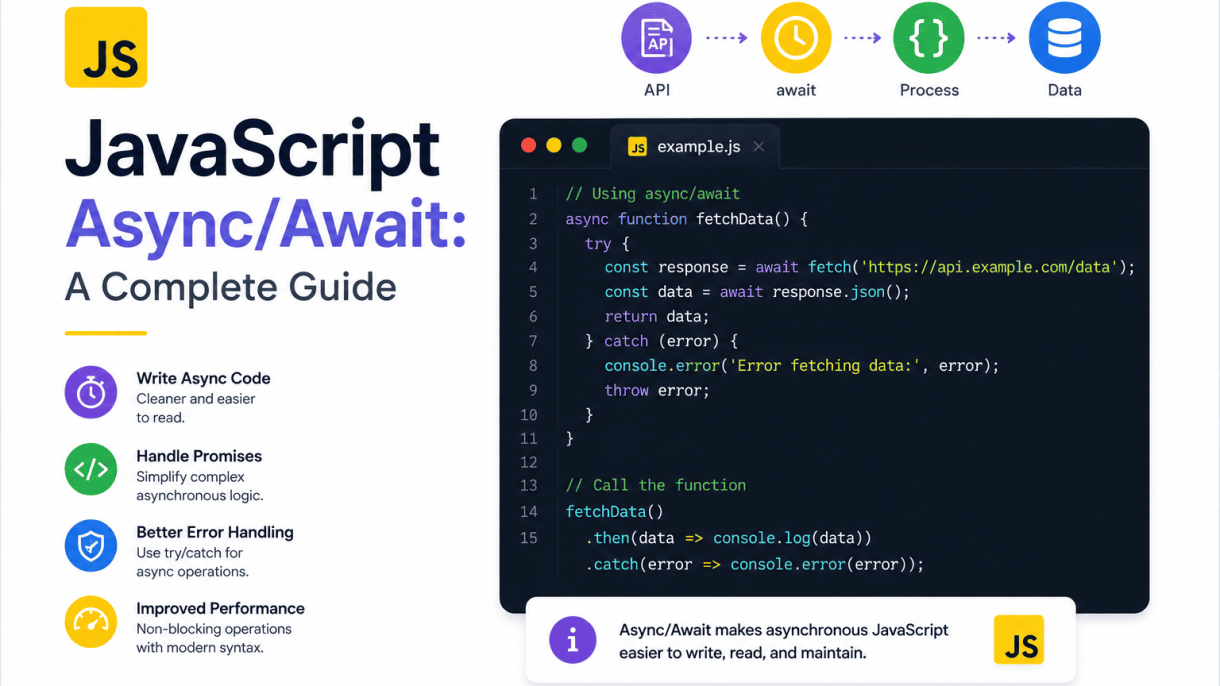

Introduction to Asynchronous JavaScript
JavaScript is single-threaded, meaning it executes one command at a time on a single call stack. Yet modern web applications handle multiple concurrent operations—fetching data, animating UI, processing user input—without freezing. This is only possible through asynchronous programming, which allows the main thread to delegate slow operations (like network requests or file reads) to the background and continue executing other code. Without this capability, a simple API call would block the entire interface, making pages unresponsive. Asynchronous JavaScript is therefore not a convenience but a fundamental requirement for building fluid, scalable applications.
The Event Loop and Non-Blocking I/O
The engine behind this non-blocking behavior is the event loop, a continuous process that checks the call stack and the task queues. When an asynchronous operation (e.g., setTimeout or a fetch request) is initiated, it is handed off to the browser’s Web APIs or Node.js’s libuv. Once the operation completes, its callback is placed into a queue. The event loop only pushes tasks from the queue onto the call stack when the stack is empty. This design ensures that long-running I/O operations never block the main thread.
- Call stack: executes synchronous code, one frame at a time.
- Web APIs / libuv: handle timers, HTTP requests, and other I/O in parallel.
- Callback queue: stores ready-to-execute callbacks in FIFO order.
- Microtask queue: prioritized for promises and mutation observers, processed before the next macrotask.
This architecture enables JavaScript to handle thousands of concurrent connections in Node.js or smooth UI updates in the browser, all while appearing to run multiple tasks simultaneously.
From Callbacks to Promises: A Brief History
Early JavaScript relied heavily on callbacks—functions passed as arguments to be invoked after an operation completes. While simple for one-off tasks, callbacks quickly became unreadable when nested inside each other, producing the infamous “callback hell” or “pyramid of doom.” Error handling was also inconsistent, as each callback had to manually check for errors. To address these flaws, Promises were introduced in ES6 (2015). A promise represents a future value and has three states: pending, fulfilled, or rejected. It provides a chainable API (.then(), .catch(), .finally()) that flattens nested callbacks and centralizes error propagation.
| Feature | Callbacks | Promises |
|---|---|---|
| Readability | Nested, hard to follow | Chained, linear |
| Error handling | Manual per callback | Centralized via .catch() |
| Composition | Difficult | Built-in (Promise.all, Promise.race) |
| Debugging | Stack traces lost | Better stack traces |
Despite these improvements, promises still required verbose chains for complex sequences, and developers had to mentally translate between synchronous thinking and promise chaining.
Why Async/Await Was Introduced
Async/await, added in ES2017, was designed to make asynchronous code look and behave like synchronous code—without blocking the thread. By prefixing a function with async, it automatically returns a promise. Inside such a function, the await keyword pauses execution until a promise settles, then resumes with the resolved value or throws the rejection. This eliminates explicit .then() chains and lets developers use familiar try/catch blocks for error handling.
The introduction of async/await solved three critical pain points:
- Readability: Sequential async operations read top-to-bottom, like synchronous code.
- Error handling: Rejections are caught by surrounding
try/catch, removing repetitive.catch()calls. - Debugging: Stack traces are more accurate because the engine can map awaits to their original call sites.
Async/await is not a replacement for promises but a syntactic layer on top of them. It retains all the underlying power of promises while offering a cleaner mental model, making it the de facto standard for modern JavaScript development.
Understanding Promises Before Async/Await
Before diving into JavaScript Async/Await: A Complete Guide, it’s essential to grasp the foundation: Promises. Async/await is syntactical sugar over Promises—it doesn’t replace them but makes their consumption cleaner. A Promise represents an eventual completion (or failure) of an asynchronous operation. Without understanding how Promises resolve, reject, chain, and combine, you’ll struggle to debug or optimize async/await code. This section reviews the core mechanics you’ll rely on when writing modern JavaScript.
Promise States and Settled Values
A Promise exists in exactly one of three states at any time:
- Pending: Initial state—operation is still in progress.
- Fulfilled: Operation completed successfully; the Promise has a settled value (e.g., data from an API).
- Rejected: Operation failed; the Promise has a reason (typically an Error object).
Once a Promise settles (fulfills or rejects), its state is immutable—it cannot change again. The settled value or reason is passed to handlers you attach. Here’s a minimal example:
const fetchUser = new Promise((resolve, reject) => {
  setTimeout(() => resolve({ id: 1, name: 'Ada' }), 1000);
});

fetchUser.then(user => console.log(user.name)); // "Ada" after 1s
Key takeaway: you never read the value directly; you always use .then() or await to access it.
Chaining with .then() and .catch()
Promises shine in chaining—sequential asynchronous steps without nesting callbacks. Each .then() returns a new Promise, allowing you to transform values or trigger another async operation. If any step throws or rejects, control jumps to the nearest .catch().
fetch('/api/user')
  .then(response => response.json())
  .then(user => fetch(`/api/posts?userId=${user.id}`))
  .then(response => response.json())
  .then(posts => console.log(posts.length))
  .catch(err => console.error('Failed:', err.message));
Important nuances:
- Return a value from
.then()to pass it to the next.then(). - Return a Promise from
.then()to wait for it before proceeding. - Place
.catch()at the end of the chain to handle any upstream rejection. - Use
.finally()for cleanup (e.g., hiding a spinner) that runs regardless of success or failure.
Promise.all, Promise.race, and Other Combinators
When you need to coordinate multiple independent async operations, combinators save time and reduce boilerplate. Here’s a quick comparison:
| Combinator | Behavior | Common Use Case |
|---|---|---|
Promise.all |
Waits for all to fulfill; rejects immediately if any rejects. | Fetching parallel data that must all succeed. |
Promise.allSettled |
Waits for all to settle (fulfill or reject); never rejects. | Reporting status of batch operations. |
Promise.race |
Settles with the first settled promise (fulfill or reject). | Timeout implementation (e.g., abort slow request). |
Promise.any |
Settles with the first fulfilled; rejects only if all reject. | Picking the fastest successful source. |
Example with Promise.all—note that async/await often replaces this pattern, but understanding it is critical:
const [user, posts] = await Promise.all([
  fetch('/api/user').then(r => r.json()),
  fetch('/api/posts').then(r => r.json())
]);
Mastering these Promise primitives directly informs how you structure await expressions. When you see await Promise.all([...]), you’re leveraging this combinator under the hood. Without this mental model, you’ll misuse async/await by serializing parallel tasks with sequential await calls—a common performance pitfall. With Promises firmly understood, you’re ready to explore how async/await simplifies error handling, control flow, and readability in the upcoming sections of this guide.
Async Functions: The Foundation of Await
Async functions are the syntactic backbone of modern JavaScript asynchronous programming. They allow you to write code that uses promises without chaining .then() and .catch() methods, making asynchronous logic read like synchronous code. The async keyword, placed before a function declaration, expression, or arrow function, transforms that function into an asynchronous operation. This transformation is not merely cosmetic—it changes how the function executes, how it returns values, and how errors propagate through your application.
Syntax and Return Value of async Functions
To declare an async function, place the async keyword directly before the function keyword, or before the parameters of an arrow function. Here are examples of valid syntaxes:
// Function declaration
async function fetchData() { /* ... */ }

// Function expression
const fetchData = async function() { /* ... */ };

// Arrow function
const fetchData = async () => { /* ... */ };

// Object method
const obj = { async fetchData() { /* ... */ } };

// Class method
class DataFetcher { async fetchData() { /* ... */ } }
The return value of an async function is always a promise. If you explicitly return a value using the return keyword, JavaScript wraps that value in a resolved promise. If you throw an error, the function returns a rejected promise. The following table summarizes how different return statements are handled:
| Code inside async function | Resulting Promise | How consumer receives it |
|---|---|---|
return 42; |
Promise resolved with 42 |
Value passes to .then() or await |
return Promise.resolve(42); |
Promise resolved with 42 (unwrapped) |
Value passes to .then() or await |
throw new Error("fail"); |
Promise rejected with the error | Error passes to .catch() or try/catch with await |
return Promise.reject("fail"); |
Promise rejected with "fail" |
Error passes to .catch() or try/catch with await |
| No return statement | Promise resolved with undefined |
undefined passes to .then() or await |
Notably, if you return a promise from an async function, that promise is not double-wrapped. Instead, JavaScript automatically unwraps it, so the resolved value of the inner promise becomes the resolved value of the outer promise. This behavior is called “assimilation” and is crucial for composing asynchronous operations.
Async Functions Always Return a Promise
This rule has no exceptions. Even if the function body contains only synchronous code, the async keyword forces the return value to be a promise. For example, async function syncLike() { return 1; } returns a Promise resolved with 1, not the number 1 itself. Consequently, you cannot directly use the result of an async function in a synchronous expression. The following code fails:
async function getValue() { return 5; }
const result = getValue(); // result is a Promise, not 5
console.log(result + 1); // Outputs "[object Promise]1" or throws, depending on concatenation
This promise-wrapping behavior also applies to errors. If an async function throws synchronously—for instance, because of a type error or a throw statement—that throw is captured and turned into a rejected promise. No synchronous exception escapes the function boundary. This is a deliberate design choice to ensure consistent error handling: you never need to wrap calls to async functions in try/catch for synchronous errors; instead, you always handle rejection via promise methods or await. The practical implication is that async functions are safe to call from any context without risking an uncaught exception that might crash the process.
Calling Async Functions from Synchronous Code
Because async functions always return promises, calling one from synchronous code requires you to handle the asynchronous result explicitly. You cannot block the main thread to wait for the promise to settle. Instead, you attach .then() and .catch() handlers to the returned promise, or you use await inside another async function. Here is an example of calling an async function from a regular synchronous function:
async function fetchUser(id) {
  // Simulate network delay
  return new Promise(resolve => setTimeout(() => resolve({ id, name: "Alice" }), 100));
}

function displayUser(id) {
  const promise = fetchUser(id);
  promise.then(user => console.log(user.name));
  console.log("Request started"); // This logs immediately, before the promise resolves
}
displayUser(1);
// Output order: "Request started", then "Alice"
The synchronous function displayUser continues executing after calling fetchUser; it does not pause. The .then() callback runs later, when the promise settles. This non-blocking behavior is fundamental to JavaScript’s single-threaded event loop. If you need to use the result of an async function in a synchronous context, you have two options: convert the synchronous function into an async function and use await, or restructure your logic to use callbacks or promise chaining. There is no way to make the result available synchronously—any attempt to do so (e.g., using an infinite loop to wait) would freeze the browser or Node.js process. Therefore, the correct pattern is to propagate the promise upward, letting the asynchronous nature of the operation flow through your codebase until it reaches an event handler, a framework hook, or the top-level module where you can use await (in supported environments like Node.js ESM or with a bundler).
The Await Operator: Pausing Execution
The await operator is the heart of asynchronous JavaScript’s readability revolution. When placed before an expression, it pauses the execution of the surrounding async function until that expression settles (either resolves or rejects). Crucially, await does not block the entire JavaScript runtime—it only suspends the current async function, allowing other tasks (like event handlers, timers, or other async operations) to continue running on the main thread. Once the awaited value settles, the function resumes from the exact point where it paused, with the resolved value available as the result of the await expression.
This behavior transforms sequential asynchronous code into something that reads like synchronous logic. Consider a typical multi-step operation:
async function fetchUserProfile(userId) {
  const user = await fetch(`/api/users/${userId}`).then(res => res.json());
  const posts = await fetch(`/api/users/${userId}/posts`).then(res => res.json());
  return { user, posts };
}
Each await line pauses until the previous fetch completes, then proceeds. Without await, you would need nested .then() callbacks or a promise chain that obscures the logical order.
Await with Promises and Thenables
The primary use of await is with native Promise objects. When you await a promise, the function waits for its settlement and then returns the fulfillment value. If the promise rejects, the rejection is thrown as an exception inside the async function, which you can catch with a try...catch block—this makes error handling far more intuitive than chained .catch() methods.
However, await is not limited to native promises. It also works with thenables—any object that has a .then() method. This includes promise libraries like Bluebird or jQuery’s Deferred objects. When you await a thenable, JavaScript treats it as a promise-like object, calls its .then() method with resolve and reject functions, and pauses until one of those is called. This compatibility ensures that await works seamlessly with legacy code and third-party libraries, even if they don’t use the native Promise constructor.
Awaiting Non-Promise Values
A common misconception is that await only works with promises. In reality, you can await any value, including numbers, strings, objects, or even undefined. When the operand is not a thenable, JavaScript wraps it in an already-resolved promise and continues immediately. This behavior is useful for writing uniform code where a value might be either synchronous or asynchronous. For example:
async function getValue(maybePromise) {
  const value = await maybePromise; // Works for both 42 and Promise.resolve(42)
  return value * 2;
}
This pattern simplifies conditional logic: you can always write await without worrying about the input type. It also allows you to await expressions like await null or await someFunction() where the function returns a plain value—the code remains clear and consistent.
Top-Level Await in Modules
Historically, await was only valid inside async functions. This restriction forced developers to wrap top-level asynchronous logic in an immediately-invoked async function expression (IIFE). Modern JavaScript modules (ESM) have removed this limitation with top-level await. In a module file, you can use await directly at the top level without an async wrapper:
// config.mjs
const response = await fetch('/api/config');
export const config = await response.json();
Top-level await blocks the execution of the importing module until the awaited promise settles, but it does not block other modules that don’t depend on it. This feature is ideal for loading configuration, initializing database connections, or fetching data that must be ready before the module exports anything. It also simplifies module initialization and eliminates the need for awkward wrapper functions in many cases. However, use it judiciously—top-level await can delay module evaluation, so it’s best for genuinely necessary setup operations rather than optional side effects.
In summary, await is a versatile operator that handles promises, thenables, and plain values with equal grace, while top-level await extends this convenience to module scope. Together, they make asynchronous JavaScript code more readable, maintainable, and closer to synchronous logic—without sacrificing the non-blocking performance that the event loop provides.
Error Handling in Async/Await
Robust error handling is the cornerstone of reliable asynchronous JavaScript. Unlike synchronous code, where a thrown exception halts execution immediately, promises and async functions introduce new failure modes such as network timeouts, rejected responses, and race conditions. The async/await syntax simplifies error management by allowing you to write asynchronous code that looks synchronous, but it requires deliberate patterns to avoid silent failures or unhandled rejections. Below, we explore the core techniques for catching errors, managing multiple concurrent operations, and designing resilient fallback strategies.
Using try/catch with Await
The most straightforward way to handle errors in an async function is to wrap await expressions inside a try/catch block. When a promise rejects, the await expression throws the rejection reason, which the surrounding catch block captures. This pattern works exactly like synchronous error handling, making it intuitive for developers.
async function fetchUserData(userId) {
  try {
    const response = await fetch(`/api/users/${userId}`);
    if (!response.ok) throw new Error('HTTP status ' + response.status);
    return await response.json();
  } catch (error) {
    console.error('Failed to fetch user:', error.message);
    return null; // or rethrow, or return a default value
  }
}
Important nuances to remember:
- Only
awaitexpressions inside thetryblock are caught. If you call an async function withoutawaitinside thetry, its rejection becomes an unhandled promise rejection. - Always handle the case where
response.okis false. Fetch does not reject on HTTP errors like 404 or 500; you must check the status manually. - Use a single
try/catchfor a block of sequentialawaitcalls to avoid repetitive error handling, but be aware that one failure will skip the remaining code in that block.
Handling Multiple Await Calls
When dealing with several independent asynchronous operations, you have two main approaches: sequential await or parallel Promise.all. The error handling strategy differs significantly.
Sequential calls (one after another):
async function processSequential() {
  try {
    const a = await fetchDataA();
    const b = await fetchDataB(); // runs only after a resolves
    return [a, b];
  } catch (err) {
    // Catches the first rejection among a or b
    console.error(err);
  }
}
Here, if fetchDataA rejects, fetchDataB never runs. This is fine for dependent operations but wastes time for independent ones.
Parallel calls with Promise.all:
async function processParallel() {
  try {
    const [a, b] = await Promise.all([fetchDataA(), fetchDataB()]);
    return [a, b];
  } catch (err) {
    // Rejects as soon as any one promise rejects
    console.error('One or more failed:', err);
  }
}
With Promise.all, if any promise rejects, the whole await throws immediately, and the other promises’ results are ignored (though they still run). For cases where you want to continue even if some fail, use Promise.allSettled, which never rejects and returns an array of outcome objects:
async function processAllSettled() {
  const results = await Promise.allSettled([fetchDataA(), fetchDataB()]);
  const fulfilled = results.filter(r => r.status === 'fulfilled').map(r => r.value);
  const rejected = results.filter(r => r.status === 'rejected').map(r => r.reason);
  console.log('Fulfilled:', fulfilled.length, 'Rejected:', rejected.length);
  // Handle each outcome individually
}
Choose Promise.all when all operations are essential and you want to fail fast; choose Promise.allSettled when partial success is acceptable.
Error Boundaries and Fallback Strategies
In production systems, you should never let an unhandled rejection crash your process. Implement error boundaries at the top level of your async functions and provide graceful fallbacks. Here are best practices:
- Centralize error logging: Create a wrapper function that catches errors, logs them with context (e.g., operation name, timestamp), and then rethrows or returns a neutral value.
- Use default values as fallbacks: For non-critical data, return a sensible default (e.g., empty array, empty object) instead of
nullto avoid breaking downstream code that expects a specific shape. - Retry with exponential backoff: For transient failures (network hiccups), retry the operation a limited number of times before giving up.
- Circuit breakers: If a service fails repeatedly, stop calling it for a cooldown period to prevent overload.
async function withRetry(fn, retries = 3, delay = 1000) {
  for (let attempt = 1; attempt <= retries; attempt++) {
    try {
      return await fn();
    } catch (err) {
      if (attempt === retries) throw err; // final attempt
      await new Promise(res => setTimeout(res, delay * attempt));
    }
  }
}
Finally, always attach a global handler for unhandled rejections (e.g., process.on('unhandledRejection') in Node.js or window.addEventListener('unhandledrejection') in browsers) to log unexpected errors, even if you believe you’ve covered all paths. This safety net ensures no error goes silently unnoticed, preserving both debuggability and user trust.
Sequential vs. Concurrent Execution
Understanding the difference between sequential and concurrent execution is critical for writing efficient asynchronous JavaScript. When you use await inside a loop or chain multiple await statements one after another, each promise resolves only after the previous one has settled. This is sequential execution. In contrast, concurrent execution starts multiple asynchronous operations at the same time, then waits for their results, drastically reducing total wait time when operations are independent.
When to Use Sequential Await
Sequential await is the default and often the simplest pattern. You should use it when each operation depends on the result of the previous one. For example, when fetching a user profile, then fetching that user’s posts, and then fetching comments on the first post—each step requires data from the prior step.
Another case for sequential execution is when you need to respect a strict order of side effects, such as writing to a database in a specific sequence or calling an API that has rate limits per request. Sequential code is also easier to debug and reason about, making it the right choice for small, dependent workflows.
Consider this example where each step requires the previous result:
async function fetchUserDetails(userId) {
  const user = await fetch(`/api/users/${userId}`);
  const userData = await user.json();
  const posts = await fetch(`/api/users/${userData.id}/posts`);
  const postsData = await posts.json();
  return { user: userData, posts: postsData };
}
Here, you cannot fetch posts until you know the user’s ID, so sequential await is mandatory.
Parallel Execution with Promise.all
When operations are independent of each other, you should not await them sequentially. Instead, launch all promises at once and use Promise.all to wait for all of them. This can reduce execution time from the sum of all durations to the duration of the slowest operation.
async function fetchMultipleUsers(userIds) {
  const userPromises = userIds.map(id => fetch(`/api/users/${id}`).then(res => res.json()));
  const users = await Promise.all(userPromises);
  return users;
}
In this pattern, all fetch calls start immediately, and Promise.all resolves when every promise in the array has resolved. If any promise rejects, the entire Promise.all rejects immediately, which is useful when you need all results to proceed.
| Pattern | Behavior on rejection | Use case |
|---|---|---|
Promise.all |
Rejects fast (fail-fast) | All results required, no partial success |
Promise.allSettled |
Waits for all, never rejects | Need results regardless of individual failures |
Promise.any |
Resolves with first fulfilled value | Want the fastest successful result |
Promise.allSettled and Promise.any for Mixed Results
Real-world applications often face partial failures. Promise.allSettled waits for every promise to settle—whether fulfilled or rejected—and returns an array of objects with a status field. This is ideal for batch operations like syncing multiple records where you want to collect both successes and failures without aborting the whole batch.
async function syncAll(items) {
  const results = await Promise.allSettled(items.map(item => syncItem(item)));
  const succeeded = results.filter(r => r.status === 'fulfilled');
  const failed = results.filter(r => r.status === 'rejected');
  return { succeeded, failed };
}
On the other hand, Promise.any resolves as soon as the first promise fulfills, ignoring rejections until all fail. This is useful for redundant API calls, such as trying multiple CDN mirrors and using the first that responds successfully. If all promises reject, it rejects with an AggregateError.
Choosing the right concurrency pattern depends on your failure tolerance. Use Promise.all for all-or-nothing scenarios, Promise.allSettled for partial results, and Promise.any for fast-first responses. By applying these patterns, you can significantly optimize performance while maintaining predictable behavior.
Async/Await in Loops and Iteration
Looping with asynchronous operations is a common source of confusion in JavaScript. The behavior of async/await inside loops depends entirely on the loop construct you choose. Using the wrong loop can either serialize operations unnecessarily, tank performance, or introduce subtle race conditions. This section covers the three most important patterns: sequential for...of, parallel Promise.all with map(), and how to avoid sequential bottlenecks.
Await in for…of Loops
The for...of loop is the only loop construct that works naturally with await for sequential execution. Unlike forEach(), which does not pause for promises, for...of respects await inside its body. Each iteration waits for the previous promise to resolve before moving to the next item.
async function processSequentially(items) {
  for (const item of items) {
    const result = await fetchData(item);
    console.log(result);
  }
}
This is ideal when each operation depends on the previous one, such as chaining API calls where the next request needs data from the prior response. However, be aware that this pattern is inherently slow for independent tasks—it introduces a forced delay equal to the sum of all individual latencies. Use it only when order and dependency are non-negotiable.
Using Promise.all with map()
When tasks are independent, the fastest approach is to fire all promises concurrently. The pattern Promise.all(array.map(async item => ...)) is the standard solution. The map() method returns an array of promises, and Promise.all waits for all of them to settle.
async function processInParallel(items) {
  const results = await Promise.all(
    items.map(async (item) => {
      const data = await fetchData(item);
      return transform(data);
    })
  );
  return results;
}
This reduces total execution time to roughly the slowest single operation, not the sum. It is perfect for batch processing, bulk database updates, or fetching multiple independent resources. Be cautious with large arrays: firing thousands of simultaneous requests can overwhelm servers or exhaust file descriptors. A common mitigation is to batch items into groups of 10–20 and run each group with Promise.all.
Avoiding Sequential Bottlenecks in Loops
Many developers unknowingly create sequential bottlenecks by using await inside forEach() or a traditional for loop when parallelism is possible. Consider this anti-pattern:
// Anti-pattern: forEach does not wait for promises
items.forEach(async (item) => {
  await fetchData(item); // fire-and-forget, errors unhandled
});
This code does not pause the loop—it starts all operations but returns immediately, leading to unhandled promise rejections and unpredictable ordering. To avoid bottlenecks, follow these guidelines:
- Sequential dependency? Use
for...ofwithawait. - Independent tasks? Use
Promise.allwithmap(). - Rate limiting needed? Implement a small concurrency pool (e.g., process in batches of 5).
- Need early exit?
Promise.allfails fast on rejection; usePromise.allSettledif you must continue.
Finally, never mix await with map() directly expecting sequential behavior—map() returns an array of promises immediately. Always wrap it in Promise.all or iterate with for...of if you need ordered results. By matching the loop construct to your concurrency needs, you keep your code both correct and performant.
Advanced Patterns and Real-World Use Cases
Moving beyond basic syntax, practical JavaScript development demands robust patterns for handling failures, iterating over asynchronous data streams, and seamlessly integrating with external services. This section explores three critical areas: resilient retry and timeout mechanisms, the power of async generators, and the standard approach to consuming REST APIs with fetch.
Retry and Timeout Patterns
Network requests and I/O operations are inherently unreliable. A naive await call can hang indefinitely or fail transiently. Implementing a timeout ensures your application remains responsive, while retry logic handles temporary server hiccups or rate limits. The core idea is to wrap a promise with a race condition for timeout, and to loop a failed operation with a delay.
A robust retry pattern should include:
- Maximum attempts: Prevent infinite loops (e.g., 3–5 retries).
- Exponential backoff: Increase delay between attempts (e.g., 1s, 2s, 4s) to avoid overwhelming the server.
- Selective retrying: Only retry on specific errors (e.g., network failure or HTTP 503), not on client errors (HTTP 400).
- Jitter: Add random variation to backoff to prevent thundering herd problems.
For timeouts, use Promise.race between your actual operation and a timer that rejects. This guarantees your function never hangs beyond a set threshold, which is crucial for user-facing features like search suggestions.
Async Generators and for await…of
Async generators are a powerful but often overlooked feature. They combine generator functions (function*) with async, allowing you to produce a sequence of promises that are consumed lazily. This is ideal for handling paginated API responses, streaming large files, or processing real-time events without loading everything into memory.
The consumer uses the for await...of loop, which automatically awaits each yielded promise before moving to the next iteration. This pattern simplifies code that would otherwise require complex recursive callbacks or manual promise chaining.
async function* fetchPages(url) {
  let page = 1;
  while (true) {
    const response = await fetch(`${url}?page=${page}`);
    if (!response.ok) break;
    const data = await response.json();
    yield data.items;
    if (!data.hasMore) break;
    page++;
  }
}

for await (const items of fetchPages('/api/users')) {
  processItems(items); // Process each page as it arrives
}
This approach reduces memory footprint and improves perceived performance by processing data incrementally.
Integrating with Fetch and REST APIs
The fetch API is the modern standard for HTTP requests in browsers and Node.js (v18+). Combined with async/await, it becomes highly readable. However, fetch does not reject on HTTP error status codes (like 404 or 500); it only rejects on network failure. Therefore, you must manually check response.ok and throw an error to use with your retry logic.
Below is a comparison of common fetch integration patterns:
| Pattern | Error Handling | Use Case |
|---|---|---|
Simple await fetch |
Only network errors; ignores HTTP status. | Quick prototyping, non-critical GET requests. |
Check response.ok |
Throws on 4xx/5xx; requires manual parse. | Most production REST calls; enables retry. |
| Wrapper with timeout + retry | Handles network, timeout, and HTTP errors. | Critical user-facing features, external APIs. |
| Async generator for pagination | Handles per-page errors, stops on failure. | Large datasets, infinite scroll, bulk exports. |
When integrating with REST APIs, always set appropriate headers (e.g., Content-Type: application/json) and use try/catch/finally to manage loading states. Combine this with the retry and timeout patterns above to build resilient, production-grade data layers.
Common Pitfalls and How to Avoid Them
Even with a solid grasp of the syntax, async/await introduces subtle traps that can undermine performance, crash processes, or produce silently incorrect behavior. The following pitfalls are the most frequent offenders in real-world codebases. Recognizing them early will save you hours of debugging and prevent production incidents.
Forgetting to Await a Promise
The most basic yet pervasive mistake is calling an async function without the await keyword. This often happens when you intend to await but miss it due to refactoring, or when you assume a function is synchronous when it is not. The result is that the function returns a Promise immediately, and your code continues executing before the operation completes. This leads to race conditions, undefined variables, and unpredictable ordering.
Consider this flawed example:
async function fetchUser() {
    const response = await fetch('/api/user');
    return response.json();
}

function displayUser() {
    const user = fetchUser(); // Missing await!
    console.log(user.name);   // undefined
}
To avoid this, adopt a strict habit: whenever you call any function that returns a Promise, immediately ask yourself, “Do I need the result here?” If yes, await it. If you are inside a non-async function, either make it async or use .then(). Additionally, enable ESLint rules like require-await and no-floating-promises to catch these automatically.
Unhandled Promise Rejections
Async/await does not eliminate the need for error handling; it merely changes its shape. When you await a promise that rejects without a surrounding try/catch, the rejection becomes an unhandled promise rejection. In Node.js, this can crash the process (depending on version and configuration), and in browsers, it pollutes the console and leaves your application in an inconsistent state.
Common causes include forgetting to wrap await in try/catch, or only catching errors in one part of a parallel operation. For example:
async function loadData() {
    const data = await Promise.all([
        fetch('/a'),
        fetch('/b') // If this rejects, the whole Promise.all rejects
    ]);
    // No try/catch here — rejection goes unhandled
}
The fix is to always handle errors at the edge of your async functions. Use try/catch blocks, or attach a .catch() when you intentionally want to ignore a failure. For global safety, add a process-level handler for unhandled rejections in Node.js (e.g., process.on('unhandledRejection')) to log the error instead of crashing silently.
Blocking the Event Loop with Heavy Synchronous Work
Async/await does not make JavaScript multi-threaded. The event loop remains single-threaded, and any synchronous code you write inside an async function blocks all other operations. A common mistake is performing CPU-intensive tasks—like large array manipulations, complex calculations, or string parsing—inside an async function, assuming that because the function is async, it won’t block.
This misconception leads to frozen UIs or stalled servers. For example:
async function processLargeData() {
    const raw = await fetchData();
    // This loops synchronously and blocks the event loop
    const result = raw.map(item => expensiveCalculation(item));
    return result;
}
To avoid this, move heavy computation out of the main thread. In Node.js, use worker_threads or offload to a separate process. In browsers, use Web Workers. Alternatively, break the work into chunks with setImmediate() or setTimeout() to yield control back to the event loop periodically. Also, consider using built-in asynchronous methods that do not block, such as fs.promises for file I/O instead of synchronous fs.readFileSync.
By internalizing these three pitfalls, you will write async/await code that is robust, non-blocking, and fails loudly only when you intend it to. The key is to treat await as a contract, not an ornament—and to remember that the event loop is always watching.
Best Practices and Performance Tips
Writing production-grade asynchronous JavaScript requires more than chaining await expressions correctly. The difference between code that merely works and code that scales lies in deliberate structure, disciplined error handling, and a clear-eyed approach to performance measurement. The following practices, drawn from real-world debugging sessions and load-testing scenarios, will help you avoid the most common pitfalls while keeping your codebase maintainable.
Keep Async Code Readable and Maintainable
The primary benefit of async/await over raw promises is linear readability. Protect that advantage with these structural rules:
- Prefer small, single-purpose async functions. A function that awaits three unrelated operations is a candidate for decomposition. Each helper should have one clear responsibility, making unit tests trivial and error tracing obvious.
- Use
Promise.allfor independent awaits. Sequentialawaitstatements on unrelated data sources multiply latency. Replace them withawait Promise.all([...])to run operations concurrently, but never use this pattern when one result is required by the next operation. - Keep try/catch blocks narrow. Wrap only the specific operation that can fail. A broad try/catch around ten lines of logic will swallow the wrong error and produce misleading stack traces. For consistent error handling across an API boundary, use a central wrapper function that catches and formats errors, rather than repeating try/catch in every caller.
- Avoid mixing promise chains and async/await in the same function. Pick one style per function. Mixing
.then()withawaitcreates confusion about the execution order and makes refactoring error-prone.
When you need to handle multiple concurrent errors, wrap each Promise.all member with a .catch() that returns a sentinel value, then inspect the results. This pattern preserves concurrency while giving you granular error visibility.
Debugging Async/Await with DevTools
Modern browser DevTools and Node.js inspector provide powerful tools that demystify asynchronous execution:
- Set breakpoints inside async functions. The debugger will pause at each
awaitpoint, letting you inspect the state before and after the promise resolves. Use the “Step Into” command to trace the resolution path. - Leverage the “Async” call stack. In Chrome DevTools, enable the “Async” checkbox in the Call Stack panel. This shows the full chain of asynchronous calls leading to the current breakpoint, revealing which promise initiated the current execution.
- Use
console.trace()strategically. Place it inside acatchblock to log the exact call path at failure time. Unlike a normalconsole.log, this preserves the asynchronous context. - In Node.js, use the
--inspectflag with Chrome DevTools for a GUI debugger. The built-inutil.inspectwithshowHidden: truecan reveal internal promise states.
For unhandled rejections, always attach a global process.on('unhandledRejection') handler in Node.js, or use the unhandledrejection event in browsers. This catches silent failures that would otherwise disappear in production.
Benchmarking and Optimizing Async Operations
Optimization without measurement is guesswork. Follow this disciplined process:
- Profile first. Use the Performance panel in DevTools or Node.js’s
--cpu-profflag to identify actual bottlenecks. Look for long tasks, idle gaps between awaits, and excessive microtask queueing. - Measure with
performance.now(). Wrap critical async sections with timestamp markers to calculate real latency, not just theoretical complexity. Compare sequential vs. parallel execution times. - Limit concurrency for resource-bound operations.
Promise.allwith 1000 simultaneous requests will exhaust file descriptors or database connections. Implement a simple concurrency limiter (e.g., a semaphore pattern) to cap active operations at 10–20. - Cache repeated async results. For identical requests within a short time window, use a memoization layer with a TTL. This is especially effective for API calls and database queries.
- Batch small operations. If you are writing 50 individual rows to a database, a single bulk insert with
Promise.allwill outperform 50 sequential awaits, but a single batched query will outperform both.
Finally, always test under realistic load. A 10x improvement in microbenchmarks means nothing if the production database saturates. Use load-testing tools to verify that your async optimizations hold under concurrent user traffic.
Frequently Asked Questions
What is async/await in JavaScript?
Async/await is a modern syntax built on top of Promises that makes asynchronous code look and behave more like synchronous code. An `async` function always returns a Promise, and within it you can use the `await` keyword to pause execution until a Promise settles. This simplifies chaining `.then()` and `.catch()` calls, making code easier to read and maintain. Async/await was introduced in ES2017 and is now widely supported in browsers and Node.js.
How does async/await differ from using Promises?
Promises use `.then()` and `.catch()` methods to handle asynchronous results, which can lead to nested or chained callbacks. Async/await provides a more linear, imperative style, allowing you to write asynchronous code as if it were synchronous. It also improves error handling by using traditional try/catch blocks. However, async/await is built on Promises, so it's not a replacement but a higher-level abstraction that improves readability.
What is the purpose of the `await` keyword?
The `await` keyword can only be used inside an `async` function. It pauses the execution of the function until the awaited Promise settles, and then returns the resolved value. If the Promise rejects, it throws an exception, which can be caught with try/catch. `await` can also be used with non-Promise values, in which case it simply returns the value immediately, but it's most useful with Promises to avoid callback nesting.
Can I use `await` at the top level of a module?
Yes, top-level `await` is supported in modern ECMAScript modules (ESM) in browsers and Node.js (since version 14.8). This allows you to use `await` without wrapping it in an async function. However, this feature is not available in CommonJS modules or older environments. For maximum compatibility, you may need to use a wrapper or transpile with tools like Babel.
How do I handle errors in async/await?
You can handle errors using try/catch blocks. If an awaited Promise rejects, the error is thrown inside the async function, and you can catch it in a surrounding try/catch. For multiple awaited operations, you can use a single try/catch around them, but be aware that the first rejection will skip the rest. Alternatively, you can use `.catch()` on the returned Promise if you need to handle errors outside the function.
What is the difference between `Promise.all` and `Promise.allSettled`?
`Promise.all` takes an array of Promises and returns a single Promise that resolves to an array of results when all Promises resolve, but rejects immediately if any Promise rejects. `Promise.allSettled` waits for all Promises to settle (either fulfill or reject) and returns an array of objects describing each outcome. Use `Promise.all` when you need all results and want to fail fast; use `Promise.allSettled` when you need to know the outcome of every Promise even if some reject.
Is async/await faster than Promises?
Async/await is not inherently faster than using Promises directly; it is syntactic sugar built on the same underlying Promise engine. The performance difference is negligible in practice. The main benefits are readability and maintainability, not speed. In fact, using async/await incorrectly (e.g., sequential awaits on independent tasks) can be slower than using `Promise.all` for concurrent execution.
Can I use async/await with `Promise.race`?
Yes, you can use `await` with any Promise, including the result of `Promise.race`. For example, `const result = await Promise.race([fetch1, fetch2]);` will resolve with the first settled Promise. This is useful for implementing timeouts or selecting the fastest response. However, remember that `Promise.race` rejects if the first settled Promise rejects, which may require error handling.
Sources and further reading
- MDN Web Docs: async function
- MDN Web Docs: await
- MDN Web Docs: Promise
- MDN Web Docs: Promise.all()
- MDN Web Docs: Promise.allSettled()
- MDN Web Docs: Promise.race()
- ECMAScript 2017 Language Specification (ECMA-262, 8th Edition)
- ECMAScript 2020 Language Specification (ECMA-262, 11th Edition)
- Node.js Documentation: Timers
- Node.js Documentation: Modules: ECMAScript modules
Need help with this topic?
Send us your details and we will contact you.