
1. Introduction
The Rise of Visual Page Builders in WordPress
WordPress has evolved far beyond its origins as a blogging platform, and the rise of visual page builders has been a central driver of that transformation. For years, building custom layouts required knowledge of PHP, HTML, and CSS, creating a steep barrier for non-developers. The introduction of drag-and-drop interfaces changed that dynamic entirely, empowering users to design complex, responsive pages without writing code. Among the many tools that emerged, two have come to dominate the conversation: Elementor, a third-party plugin that became a market leader, and Gutenberg, the native block editor that WordPress integrated into its core. Their coexistence has sparked an ongoing debate about which approach—dedicated plugin or core editor—is superior for modern site building.
Why This Comparison Matters for Site Owners
Choosing between Elementor and Gutenberg is not a trivial decision; it carries long-term implications for site performance, maintenance, flexibility, and cost. Site owners must weigh factors such as learning curve, design capabilities, speed optimization, and future-proofing against WordPress updates. Using a third-party plugin like Elementor can offer a richer visual experience and more pre-built templates, but it also introduces additional code and potential dependency on an external developer. Gutenberg, on the other hand, is lightweight and native, but its block-based approach may feel less intuitive for users accustomed to full front-end editing. This comparison helps site owners make an informed choice that aligns with their technical skill level, design needs, and business goals.
Scope of This Article: What We Will Cover
This article provides a thorough, balanced analysis of Elementor versus Gutenberg, focusing on the key areas that matter most to site owners. We will explore the following dimensions:
- Ease of use and learning curve: How quickly can a beginner build a complete page with each tool?
- Design flexibility and customization: Which offers more control over layout, typography, and visual elements?
- Performance and page speed: How does each tool impact site loading times and Core Web Vitals?
- Ecosystem and extendability: What plugins, themes, and add-ons are available for each?
- Cost and pricing models: What are the upfront and ongoing expenses for full functionality?
- Long-term maintenance and compatibility: How do they handle WordPress updates and potential vendor lock-in?
By the end of this comparison, you will have a clear understanding of the trade-offs between these two page builders, enabling you to select the one that best fits your project’s requirements and your comfort level with technology.
2. What is Elementor?
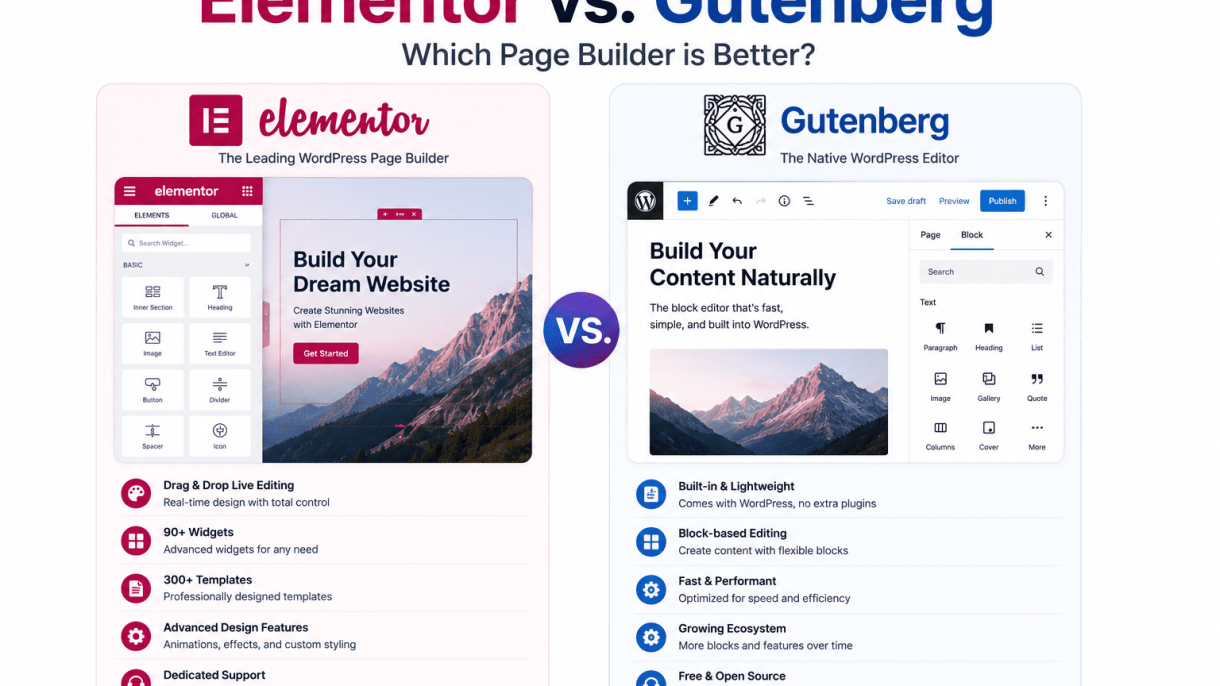
Elementor is a third-party, freemium drag-and-drop page builder plugin for WordPress, first released in 2016. It replaces the default WordPress editor (including the Classic Editor and Gutenberg) with a visual, front-end interface. Instead of writing blocks in a back-end editor, you see your page exactly as it will appear to visitors while you edit it. Elementor has grown into a full ecosystem with a large marketplace of third-party add-ons, making it one of the most popular page builders on the market, powering millions of websites.
Key Features: Widgets, Templates, and Theme Builder
Elementor’s core strength lies in its extensive set of design features, organized into three main pillars:
- Widgets: Over 100 content elements, called widgets, that you can drag onto your page. These range from basic elements (headings, text, images, buttons) to advanced ones (sliders, forms, carousels, accordions, testimonials, countdown timers, and dynamic data widgets). Each widget has its own style and content controls, accessible via a left-side panel.
- Templates: A library of pre-designed page templates and blocks (sections like headers, hero areas, pricing tables, and footers). You can insert these with one click, then customize them fully. Templates are organized by category (e.g., landing pages, 404 pages, WooCommerce shop pages) and are regularly updated. The library includes both free and Pro templates.
- Theme Builder: A set of tools that lets you design every part of your WordPress theme visually—headers, footers, single post templates, archive pages, search results, and more. With Theme Builder, you can create a complete custom theme without writing any PHP or CSS. You assign these templates globally or to specific conditions (e.g., a custom header for blog posts only).
Additionally, Elementor includes a responsive editing mode (allowing you to hide or adjust elements for desktop, tablet, and mobile), a global font and color system, custom CSS per element, and a popup builder (Pro).
Elementor Pro vs. Free Version
Elementor’s free version is robust but limited. The Pro version adds significant functionality. The table below summarizes the key differences:
| Feature | Free Version | Pro Version |
|---|---|---|
| Core drag-and-drop editor | Yes | Yes |
| Number of widgets | ~50 | ~100+ |
| Theme Builder | No | Yes |
| Form builder | No | Yes (with email integrations) |
| Popup builder | No | Yes |
| WooCommerce widgets | Basic (products) | Advanced (cart, checkout, single product builder) |
| Dynamic content capabilities | No | Yes (ACF, Pods, Toolset, custom fields) |
| Global widgets | No | Yes |
| Custom CSS per element | Yes | Yes |
| Template library access | Free templates only | Free + Pro templates |
Pro costs start at a yearly subscription for a single site, with higher tiers for multiple sites. The free version is sufficient for simple pages and basic layouts, but for serious design control, especially over theme structure, Pro is essential.
Who Typically Chooses Elementor?
Elementor appeals to a broad range of users, but some groups find it particularly useful:
- Freelance web designers and agencies who need to build client sites quickly with polished, custom designs. The Theme Builder and template library accelerate development without coding.
- Non-technical website owners (e.g., small business owners, bloggers, marketers) who want to maintain their own site without hiring a developer. The visual, real-time editing is intuitive.
- Advanced WordPress users who want fine-grained control over layouts and styling, including custom CSS and dynamic data integration via Pro.
- WooCommerce store owners who need to design custom product pages, cart layouts, and checkout forms beyond standard theme options.
Elementor is less commonly chosen by developers who prefer to build themes with traditional PHP/SCSS or who need ultra-lightweight performance. It is also not ideal for users who strictly want to avoid third-party plugins due to maintenance overhead or potential conflicts.
3. What is Gutenberg?
Gutenberg is the default block editor for WordPress, introduced in version 5.0 in December 2018. Named after Johannes Gutenberg, the inventor of the printing press, it replaced the classic TinyMCE editor with a modular, block-based approach. Unlike standalone page builders like Elementor, Gutenberg is a core WordPress feature, meaning it is pre-installed on every WordPress site and receives updates alongside the platform itself. Its evolution has transformed it from a simple content editor into a full-fledged site-building tool, particularly with the introduction of Full Site Editing (FSE) in WordPress 5.9.
The Block Editor Paradigm
Gutenberg operates on a block paradigm, where every piece of content—paragraphs, images, headings, buttons, columns, and even custom HTML—is a distinct block. Users add, rearrange, and style blocks directly on the editing canvas, with a live preview of the front-end appearance. Key capabilities include:
- Core Blocks: Over 30 native blocks (e.g., paragraphs, images, galleries, cover images, embeds, spacers, social icons).
- Reusable Blocks: Save any block or group of blocks as a reusable asset for consistent styling across pages.
- Block Patterns: Pre-designed block combinations (e.g., hero sections, testimonials, pricing tables) that can be inserted with one click.
- Drag-and-Drop: Simple drag-and-drop functionality for rearranging blocks, though less granular than dedicated page builders.
- Custom Blocks: Developers can register custom blocks using JavaScript (React) and PHP, extending functionality via plugins like Advanced Custom Fields (ACF) or third-party block libraries.
The block editor is inherently responsive, as blocks automatically adapt to screen sizes. However, advanced styling (e.g., custom margins, padding, or animations) often requires custom CSS or additional plugins, as Gutenberg’s built-in design controls are more basic compared to Elementor.
Full Site Editing (FSE) and Block Themes
Full Site Editing (FSE), introduced in WordPress 5.9, extends the block paradigm beyond content to the entire site structure. With an FSE-compatible block theme, users can edit headers, footers, sidebars, templates, and even global styles using blocks. This eliminates the need for traditional theme customizers or PHP-based template files in many cases. Block themes rely on a theme.json file to define design settings (e.g., color palettes, typography, spacing) globally, ensuring consistency. Key features include:
- Template Editor: Edit single post, page, archive, and 404 templates using blocks.
- Global Styles: Adjust site-wide colors, fonts, and layout settings from the editor.
- Block-Based Widgets: Replace classic widgets with blocks in widget areas.
- Navigation Block: Build and style menus using blocks, with support for submenus and mobile toggles.
FSE is still maturing; complex layouts (e.g., multi-column grids with nested columns) can be cumbersome, and third-party block plugins are often needed for advanced functionality like dynamic content or custom post type displays.
Who Typically Chooses Gutenberg?
Gutenberg is best suited for users who prioritize simplicity, core WordPress integration, and long-term maintainability. Typical users include:
- Bloggers and Content Writers: Those who need a clean, distraction-free writing environment for text-heavy posts.
- Beginners: Users who want to avoid the learning curve of third-party page builders and prefer built-in tools.
- Developers Building Custom Themes: Those who prefer a lightweight, extensible foundation without heavy page builder dependencies.
- Site Owners Focused on Performance: Gutenberg generates clean, minimal HTML compared to many page builders, contributing to faster load times.
- Users Adopting Full Site Editing: Those willing to embrace the latest WordPress paradigm for complete site control, often with block themes like Twenty Twenty-Four or Ollie.
However, Gutenberg may frustrate users who need advanced design controls, complex animations, or a visual drag-and-drop builder for intricate layouts without coding.
| Feature | Gutenberg | Elementor |
|---|---|---|
| Editor Type | Native block editor (core WordPress) | Third-party page builder (plugin) |
| Learning Curve | Low (familiar block interface) | Moderate (visual builder with many options) |
| Full Site Editing | Built-in (FSE with block themes) | Not native; requires third-party themes or add-ons |
| Design Flexibility | Basic (limited layout controls) | High (pixel-perfect positioning, advanced CSS) |
| Performance Impact | Minimal (lightweight HTML output) | Moderate (can add bloat if overused) |
| Extensibility | Via custom blocks or plugins | Via widgets, add-ons, and custom code |
| Best For | Blogs, content sites, FSE adopters | Marketing sites, landing pages, designers |
4. Ease of Use and Learning Curve
When comparing Elementor and Gutenberg, the ease of use and learning curve often determine which builder a user ultimately adopts. Both tools aim to simplify web design, but they approach the user experience from fundamentally different angles. For beginners, the interface design and intuitiveness of the onboarding process can make or break the initial experience, while experienced users may prioritize efficiency and depth of control.
Drag-and-Drop vs. Block Insertion
The core difference lies in how content is placed and arranged on the page. Elementor employs a true drag-and-drop interface, where users can visually manipulate elements—such as headings, images, and columns—directly on the canvas. This approach mimics desktop publishing software, making it immediately recognizable and intuitive for non-technical users. In contrast, Gutenberg uses a block insertion system. Each piece of content is a block (e.g., paragraph, image, column), which you add by clicking a plus icon and selecting from a list. While Gutenberg does support dragging blocks, the primary workflow is click-to-add, then rearrange via the block toolbar or list view.
For a practical comparison, consider adding a two-column layout with an image on the left and text on the right:
- Elementor: Drag a “Section” element onto the page, then drag a “Column” widget to split it into two. Drag an “Image” widget into the left column and a “Text” widget into the right column. All actions happen visually, with real-time preview.
- Gutenberg: Click the plus icon, search for or select “Columns,” choose a two-column layout from preset options. Then, click inside the left column to add an “Image” block, and the right column to add a “Paragraph” block. You can drag blocks to reorder, but the initial setup is more menu-driven.
For experienced users, Gutenberg’s block-based approach offers a more structured and code-friendly environment. If you need to add custom CSS classes or filter blocks programmatically, Gutenberg integrates tightly with WordPress core. For example, to add a custom class to a Gutenberg block, you can use the advanced panel in the block settings:
<!-- wp:paragraph {"className":"my-custom-class"} -->
<p class="my-custom-class">This is a custom paragraph.</p>
<!-- /wp:paragraph -->
Elementor, while also supporting custom CSS, relies more on its visual theme builder and dynamic tags, which can be powerful but require learning its own system rather than standard WordPress hooks.
Onboarding and Documentation
Elementor provides a guided onboarding wizard upon first activation, prompting users to choose a design style, set site identity, and install recommended plugins. It also offers in-editor tooltips and a dedicated “Help” menu with links to tutorials. Gutenberg, being part of the WordPress core, has a less prominent onboarding. New users are greeted with a simple “Welcome to the WordPress Editor” modal, but deeper documentation is accessed via the WordPress.org support pages or the “Help” tab in the editor. For a beginner, Elementor’s hand-holding is more effective, while Gutenberg assumes familiarity with WordPress conventions.
Learning Resources and Community Support
Both builders have extensive learning ecosystems, but they differ in structure. Below is a comparison of available resources:
| Resource Type | Elementor | Gutenberg |
|---|---|---|
| Official tutorials | Elementor Academy (video courses, written guides) | WordPress.org Block Editor Handbook |
| YouTube channels | Official Elementor channel, many third-party creators | WordPress Foundation channel, community creators |
| Community forums | Elementor Facebook Group, Elementor Community Forum | WordPress.org Support Forums, WordPress Slack |
| Third-party courses | Udemy, Skillshare, LinkedIn Learning (Elementor-specific) | LinkedIn Learning, WPBeginner (Gutenberg-focused) |
| Documentation quality | Searchable, categorized, with screenshots and video embeds | Text-heavy, developer-oriented, but comprehensive |
For beginners, Elementor’s curated content and active community reduce the learning curve significantly. Experienced users may prefer Gutenberg’s direct access to core WordPress documentation, which allows for deeper customization without relying on a third-party plugin. Ultimately, the choice hinges on whether you value a guided, visual experience (Elementor) or a native, modular approach with a steeper initial learning curve but tighter integration with WordPress standards (Gutenberg).
5. Design Flexibility and Customization
When evaluating design flexibility, the core distinction between Elementor and Gutenberg lies in their approach to customization. Elementor offers a visual, drag-and-drop interface with granular control over every element, while Gutenberg relies on a block-based system that is steadily gaining depth. Both platforms allow extensive customization without code, but their workflows and advanced features differ significantly.
Elementor’s Global Widgets and Dynamic Content
Elementor excels in providing reusable design systems through its Global Widgets and Dynamic Content capabilities. Global Widgets allow you to create a widget—such as a button, heading, or testimonial—and apply it across multiple pages. Any change made to the original widget automatically updates all instances, ensuring design consistency without manual repetition. This is particularly useful for maintaining brand elements like call-to-action buttons or contact forms.
Dynamic Content extends this further by enabling you to pull data from custom fields, post metadata, or external sources (via plugins like ACF or Pods). For example, you can create a single product template that dynamically displays different images, prices, and descriptions based on the product ID. This feature is powerful for building complex sites like real estate listings, portfolios, or e-commerce stores. Elementor also supports custom CSS per widget and advanced positioning options (e.g., absolute, fixed, sticky), giving designers near-total control over layout.
Gutenberg’s Block Patterns and Reusable Blocks
Gutenberg’s design flexibility is centered on Block Patterns and Reusable Blocks, which are simpler but increasingly capable. Block Patterns are pre-designed groups of blocks—such as hero sections, galleries, or pricing tables—that you can insert with one click. WordPress includes a library of patterns, and third-party themes often add more. While patterns are not automatically synced across pages (unlike Elementor’s Global Widgets), they provide a fast starting point for common layouts.
Reusable Blocks allow you to save any block or group of blocks and reuse them site-wide. For instance, a testimonial block with custom styling can be saved and inserted into multiple posts. Editing the original Reusable Block updates all instances, similar to Elementor’s Global Widgets. However, Gutenberg lacks a dedicated dynamic content engine; you must rely on custom fields or plugins like Advanced Custom Fields to achieve similar functionality. This makes Gutenberg less suited for highly dynamic or data-driven designs out of the box. For layout control, Gutenberg now supports full-width and wide alignment, column blocks, and the Group block for nesting, but advanced positioning (e.g., overlapping elements) often requires custom CSS.
Responsive Design and Mobile Editing
Both builders offer responsive design controls, but their approaches differ in depth and convenience.
- Elementor provides dedicated responsive modes for desktop, tablet, and mobile. You can adjust margins, padding, font sizes, column widths, visibility, and even entire section layouts per device. For example, you can hide a sidebar on mobile, stack columns vertically, or change a button’s text size. Elementor also offers a mobile editor preview that simulates real device dimensions, and you can set breakpoints for custom screen sizes.
- Gutenberg includes responsive controls at the block level, but they are less granular. You can set minimum and maximum column widths, adjust font sizes, and toggle visibility per device using the “Responsive” panel in block settings. However, Gutenberg lacks a dedicated mobile preview mode; you must resize your browser window or use the WordPress customizer. Advanced responsive behaviors—like changing column order on mobile—often require additional CSS or plugins.
| Feature | Elementor | Gutenberg |
|---|---|---|
| Global design reuse | Global Widgets (synced) | Reusable Blocks (synced) |
| Dynamic content | Built-in (custom fields, external sources) | Requires plugins (e.g., ACF) |
| Responsive preview | Dedicated modes (desktop, tablet, mobile) | Browser resize only |
| Per-device visibility | Yes (hide/show per device) | Yes (via block settings) |
| Advanced positioning | Absolute, fixed, sticky (built-in) | Requires custom CSS |
For designers who need precise, code-free control across devices, Elementor’s responsive toolkit is more comprehensive. Gutenberg is adequate for simpler responsive needs but may frustrate those requiring detailed mobile adjustments.
6. Performance and Page Speed
When comparing Elementor vs. Gutenberg: Which Page Builder is Better? from a performance standpoint, the core difference lies in how each tool generates and serves front-end output. Gutenberg, as part of WordPress core, benefits from lean, native code, while Elementor’s richer feature set introduces additional assets that require careful management. Understanding these trade-offs is essential for maintaining fast load times.
Elementor’s Asset Loading and Optimization
Elementor loads a comprehensive set of CSS and JavaScript files by default, even for elements not used on a given page. This can lead to unnecessary code bloat and increased HTTP requests. However, Elementor provides several optimization strategies to mitigate this:
- Asset Cleanup: In Elementor’s settings, enable “Improve CSS Loading” and “Improve JS Loading” to load assets only when specific widgets are present.
- Optimized Markup: Toggle “Optimized DOM Output” to reduce nested HTML elements and inline styles.
- External File Method: Switch CSS output from “Inline Embedding” to “External Files” to allow browser caching.
- Third-Party Plugins: Use caching plugins (e.g., WP Rocket, W3 Total Cache) to combine and minify Elementor’s assets.
A practical step to verify asset loading is to inspect your page with browser DevTools. For example, to check which CSS files Elementor loads, run this in the console after your page renders:
document.querySelectorAll('link[rel="stylesheet"]').forEach(link => {
  if (link.href.includes('elementor')) console.log(link.href);
});
This reveals whether unused stylesheets are being fetched, enabling targeted cleanup.
Gutenberg’s Native Performance Advantages
Gutenberg’s integration with WordPress core gives it a built-in performance edge. Each block outputs only the HTML, CSS, and JavaScript required for that specific block, eliminating global asset loading. Key advantages include:
- Minimal Code Output: Core blocks produce clean, semantic HTML with no inline styles or wrapper divs unless explicitly added.
- No Additional Frameworks: Gutenberg relies on WordPress’s existing jQuery and React libraries, avoiding duplicate or heavy third-party dependencies.
- Block-Specific Assets: Stylesheets and scripts are enqueued only when a block is present on the page, reducing total page weight.
- Automatic Optimization: WordPress core updates often include performance improvements for block rendering, such as lazy loading for images and iframes.
For example, a simple paragraph block in Gutenberg outputs only a <p> tag, while Elementor’s equivalent text widget may generate nested <div> elements with inline styles. This difference compounds on pages with many elements.
Third-Party Plugins and Caching Solutions
Both builders benefit from caching plugins, but the approach differs. With Elementor, caching is critical to offset its heavier asset footprint. Recommended caching configurations include:
| Cache Feature | Elementor Recommendation | Gutenberg Recommendation |
|---|---|---|
| Page Caching | Enable full-page caching for static content | Enable full-page caching for static content |
| CSS Minification | Combine and minify all Elementor CSS files | Minify core block CSS (minimal impact) |
| JavaScript Deferral | Defer Elementor JS to reduce render-blocking | Defer block editor JS (often unnecessary) |
| Lazy Loading | Use plugin for images and iframes | Native WordPress lazy loading works well |
For Elementor, a dedicated caching plugin like WP Rocket can preload Elementor’s dynamic CSS and combine its assets into fewer files. For Gutenberg, caching is simpler because there are fewer assets to manage. In both cases, using a content delivery network (CDN) further reduces server response times. Ultimately, while Gutenberg offers a lighter default footprint, Elementor can achieve competitive performance through disciplined optimization—but it requires more ongoing attention.
7. Ecosystem, Extensions, and Integrations
When evaluating Elementor vs. Gutenberg: Which Page Builder is Better?, the ecosystem of extensions and integrations often determines long-term practicality. A page builder’s value extends beyond its core features—add-ons, third-party compatibility, and seamless plugin integration shape how efficiently you can build and scale a site. Below, we dissect these ecosystems to help you decide which platform aligns with your workflow.
Elementor’s Marketplace and Add-Ons
Elementor operates a mature, centralized marketplace through its official website and a thriving third-party developer community. The ecosystem is divided into two tiers:
- Official Add-Ons: Elementor Pro includes premium widgets like theme builder, dynamic content, popup builder, and form builder. Additional official extensions (e.g., Elementor Cloud Website) are rare, as most features are bundled into Pro.
- Third-Party Add-Ons: Hundreds of plugins extend Elementor’s capabilities, including Ultimate Addons for Elementor, Essential Addons, and Happy Addons. These provide advanced widgets for testimonials, pricing tables, sliders, and custom post types. Many third-party add-ons offer free lite versions with paid upgrades for features like sticky headers or advanced animations.
| Feature | Elementor Add-On Ecosystem |
|---|---|
| Official marketplace | Centralized directory on Elementor.com |
| Third-party developers | High volume, with frequent updates |
| Typical price range | Free lite to $39–$99/year per add-on |
| Key example | Essential Addons (free + $39/year) |
Elementor’s ecosystem excels in depth and polish but can become expensive if you rely on multiple premium add-ons. However, most core needs are covered by Pro itself.
Gutenberg Blocks Plugins and Block Collections
Gutenberg’s ecosystem is decentralized, relying on standalone block plugins and theme-specific collections. Because Gutenberg is part of WordPress core, anyone can create blocks using standard JavaScript (React/JSX). The landscape includes:
- Single Block Plugins: Lightweight plugins that add one or a few blocks, such as Stackable, Kadence Blocks, or GenerateBlocks. These often focus on performance and avoid bloating the editor.
- Block Collection Plugins: Comprehensive suites like Spectra (formerly Ultimate Addons for Gutenberg), CoBlocks, or Jetpack Blocks. They offer dozens of blocks—containers, tabs, accordions, buttons, and more—with consistent styling controls.
- Theme-Specific Blocks: Some themes (e.g., Astra, Blocksy) bundle custom Gutenberg blocks that integrate tightly with their design system.
| Feature | Gutenberg Blocks Ecosystem |
|---|---|
| Official marketplace | WordPress Plugin Directory (uncurated) |
| Third-party developers | Growing rapidly, many free options |
| Typical price range | Free to $59/year for premium suites |
| Key example | Kadence Blocks (free + $59/year) |
Gutenberg’s ecosystem is more fragmented but often lighter and less costly. Many block plugins are free, and premium suites are generally cheaper than Elementor add-ons. The trade-off is less centralized support and occasional compatibility issues between different block plugins.
Integration with WooCommerce, SEO, and Marketing Tools
Both builders integrate deeply with popular WordPress plugins, but their approaches differ:
- WooCommerce: Elementor Pro includes dedicated WooCommerce widgets (product grid, cart, checkout customization) and dynamic content for product pages. Gutenberg relies on WooCommerce’s own blocks or third-party block plugins that add product-related blocks. Elementor offers more granular control over shop layouts, while Gutenberg’s integration is more basic but improving with each release.
- SEO Plugins: Both work seamlessly with Yoast SEO, Rank Math, and All in One SEO. Gutenberg has an edge because SEO plugins can directly analyze blocks inside the editor, while Elementor requires occasional workarounds for schema markup in widgets. However, Elementor’s theme builder can optimize layout for SEO performance.
- Marketing Tools: Elementor integrates natively with Mailchimp, HubSpot, ConvertKit, and others via its form builder and dynamic tags. Gutenberg requires third-party plugins for similar marketing integrations, though many block plugins offer forms with CRM connectors. Elementor also provides built-in popup builders for email capture, which Gutenberg lacks without additional plugins.
For complex marketing funnels or WooCommerce stores, Elementor’s native integrations reduce plugin overhead. Gutenberg is more flexible for simple setups but may require more plugins to match Elementor’s out-of-the-box functionality.
8. Pricing and Value for Money
When evaluating page builders, pricing and long-term value often determine the final choice. Elementor and Gutenberg take fundamentally different approaches to cost: one is a premium ecosystem with tiered subscriptions, while the other is a free core that can be extended with paid block plugins. Understanding these models helps you assess which offers better value for your specific use case.
Elementor’s Pricing Tiers and License Options
Elementor operates on a subscription model with three main paid tiers, plus a limited free version. The free version provides basic widgets and templates but restricts advanced features like theme builder, popup builder, and dynamic content.
- Essential Plan ($59/year for one site): Includes all core features, theme builder, and over 100 widgets. Ideal for a single personal or client site.
- Advanced Plan ($99/year for three sites): Adds support for more sites, advanced motion effects, and custom CSS. Suitable for freelancers managing a few projects.
- Expert Plan ($199/year for 25 sites): Unlocks the full toolkit for agencies, including white-labeling and multisite support.
All paid plans include updates and support. Elementor also offers a lifetime license option for the Expert tier at $999 (one-time payment for 25 sites), which provides long-term value for heavy users. The free version is functional for simple pages but lacks the flexibility needed for complex designs.
Gutenberg’s Free Core vs. Premium Block Plugins
Gutenberg, as WordPress’s native editor, is completely free and bundled with every WordPress installation. Its core blocks—paragraphs, headings, images, columns, and cover—cover basic layout needs. However, advanced functionality (e.g., carousels, forms, dynamic data) requires third-party block plugins, many of which are paid.
- Free Core: No cost. Includes essential blocks for text, media, and simple layouts. Updates are automatic with WordPress releases.
- Premium Block Plugins (e.g., Kadence Blocks, Spectra, GenerateBlocks): Typically $49–$99/year per site or $149–$249/year for unlimited sites. These add advanced blocks, dynamic content, and design controls.
- Full-Site Editing (FSE) Blocks: Free in WordPress core, but complex themes with custom FSE blocks may cost $50–$100 as one-time purchases.
Gutenberg’s cost is essentially zero for minimal sites, but scaling up often requires investing in premium block collections, which can rival Elementor’s pricing.
Cost Comparison for Different Use Cases
The table below compares total annual costs for three common scenarios: a simple personal blog, a small business site, and an agency managing multiple client sites.
| Use Case | Elementor (Annual Cost) | Gutenberg + Premium Blocks (Annual Cost) |
|---|---|---|
| Personal blog (1 site, basic features) | $0 (Free version) or $59 (Essential) | $0 (Core only) or $49 (e.g., Kadence Blocks) |
| Small business site (3 sites, advanced design) | $99 (Advanced Plan) | $99–$149 (3 site licenses for block plugin) |
| Agency (25+ client sites, white-label) | $199 (Expert Plan) or $999 lifetime | $199–$299 (unlimited site licenses) |
For a personal blog, Gutenberg’s free core is unbeatable, while Elementor’s free version is more restrictive. For a small business, Elementor’s Advanced Plan offers all-in-one value with no extra plugins. For agencies, Elementor’s lifetime license provides predictable costs, whereas Gutenberg’s block plugin ecosystem may require multiple subscriptions for equivalent features. Ultimately, Elementor delivers better value for users who need a unified toolkit, while Gutenberg wins for minimalists who can work within its free constraints.
9. Use Cases and Recommendations
Choosing between Elementor and Gutenberg ultimately depends on your specific project requirements, technical comfort, and long-term goals. Both builders excel in distinct areas, and understanding which tool fits each scenario will save you time, money, and frustration. Below, we break down recommendations for three common use cases, helping you decide which page builder aligns best with your workflow.
Best for Beginners and Simple Sites
For users new to WordPress or those building straightforward sites like personal blogs, small business brochures, or portfolio pages, Gutenberg is the clear winner. Its native integration means no extra plugins, and the learning curve is gentle—anyone familiar with word processors can start creating layouts immediately. Gutenberg’s block-based approach handles common content needs (text, images, buttons, columns) without overwhelming options. For beginners, the reduced complexity translates to faster site launches and fewer maintenance headaches. Additionally, because Gutenberg is part of WordPress core, it receives automatic updates and has no premium licensing costs, making it ideal for budget-conscious projects. If you need a simple contact form or a basic gallery, core blocks suffice, though you can extend functionality with lightweight block plugins like Kadence Blocks or Stackable.
Best for Advanced Custom Designs
Elementor shines when you require pixel-perfect control over every aspect of your design. This includes custom landing pages for marketing campaigns, complex e-commerce product pages, or agency-built client sites that demand unique layouts. Elementor’s theme builder allows you to design headers, footers, single post templates, and archive pages visually, which is beyond Gutenberg’s native capabilities. For instance, creating a multi-column pricing table with hover effects, custom animations, and conditional visibility is straightforward in Elementor Pro. Agencies benefit from its global widgets, dynamic content integration (e.g., with ACF or Toolset), and white-labeling options. However, this power comes with a trade-off: Elementor adds more frontend code and can slow down your site if not optimized. For advanced designs where performance is secondary to visual fidelity, Elementor is the better choice.
Best for Performance-Critical and Future-Proof Sites
When site speed, SEO, and long-term maintainability are paramount—such as for high-traffic news portals, membership sites, or enterprise applications—Gutenberg is strongly recommended. Gutenberg outputs clean, lightweight HTML with minimal inline styles, resulting in faster load times and better Core Web Vitals scores. It also aligns with WordPress’s development roadmap: as the platform evolves toward full-site editing (FSE), Gutenberg will only become more capable, reducing reliance on third-party builders. For example, you can build a custom query loop block to display recent posts without any code:
<!-- wp:query {"queryId":1,"query":{"perPage":4,"pages":0,"offset":0,"postType":"post","order":"desc","orderBy":"date","author":"","search":"","sticky":"","inherit":false}} -->
<!-- wp:post-template -->
<!-- wp:post-title /-->
<!-- wp:post-excerpt /-->
<!-- /wp:post-template -->
<!-- /wp:query -->
This code block, pasted into the Gutenberg editor, generates a dynamic post list without any plugin overhead. For performance-critical sites, Gutenberg’s lean output and native caching compatibility make it the superior choice. Additionally, because it is built into WordPress, you avoid vendor lock-in: your content remains portable even if you switch themes. For future-proofing, invest in Gutenberg now to stay ahead of WordPress’s ongoing shift toward block-based editing.
In summary, choose Elementor for complex, design-heavy projects where visual control is non-negotiable. Choose Gutenberg for simplicity, speed, and sites that need to scale without technical debt. For most new projects, starting with Gutenberg and supplementing with block plugins is the most balanced approach.
10. Conclusion
After a thorough comparison of Elementor and Gutenberg, the choice between these two page builders ultimately depends on your specific project requirements, technical comfort, and long-term goals. Both tools have distinct advantages and limitations that cater to different user profiles. Below, we break down the key takeaways to help you make an informed decision.
Recap of Strengths and Weaknesses
Understanding the core strengths and weaknesses of each builder is essential for selecting the right tool. The table below summarizes the most critical differences:
| Feature | Elementor | Gutenberg |
|---|---|---|
| Ease of Use | Visual drag-and-drop with a live front-end editor; steep learning curve for advanced features. | Simple block-based editor integrated into WordPress; intuitive for basic layouts but limited for complex designs. |
| Design Flexibility | Extensive widget library, global styling, and custom CSS; ideal for pixel-perfect designs. | Limited to core blocks and reusable blocks; requires custom development or plugins for advanced styling. |
| Performance | Can be heavy; may slow down sites with many widgets or animations; requires caching and optimization. | Lightweight and fast; minimal bloat, especially when using only core blocks. |
| Learning Curve | Moderate; requires time to master the interface and advanced options. | Low for basic use; steeper for custom block development or complex layouts. |
| Cost | Free version available; Pro version around $59/year for single site. | Completely free as part of WordPress core; no premium tiers. |
| Future-Proofing | Third-party plugin; depends on continued development and compatibility updates. | Native to WordPress; directly aligned with core updates and the Full Site Editing initiative. |
| Support & Community | Large community, extensive documentation, and dedicated support for Pro users. | Official WordPress support forums and growing community; documentation from WordPress.org. |
Final Verdict: No One-Size-Fits-All Answer
The debate of Elementor vs. Gutenberg does not yield a universal winner. Instead, the best choice depends on your project’s context. Here is a straightforward guide:
- Choose Elementor if: You need a highly customized, visually rich design with minimal coding. Ideal for agencies, freelancers building client sites with complex layouts, or users who prefer a visual, drag-and-drop interface. Best for projects where design control outweighs performance concerns.
- Choose Gutenberg if: You prioritize performance, simplicity, and long-term compatibility with WordPress. Perfect for bloggers, content-focused sites, or developers who want a lightweight foundation. Also suitable for users who are comfortable with the block editor and want to avoid third-party dependencies.
Next Steps: How to Decide for Your Project
To make the final decision, follow these practical steps:
- Assess your project needs: List your design complexity, performance requirements, and budget. For a simple blog, Gutenberg suffices; for a custom landing page, Elementor may be better.
- Test both builders: Install Elementor (free version) and create a test page in Gutenberg. Build a sample layout in each to compare workflow and output.
- Consider future maintenance: If you plan to hand off the site to a client or non-technical user, Gutenberg’s simplicity may reduce support requests. If you will manage the site yourself, Elementor offers more control.
- Evaluate performance: Use a tool like GTmetrix or PageSpeed Insights to test a page built with each builder. Choose the one that aligns with your speed goals.
- Check for plugin compatibility: Ensure your essential plugins (e.g., WooCommerce, SEO tools) work seamlessly with the chosen builder.
Ultimately, both Elementor and Gutenberg are capable tools. The right choice is the one that matches your workflow, design ambitions, and technical comfort. Test both, and you will find the builder that feels right for your project.
Frequently Asked Questions
What is the main difference between Elementor and Gutenberg?
Elementor is a third-party drag-and-drop page builder with a visual frontend editor, offering extensive design flexibility and pre-made templates. Gutenberg is WordPress's native block editor, focusing on a streamlined content creation experience with blocks. Elementor provides more granular control over styling and layout, while Gutenberg is simpler and more integrated with WordPress core, ensuring better performance and fewer compatibility issues.
Which page builder is better for SEO?
Both can be SEO-friendly if used properly. Gutenberg produces clean, lightweight code that is easy for search engines to crawl, and it integrates seamlessly with SEO plugins. Elementor can also be optimized, but its extra code and shortcodes may slightly impact page speed and HTML structure. For optimal SEO, ensure proper heading hierarchy, fast loading times, and use of semantic markup in both. However, Gutenberg has a slight edge due to its cleaner output.
Is Elementor slower than Gutenberg?
Generally, yes. Elementor adds additional CSS and JavaScript files to your site, which can increase load times, especially if you use many widgets or complex layouts. Gutenberg, being part of WordPress core, has a lighter footprint. Performance also depends on your hosting, caching, and optimization practices. With proper optimization (e.g., minification, lazy loading, good hosting), Elementor can perform well, but Gutenberg is typically faster out of the box.
Can I use both Elementor and Gutenberg on the same site?
Yes, you can use both on the same WordPress site. For example, you might use Gutenberg for blog posts and Elementor for landing pages or custom layouts. However, avoid mixing them on the same page to prevent styling conflicts and bloated code. Some users prefer to use Elementor for design-heavy pages and Gutenberg for content-focused posts. Always test for compatibility with your theme and plugins.
Which page builder is easier for beginners?
Both are beginner-friendly but in different ways. Elementor offers a visual, drag-and-drop interface with real-time preview, making it intuitive for users without coding knowledge. It also provides many pre-designed templates. Gutenberg is simpler and more straightforward for basic content editing, but its block system may require a short learning curve for complex layouts. Beginners who want extensive design control may prefer Elementor, while those who value simplicity and core integration may choose Gutenberg.
Does Elementor have a free version?
Yes, Elementor has a free version available in the WordPress plugin repository. It includes basic widgets, templates, and a drag-and-drop builder. However, advanced features like theme builder, popup builder, and more widgets require a Pro subscription. Gutenberg is completely free as it is part of WordPress core. For budget-conscious users, Gutenberg offers a robust free solution, while Elementor's free version is limited but still powerful for simple pages.
Which page builder offers more design flexibility?
Elementor offers more design flexibility with its extensive widget library, custom CSS, motion effects, and theme builder capabilities. You can create complex layouts, custom headers/footers, and dynamic content with Elementor Pro. Gutenberg is becoming more flexible with each update, but it still lacks some advanced design options like custom breakpoints and global widgets. For highly customized designs, Elementor is the better choice, while Gutenberg is ideal for content-focused sites.
Is Gutenberg replacing Elementor?
No, Gutenberg is not replacing Elementor. Both serve different user needs. Gutenberg is the default WordPress editor and is continuously improving, but Elementor remains popular for its advanced design features and ease of use for non-developers. Many users choose Elementor for its visual interface and flexibility, while others prefer Gutenberg for its integration and performance. The choice depends on your specific requirements for design, performance, and workflow.
Sources and further reading
- WordPress Gutenberg Official Documentation
- Elementor Official Website
- WordPress Performance Comparison: Gutenberg vs. Page Builders
- Google PageSpeed Insights: Optimizing Page Builders
- W3C Web Performance Working Group
- Mozilla Developer Network: CSS Performance
- WordPress Plugin Directory: Elementor
- WordPress Block Editor Handbook
- Gutenberg Accessibility Guidelines
- Elementor SEO Best Practices (Elementor Help)
Need help with this topic?
Send us your details and we will contact you.