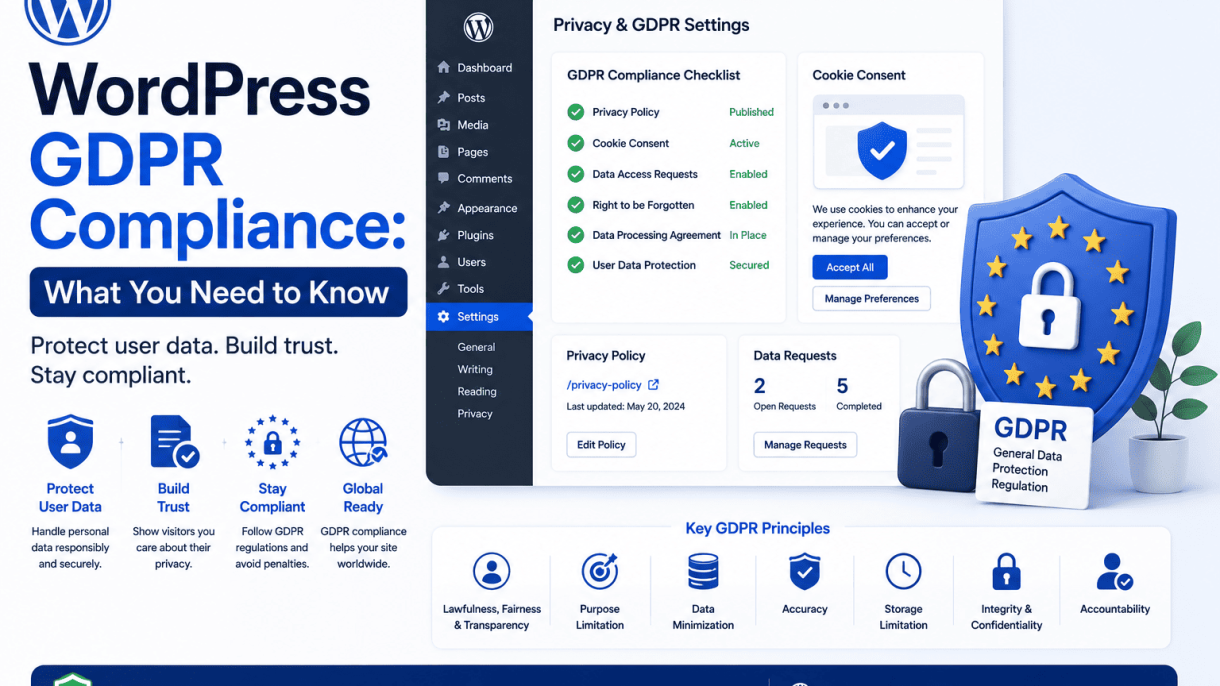

Introduction to GDPR and Its Relevance to WordPress
What Is GDPR and Who Must Comply?
The General Data Protection Regulation (GDPR) is a comprehensive data privacy law enacted by the European Union (EU) that took effect on May 25, 2018. Its primary aim is to protect the personal data of individuals within the EU and European Economic Area (EEA) by giving them greater control over how their information is collected, stored, and processed. The regulation applies to any organization—regardless of location—that handles the personal data of EU/EEA residents. This includes:
- Businesses based in the EU that process personal data.
- Organizations outside the EU that offer goods or services to individuals in the EU.
- Entities that monitor the behavior of individuals within the EU, such as through tracking cookies or analytics.
Personal data under GDPR includes any information that can identify a person directly or indirectly, such as names, email addresses, IP addresses, location data, and online identifiers. For WordPress site owners, this means that if your website collects any form of personal data from visitors—even through contact forms, comments, or analytics—you are likely subject to GDPR requirements.
How GDPR Affects Website Owners and Bloggers
GDPR imposes several obligations on website owners and bloggers who process personal data. Key requirements include obtaining explicit consent before collecting data, providing clear privacy notices, and allowing users to access, correct, or delete their data upon request. For WordPress sites, this often means implementing consent mechanisms for cookies, email subscriptions, and comment forms. Specific impacts include:
- Consent: You must obtain unambiguous, informed consent before collecting data. Pre-ticked checkboxes are no longer valid; users must actively opt in.
- Data Subject Rights: Visitors have the right to request access to their data, have it corrected, or request its deletion (the “right to be forgotten”).
- Data Breach Notification: You must notify authorities and affected users within 72 hours of a data breach that risks individuals’ rights and freedoms.
- Privacy Policy: Your site must have a clear, accessible privacy policy explaining what data you collect, why, how long you keep it, and with whom you share it.
- Record Keeping: You may need to maintain records of data processing activities, especially if you process data on a large scale.
For bloggers using WordPress, even a simple comment system that collects names and email addresses triggers these requirements. Plugins like contact form builders, analytics tools, and newsletter services also introduce data processing that must comply.
The Role of WordPress as a Data Controller and Processor
Understanding the distinction between a data controller and a data processor is critical for GDPR compliance. A data controller determines the purposes and means of processing personal data, while a data processor handles data on behalf of the controller. In the context of WordPress:
- WordPress Site Owner as Data Controller: You, as the site owner, decide what data to collect (e.g., through forms, comments, or e-commerce), how to use it, and for how long to retain it. You are responsible for ensuring that your site’s data handling practices comply with GDPR.
- WordPress.org as a Data Processor: The WordPress open-source software itself does not process personal data on your behalf. However, if you use WordPress.com (the hosted service), Automattic acts as a data processor for certain activities, such as storing backups or managing user accounts. In such cases, you must have a data processing agreement (DPA) with them.
- Third-Party Plugins and Services: Plugins that collect data—like contact form plugins, analytics tools, or caching services—often act as data processors. You must vet these plugins to ensure they are GDPR-compliant and, where necessary, establish DPAs.
To clarify responsibilities, consider the following table:
| Entity | Role | Example of Data Handling |
|---|---|---|
| WordPress site owner | Data controller | Decides to collect email addresses via a newsletter signup form. |
| WordPress.org software | Tool (not processor) | Provides the platform for building the site but does not process data. |
| WordPress.com hosting | Data processor | Stores site backups that contain user data. |
| Third-party plugin (e.g., Mailchimp) | Data processor | Manages email list subscriptions and sends newsletters. |
By recognizing your role as a data controller and vetting any processors you use, you can build a GDPR-compliant WordPress site that respects user privacy and avoids significant fines—up to 4% of annual global turnover or €20 million, whichever is higher.
Understanding Data Collection on Your WordPress Site
To achieve WordPress GDPR compliance, you must first understand exactly what personal data your site collects and how it is processed. The General Data Protection Regulation (GDPR) requires that you document every point of data collection, from the moment a visitor lands on your site to when they submit a form or make a purchase. This documentation forms the basis of your privacy policy, consent mechanisms, and data subject rights procedures. Below, we break down the most common data collection points on a WordPress site and explain why you need to record each one.
Personal Data via Contact Forms and Comments
Contact forms and comment sections are primary sources of personal data. When a user fills out a contact form, they typically provide their name, email address, and any message content. Similarly, comment forms collect the commenter’s name, email, IP address, and the comment text. Under GDPR, this data is considered personal and must be processed lawfully.
Key compliance steps for forms and comments:
- Explicit consent: Add a clear, unchecked checkbox before form submission that links to your privacy policy.
- Data minimization: Only request the data you truly need—avoid asking for phone numbers or addresses unless essential.
- Retention limits: Specify how long you keep form submissions (e.g., 12 months) and delete them after that period.
- Right to erasure: Enable users to request deletion of their comments or form data easily.
For WordPress, plugins like Contact Form 7 or Gravity Forms can be configured with GDPR-friendly features. For example, to add a consent checkbox in Contact Form 7, you can use this shortcode:
[acceptance consent] I agree to the privacy policy and data processing terms. [/acceptance]
This ensures that no data is submitted without the user’s active consent. Always document the consent timestamp and store it alongside the form entry for audit purposes.
Cookies, Tracking Scripts, and Analytics
WordPress sites often use cookies for essential functions (e.g., session management) and non-essential purposes (e.g., analytics, advertising). Cookies that track user behavior—such as those from Google Analytics, Facebook Pixel, or Hotjar—require explicit consent under GDPR. You must inform users about each cookie’s purpose, duration, and the third parties that receive the data.
Common tracking data collected includes:
- IP addresses (often anonymized or truncated)
- Browser type and version
- Pages visited and time spent
- Referring URLs
- Device identifiers
To manage consent, use a cookie consent plugin that blocks non-essential scripts until the user agrees. For example, with the Complianz plugin, you can configure it to anonymize IP addresses in Google Analytics by adding this snippet to your site’s functions.php file:
add_filter( 'complianz_script_center_consent', function( $consent ) {
    if ( $consent['category'] === 'statistics' ) {
        // Anonymize IP for Google Analytics
        echo "ga('set', 'anonymizeIp', true);";
    }
    return $consent;
});
Document every cookie and script in your privacy policy, including their expiration dates and data recipients. Update this documentation whenever you add or remove tracking tools.
User Registration and E‑commerce Data
If your WordPress site allows user registration or sells products, you collect significantly more personal data. Registration forms typically gather usernames, email addresses, and passwords (hashed). E‑commerce transactions add payment information (processed by third-party gateways like Stripe or PayPal), shipping addresses, and order history. Each data point must be documented and handled with specific GDPR safeguards.
Important compliance measures for registration and e‑commerce:
- Lawful basis: Use “contractual necessity” for processing data required to fulfill an order, but obtain consent for marketing emails.
- Data access: Provide users with a way to download their personal data in a machine-readable format (e.g., CSV).
- Data portability: Allow users to export their profile and order data themselves.
- Retention schedules: Keep order data for tax purposes (usually 6–10 years) but delete non-essential data like browsing history sooner.
For WooCommerce sites, you can enable GDPR features under WooCommerce > Settings > Accounts & Privacy. Here, you can set privacy policy URLs, enable data erasure requests, and configure data retention periods. A practical example: to automatically anonymize user IP addresses in WooCommerce order logs, add this code to your theme’s functions.php:
add_filter( 'woocommerce_order_get_customer_ip_address', function( $ip_address ) {
    if ( ! empty( $ip_address ) ) {
        $ip_parts = explode( '.', $ip_address );
        $ip_parts[3] = '0'; // Anonymize last octet
        return implode( '.', $ip_parts );
    }
    return $ip_address;
});
Document all data flows, including third-party processors (e.g., payment gateways, shipping carriers), and ensure they are GDPR-compliant. Regularly review your documentation as your site’s functionality evolves.
The Legal Bases for Processing Personal Data
Under the General Data Protection Regulation (GDPR), every instance of processing personal data must be justified by one of six lawful bases. For WordPress site owners, selecting the correct basis is not merely a compliance checkbox—it determines how you collect, store, and interact with user data. Misapplying a legal basis can lead to fines or enforcement actions. Below, we examine the three most relevant bases for typical WordPress operations, with practical examples and a comparison table to clarify distinctions.
Consent: Obtaining and Recording User Permission
Consent is the most commonly invoked basis for WordPress sites, particularly for marketing activities. Under GDPR, consent must be freely given, specific, informed, and unambiguous. For a WordPress site, this means:
- Active opt-in required: Pre-ticked checkboxes or implied consent (e.g., “by continuing to browse, you consent”) are invalid. Use a clear, affirmative action such as an unchecked checkbox or a button labeled “I agree.”
- Granular choices: Separate consent for different processing purposes. For example, one checkbox for email newsletters, another for analytics cookies.
- Record keeping: Your WordPress site must log the exact consent statement, the timestamp, and the user’s IP address. Plugins like Complianz or Cookiebot can automate this, but verify they store records in your database—not just on third-party servers.
- Easy withdrawal: Provide a visible “Revoke Consent” link or button in your footer or user dashboard. Withdrawal must be as easy as giving consent.
Practical example: A WooCommerce store using Mailchimp for post-purchase newsletters must obtain separate consent for that processing. The checkout form should include a dedicated, unchecked checkbox: “Send me exclusive offers by email.”
Legitimate Interest and Contractual Necessity
Legitimate interest allows processing without consent when you have a genuine reason (e.g., security, fraud prevention) and your interest does not override the user’s rights. Contractual necessity covers processing essential to fulfill a contract with the user.
- Legitimate interest: Common in WordPress for analytics (e.g., Google Analytics without consent, if anonymized), anti-spam measures (e.g., Akismet), or direct marketing to existing customers. You must conduct a Legitimate Interest Assessment (LIA) and document it. Example: A membership site retains IP logs for 30 days to block brute-force attacks.
- Contractual necessity: Applies to data required for delivering a service. Examples: collecting a shipping address for a physical product, processing payment details for a subscription, or storing user profile data for a membership plugin. If the user does not provide this data, the contract cannot be executed.
Important: You cannot rely on legitimate interest for sensitive data (e.g., health, religion) or for processing that users would not reasonably expect. Always offer an opt-out mechanism for direct marketing under legitimate interest.
Legal Obligation and Vital Interests
These bases are less common but critical for specific WordPress contexts. Legal obligation applies when processing is required by law (e.g., tax records, anti-money laundering checks). Vital interests covers processing necessary to protect someone’s life.
- Legal obligation: A WordPress e-commerce site must retain invoice data for 7–10 years (depending on jurisdiction). This overrides a user’s request for deletion. Similarly, sites handling employment data (e.g., HR plugins) must process payroll information as mandated by local law.
- Vital interests: Rare in typical WordPress operations. Example: A health blog that collects emergency contact details for a forum member who posts about suicidal thoughts—processing that contact data to alert authorities may be justified. Document the specific circumstances.
Practical note: If you rely on legal obligation, clearly state in your privacy policy which laws apply (e.g., “We retain purchase records as required by the UK HMRC for 6 years”). For vital interests, prepare a written policy explaining the limited situations where this basis is invoked.
| Legal Basis | When to Use (WordPress Context) | Consent Required? | Right to Erasure Applies? | Typical Documentation |
|---|---|---|---|---|
| Consent | Email newsletters, non-essential cookies, third-party data sharing | Yes, explicit opt-in | Yes, fully | Consent logs, withdrawal mechanism |
| Legitimate Interest | Analytics, anti-spam, fraud detection, direct marketing to customers | No, but offer opt-out | Yes, subject to balancing test | Legitimate Interest Assessment (LIA) |
| Contractual Necessity | Order fulfillment, user account creation, payment processing | No | Only if data no longer needed for contract | Contract terms, data retention schedule |
| Legal Obligation | Tax invoices, employment records, regulatory filings | No | No (overridden by law) | Relevant legislation references |
| Vital Interests | Emergency contact disclosure, life-threatening situations | No | Case-by-case | Incident report, justification memo |
Each legal basis carries distinct obligations for your WordPress site. Document your chosen basis for every data processing activity, and review it annually—especially legitimate interest, which requires ongoing reassessment. Failure to match the correct basis to your operations is a common audit finding, so invest time in mapping your site’s data flows to these categories.
Creating a Transparent Privacy Policy
A transparent privacy policy is a cornerstone of WordPress GDPR compliance. Under the General Data Protection Regulation, your policy must clearly disclose what personal data you collect, how you process it, the legal basis for processing, and the rights users have over their data. This document must be written in clear, plain language—avoid legal jargon—and be easily accessible on your WordPress site, typically via a footer link or a dedicated page. Failure to provide a transparent policy can result in fines of up to 4% of annual global turnover or €20 million, whichever is greater.
Required Information for Your Privacy Policy
Your privacy policy must include specific elements to meet GDPR requirements. Below is a checklist of mandatory information:
- Identity and contact details of the data controller – Your business name, address, and email address. If you have a Data Protection Officer (DPO), include their contact information.
- Categories of personal data collected – Examples: name, email address, IP address, payment details, and any data from cookies or analytics.
- Purpose of processing and legal basis – For each type of data, explain why you collect it (e.g., order fulfillment, newsletter subscription) and the legal basis (e.g., consent, contract necessity, legitimate interest).
- Data retention periods – How long you keep each category of data (e.g., “We retain order data for 7 years as required by tax laws”).
- Data recipients or categories of recipients – List any third parties with access, such as payment processors (e.g., Stripe), hosting providers (e.g., SiteGround), or analytics services (e.g., Google Analytics).
- Rights of the data subject – Explicitly list the eight GDPR rights: right to access, rectification, erasure, restriction of processing, data portability, object, withdraw consent, and lodge a complaint with a supervisory authority.
- International data transfers – If you transfer data outside the European Economic Area (EEA), state the safeguards used (e.g., Standard Contractual Clauses).
- Automated decision-making and profiling – Disclose if you use automated processes that significantly affect users, and provide logic and consequences.
Organize this information in a logical order, starting with who you are and what data you collect, then moving to rights and contact details. Use headings and short paragraphs to improve readability.
How to Present the Policy to Users
Presenting your privacy policy effectively is just as important as its content. GDPR requires that the policy be given “in a concise, transparent, intelligible, and easily accessible form, using clear and plain language.” Follow these best practices:
- Place a link in the website footer – Use a label like “Privacy Policy” or “Data Protection.” Ensure it is visible on all pages, including mobile views.
- Use a layered approach – Provide a short summary at the top of the policy (e.g., “We collect your name and email only to process orders and send updates. You can unsubscribe anytime.”) followed by the full policy. This helps users quickly understand key points.
- Obtain active consent where required – For non-essential cookies or newsletter sign-ups, use a checkbox that is not pre-ticked. Link the checkbox to your privacy policy so users can review it before consenting.
- Make it printable and downloadable – Offer a PDF version or a printer-friendly view. Some WordPress plugins, like Complianz or GDPR Cookie Consent, can generate a downloadable policy.
- Include a “Last Updated” date – Place this at the top of the policy to show users when it was last revised. This builds trust and helps with compliance audits.
For a practical implementation in WordPress, you can add a privacy policy link to your theme’s footer using the following code snippet in your theme’s footer.php file (or via a child theme):
<a href="/privacy-policy/" rel="nofollow">Privacy Policy</a>
Replace /privacy-policy/ with the actual slug of your privacy page. Ensure the link is styled to be clearly visible and accessible.
Updating the Policy When Plugins or Services Change
WordPress sites often rely on plugins and third-party services that handle personal data—contact forms, analytics, e-commerce platforms, and caching tools. Whenever you add, remove, or modify such a plugin or service, you must update your privacy policy accordingly. This is a continuous obligation under GDPR’s principle of accountability. Here is a step-by-step approach:
- Audit your plugins and services regularly – Use a tool like the GDPR Framework plugin or a manual checklist. For each plugin, ask: Does it collect, store, or transmit personal data? If yes, record what data and how it is processed.
- Update the policy immediately after changes – For example, if you switch from Contact Form 7 to WPForms, update the “Data recipients” section to reflect the new plugin. If you add Google Analytics, include a section on cookies and tracking.
- Document the change – Keep a changelog in the policy itself or in a separate internal document. Note the date of change, what was updated, and why. This helps demonstrate compliance during an audit.
- Notify users of material changes – If the change significantly alters how data is processed (e.g., introducing a new third-party processor), consider sending an email notification or displaying a banner. For minor changes, simply update the “Last Updated” date.
- Re-obtain consent if necessary – If you change the legal basis from legitimate interest to consent, or if you start processing data for a new purpose, you must obtain fresh consent from users. This is common when adding a new marketing tool.
By maintaining a living document that evolves with your WordPress site, you ensure ongoing compliance and build user trust. Remember to review your policy at least every six months, even if no changes have been made, to confirm it remains accurate.
Managing User Consent with WordPress Tools
Under the GDPR, obtaining valid consent from users before processing their personal data is a fundamental requirement. For WordPress site owners, this means implementing robust consent management that goes beyond a simple checkbox. The regulation demands that consent be freely given, specific, informed, and unambiguous. WordPress offers a range of tools, from dedicated plugins to custom code, to help you meet these obligations. This section explores how to use these tools effectively to manage user consent, focusing on banners, granularity, and proof of consent.
Consent Banners and Cookie Notices
The first line of consent management is often a banner or pop-up notice that appears when a user visits your site. This notice must clearly inform users about what data is being collected, why, and by whom. In WordPress, plugins like Complianz, Cookiebot, and Cookie Notice & Consent provide customizable banners that can be tailored to your site’s specific cookies and trackers.
Key features to look for in a consent banner plugin include:
- Automatic cookie detection and categorization (essential, functional, marketing, analytics).
- Ability to display the banner in multiple languages for multilingual sites.
- Options for both opt-in and opt-out mechanisms, with opt-in being the default for GDPR compliance.
- Integration with popular page builders like Elementor or WPBakery for seamless design.
- Support for “implied consent” where users continue browsing, but explicit consent is required for non-essential cookies.
When configuring your banner, ensure it contains a clear link to your privacy policy and a “Reject All” button that is as prominent as the “Accept All” button. Avoid using pre-ticked checkboxes, as these violate GDPR’s requirement for affirmative action.
Granular Consent for Different Processing Purposes
GDPR requires that users be able to give separate consent for different processing purposes, such as analytics, marketing, and personalization. A blanket “accept all” button is insufficient; users must have the ability to pick and choose which types of data processing they agree to. WordPress tools can provide this granularity through layered consent interfaces.
Implementing granular consent involves:
- Segmenting cookies and trackers into categories (e.g., necessary, preferences, statistics, marketing).
- Allowing users to toggle consent for each category independently via a cookie settings panel.
- Using plugins that support “consent purposes” and “consent vendors” as defined by the IAB Transparency & Consent Framework.
- Ensuring that consent for one purpose does not condition access to content that requires consent for a different purpose.
For custom implementations, you can use WordPress hooks and JavaScript to conditionally load scripts based on user preferences. For example, only load Google Analytics if the user has consented to the “statistics” category. Plugins like GDPR Cookie Consent by WebToffee offer built-in granular controls, while developers can use the WP Consent API to standardize consent states across plugins.
Recording and Storing Consent Proof
One of the most overlooked aspects of GDPR compliance is the requirement to be able to demonstrate that you have obtained valid consent. This means recording and storing proof of consent for each user action. WordPress tools can automate this process, creating an audit trail that protects you in case of a regulatory inquiry.
Essential elements of consent recording include:
- Timestamp of when consent was given or withdrawn.
- User identifier (e.g., IP address, user ID, or session ID).
- The specific purposes and vendors the user consented to.
- The version of your privacy policy or cookie notice at the time of consent.
Most consent management plugins store this data in your WordPress database, often as encrypted logs. For example, Complianz stores consent proof as a JSON object in the wp_complianz_consent_statistics table, while Cookiebot relies on its cloud service. If you implement a custom solution, consider using a custom post type or a dedicated plugin like “WP Consent Logs” to keep records.
To ensure compliance, regularly export and review these logs. Store backups offsite, and implement a retention policy that deletes old records after the statute of limitations for GDPR enforcement (typically 6 years in most EU countries). Remember: if you cannot prove consent, you effectively have no consent.
Handling User Data Access, Rectification, and Erasure Requests
Under the General Data Protection Regulation (GDPR), individuals have specific rights over their personal data. As a WordPress site owner, you must establish workflows to handle data subject requests (DSRs) efficiently. These include requests for access, correction, and deletion. Failure to respond within the one-month statutory period can result in regulatory penalties. Below, we outline practical steps using WordPress core features and recommended plugins to fulfill these obligations.
Responding to Subject Access Requests (SARs)
A Subject Access Request (SAR) allows an individual to obtain a copy of their personal data held by your site. WordPress does not have a built-in SAR interface, but you can use the GDPR Data Request feature introduced in WordPress 4.9.6. To enable this, navigate to Tools > Export Personal Data in your admin dashboard. You must first verify the requester’s identity—typically via email confirmation. Once verified, WordPress generates a downloadable JSON file containing user data from standard fields (e.g., name, email, comments, and WooCommerce orders if applicable).
For more granular control, consider a dedicated GDPR plugin such as WP GDPR Compliance or Complianz. These plugins extend SAR handling by including data from custom post types, third-party integrations, and logged IP addresses. A practical workflow for SARs includes:
- Receiving the request via a dedicated form or email.
- Verifying the requester’s identity (e.g., by sending a confirmation link).
- Using WordPress’s built-in export tool or plugin to compile the data.
- Reviewing the export file to ensure no other individuals’ data is included.
- Sending the file securely (e.g., password-protected PDF) within 30 days.
If you handle custom user meta, you may need to write a simple database query to include all relevant rows. For example, to export all user meta for a specific user ID, you could use a command like:
SELECT * FROM wp_usermeta WHERE user_id = 123;
Replace 123 with the actual user ID and run this via phpMyAdmin or WP CLI. Ensure you only expose data the user has a right to access.
Correcting Inaccurate or Incomplete Data
The right to rectification requires you to update or complete a user’s personal data without undue delay. WordPress’s user profile page (Users > All Users > Edit) allows administrators to modify core fields like name, email, and website. For custom fields, you can use a plugin like User Meta Manager or Advanced Custom Fields to provide editable fields on the front-end. To streamline the process, consider the following steps:
| Action | WordPress Method | Recommended for |
|---|---|---|
| Edit core user fields | Admin user edit screen | Name, email, password |
| Edit custom user meta | Plugin (e.g., User Meta Manager) | Profile fields, preferences |
| Bulk corrections | WP CLI or database query | Systematic errors (e.g., typos) |
When a user requests correction, ask them to specify the exact data to change and provide evidence if needed (e.g., a new email address). After updating, confirm the change in writing. For sensitive fields, log the correction in a privacy log plugin (e.g., GDPR Cookie Consent) to maintain an audit trail.
The Right to Be Forgotten and Data Deletion Workflows
The right to erasure, or “right to be forgotten,” allows users to request deletion of their personal data. WordPress provides a built-in tool under Tools > Erase Personal Data. Similar to the export tool, it first sends a confirmation email to the requester. Once confirmed, WordPress deletes standard user data (e.g., profile, comments, and WooCommerce orders) but retains anonymized records where necessary (e.g., for legal obligations).
To handle complex deletion scenarios, follow this workflow:
- Receive and verify the deletion request.
- Check for legal exemptions (e.g., tax records or contractual obligations).
- Use WordPress’s erase tool to initiate the process.
- Manually delete data from custom tables, third-party integrations (e.g., Mailchimp), or backups.
- Confirm deletion and provide a summary to the user.
For custom post types or plugins that store personal data, you may need to write a specific deletion routine. For example, to delete all comments by a user ID, you can use WP CLI:
wp comment delete $(wp comment list --user_id=123 --format=ids)
Replace 123 with the user ID. Always test deletions on a staging site first. After erasure, update your privacy policy to reflect that users can request deletion and note any retention periods for anonymized data.
Securing Your WordPress Site to Protect Personal Data
When managing a WordPress site under GDPR, security is not optional—it is a legal requirement. The General Data Protection Regulation mandates that you implement appropriate technical measures to protect personal data from unauthorized access, loss, or breach. Effective security practices not only safeguard user information but also demonstrate compliance to regulators and build trust with your audience. Below are three critical areas to focus on, each with actionable steps.
Enforcing HTTPS with SSL/TLS Certificates
HTTPS encrypts data transmitted between your WordPress site and its visitors, preventing eavesdropping, tampering, or interception of personal data such as login credentials, contact form submissions, or payment details. Under GDPR, encryption is considered a key security measure. To enforce HTTPS:
- Obtain an SSL/TLS certificate from a trusted provider (many hosts offer free certificates via Let’s Encrypt).
- Install and activate the certificate on your server, then configure WordPress to use HTTPS by updating the site URL in Settings > General.
- Force HTTPS across the entire site using a plugin like Really Simple SSL or by adding rules to your
.htaccessfile. - Test your setup with tools like SSL Labs or Why No Padlock to ensure all resources (images, scripts, styles) load securely.
Once HTTPS is active, all data exchanged—including cookies, form entries, and API calls—remains encrypted, fulfilling GDPR’s requirement for a secure transmission channel.
Keeping Core, Themes, and Plugins Updated
Outdated software is a primary vector for security breaches. WordPress core, themes, and plugins frequently release patches that fix vulnerabilities that could expose personal data. GDPR compliance requires you to stay proactive. Follow this checklist:
| Component | Update Frequency | Action Required |
|---|---|---|
| WordPress Core | As soon as a minor or major release is available | Enable automatic updates for minor releases; test major updates on a staging site first. |
| Themes | When updates are announced | Remove unused themes; update active themes promptly; verify compatibility with plugins. |
| Plugins | Immediately after security patches | Delete inactive plugins; enable automatic updates for trusted plugins; review changelogs for security fixes. |
Consider using a maintenance plugin that schedules backups before updates. If a vulnerability is patched, delay can lead to data compromise—so prioritize updates weekly and audit your site’s software inventory quarterly.
Implementing Strong Passwords and Two‑Factor Authentication
Weak passwords are a common entry point for attackers seeking to access admin panels, user accounts, or databases containing personal data. GDPR expects you to enforce robust authentication. Take these steps:
- Enforce strong password policies using a plugin like Wordfence or iThemes Security. Require a minimum of 12 characters, a mix of uppercase/lowercase letters, numbers, and symbols.
- Enable two‑factor authentication (2FA) for all users with administrative privileges. Use authenticator apps (e.g., Google Authenticator) or hardware keys (e.g., YubiKey).
- Limit login attempts to prevent brute‑force attacks. Set a threshold (e.g., 3 failed attempts) before a temporary lockout.
- Audit user roles and permissions regularly. Remove unused accounts and ensure each user has only the minimum privileges needed.
Combining strong passwords with 2FA creates a layered defense that significantly reduces the risk of unauthorized access. Document these policies in your privacy procedures to show regulators that you have implemented appropriate technical controls.
By addressing these three areas—HTTPS enforcement, regular updates, and strong authentication—you build a solid security foundation for GDPR compliance. Each measure directly protects personal data and demonstrates your commitment to data protection best practices. Review and refine these practices regularly to adapt to evolving threats and regulatory guidance.
Data Breach Notification and Incident Response
Under the General Data Protection Regulation (GDPR), any personal data breach that poses a risk to the rights and freedoms of natural persons must be reported to the relevant supervisory authority within 72 hours of becoming aware of the breach. For WordPress site owners, this means having a clear, documented process to detect, assess, and notify authorities and affected users. A robust incident response plan minimizes legal exposure, preserves user trust, and ensures compliance with Articles 33 and 34 of the GDPR.
When and How to Notify Authorities and Users
Notification requirements depend on the severity of the breach. The GDPR distinguishes between two primary obligations:
- Notification to the supervisory authority (Article 33): Required within 72 hours if the breach is likely to result in a risk to the rights and freedoms of individuals. If not feasible within 72 hours, a reasoned delay must be provided.
- Communication to affected users (Article 34): Required when the breach is likely to result in a high risk to their rights and freedoms. This must be done without undue delay, using clear and plain language.
To determine which notification applies, assess the breach’s impact: consider the type of data exposed (e.g., email addresses vs. financial information), the number of affected individuals, and the ease of mitigation. For WordPress sites, common breach scenarios include unauthorized access to user databases, plugin vulnerabilities exposing personal data, or accidental publication of sensitive content. Notifications must include the nature of the breach, contact details of the data protection officer (if applicable), likely consequences, and measures taken to address the breach.
Creating a Breach Response Checklist
A structured checklist ensures no critical step is missed. Below is a practical template for WordPress site administrators:
| Step | Action | Responsible Party | Timeline |
|---|---|---|---|
| 1. Detection | Identify and confirm the breach (e.g., unusual login attempts, database alert). | Site administrator or security tool | Immediately |
| 2. Containment | Isolate affected systems (e.g., revoke API keys, disable compromised plugins). | Developer or host provider | Within 1 hour |
| 3. Assessment | Determine data types, number of users, and risk level (low, medium, high). | Data protection officer or legal counsel | Within 12 hours |
| 4. Notification | Report to supervisory authority (if required) and affected users (if high risk). | Site owner or designated contact | Within 72 hours |
| 5. Documentation | Record breach details, actions taken, and rationale for decisions. | Administrator | Within 7 days |
Additional checklist items include: verifying backup integrity, resetting all user passwords, auditing access logs, and updating affected plugins or themes. Regularly test this checklist through simulated breach drills to ensure readiness.
Tools for Monitoring and Detecting Breaches
Proactive monitoring is essential for early breach detection. The following table compares popular tools suitable for WordPress sites, focusing on GDPR-relevant features:
| Tool | Key Feature | GDPR-Specific Benefit | Cost Model |
|---|---|---|---|
| Wordfence Security | Real-time firewall and malware scanner | Logs all login attempts and file changes for audit trails | Freemium (premium starts at $99/year) |
| Sucuri Security | Remote malware scanning and DDoS protection | Provides incident response and cleanup services | Subscription-based (from $199/year) |
| Jetpack Security | Brute force attack protection and downtime monitoring | Includes activity log for user actions | Freemium (premium starts at $9.95/month) |
| WPScan | Vulnerability database scanning | Identifies known plugin/theme vulnerabilities before exploitation | Freemium (API access from $25/year) |
For comprehensive coverage, combine a firewall plugin (e.g., Wordfence) with a vulnerability scanner (e.g., WPScan) and a backup solution. Enable detailed logging for all user actions, including data exports and deletions, as required by GDPR accountability principles. Regularly review logs for anomalies—such as multiple failed login attempts from unfamiliar IPs—and configure automated alerts for suspicious activity. Remember, no tool replaces a human-reviewed incident response plan; use monitoring tools to trigger your checklist promptly.
Third-Party Services and Data Processors
When running a WordPress site, you almost certainly rely on third-party plugins, themes, and external services that collect, store, or process personal data on your behalf. Under the GDPR, these entities are considered data processors, and you—as the site owner—are the data controller. This means you are legally responsible for ensuring that every third-party tool you use complies with GDPR requirements. Failing to vet and manage these processors can lead to significant fines and reputational damage. Below, we break down the essential steps for auditing, contracting, and handling data transfers with your vendors.
Auditing Plugins and Themes for Data Handling
Before installing any plugin or theme, you must understand exactly how it handles personal data. Conduct a systematic audit of every tool on your WordPress site, including those you may have installed years ago. Follow these steps:
- Review the plugin’s privacy policy: Check the developer’s website for a dedicated privacy or data-processing notice. Look for details on what data is collected (e.g., IP addresses, email addresses, cookies, usage analytics), why it is collected, and how long it is retained.
- Examine data storage and transmission: Determine whether the plugin sends data to external servers (e.g., for analytics, caching, or form processing). If it does, confirm that the data is encrypted in transit (HTTPS) and at rest.
- Check for built-in GDPR features: Many reputable plugins now include options to anonymize IP addresses, disable tracking for logged-in users, or provide cookie consent mechanisms. Enable these where possible.
- Document your findings: Create a spreadsheet listing each plugin and theme, its data-handling practices, and the date of your review. Update this audit at least annually or whenever you add or update a tool.
For example, if you use a contact form plugin, you can often add a snippet to your theme’s functions.php file to automatically delete form submissions after a set period. Here is a practical code example for deleting Gravity Forms entries older than 30 days:
add_action('wp', 'delete_old_gravity_forms_entries');
function delete_old_gravity_forms_entries() {
    if (class_exists('GFAPI')) {
        $forms = GFAPI::get_forms();
        foreach ($forms as $form) {
            $search_criteria = array(
                'start_date' => date('Y-m-d', strtotime('-30 days')),
                'end_date' => date('Y-m-d', strtotime('-1 day'))
            );
            $entries = GFAPI::get_entries($form['id'], $search_criteria);
            foreach ($entries as $entry) {
                GFAPI::delete_entry($entry['id']);
            }
        }
    }
}
This snippet runs daily and removes entries older than 30 days, helping you comply with the data minimization principle.
Data Processing Agreements (DPAs) with Vendors
A Data Processing Agreement (DPA) is a legally binding contract between you (the controller) and a vendor (the processor) that outlines how the vendor will handle personal data. Under GDPR Article 28, DPAs are mandatory for any processor that handles EU residents’ data. When evaluating a vendor, ensure their DPA covers at least the following:
| Required Clause | What It Means for Your Site |
|---|---|
| Scope and purpose of processing | The vendor must only process data for the specific service you’ve contracted (e.g., email marketing, analytics). |
| Data subject rights | The vendor must assist you in responding to access, rectification, deletion, or portability requests from users. |
| Security measures | The vendor must implement technical and organizational measures (e.g., encryption, access controls) to protect data. |
| Sub-processing | The vendor must inform you if they engage sub-processors and allow you to object. |
| Data breach notification | The vendor must notify you within 72 hours of becoming aware of a personal data breach. |
| Data deletion upon contract end | After the service ends, the vendor must delete or return all personal data. |
For popular WordPress services like Jetpack, Mailchimp, or Google Analytics, standard DPAs are often available on their websites. Always download and sign the latest version before integrating the service.
Transferring Data Outside the EEA: Standard Contractual Clauses
If any of your third-party vendors store or process data outside the European Economic Area (EEA), you must ensure an adequate level of data protection. Standard Contractual Clauses (SCCs) are pre-approved legal mechanisms issued by the European Commission that allow such transfers. Here is how to implement them:
- Identify all non-EEA data flows: Audit your plugins and services to see where data is sent. Common examples include cloud-based backup services (e.g., UpdraftPlus to a US server), analytics tools (e.g., Google Analytics), or CDN providers.
- Request SCCs from the vendor: Most major vendors (e.g., Google, Automattic) offer SCCs as part of their DPA. If they do not, consider switching to a GDPR-compliant alternative.
- Complete the SCCs: Fill in the specific details—your company name, the vendor’s name, the categories of data subjects, and the types of personal data transferred. Both parties must sign the clauses.
- Conduct a Transfer Impact Assessment (TIA): For transfers to countries like the US, you may need a TIA to evaluate whether local laws (e.g., surveillance programs) undermine the protections of SCCs. Document your assessment and keep it on file.
For example, if you use Google Analytics, you can access the Google Measurement Controller-Controller Data Protection Terms (which include SCCs) by navigating to your Google Ads or Analytics account settings. Always verify that your vendor’s SCCs are the most recent version (2021 or later).
Ongoing Compliance: Audits, Updates, and Documentation
Maintaining GDPR compliance is not a one-time project but a continuous commitment. As your website evolves—through new plugins, data collection methods, or user interactions—your compliance posture must adapt. A proactive approach involving regular audits, thorough documentation, and up-to-date knowledge ensures your WordPress site remains aligned with legal obligations and reduces the risk of penalties.
Conducting Periodic Data Protection Audits
Regular audits are the backbone of sustained compliance. They help you identify gaps, verify that your stated practices match actual operations, and demonstrate accountability to supervisory authorities. Schedule audits at least annually, or whenever you make significant changes to your site’s functionality.
During a data protection audit, focus on the following areas:
- Data inventory check: Map all personal data your WordPress site collects—via contact forms, comments, e-commerce transactions, analytics, and third-party services. Verify that data collection is limited to what is necessary for your stated purpose.
- Consent mechanism review: Test cookie banners, opt-in checkboxes, and subscription forms to ensure they are clear, unambiguous, and allow users to withdraw consent as easily as they gave it.
- Third-party service assessment: List every external service connected to your site (e.g., Google Analytics, Mailchimp, payment processors). Confirm they have GDPR-compliant data processing agreements (DPAs) and do not transfer data to non-adequate countries without safeguards.
- Security controls evaluation: Check that SSL/TLS certificates are valid, backups are encrypted, and access controls (e.g., strong passwords, two-factor authentication) are in place for admin accounts.
- Data retention and deletion: Review how long you keep user data (e.g., comment logs, order histories). Implement automatic deletion for data beyond its lawful retention period, or provide a manual cleanup process.
Document each audit’s findings, actions taken, and responsible parties. This record serves as evidence of your compliance efforts.
Documenting Your Processing Activities
Under Article 30 of the GDPR, organizations with 250 or more employees—or those processing special categories of data—must maintain a Record of Processing Activities (ROPA). Even if your site falls below this threshold, keeping a ROPA is a best practice that simplifies audits and demonstrates accountability.
A practical ROPA for a WordPress site should include:
| Element | Description |
|---|---|
| Data controller details | Name, address, contact information of the site owner or organization |
| Purpose of processing | Why data is collected (e.g., order fulfillment, newsletter delivery, site analytics) |
| Categories of data subjects | Visitors, customers, subscribers, commenters |
| Categories of personal data | Names, email addresses, IP addresses, payment details |
| Recipients of data | Third-party services (e.g., hosting provider, payment gateway, email marketing tool) |
| Data retention periods | How long each type of data is kept (e.g., 24 months for analytics, 6 years for financial records) |
| Security measures | Encryption, access controls, backup procedures |
Update this document whenever you add a new plugin, change a service provider, or alter your data handling practices. Store it securely but make it accessible for internal reviews and potential regulator requests.
Staying Informed About Regulatory Changes
GDPR interpretation and enforcement evolve through court rulings, updated guidelines from the European Data Protection Board (EDPB), and national supervisory authorities. Additionally, new technologies (e.g., AI-driven analytics, advanced tracking) may introduce novel compliance challenges. To stay ahead:
- Subscribe to official sources: Follow the EDPB newsletter, your local data protection authority’s updates, and reputable legal blogs that specialize in privacy law.
- Attend webinars and training: Many privacy organizations offer free or low-cost sessions on GDPR updates. Consider annual staff training to reinforce best practices for handling user data.
- Review your WordPress ecosystem: When core WordPress, plugins, or themes release updates, read their changelogs for privacy-related fixes. Outdated software can introduce vulnerabilities that undermine compliance.
- Monitor consent and cookie regulations: The ePrivacy Directive (soon to be replaced by the ePrivacy Regulation) interacts with GDPR. Stay aware of changes affecting cookie consent requirements, especially for tracking scripts.
By embedding audits, documentation, and continuous learning into your routine, you transform GDPR compliance from a burden into a sustainable practice that protects both your users and your reputation.
Frequently Asked Questions
What is GDPR and why does it affect my WordPress site?
GDPR (General Data Protection Regulation) is a European Union regulation that protects the personal data of individuals within the EU. It affects any WordPress site that collects or processes personal data from EU residents, regardless of where the site is hosted. This includes data collected through contact forms, comments, analytics, cookies, and e-commerce transactions. Non-compliance can lead to fines up to €20 million or 4% of annual global turnover.
Do I need a privacy policy on my WordPress site for GDPR?
Yes, a clear and comprehensive privacy policy is required under GDPR. It must explain what personal data you collect, how you use it, the legal basis for processing, data retention periods, and users' rights. WordPress includes a default privacy policy template that you can customize. Your privacy policy must be easily accessible from your site, typically via a footer link.
How do I handle cookie consent on WordPress for GDPR?
You need to obtain explicit, informed consent from users before placing non-essential cookies (e.g., analytics, advertising). Use a cookie consent plugin that blocks cookies until consent is given, provides clear information about each cookie, and allows users to withdraw consent easily. Many WordPress cookie plugins also integrate with popular analytics tools and help you document consent records.
What WordPress plugins help with GDPR compliance?
Several plugins assist with GDPR compliance: (1) Cookie consent plugins like Cookiebot or Complianz; (2) Privacy policy generators like WP Legal Pages; (3) Data erasure and export tools (built into WordPress core since 4.9.6); (4) Consent management platforms that integrate with forms and comments. Always choose plugins that are regularly updated and have good reviews.
How do I enable data erasure and export for users on WordPress?
WordPress includes built-in tools since version 4.9.6: under Tools > Erase Personal Data and Export Personal Data, you can process user requests. Users can request their data via a privacy page. You must respond within one month. Ensure your theme and plugins support these functions. For custom data, you may need to add filters or use a dedicated plugin.
What constitutes personal data under GDPR for a WordPress site?
Personal data is any information that can identify a natural person, such as name, email address, IP address, location data, online identifiers (cookies), or any data specific to physical, physiological, genetic, mental, economic, cultural, or social identity. On WordPress, this includes commenter IPs, user registration details, form submissions, analytics data, and cookie identifiers.
Do I need a Data Processing Agreement (DPA) with my WordPress hosting provider?
If your hosting provider processes personal data on your behalf (e.g., stores user data), you need a DPA. Many reputable hosts (like SiteGround, Kinsta, WP Engine) offer standard DPAs. Check your hosting agreement and request one if missing. The DPA must specify the nature, purpose, duration of processing, types of data, and security measures.
How do I handle user comments under GDPR on WordPress?
By default, WordPress stores commenters' IP addresses and email addresses. For GDPR compliance, you should: add a consent checkbox to the comment form (e.g., 'Save my name, email, and website in this browser for the next time I comment'), inform users how their data will be used, and provide a link to your privacy policy. You can also anonymize IPs using a plugin.
Sources and further reading
- General Data Protection Regulation (GDPR) – Official Text
- What is GDPR, the EU’s new data protection law? – GDPR.eu
- WordPress Privacy and GDPR – WordPress.org
- Data Protection Principles – European Commission
- Guidelines on Consent under GDPR – European Data Protection Board
- Cookiebot – Cookie Consent Solution
- Complianz – GDPR/CCPA Cookie Consent Plugin
- WP Legal Pages – Privacy Policy Generator
- Data443 GDPR Framework Plugin – WordPress.org
- GDPR Cookie Consent Plugin – WebToffee
Need help with this topic?
Send us your details and we will contact you.