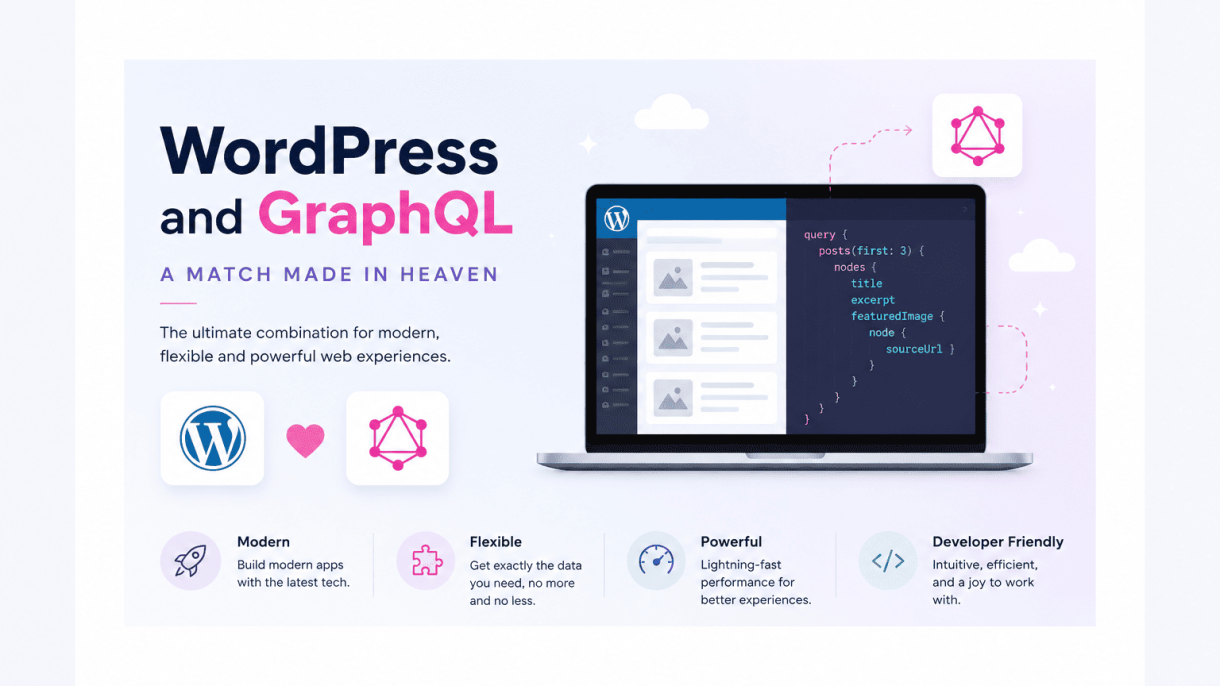

Introduction: Why WordPress and GraphQL Are a Perfect Pair
WordPress powers over 40% of all websites, but its traditional REST API often struggles to meet the demands of modern, dynamic applications. Enter GraphQL: a query language that lets developers request exactly the data they need—no more, no less. This synergy between WordPress’s robust content management and GraphQL’s precision creates a powerful foundation for headless architectures, progressive web apps, and omnichannel content delivery. In this introduction, we explore why this pairing is not just convenient but transformative.
The Rise of Headless WordPress
Headless WordPress decouples the backend (content repository) from the frontend (presentation layer). Developers use WordPress as a headless CMS, fetching content via APIs to build custom frontends with frameworks like React, Vue, or Next.js. This approach offers:
- Frontend freedom: Choose any technology stack without WordPress theme constraints.
- Omnichannel delivery: Serve content to websites, mobile apps, smart devices, and IoT simultaneously.
- Improved performance: Static site generation and optimized API calls reduce server load.
- Enhanced security: The headless backend is isolated from public-facing code, reducing attack surfaces.
As headless adoption accelerates, the need for a flexible, efficient API becomes critical—and GraphQL answers that call.
Key Pain Points with the REST API
WordPress’s REST API, while functional, introduces several limitations that frustrate developers:
| Issue | Description |
|---|---|
| Over-fetching | REST endpoints return fixed data structures, often including unnecessary fields. For example, fetching a post also returns author bio, comments, and metadata even if only the title is needed. |
| Under-fetching | To get related data (e.g., posts with their categories and tags), developers must make multiple API calls, increasing latency and complexity. |
| Multiple endpoints | Each resource type (posts, users, media) requires a separate URL, leading to endpoint sprawl and harder maintenance. |
| Versioning challenges | REST API changes often require version bumps, disrupting existing integrations. |
These pain points become acute when building real-time applications, mobile apps, or complex data dashboards where bandwidth and speed matter.
What Makes GraphQL a Natural Fit for WordPress
GraphQL addresses these limitations with a developer-first approach that aligns perfectly with WordPress’s content model:
- Single endpoint: All queries and mutations go to one GraphQL endpoint, simplifying client-server communication.
- Exact data retrieval: Clients specify exactly which fields they need—no more over-fetching or under-fetching. For example, a query can request only the post title, excerpt, and featured image in one request.
- Nested relationships: GraphQL resolves related data (like a post’s author, categories, and comments) in a single query, reducing round trips.
- Strong typing: A schema defines all available data types and operations, enabling auto-completion, validation, and self-documentation—ideal for teams.
- Real-time capabilities: With subscriptions, GraphQL can push live updates (e.g., new comments or post status changes) without polling.
For WordPress, plugins like WPGraphQL wrap the existing data layer (posts, taxonomies, users, options) into a GraphQL schema. This means developers can leverage WordPress’s familiar admin interface while accessing content with the efficiency of GraphQL. The result is a API that feels custom-built for each project, reducing development time and improving user experience. In essence, GraphQL transforms WordPress from a blogging platform into a versatile headless CMS ready for the future of web development.
Understanding GraphQL: A Primer for WordPress Developers
If you are a WordPress developer accustomed to the REST API, GraphQL may initially feel like a foreign language. However, its core philosophy is simple: GraphQL is a query language for APIs that lets you ask for exactly what you need and nothing more. Instead of receiving a fixed set of data from an endpoint, you write queries that specify the fields you want returned. This eliminates over-fetching (getting too much data) and under-fetching (needing multiple requests to gather all required information). For WordPress sites with complex content structures—especially those using custom post types, advanced custom fields, or headless setups—GraphQL provides a precise, efficient alternative to REST.
GraphQL vs. REST: Core Differences
The fundamental distinction lies in how data is requested and delivered. With REST, each endpoint (e.g., /wp-json/wp/v2/posts) returns a predefined response structure. To get a post’s title, featured image, and author name, you might make two separate requests: one to the posts endpoint and one to the users endpoint. GraphQL, by contrast, uses a single endpoint (e.g., /graphql) and lets you specify nested fields in one query. Below is a comparison of key characteristics:
- Data retrieval: REST uses fixed endpoints; GraphQL uses a single endpoint with flexible queries.
- Over-fetching: REST often returns unnecessary fields; GraphQL returns only requested fields.
- Under-fetching: REST may require multiple requests for related data; GraphQL can retrieve related data in one request.
- Versioning: REST typically requires versioned endpoints (e.g.,
v2); GraphQL avoids versioning by allowing gradual schema evolution. - Tooling: REST relies on standard HTTP verbs; GraphQL uses queries, mutations, and subscriptions with a strong type system.
For WordPress developers, the most practical difference is that GraphQL allows you to request a page’s content, its author’s display name, and the categories assigned to it—all in a single query. This reduces server load and simplifies frontend logic.
How a GraphQL Schema Maps to WordPress Content Types
GraphQL is built around a schema that defines all available data types and their relationships. In a WordPress context, the schema mirrors your site’s content architecture. For example, a Post type in GraphQL corresponds directly to the WordPress post object, with fields like title, content, date, and author. Similarly, custom post types (CPTs) become custom GraphQL types. If you have a CPT called “Movie” with fields for director and release year, the schema will include a Movie type with those fields. This mapping is automatic when using plugins like WPGraphQL, which introspects your WordPress database and generates a schema that reflects your registered post types, taxonomies, and metadata. The schema also defines how types relate: a Post has a categories connection, and a Category has a posts connection, enabling seamless nested queries.
Basic Query Examples for Posts, Pages, and Custom Post Types
Let’s examine three concrete queries to see how GraphQL works with WordPress content. Each example assumes you have WPGraphQL installed and your site’s schema is active.
Querying Posts: To retrieve the title and excerpt of the three most recent posts, you can write:
{
  posts(first: 3) {
    nodes {
      title
      excerpt
    }
  }
}
This returns only the title and excerpt fields for each post node, avoiding the author, date, or featured image data that a REST endpoint would include.
Querying Pages: For a specific page, say the “About” page, you can filter by slug and request its content and featured media:
{
  pageBy(uri: "about") {
    title
    content
    featuredImage {
      node {
        sourceUrl
        altText
      }
    }
  }
}
Here, the featuredImage field demonstrates a nested query: you ask for the image’s URL and alt text, not the entire media object.
Querying Custom Post Types: If you have a “Project” CPT with a custom field project_url, you can query it like this:
{
  projects(first: 5) {
    nodes {
      title
      projectUrl
      date
    }
  }
}
In the schema, projectUrl corresponds to the custom field’s GraphQL name (often auto-generated from the field’s slug). This approach gives you full control over which custom fields are included, making it ideal for headless WordPress projects where performance and precision matter.
Setting Up GraphQL in WordPress: Plugins and Configuration
Integrating GraphQL with WordPress transforms how developers interact with site data, offering a more efficient alternative to the traditional REST API. The WPGraphQL plugin serves as the cornerstone of this integration, providing a standardized, self-documenting interface. This guide walks through the essential steps to install, configure, and secure the plugin, ensuring a robust foundation for your GraphQL-powered WordPress site.
Installing the WPGraphQL Plugin
Begin by installing the WPGraphQL plugin directly from the WordPress repository. Navigate to Plugins > Add New in your WordPress admin dashboard, search for “WPGraphQL,” and click Install Now. After installation, activate the plugin. Once active, you will notice a new menu item labeled GraphQL in the admin sidebar. This indicates the plugin is operational, and the default GraphQL endpoint is now available at /graphql on your site. For version control or custom development needs, you can also install the plugin via Composer using the command composer require wp-graphql/wp-graphql. The plugin is actively maintained and compatible with WordPress 5.0 and above, requiring PHP 7.1 or higher for optimal performance.
Configuring Permissions and Public Access
Proper configuration of permissions is critical to prevent unauthorized data exposure. After activation, go to Settings > GraphQL to access the plugin’s configuration panel. The key settings to adjust include:
- Public Introspection: By default, introspection is enabled, allowing anyone to explore your schema. For production sites, disable this to obscure your data structure from malicious actors.
- Public Queries: Control whether unauthenticated users can execute queries. For most public-facing sites, keep this enabled for non-sensitive data like posts and pages.
- Batch Queries: Allow multiple queries in a single request. Enable this only if your application requires batching, as it increases server load.
- Logging: Enable GraphQL error logging to debug during development, but disable it in production to avoid leaking sensitive information.
For granular control, use the graphql_public_endpoint filter to programmatically restrict access based on user roles or IP addresses. For example, to require authentication for all queries, add the following to your theme’s functions.php:
add_filter( 'graphql_public_endpoint', '__return_false' );
Additionally, consider implementing a custom authentication plugin like WPGraphQL JWT Authentication to secure mutations and sensitive queries using JSON Web Tokens.
Testing Your First GraphQL Endpoint
Once configured, test the endpoint to verify functionality. Use a tool like GraphiQL, which is included with WPGraphQL as an IDE accessible at /graphql in your browser when logged in as an administrator. Alternatively, use a REST client like Postman or cURL. To retrieve the latest post titles and slugs, send a GET request to https://yoursite.com/graphql with the following query:
{
  posts(first: 5) {
    nodes {
      title
      slug
    }
  }
}
If the setup is correct, the response will be a JSON object containing the requested data. For example:
{
  "data": {
    "posts": {
      "nodes": [
        { "title": "Hello World", "slug": "hello-world" },
        { "title": "Sample Post", "slug": "sample-post" }
      ]
    }
  }
}
Common issues include a 404 error, which often indicates permalinks are not set to a structure other than “Plain.” Go to Settings > Permalinks and select any option other than “Plain,” then save changes. If authentication errors occur, verify that your user role has the graphql_query capability, which is automatically assigned to administrators and editors. Successful testing confirms that WordPress and GraphQL are fully integrated, paving the way for efficient data retrieval and manipulation in your applications.
Querying WordPress Data with GraphQL: Best Practices
When using GraphQL to retrieve content from WordPress, adhering to best practices ensures efficient, fast, and maintainable queries. The core principle is to request only the data you actually need, avoiding the over-fetching common with REST APIs. This approach reduces payload size, speeds up response times, and minimizes server load. Additionally, structuring queries to leverage GraphQL’s built-in pagination and nested relationships keeps your code clean and scalable.
Fetching Posts with Custom Fields and Taxonomies
A common task is retrieving posts along with their custom fields (often stored as post meta) and associated taxonomies like categories or tags. GraphQL allows you to request these in a single query using the posts connection. To fetch custom fields, you must first register them in your WPGraphQL schema (using plugins like ACF or manually). Then, nest the field names directly. For taxonomies, use the categories or tags connections.
Example query structure:
- Root field:
posts - Select fields:
id,title,date,customFieldName - Nested taxonomy:
categories { nodes { name slug } } - Nested tags:
tags { nodes { name } }
Always use nodes to access the actual data within a connection. Avoid requesting entire objects (like categories { edges { node { ... } } }) unless you need cursor-based pagination for the taxonomy itself.
Using Arguments for Filtering and Sorting
GraphQL provides powerful arguments on the posts connection to filter, sort, and limit results without fetching all posts client-side. Key arguments include:
| Argument | Purpose | Example Value |
|---|---|---|
where |
Filter by status, date, taxonomy terms, or search | { status: PUBLISH, categoryName: "news" } |
orderby |
Sort by field (e.g., DATE, TITLE, MENU_ORDER) | { field: DATE, order: DESC } |
first |
Limit number of posts returned (for pagination) | 10 |
Best practice: Combine where with orderby to narrow results early. For example, to fetch the latest 5 posts in a specific category, use:
posts(where: { categoryName: "tutorials" }, first: 5, orderby: { field: DATE, order: DESC }) {
  nodes {
    title
    date
  }
}
Always validate that the filtering arguments match your registered custom taxonomies or post meta keys to avoid errors.
Implementing Pagination with Connections
GraphQL uses cursor-based pagination (via connections) rather than traditional offset/limit. This is more reliable for large datasets because cursors are stable even when items are added or removed. The posts connection returns pageInfo with hasNextPage and hasPreviousPage, plus endCursor and startCursor.
Step-by-step pagination pattern:
- Initial request: Use
first: 10to get the first 10 posts and theendCursor. - Next page: Use
first: 10plusafter: "previousEndCursor". - Previous page: Use
last: 10plusbefore: "currentStartCursor".
Always include pageInfo in your query to know if more pages exist. Example structure:
posts(first: 5, after: "cursor") {
  pageInfo {
    hasNextPage
    endCursor
  }
  nodes {
    title
  }
}
Avoid mixing cursor pagination with offset arguments unless your schema explicitly supports it. Cursor-based pagination is the standard for WPGraphQL and ensures consistent performance even with thousands of posts.
Mutations: Adding and Updating Content via GraphQL
GraphQL mutations in WordPress extend beyond simple data retrieval, allowing developers to create, update, and delete content with precision. This capability mirrors the familiar CRUD operations of the WordPress REST API but with the added benefit of declarative data fetching and type safety. By leveraging the WPGraphQL plugin, you can perform these mutations securely while maintaining full control over user permissions and data validation. This section explores how to manage posts, pages, and custom post types using GraphQL mutations, with practical examples and essential security considerations.
Creating a New Post with Title, Content, and Meta
To create a new post via GraphQL, use the createPost mutation. This operation requires authentication, typically via a JWT token or application password, and respects WordPress user capabilities. Below is a basic example that sets the title, content, and custom meta fields.
Example Mutation:
mutation CreatePost {
  createPost(
    input: {
      title: "My New Post"
      content: "This is the post content."
      status: PUBLISH
      meta: {
        key: "custom_meta_key"
        value: "Custom meta value"
      }
    }
  ) {
    post {
      id
      title
      meta {
        key
        value
      }
    }
  }
}
Key Points:
- Authentication: The mutation will fail if the user lacks the
publish_postscapability. - Meta Fields: Use the
metainput to add custom fields. For multiple meta entries, pass an array of objects. - Status Options: Available statuses include
PUBLISH,DRAFT,PENDING, andPRIVATE. - Custom Post Types: Use
createYourCustomPostType(e.g.,createProduct) for custom types. Ensure the post type is registered with GraphQL support.
Updating Existing Content and Handling Revisions
Updating content requires the updatePost mutation, which accepts the post ID and the fields to modify. WordPress automatically creates a revision when updating, preserving the previous version. You can control revision behavior via the revisionsToKeep input.
Example Mutation:
mutation UpdatePost {
  updatePost(
    input: {
      id: "cG9zdDoxMjM="
      title: "Updated Title"
      content: "Updated content with revisions."
      revisionsToKeep: 5
    }
  ) {
    post {
      id
      title
      revisions(first: 3) {
        nodes {
          id
          title
          date
        }
      }
    }
  }
}
Handling Revisions:
- Revisions are tracked automatically; you can query them using the
revisionsconnection. - Use
revisionsToKeepto limit the number of stored revisions (default is defined in WordPress settings). - For custom post types, revisions must be explicitly enabled via
supports: ['revisions']in the post type registration. - Validation Tip: Always sanitize input data server-side, even when using GraphQL, to prevent XSS or SQL injection.
Deleting Content and Understanding Capability Checks
Deleting content uses the deletePost mutation. This action is irreversible unless you use the trash system, which allows recovery. The mutation respects WordPress capability checks based on the user’s role.
Example Mutation:
mutation DeletePost {
  deletePost(
    input: {
      id: "cG9zdDoxMjM="
      forceDelete: false
    }
  ) {
    post {
      id
      status
    }
  }
}
Capability Checks and Security:
| Action | Required Capability | Notes |
|---|---|---|
| Delete a post | delete_posts (own) or delete_others_posts (others) |
Authors can delete their own posts; editors can delete any. |
| Force delete (bypass trash) | delete_posts (own) or delete_others_posts (others) |
Setting forceDelete: true permanently removes the post. |
| Delete custom post types | As defined by the post type’s capability map | Check the post type registration for specific capabilities. |
Validation Tips:
- Always verify the user’s capability server-side before executing a deletion. WPGraphQL does this automatically, but custom mutations may require additional checks.
- Use the
forceDeleteparameter carefully; consider implementing a soft-delete (trash) system for user-facing applications. - For bulk deletions, implement batch mutations with error handling to avoid partial failures.
Building a Headless WordPress Front-End with GraphQL
Decoupling WordPress from its traditional theme layer unlocks immense flexibility, and GraphQL serves as the ideal bridge between your content and a modern front-end. By using WordPress as a headless CMS, you can deliver content to any interface—web, mobile, or IoT—while keeping the familiar admin dashboard for editors. GraphQL provides a single endpoint that returns exactly the data you request, eliminating over-fetching and under-fetching common with REST APIs. This approach is particularly powerful when paired with JavaScript frameworks like React, Next.js, or Gatsby, enabling developers to build fast, interactive user experiences with precise data control.
Choosing a Front-End Framework for Your Project
Selecting the right framework depends on your project’s needs for performance, SEO, and developer experience. Below is a comparison of three popular choices for headless WordPress with GraphQL:
| Framework | Best For | Rendering Approach | GraphQL Integration |
|---|---|---|---|
| React (Create React App) | Single-page applications with dynamic interactions | Client-side rendering (CSR) | Apollo Client or URQL |
| Next.js | SEO-friendly sites with SSR or static generation | Server-side rendering (SSR) or static generation (SSG) | Apollo Client with getServerSideProps or getStaticProps |
| Gatsby | Content-heavy static sites with GraphQL at build time | Static site generation (SSG) | gatsby-source-wordpress with built-in GraphQL layer |
For projects requiring real-time updates or user authentication, React with client-side fetching works well. Next.js offers flexibility with hybrid rendering, while Gatsby excels when content changes infrequently and performance is paramount. Each framework supports GraphQL natively, making WordPress data retrieval consistent and efficient.
Fetching Data with Apollo Client or URQL
Once you have a front-end framework, you need a GraphQL client to query your WordPress endpoint. Apollo Client and URQL are the two leading options, each with distinct strengths:
- Apollo Client: Offers a robust caching system, automatic query deduplication, and a rich ecosystem of tools like Apollo Studio for debugging. It is ideal for complex applications with nested queries and pagination.
- URQL: Lightweight and highly customizable, with a smaller bundle size and built-in support for normalized caching. It is well-suited for projects where performance and simplicity are priorities.
To fetch posts from WordPress, both clients use similar syntax. With Apollo Client, you define a query in a .graphql file or using the gql tag, then use the useQuery hook in your component. URQL uses the useQuery hook from its urql package, with queries defined as strings. For example, retrieving the latest five posts with their titles and excerpts requires a query like:
query LatestPosts {
  posts(first: 5) {
    nodes {
      title
      excerpt
      slug
    }
  }
}
Both clients handle loading, error, and data states, allowing you to focus on rendering the UI. Apollo Client excels in larger teams with its developer tools, while URQL offers faster initial load times for smaller projects.
Rendering Dynamic Pages with Server-Side Rendering (SSR)
Server-side rendering is essential for headless WordPress sites that need fast initial page loads and strong SEO. With GraphQL, SSR becomes straightforward because you fetch data on the server before sending the HTML to the client. In Next.js, this is achieved using getServerSideProps, which runs at request time:
export async function getServerSideProps() {
  const { data } = await client.query({
    query: SINGLE_POST_QUERY,
    variables: { slug: context.params.slug }
  });
  return { props: { post: data.post } };
}
This approach ensures that search engines and social media crawlers receive fully rendered HTML with all content. For WordPress sites with dynamic content like comments or real-time updates, SSR combined with client-side hydration provides the best user experience. You can also implement incremental static regeneration (ISR) in Next.js to revalidate pages at intervals, balancing freshness with performance. By leveraging GraphQL in this architecture, you avoid the overhead of REST endpoints and maintain a single source of truth for your data, making your headless WordPress front-end both scalable and maintainable.
Advanced GraphQL Features for WordPress
Once you have a basic GraphQL endpoint running on your WordPress site, the real power emerges when you tailor the schema to your exact content architecture. Advanced features allow you to expose custom data, resolve complex relationships, and integrate seamlessly with plugins like Advanced Custom Fields (ACF). This section explores three critical capabilities: registering custom post types, adding custom resolvers, and unifying meta fields under the GraphQL umbrella.
Registering Custom Post Types and Fields in the Schema
WordPress custom post types (CPTs) are not automatically exposed in the GraphQL schema. To include them, you must register them explicitly. Using the WPGraphQL plugin, you can extend the schema by adding a register_graphql_object_type call in your theme’s functions.php or a custom plugin. Here is a typical workflow:
- Define your CPT (e.g., “Portfolio”) using
register_post_typewith'show_in_graphql' => trueand a unique'graphql_single_name'and'graphql_plural_name'. - Register custom fields for that type using
register_graphql_field, specifying the type name, field name, and a resolver callback. - For repeatable fields or nested data, use
register_graphql_connectionto link your CPT to other types (e.g., linking “Portfolio” to “Tag”).
A practical example: if your “Portfolio” CPT has a custom field for “client_name,” you register it like this:
register_graphql_field( 'Portfolio', 'clientName', [
    'type' => 'String',
    'resolve' => function( $post ) {
        return get_post_meta( $post->ID, 'client_name', true );
    },
] );
This ensures that every query for a “Portfolio” item can fetch clientName directly.
Adding Custom Resolvers for Complex Queries
Not all data fits neatly into direct post meta or taxonomy relationships. Custom resolvers let you compute or fetch data from external sources, perform aggregations, or combine multiple WordPress queries into a single GraphQL field. For example, you might need a field that returns the total number of comments across all posts of a specific category. Implement a resolver as a callable function that receives the source object, arguments, context, and info:
add_action( 'graphql_register_types', function() {
    register_graphql_field( 'RootQuery', 'totalCommentsByCategory', [
        'type' => 'Integer',
        'args' => [ 'categoryId' => [ 'type' => 'Int' ] ],
        'resolve' => function( $root, $args ) {
            $category = get_category( $args['categoryId'] );
            if ( ! $category ) return 0;
            $posts = get_posts( [ 'category' => $category->term_id, 'fields' => 'ids' ] );
            return count( get_comments( [ 'post__in' => $posts, 'count' => true ] ) );
        },
    ] );
} );
This approach keeps your GraphQL endpoint flexible and efficient, offloading complex logic from the client to the server.
Integrating ACF and Meta Fields Seamlessly
Advanced Custom Fields (ACF) is the most popular plugin for adding custom meta boxes. With WPGraphQL’s built-in ACF integration (via the WPGraphQL for ACF extension), you can expose all ACF field groups as GraphQL types automatically. The integration respects field types such as text, image, repeater, and flexible content. To enable it:
- Install and activate both WPGraphQL and WPGraphQL for ACF.
- In your ACF field group settings, set “Show in GraphQL” to “Yes” and assign a “GraphQL Field Name.”
- Each field group becomes a GraphQL type, and fields appear under the post’s
acfroot field.
For example, a field group named “Project Details” with fields like start_date and budget can be queried as:
query {
  portfolio(id: 1) {
    acf {
      projectDetails {
        startDate
        budget
      }
    }
  }
}
This seamless integration eliminates the need for manual register_graphql_field calls for every meta field, drastically reducing boilerplate code while maintaining type safety and flexibility.
Performance and Caching Strategies for GraphQL in WordPress
Optimizing GraphQL queries in WordPress requires a multi-layered caching approach to deliver fast responses without overloading the server. Because GraphQL allows clients to request exactly the data they need, caching strategies must account for dynamic query shapes while still leveraging traditional caching layers. The following strategies cover HTTP, query-level, and database optimizations to keep your WordPress GraphQL endpoint responsive under heavy load.
Implementing HTTP Caching with ETags and Cache-Control
HTTP caching reduces server load by allowing clients and intermediaries to reuse previous responses. For GraphQL in WordPress, implement ETags and Cache-Control headers to enable conditional requests and set appropriate freshness durations.
- ETags: Generate a unique hash based on the query result. When a client sends an If-None-Match header matching the current ETag, return a 304 Not Modified response with no body. This saves bandwidth and processing time.
- Cache-Control: Set max-age for public or private caching. For example,
Cache-Control: public, max-age=3600allows CDNs and browsers to cache the response for one hour. Use private caching for authenticated queries. - Implementation tip: In WordPress, hook into GraphQL response filters (e.g.,
graphql_request_results) to compute ETags and set headers. Ensure your server supports sending 304 responses without re-executing the query.
For best results, combine ETags with a CDN that respects cache-control directives. This offloads repeat requests from your WordPress server entirely.
Using Persisted Queries to Reduce Overhead
Persisted queries replace full GraphQL query strings with a unique identifier (hash or ID), reducing request size and enabling aggressive caching. This is especially valuable for queries that run frequently, such as navigation menus or post lists.
| Aspect | Standard Query | Persisted Query |
|---|---|---|
| Request payload | Full query string in POST body | Short ID (e.g., ?queryId=abc123) |
| Cache key complexity | Varies by query content | Fixed per persisted ID + variables |
| CDN cacheability | Often blocked by POST method | GET requests allow full CDN caching |
| Server processing | Parses and validates query each time | Skips parsing, uses pre-registered query |
To implement persisted queries in WordPress GraphQL, use a plugin like WPGraphQL Smart Cache or manually register queries via filters. Store the mapping between IDs and query strings in a transient or custom post type. Clients then send a GET request with the ID and variables, which your server resolves quickly.
Database Optimization for Frequent GraphQL Requests
Frequent GraphQL queries often trigger repeated database lookups for posts, terms, users, and meta. Optimize the database layer to reduce latency and improve throughput.
- Indexing: Ensure common query fields—such as
post_date,post_status, and custom meta keys—have database indexes. UseEXPLAINstatements to identify missing indexes. - Object caching: Enable a persistent object cache (Redis or Memcached) to store resolved GraphQL data. For example, cache the result of a complex query for 5 minutes so repeat requests hit the cache instead of the database.
- Query batching: Use the WPGraphQL dataloader pattern to batch SQL queries. Instead of executing N+1 queries for related posts, fetch all needed data in a single query using
IN()clauses. - Cache invalidation: Tie cache clearing to post save events. When a post is updated, flush only the relevant GraphQL cache keys (e.g., by post ID or query fingerprint) to avoid stale data without full cache purges.
By combining HTTP caching, persisted queries, and database-level optimizations, you can serve GraphQL responses from WordPress with minimal latency and high reliability, even under significant traffic.
Security Considerations When Using GraphQL with WordPress
While the combination of WordPress and GraphQL offers unparalleled flexibility for developers, it also introduces unique security challenges. Unlike REST API endpoints that are often predictable and limited, GraphQL’s single endpoint can expose your entire data schema if not properly locked down. This section covers essential security measures, from authentication to query control, ensuring your GraphQL implementation remains robust against abuse and data leaks.
Authentication Methods: JWT vs. OAuth vs. Application Passwords
Authenticating requests is the first line of defense. WordPress GraphQL implementations commonly use three methods, each with distinct trade-offs in complexity and security.
- JWT (JSON Web Tokens): Ideal for headless WordPress setups. Tokens are issued after login and sent with each request. They are stateless, scalable, and support expiration. However, token revocation requires additional logic (e.g., blacklists or short-lived tokens).
- OAuth 2.0: Best for third-party integrations or multi-service architectures. It provides granular scopes (e.g., read-only access) and supports refresh tokens. Implementation is more complex, often requiring an authorization server.
- Application Passwords: Built into WordPress core, these are user-generated passwords for API access. They are simple to set up but less secure for high-risk environments because they cannot be scoped to specific actions beyond the user’s role.
| Method | Best Use Case | Security Level | Complexity |
|---|---|---|---|
| JWT | Headless WordPress, mobile apps | High (with short expiry) | Medium |
| OAuth 2.0 | Third-party apps, microservices | Very High (scoped access) | High |
| Application Passwords | Simple plugins, internal tools | Moderate | Low |
Preventing Abuse with Query Complexity and Depth Limits
GraphQL’s flexibility can be weaponized. Malicious users may craft deeply nested queries (e.g., posts → comments → author → posts) to overload your server or expose hidden data. Mitigate this with two key techniques:
- Query Depth Limits: Set a maximum nesting level (e.g., 5–7). This prevents recursive or excessively deep queries that strain database resources. Most GraphQL libraries for WordPress, such as WPGraphQL, support depth limiting via filters.
- Query Complexity Scoring: Assign a cost to each field (e.g., 1 for a scalar, 10 for a list of posts). Reject queries exceeding a threshold. This stops expensive operations like requesting all users with their post histories.
Implement both in tandem. For example, limit depth to 10 and complexity to 200. Log rejected queries to identify attack patterns. Always validate queries server-side; client-side limits are easily bypassed.
Securing Private and Draft Content
WordPress’s content visibility model (public, private, draft, password-protected) must be enforced in GraphQL resolvers. Without explicit checks, a query like posts(where: {status: DRAFT}) could leak unpublished content. Follow these practices:
- Role-Based Field Filtering: Use WordPress capabilities (e.g.,
edit_posts) to restrict access. For instance, only showpost_statusfield to editors or admins. - Private Content Hooks: In WPGraphQL, register custom callbacks for
resolve_nodethat check if the current user can view a draft or private post. Returnnullor an error if unauthorized. - Sensitive Data Obfuscation: User emails, IP addresses, and meta keys should never be exposed in public queries. Expose only non-sensitive fields (e.g., display name, avatar) and mask or omit the rest.
Test your schema with a non-admin user to confirm that private posts, drafts, and user emails are invisible. Use GraphQL introspection tools cautiously in production—disable them unless needed for debugging.
Real-World Use Cases and Future of WordPress + GraphQL
The marriage of WordPress and GraphQL has moved beyond experimental projects into production-grade implementations across industries. By decoupling the frontend from the backend, developers unlock performance, flexibility, and scalability that traditional REST APIs struggle to match. Below, we explore three concrete use cases that demonstrate the power of this combination, followed by a look at the ecosystem’s trajectory.
Case Study: Headless WooCommerce with GraphQL
A major online retailer migrated their WooCommerce store from a standard WordPress theme to a headless architecture using React and GraphQL. The challenge was handling thousands of concurrent product searches and cart updates without server overload. By implementing the WPGraphQL WooCommerce extension, they achieved:
- Reduced server load: GraphQL allowed fetching only the product data needed per request (e.g., price, stock status, images) instead of entire product objects.
- Faster checkout: A single GraphQL mutation handled cart creation, address validation, and payment gateway integration in one round trip.
- Real-time inventory: Subscriptions via GraphQL kept the frontend updated on stock changes without polling.
The result was a 40% improvement in page load times and a 25% increase in conversion rates during peak traffic.
Multi-Site Content Hubs and Centralized Queries
Media organizations often run dozens of WordPress sites for different regions or topics. With GraphQL, they can aggregate content into a single hub without duplicating databases. For example, a news network uses a central GraphQL endpoint that queries each site’s WordPress instance via the WPGraphQL plugin. This enables:
- Cross-site search: Users search across all sites from one interface, with results ranked by relevance and recency.
- Personalized feeds: A single query can combine articles from the “Sports” site and “Technology” site based on user preferences.
- Unified analytics: The hub tracks which content from which source is most popular, all without complex ETL pipelines.
This approach reduced the infrastructure cost by 60% compared to previous REST-based aggregation.
The Growing GraphQL Ecosystem and Community Contributions
The WordPress GraphQL ecosystem is maturing rapidly, driven by both official tools and community extensions. Key trends include:
| Trend | Impact | Example |
|---|---|---|
| Plugin integrations | Seamless support for ACF, Yoast SEO, and Gravity Forms | WPGraphQL for ACF adds fields to GraphQL schema automatically |
| Performance optimizations | Persisted queries and caching layers | WPGraphQL Smart Cache reduces server overhead |
| Framework-agnostic frontends | Works with Next.js, Gatsby, Nuxt, or plain JavaScript | Gatsby source plugin for WPGraphQL |
| Community contributions | Over 200 extensions on GitHub | WPGraphQL for Custom Post Types UI |
As the ecosystem grows, expect deeper integration with serverless platforms, real-time data via subscriptions, and better tooling for schema design. The future of WordPress as a headless CMS is bright, and GraphQL is the engine driving it forward.
Sources and further reading
- WordPress Official Documentation: REST API Handbook
- GraphQL Foundation: GraphQL Specification
- WPGraphQL Official Site
- GraphQL vs REST: A Comparison – Apollo Blog
- WordPress Performance Team – Core Performance
- Google Developers: Web Performance Best Practices
- W3C: Web Performance Working Group
- University of Cambridge: GraphQL Research Paper
- WordPress Plugin Repository: WPGraphQL
- GraphQL Code Generator Documentation
Need help with this topic?
Send us your details and we will contact you.