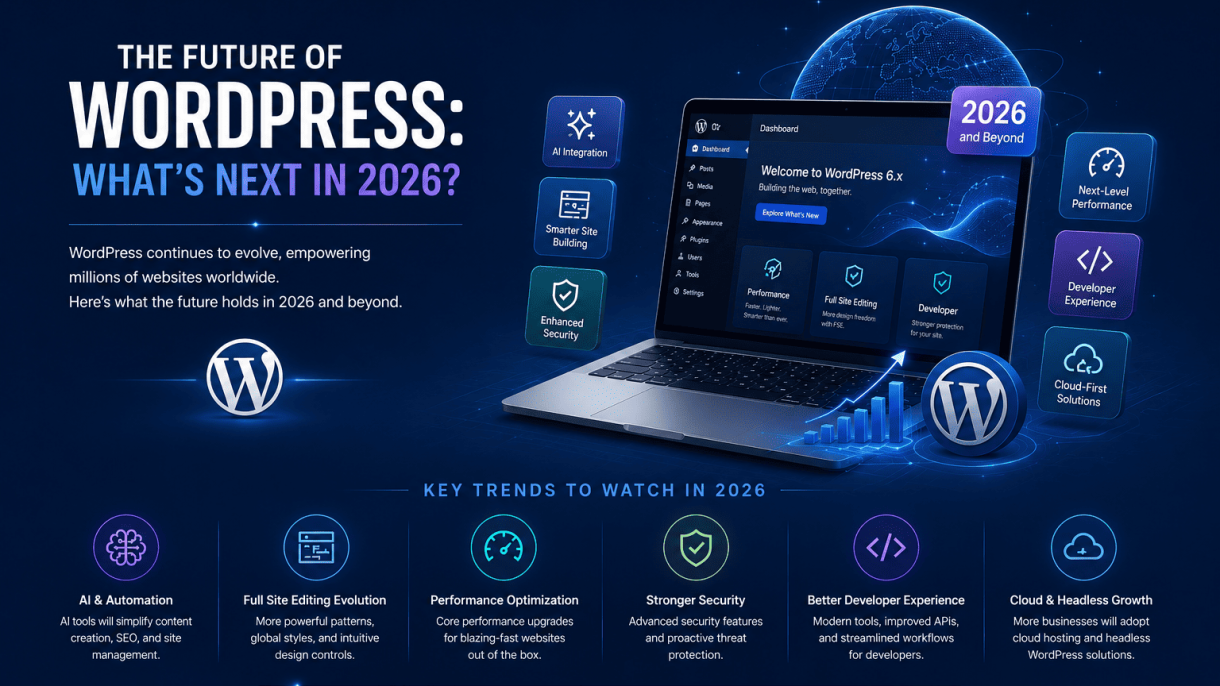

1. The Evolution of the Full Site Editing Experience
By 2026, Full Site Editing (FSE) will have undergone a profound transformation from its initial experimental phase into a mature, stable, and central workflow for building sites on WordPress. What began as a set of ambitious but sometimes unwieldy tools in the block editor will have been refined through thousands of hours of user feedback, developer contributions, and core updates. The vision of a truly visual, block-based site builder—where every part of a theme, from headers to footers, can be designed and managed without touching a single line of code—will be fully realized. This shift will fundamentally alter how both professionals and hobbyists approach WordPress, making it more accessible while simultaneously offering deeper control for those who need it. The evolution is not just about adding features; it is about streamlining the entire experience so that FSE feels less like a separate mode and more like the natural, default way to interact with a WordPress site.
Streamlined Block Patterns and Templates
One of the most significant areas of maturation will be in how block patterns and templates are created, managed, and applied. In 2024 and 2025, patterns were often a patchwork of user-created libraries and core offerings. By 2026, the system will be far more cohesive. The WordPress core will ship with a highly curated, context-aware library of patterns that adapt to the user’s active theme and content type. For example, when a user creates a new “Services” page, the editor will suggest patterns specifically designed for service listings, complete with appropriate placeholder text and image slots.
- Contextual Suggestion Engine: The pattern inserter will learn from the user’s site structure, suggesting patterns that match the page’s purpose (e.g., “About Us,” “Contact,” “Portfolio”) based on the page title and template assigned.
- Hierarchical Template Management: Templates themselves will become more flexible. Instead of a rigid set of template files (single.html, page.html, etc.), users will be able to create custom template variations that inherit from parent templates but override specific areas. A “Landing Page” template might inherit from the default “Page” template but replace the header with a full-width hero block.
- Pattern Library Standardization: A standardized JSON schema for patterns will emerge, allowing third-party theme and plugin developers to register patterns that are fully compatible with the FSE interface. This will eliminate the current fragmentation where some patterns work perfectly and others break the layout.
- Dynamic Pattern Parts: Patterns will support dynamic content, such as pulling in the latest posts, a site logo, or a navigation menu. This will make patterns reusable across different contexts without requiring manual updates.
The result is that building a site from a collection of pre-built patterns will feel less like assembling a puzzle and more like selecting a design system. Users will spend less time tweaking individual blocks and more time curating the right combination of patterns for their brand.
Enhanced User Interface for Non-Developers
The user interface (UI) of the Full Site Editor will see the most dramatic improvements in 2026, specifically aimed at making it truly intuitive for non-developers. The current learning curve—where users must understand concepts like “template parts,” “block inserter,” and “global styles”—will be flattened significantly. The focus will shift from a tool-centric interface to a task-centric one.
Key UI enhancements will include:
| Feature | How It Works in 2026 | Benefit for Non-Developers |
|---|---|---|
| Visual Hierarchy Mode | A single button toggles between editing content and editing the layout structure. The layout mode highlights all template parts (header, footer, sidebar) with clear, non-intrusive labels and drag handles. | No more confusion about whether you’re editing a page or the header. The distinction is obvious. |
| Guided Setup Wizards | When activating a new FSE-compatible theme, a step-by-step wizard walks the user through choosing a homepage layout, setting up navigation, and selecting color palettes—all before they see the main editor. | Reduces the initial overwhelm. Users feel they have a clear path from start to finish. |
| Inline Style Adjustments | Global styles (colors, fonts, spacing) can be adjusted directly on the canvas. Clicking on a heading block shows a floating toolbar with options to change its font size and color, with changes applied in real-time to all similar blocks across the site. | Eliminates the need to navigate to a separate “Global Styles” panel. Changes are immediate and visual. |
| Undo/Redo for Everything | A robust, multi-level undo history that covers not just content edits but also template structure changes, style modifications, and pattern insertions. | Users can experiment freely, knowing they can always revert to a previous state without fear of breaking their site. |
These UI refinements will remove the “developer gate” that currently exists. A small business owner or blogger will be able to create a professional-looking site by simply clicking, dragging, and selecting from clear options. The editor will also provide real-time previews of how the site looks on mobile, tablet, and desktop, with a simple toggle that adjusts the canvas width. This responsive preview will be built directly into the editing experience, not a separate preview mode.
Integration with Third-Party Design Tools
Perhaps the most transformative shift by 2026 will be the deep integration of WordPress’s FSE with external design tools. This will bridge the gap between the design and development workflows, allowing designers to use their preferred tools (like Figma, Sketch, or Adobe XD) and then seamlessly bring those designs into WordPress as functional block themes or patterns.
This integration will take several forms:
- Design-to-Code Plugins: Third-party plugins will emerge that allow designers to export their Figma frames directly into WordPress as custom block patterns or even full theme.json configurations. A designer might create a unique hero section in Figma, click “Export to WordPress,” and have it appear as a block pattern with all the correct spacing, colors, and typography mapped to the site’s global styles.
- API-Driven Theme Creation: WordPress will expose a more robust REST API for theme and block pattern registration. Design tools will be able to call this API to push design assets directly to a WordPress site, bypassing the need to manually copy and paste code.
- Live Collaboration: A new breed of plugins will enable real-time collaboration between designers and developers within the FSE. A designer working in Figma could share a link, and the developer could see the design overlaid on the WordPress canvas, with a “sync” button to pull in the latest changes. This will drastically reduce the back-and-forth of exporting and re-importing design files.
- Component Libraries: Design systems built in tools like Figma will be able to generate a matching set of WordPress blocks and patterns. If a company’s design system has a specific button style, card layout, and typography scale, those will be available as reusable blocks within the FSE, ensuring brand consistency without manual CSS overrides.
This integration will not replace the need for developers, but it will empower designers to work more independently. The FSE will become the translation layer between the visual design world and the technical implementation, making WordPress a true platform for design-driven development. By 2026, the question will no longer be “Can I build this design in WordPress?” but rather “How quickly can I import my design and start editing the content?”
In summary, the Full Site Editing experience in 2026 will be defined by its maturity, usability, and openness. Streamlined patterns and templates will make site construction faster and more intuitive. An enhanced UI will democratize design, placing powerful tools in the hands of non-developers. And deep integrations with third-party design tools will create a seamless pipeline from concept to launch. WordPress will not just be a content management system; it will be a visual design platform that adapts to the skills and workflows of its diverse user base.
2. Performance and Speed as a First-Class Citizen
By 2026, performance will no longer be an afterthought in WordPress core—it will be a foundational requirement. The platform’s evolution toward a modern content management system has accelerated, driven by user expectations for sub-second load times and search engine algorithms that penalize sluggish sites. Google’s Core Web Vitals, now deeply embedded in ranking signals, have forced the WordPress community to prioritize speed from the moment a site is installed. In the coming years, expect performance to be baked into every layer of the stack, from image delivery to server-side processing. The goal is clear: make WordPress sites competitive with static site generators and proprietary platforms without sacrificing flexibility or ease of use.
Automatic Image Optimization and Next-Gen Formats
Images remain the single largest contributor to page weight, often accounting for 60% or more of a page’s total size. WordPress has made strides with lazy loading and responsive images, but 2026 will see a paradigm shift toward automatic, server-side image optimization. The core will likely integrate WebP and AVIF conversion natively, eliminating the need for third-party plugins or manual encoding. When a user uploads a JPEG or PNG, WordPress will automatically generate multiple formats—WebP for broad browser support and AVIF for superior compression—and serve the most efficient version based on the visitor’s browser capabilities. This process will be transparent, with no additional configuration required.
Beyond format conversion, intelligent compression algorithms will analyze each image’s content. For example, a photograph with complex gradients will retain higher quality, while a simple logo or screenshot can be aggressively compressed without visible degradation. The system will also handle responsive image generation more intelligently, creating only the sizes actually needed by the active theme and avoiding wasteful upscaling. A practical outcome: a typical blog post with five images could see a 40–60% reduction in total image weight, directly improving Largest Contentful Paint (LCP) scores. For site owners, this means no more manual optimization workflows or reliance on external CDN image services for basic tasks.
Lazy Loading and Script Management Enhancements
Current lazy loading implementations in WordPress, while effective, are relatively blunt instruments. By 2026, expect a more nuanced system that prioritizes above-the-fold content while deferring everything else with surgical precision. The core will use the browser’s native loading="lazy" attribute for images and iframes, but will also implement Intersection Observer-based techniques for background images and custom elements. More critically, WordPress will introduce smart preloading: critical images in the initial viewport will load immediately, while off-screen assets will be fetched just before they enter the viewport, reducing bandwidth waste without causing visual delays during scrolling.
Script management will undergo a similar transformation. The current pattern of enqueuing JavaScript files in the header or footer is too coarse for modern performance demands. In 2026, WordPress will likely adopt a module-based approach, splitting scripts into critical and non-critical bundles. Core scripts—like the block editor’s front-end rendering logic—will be deferred or loaded asynchronously by default. Plugin and theme authors will be encouraged to declare script dependencies and loading strategies through a standardized API, enabling WordPress to automatically generate optimal loading sequences. A table summarizing the expected changes might look like this:
| Feature | Current Behavior (2024) | Expected Behavior (2026) |
|---|---|---|
| Lazy loading | Basic native lazy loading for images | Context-aware lazy loading with preloading hints |
| Script loading | Global enqueue with manual defer/async | Automatic script splitting and loading strategies |
| Critical CSS | Requires third-party plugins or manual work | Built-in critical CSS extraction and inlining |
| Font loading | Standard CSS @font-face with swap |
Subset font generation and automatic font-display optimization |
These enhancements will reduce render-blocking resources and improve Cumulative Layout Shift (CLS) by ensuring scripts and styles load in a predictable order. For developers, the benefit is less manual tuning; for end-users, it means pages that feel instant.
Edge Caching and CDN Integrations
WordPress has long relied on page caching plugins and external CDNs to mitigate server latency, but 2026 will bring first-class support for edge caching directly in core. The vision is a seamless integration where WordPress intelligently communicates with CDN providers to purge cached pages only when content actually changes, rather than invalidating entire caches on every update. This will be achieved through a standardized cache invalidation API that supports major providers like Cloudflare, Fastly, and Akamai out of the box. When a publisher edits a single post, only that post’s cache will be purged, preserving the performance of the rest of the site.
More significantly, WordPress will likely introduce a built-in edge-side include (ESI) system for dynamic content. This allows static pages to be cached at the edge while personalized elements—such as user-specific menus, cart contents, or comment sections—are fetched asynchronously. The result is a hybrid architecture: the majority of a page is served from a CDN node milliseconds away from the visitor, while dynamic fragments are assembled in real-time without sacrificing cacheability. For high-traffic sites, this could reduce origin server load by 80–90% and cut Time to First Byte (TTFB) to under 100 milliseconds globally.
Additional edge caching improvements will include automatic cache warming for popular content, support for HTTP/3 and Brotli compression at the CDN level, and built-in monitoring of cache hit ratios. Site owners will see a simple dashboard metric showing how much traffic is served from cache versus the origin. For global audiences, this means consistent performance regardless of geographic location. A list of anticipated benefits for publishers:
- Reduced latency: Static assets and pages served from nearest edge node.
- Lower hosting costs: Fewer requests hitting the origin server.
- Improved Core Web Vitals: Faster LCP and TTFB due to edge proximity.
- Simplified setup: No need for multiple caching plugins or manual CDN configuration.
- Better handling of traffic spikes: Edge caches absorb sudden surges without server strain.
By making performance a first-class citizen through these three pillars—automatic image optimization, intelligent lazy loading and script management, and robust edge caching—WordPress will ensure that even complex, content-rich sites can achieve the speed required to compete in 2026’s digital landscape. The era of treating performance as an optional add-on is ending; it is becoming the default.
3. AI and Machine Learning Integration
As 2026 approaches, the integration of artificial intelligence and machine learning into the WordPress ecosystem is no longer a futuristic novelty but a foundational shift in how sites are built, managed, and experienced. The platform, which powers over 43% of the web, is evolving from a content management system into an intelligent digital experience platform. AI is being woven into the fabric of WordPress core, plugins, and themes, enabling smarter workflows, deeper personalization, and autonomous site maintenance. This transformation promises to reduce manual overhead for site owners while delivering richer, more adaptive experiences for visitors. Below, we explore three critical areas where AI is reshaping the WordPress landscape.
AI-Powered Content Generation and Editing Assistants
The days of staring at a blank editor screen are becoming a relic of the past. By 2026, AI-powered content generation tools are deeply embedded in the WordPress block editor (Gutenberg) and popular page builders. These assistants go far beyond simple text autocomplete, offering contextual suggestions that understand your site’s voice, audience, and SEO goals. For instance, when you start drafting a blog post, the AI can propose headlines, outlines, and even full paragraphs based on your topic and existing content library. It can also analyze the emotional tone of your writing and suggest adjustments to improve engagement or readability.
Editing assistants are equally transformative. They provide real-time grammar and style corrections, but more importantly, they flag structural issues such as weak transitions, repetitive phrasing, or overly complex sentences. Some tools now integrate directly with the block editor to offer alternative phrasing for specific blocks, ensuring consistency across multilingual sites. For example, an AI assistant can detect that a product description uses different terminology than the rest of your e-commerce site and suggest harmonization. Below is a comparison of typical AI content features available in 2026:
| Feature | Description | Benefit |
|---|---|---|
| Contextual Outline Generation | AI suggests headings and subheadings based on topic and target keywords. | Reduces planning time by up to 40%. |
| Voice and Tone Analysis | Scans content for consistency with brand guidelines (e.g., formal vs. conversational). | Maintains brand identity across multiple authors. |
| SEO-Optimized Drafting | Generates content that naturally incorporates focus keywords and entity references. | Improves search engine visibility without keyword stuffing. |
| Image and Alt-Text Generation | Creates descriptive alt text and suggests relevant stock or AI-generated images. | Enhances accessibility and reduces manual media work. |
These tools are not replacing human creativity but augmenting it. Writers still control the final output, but the AI handles repetitive tasks, research synthesis, and initial drafts, allowing creators to focus on strategy and nuance. As models become more specialized for niche industries—such as legal, medical, or technical blogging—the quality of generated content will continue to improve, making AI an indispensable co-pilot for WordPress content teams.
Smart Search and Recommendation Engines
Visitor expectations for site search have risen dramatically. A simple keyword match is no longer sufficient. By 2026, AI-driven search and recommendation engines within WordPress are delivering results that understand user intent, context, and past behavior. These systems use natural language processing (NLP) to interpret queries even when they are misspelled, vague, or conversational. For example, a search for “budget-friendly vegetarian recipes for beginners” on a food blog will surface relevant posts, filter by difficulty, and even suggest related categories like meal prep or seasonal ingredients.
Beyond search, recommendation engines are personalizing the entire browsing experience. Machine learning models analyze on-site actions—pages visited, time spent, scroll depth, and purchase history—to dynamically adjust content blocks, related posts, and product suggestions. This works in two primary modes:
- Collaborative filtering: Recommendations are based on the behavior of similar users. For instance, “Users who viewed this plugin also installed these three.”
- Content-based filtering: Recommendations are derived from the attributes of the content itself, such as tags, categories, and semantic similarity.
Many WordPress sites are now combining these approaches with real-time data streams. A visitor landing on a travel blog might see a hero image of their previously searched destination, a list of articles matching their reading history, and a pop-up offering a downloadable guide tailored to their interests—all without explicit configuration by the site owner. This level of personalization increases engagement metrics, reduces bounce rates, and drives conversions. For e-commerce stores, AI recommendations can boost average order value by surfacing complementary products at checkout, while membership sites use the technology to suggest relevant courses or content tiers. The underlying infrastructure is often handled by dedicated plugins that integrate with WordPress REST API, ensuring performance does not suffer even on high-traffic sites.
Automated Site Health and Security Monitoring
Site maintenance has historically been a chore that many WordPress administrators neglect until something breaks. AI is changing that by proactively monitoring site health and security, automating responses to common threats, and predicting potential failures before they occur. In 2026, these systems operate continuously, analyzing logs, performance metrics, and code changes for anomalies. For example, an AI security plugin might detect a pattern of failed login attempts from an unusual geographic region and automatically block the IP range while alerting the admin via dashboard notification or email.
Key areas where AI is automating site health include:
- Performance optimization: Machine learning models analyze traffic patterns and automatically adjust caching rules, CDN settings, and image compression levels to maintain fast load times during spikes.
- Plugin and theme conflict detection: AI scans for compatibility issues before updates are applied, simulating the update in a sandbox environment and rolling back if a conflict is detected.
- Database health: Automated scripts identify and clean up orphaned data, expired transients, and redundant database tables, reducing bloat and improving query performance.
- Security threat prediction: By analyzing global threat intelligence feeds and your site’s unique attack surface, AI can predict and preemptively patch vulnerabilities, such as outdated plugins with known exploits.
Below is a sample workflow for an AI-driven security alert:
| Step | Action | AI Role |
|---|---|---|
| 1 | Monitor incoming traffic for suspicious patterns. | Anomaly detection using behavioral baselines. |
| 2 | Identify a brute-force attack on the login page. | Cross-reference with known attack signatures. |
| 3 | Block offending IP addresses and add to a blacklist. | Automated rule creation without admin intervention. |
| 4 | Scan for compromised user accounts. | Analyze login timestamps and geolocation data. |
| 5 | Generate a summary report and suggest hardening measures. | Natural language generation for actionable insights. |
For site owners, this means less time spent on manual checks and more confidence that their WordPress installation is running at peak performance. The AI does not eliminate the need for human oversight, but it reduces the cognitive load of constant vigilance. In 2026, the most successful WordPress sites are those that leverage these automated systems to maintain high availability, fast response times, and robust security—allowing teams to focus on growth and content strategy rather than firefighting technical issues.
As the ecosystem matures, the line between traditional CMS features and AI-driven capabilities will blur. The future of WordPress in 2026 is not about replacing human judgment but about empowering it with intelligent, data-driven tools that make every interaction—from writing a post to securing a server—more efficient and effective. AI integration is not an optional upgrade; it is becoming the standard for sites that aim to remain competitive in an increasingly sophisticated digital landscape.
4. Headless WordPress and Decoupled Architectures
By 2026, the concept of WordPress as a monolithic system—where the backend and frontend are tightly coupled—will feel increasingly antiquated to many developers and enterprises. The shift toward headless and decoupled architectures is not merely a trend; it is a fundamental evolution in how content is managed, delivered, and experienced. In a headless setup, WordPress serves exclusively as a content management system (CMS), providing a robust admin interface and a structured content repository, while the frontend is built using modern JavaScript frameworks. This separation offers unparalleled flexibility, performance, and security, and by 2026, it will be a standard deployment pattern rather than an experimental niche.
The driving forces behind this adoption are clear: the need for omnichannel content delivery, faster user experiences, and the ability to leverage the best tools for specific jobs. WordPress’s core strength—its intuitive editing experience and mature ecosystem—remains intact, while the frontend can be optimized for speed, interactivity, and unique design requirements. For organizations managing multiple digital touchpoints, from websites and mobile apps to IoT displays and progressive web apps, a headless WordPress setup becomes a central content hub. By 2026, the ecosystem will have matured significantly, with better tooling, documentation, and community support making headless accessible to a broader audience, not just JavaScript experts.
REST API and GraphQL Maturation
The foundation of any headless WordPress architecture is the API layer. The WordPress REST API, introduced in version 4.7, has been the workhorse for decoupled setups for years. By 2026, the REST API will have undergone significant performance and feature enhancements. Key improvements will include:
- Batched and Efficient Requests: The REST API will support more sophisticated batch endpoints, allowing developers to request multiple resources in a single HTTP call, reducing latency and server load.
- Enhanced Caching Mechanisms: Built-in support for ETags, conditional headers, and cache invalidation will be deeply integrated, enabling frontends to cache responses intelligently without custom middleware.
- Improved Authentication and Authorization: OAuth 2.0 and JSON Web Tokens (JWT) will be first-class citizens, simplifying secure connections for external applications and user-specific content delivery.
- Field-Level Control: The API will allow developers to specify exactly which fields to return in a response, reducing payload sizes and improving performance for mobile and low-bandwidth environments.
Meanwhile, GraphQL, which has gained traction as an alternative to REST, will see deeper native integration within WordPress. While third-party plugins like WPGraphQL have pioneered this space, by 2026, core WordPress will likely include optional GraphQL support or a standardized plugin that is maintained by the WordPress project itself. The maturation of GraphQL in WordPress will bring:
- Declarative Data Fetching: Frontend developers can request exactly the data they need, no more, no less, eliminating over-fetching and under-fetching issues common with REST.
- Real-Time Capabilities: GraphQL subscriptions will enable live updates for collaborative editing, real-time content previews, and dynamic dashboards, all powered by WordPress as the data source.
- Unified Schema: A single, strongly-typed schema will represent all content types, custom fields, taxonomies, and user data, making development predictable and self-documenting.
- Tooling Ecosystem: By 2026, tools like Apollo Client and Relay will have dedicated WordPress adapters, simplifying state management and caching on the frontend.
Developers will choose between REST and GraphQL based on project needs. REST will remain ideal for simple, cache-heavy applications, while GraphQL will shine in complex, data-dynamic interfaces. The coexistence of both, with mature libraries and documentation, will be a hallmark of the headless WordPress landscape in 2026.
Popular Headless Frameworks and Starter Kits
The frontend ecosystem for headless WordPress in 2026 will be dominated by a few key frameworks, each with specialized starter kits that dramatically reduce setup time. The most prominent frameworks and their roles will include:
| Framework | Primary Use Case | Notable Starter Kits |
|---|---|---|
| Next.js | Server-side rendering (SSR) and static site generation (SSG) for high-performance websites and e-commerce. | create-next-app-wp, Faust.js |
| Nuxt 3 | Vue-based applications with hybrid rendering, ideal for content-rich portals and dynamic dashboards. | create-nuxt-wp, Nuxt WordPress Module |
| Gatsby | Static site generation with a rich plugin ecosystem, perfect for blogs, documentation, and marketing sites. | gatsby-starter-wordpress-blog, gatsby-source-wordpress |
| Remix | Web standards-focused framework for fast, resilient user interfaces with nested routing and data loading. | remix-wordpress-starter, Indie Stack |
| Astro | Content-focused sites with zero JavaScript by default, ideal for landing pages and static content. | astro-wordpress-starter, astro-cms-wordpress |
Starter kits in 2026 will be far more than boilerplate code. They will include:
- Pre-configured Data Fetching: Built-in functions or hooks for querying the WordPress REST API or GraphQL endpoint, with automatic error handling and loading states.
- Preview and Draft Support: Seamless integration with WordPress’s preview system, allowing editors to see changes in real time on the frontend before publishing.
- Authentication Flows: Ready-made login, registration, and user profile pages that connect to WordPress user management, including role-based access control.
- SEO and Performance Optimization: Automated generation of sitemaps, meta tags, and structured data, along with image optimization pipelines that leverage WordPress’s media library.
- Deployment Configurations: Pre-built configurations for Vercel, Netlify, AWS Amplify, and other platforms, with environment variables and build hooks tailored for WordPress.
Additionally, the WordPress community will have produced official or semi-official starter kits maintained by the WordPress project itself, ensuring compatibility and security. These kits will be regularly updated to reflect the latest WordPress API changes and frontend framework versions, lowering the barrier to entry for developers new to headless architectures.
Managing Content Across Multiple Frontends
One of the most compelling advantages of a headless WordPress setup in 2026 is the ability to manage content once and deliver it to multiple frontends—websites, mobile apps, smart displays, voice assistants, and more. However, this omnichannel approach introduces complexity in content modeling, synchronization, and governance. By 2026, the ecosystem will have robust solutions for these challenges.
Content Modeling for Reusability: WordPress’s custom post types and advanced custom fields will be leveraged to create structured, reusable content blocks. For example, a “Product” content type might include fields for name, description, price, images, and specifications, which can be consumed by an e-commerce frontend, a mobile app, and a voice-enabled shopping assistant. The key is to design content models that are agnostic to the output channel, relying on semantic meaning rather than visual presentation.
Centralized Media Management: The WordPress media library will serve as a single source of truth for images, videos, and documents. By 2026, it will include automatic image optimization and format conversion (WebP, AVIF) based on the requesting device or frontend. Developers will be able to request specific image sizes or crops via API parameters, ensuring that a mobile app gets a thumbnail while a desktop site gets a high-resolution version, all from the same source file.
Webhook and Event-Driven Updates: When content is updated in WordPress, webhooks will trigger rebuilds or cache invalidations across all connected frontends. Services like Vercel, Netlify, and custom serverless functions will listen for these events and deploy updated versions almost instantly. For real-time applications, WebSockets or server-sent events (SSE) will push updates directly to active user sessions, ensuring that a change made in the WordPress admin appears on a live dashboard within seconds.
Unified Search and Navigation: Managing search across multiple frontends will be streamlined by using a dedicated search service like Algolia or Elasticsearch, which indexes WordPress content and serves results to all frontends. Navigation menus, taxonomies, and site maps will also be centralized, with WordPress providing a single API endpoint that all frontends query for consistent structure and hierarchy.
Role-Based Content Distribution: By 2026, WordPress will support granular content distribution rules. For example, a premium article might be accessible only on a specific frontend (e.g., a member-only mobile app) or after authentication. This is achieved through custom meta fields and API-level filtering, allowing different frontends to request only the content they are authorized to display. This approach simplifies compliance with licensing agreements and content syndication contracts.
Developer Tooling and Monitoring: Tools like WP-CLI and custom scripts will allow developers to simulate content delivery to different frontends during development. Monitoring dashboards will track API usage, response times, and error rates across all endpoints, providing insights into which frontends are consuming the most resources or experiencing issues. Logging and debugging will be centralized, with correlation IDs that trace a content change from the WordPress admin through to its appearance on a specific frontend.
In practice, a typical workflow in 2026 might involve a marketing team updating a product description in WordPress. That change is immediately available via the REST API or GraphQL endpoint. A webhook triggers a build on a Next.js frontend for the company’s main website, while a separate Nuxt-based mobile app refreshes its cache via a background job. Simultaneously, a smart display in a retail store receives the update through a lightweight GraphQL subscription. The entire process is automated, reliable, and transparent to the content editors. This level of sophistication, made possible by the maturation of headless WordPress, will redefine how organizations think about content management and delivery in 2026 and beyond.
5. Security and Compliance Advances
By 2026, the security landscape for WordPress will shift from reactive patching to proactive, intelligent defense. As threats evolve and regulations tighten, the platform is expected to integrate security and compliance features directly into the core experience, reducing reliance on third-party plugins for fundamental protections. This evolution addresses the growing demand from enterprises, agencies, and individual site owners for a trusted, compliant content management system that protects both data and user privacy without adding administrative burden.
Two-Factor Authentication and Passwordless Logins
Password fatigue and credential theft remain the leading causes of unauthorized access. In 2026, WordPress will likely embed robust two-factor authentication (2FA) directly into the core login flow, moving beyond the current plugin-dependent model. This native implementation will support multiple 2FA methods, including time-based one-time passwords (TOTP) via authenticator apps, hardware security keys (FIDO2/WebAuthn), and SMS-based codes as a fallback. The key advancement, however, will be the rise of passwordless logins as a primary authentication method.
Passwordless authentication leverages public-key cryptography to replace static passwords with device-bound credentials. Users will log in using biometrics (fingerprint or facial recognition) or a physical security key, eliminating the risk of password reuse or phishing. WordPress core is expected to offer a streamlined setup wizard that guides administrators through enabling passwordless access for themselves and their user roles. This feature will be particularly valuable for multisite networks and membership sites, where managing hundreds of user passwords is a security liability.
Key benefits of native 2FA and passwordless logins include:
- Reduced attack surface: Eliminates password-based brute force attacks and credential stuffing.
- Improved user experience: Faster login flows with biometrics or hardware keys.
- Granular role-based enforcement: Administrators can require specific methods for editors, subscribers, or super admins.
- Phishing resistance: Passwordless protocols verify the site origin, thwarting fake login pages.
For compliance, native 2FA will help satisfy regulatory requirements for strong authentication under frameworks like GDPR (Article 32) and CCPA, which mandate appropriate technical measures to protect personal data. Site owners will no longer need to vet and maintain separate security plugins for basic authentication, reducing plugin bloat and potential compatibility issues.
Automated Vulnerability Scanning and Patching
WordPress 2026 will introduce a built-in vulnerability scanning engine that continuously monitors the core, themes, and plugins for known security flaws. This system will operate silently in the background, comparing installed software versions against a curated, real-time vulnerability database maintained by the WordPress Security Team and partner organizations. When a vulnerability is detected, the platform will automatically apply a patch if a fix is available, or provide a clear, actionable alert with steps to mitigate the risk.
The scanning engine will be designed with performance in mind, using incremental checks rather than full file scans to avoid slowing down the admin dashboard. It will also respect site hosting environments, pausing scans during high-traffic periods. For compliance, the system will generate a detailed audit log of all scans, detections, and patches applied, which is essential for demonstrating due diligence under GDPR, CCPA, and other data protection laws.
Expected features of the automated vulnerability scanner include:
- Real-time dependency analysis: Checks not only plugin versions but also their declared dependencies and known CVEs.
- Automatic rollback capability: If a patch causes a conflict, the system can revert to the previous stable version.
- Third-party integration: APIs for security providers (e.g., Wordfence, Sucuri) to feed additional threat intelligence into the core scanner.
- Email and dashboard notifications: Immediate alerts for critical vulnerabilities, with a severity rating and recommended action.
This proactive approach shifts the burden from site administrators to the platform itself, reducing the window of exposure between vulnerability disclosure and patch application. For compliance officers, automated patching demonstrates a commitment to maintaining a secure processing environment, as required by GDPR Article 32(1)(d) and CCPA Section 1798.81.5.
Data Privacy Tools for User Consent Management
By 2026, WordPress will embed comprehensive data privacy tools directly into the core, making compliance with GDPR, CCPA, and emerging global privacy laws a native capability rather than an afterthought. The centerpiece will be a unified consent management interface that allows site owners to configure granular consent options for data collection, processing, and sharing. This interface will integrate with the WordPress comment system, user registration, contact forms, and any third-party services that process personal data.
The consent management tool will feature:
- Dynamic consent banners: Customizable banners that respect user preferences (e.g., opt-in vs. opt-out) based on jurisdiction.
- Consent logs with timestamps: A secure, tamper-proof record of each user’s consent choices, including the version of the privacy policy at the time of consent.
- Data subject rights request management: A built-in interface for handling access, rectification, erasure, and portability requests, with automated workflows for notifying administrators.
- Integration with the Block Editor: Privacy-related blocks (e.g., “Cookie Preferences,” “Data Export Request”) that can be placed on any page or post without custom code.
For compliance with GDPR, the tool will support the principle of “privacy by design” by allowing site owners to define default consent states that minimize data collection. Under CCPA, it will facilitate the “right to opt-out” of the sale of personal information, with a clear toggle that can be linked from the site footer. The system will also include a data mapping feature that visualizes where personal data is stored (e.g., user meta, comments, WooCommerce orders) and which third-party services have access.
To ensure transparency, WordPress will generate a machine-readable privacy policy template that automatically updates based on the consent settings and plugins installed. This template can be exported as HTML or PDF for submission to regulatory bodies. Additionally, the platform will provide a privacy impact assessment (PIA) wizard for new plugins, helping administrators evaluate data processing risks before installation.
By embedding these tools, WordPress reduces the complexity of compliance for site owners, especially small businesses and nonprofits that lack dedicated legal teams. The native approach also ensures that privacy features are consistently updated with regulatory changes, such as the EU’s ePrivacy Regulation or updates to the CCPA (CPRA), without relying on third-party plugin developers to keep pace.
6. The Rise of the Block Marketplace and Extensibility
As WordPress enters 2026, the most transformative shift for site builders is no longer the block editor itself—it is the ecosystem that surrounds it. The block editor, now deeply entrenched, has evolved from a simple content tool into a full-fledged site and application framework. The key to unlocking its potential lies in a robust block marketplace and a more extensible plugin ecosystem. This evolution is moving WordPress away from monolithic themes and toward a modular, Lego-like approach to web design, where each piece of functionality is a self-contained, reusable block. In 2026, the question is no longer “which theme do I use?” but “which blocks do I need?”
This modular paradigm empowers users to assemble complex digital experiences with unprecedented precision. Instead of installing a heavy theme that dictates layout, typography, and functionality, users can now curate a collection of blocks that serve specific purposes—a testimonials block, a dynamic product grid, a custom registration form, or an interactive map. The marketplace is the engine driving this shift, but its success depends on quality, discoverability, and interoperability. Let us explore how these elements are shaping the future.
Curated Block Directories and Quality Standards
One of the most significant pain points in the early years of the block editor was the inconsistent quality of third-party blocks. Developers rushed to release blocks with poor code, accessibility gaps, and security vulnerabilities. By 2026, the WordPress ecosystem has matured. The official WordPress.org Block Directory is no longer a free-for-all repository. Instead, it has evolved into a curated marketplace with rigorous quality standards.
The directory now enforces a multi-tier review process that includes automated testing for performance, accessibility (WCAG 2.2 compliance), and security audits. Blocks submitted to the directory must pass a standardized suite of tests before they are listed. This includes:
- Code quality: Adherence to WordPress coding standards and modern JavaScript practices (ESNext, React best practices).
- Accessibility: Keyboard navigation, screen reader support, and proper ARIA attributes are mandatory.
- Performance: Blocks must not exceed a defined asset size or render-blocking threshold. Lazy loading is required for heavy components.
- Security: Data sanitization and nonce verification are checked to prevent XSS and CSRF vulnerabilities.
Furthermore, the directory now features a “Verified Publisher” badge, similar to app stores, which indicates that the block developer has a proven track record of updates and support. Blocks from unverified publishers are clearly labeled, and users are encouraged to exercise caution. This curation has dramatically reduced the risk of installing low-quality blocks, fostering trust in the ecosystem.
The impact is tangible: site owners can now browse blocks by category (e-commerce, forms, media, navigation) and see detailed metrics, including active install counts, recent update dates, and compatibility with the latest WordPress version. The directory also provides a “test drive” feature, allowing users to preview a block in a sandbox environment before installing it on their live site. This shift from a repository to a curated marketplace mirrors the evolution of mobile app stores, where quality and discoverability are paramount.
Custom Block Development with Low-Code Options
While the curated directory serves the majority of users, the real innovation in 2026 lies in the democratization of custom block development. Historically, building a custom block required deep knowledge of React, JavaScript, and the WordPress block API. This created a barrier for designers, freelancers, and small agencies who lacked dedicated development resources. Low-code and no-code tools have now bridged this gap.
Several third-party plugins and native WordPress features now offer visual block builders that require little to no coding. These tools allow users to create custom blocks by combining existing components, defining data sources, and configuring styles through a visual interface. For example, a designer can create a “team member” block by dragging in an image field, a name field, a bio text area, and a social media link list—all without writing a single line of code.
Key low-code options available in 2026 include:
- Native Block Builder: A core WordPress feature that lets users create custom block patterns and reusable blocks using the existing editor interface. Advanced settings allow for custom field mapping and conditional visibility.
- Visual Block Builders (plugins): Dedicated plugins such as “Block Studio” and “Builder Pro” provide drag-and-drop interfaces for creating blocks from scratch. They generate the necessary block.json and JavaScript files automatically.
- Hybrid Approaches: Tools that offer a visual editor for layout and styling, but also expose a code editor for advanced users to add custom logic or API integrations. This caters to both non-developers and experienced builders.
For those who do want to write code, the development experience has also improved. The create-block tool now includes templates for common block types (dynamic blocks, inner blocks, variation blocks) and integrates seamlessly with modern build tools like Vite and esbuild. Documentation has been overhauled with interactive examples and a “block playground” where developers can experiment with the API in real time. The result is a spectrum of options: from zero-code block creation to fully custom, high-performance blocks, ensuring that anyone can participate in the block ecosystem.
Interoperability Between Blocks and Plugins
The final piece of the extensibility puzzle is interoperability. A marketplace of blocks is only useful if those blocks can work together harmoniously. In 2026, WordPress has made significant strides in ensuring that blocks from different developers, as well as blocks and traditional plugins, can coexist and even enhance each other.
This interoperability is achieved through several key mechanisms:
| Mechanism | Description | Example in 2026 |
|---|---|---|
| Block Context API | Allows parent blocks to pass data to child blocks without direct coupling. A parent block can provide a “post ID” or “color scheme” that all nested blocks can access. | A “Section” block passes a background color to all inner “Card” blocks, ensuring consistent styling. |
| Plugin-Block Hooks | Plugins can register new block styles, variations, or controls without modifying the block’s source code. This is done via the registerBlockStyle and addFilter APIs. |
A SEO plugin adds a “noindex” toggle to all “Post List” blocks. |
| Shared Data Stores | Blocks and plugins can read and write to a common data store (e.g., the WordPress Data API), enabling state management across components. | A “Cart” block updates the “Checkout” block’s total when a user changes quantity. |
| Standardized Block Attributes | Common attributes (e.g., spacing, typography, color) are now standardized, so blocks from different developers respond to the same global style settings. | Global style changes to “heading size” automatically apply to all third-party heading blocks. |
This interoperability has profound implications for site building. A user can now combine a third-party “Event Calendar” block with a custom “Featured Event” block built in a low-code tool, and both will share the same color palette and spacing settings. A plugin that adds a “Likes” feature can automatically display a like count on any “Post Card” block without additional configuration. The ecosystem becomes a cohesive whole, rather than a collection of isolated silos.
Moreover, the block marketplace has adopted a “compatibility rating” system, where blocks are tested against the most popular plugins and themes. Users can see at a glance whether a block works smoothly with WooCommerce, Yoast SEO, or Elementor. This reduces the trial-and-error that plagued earlier iterations of the block editor.
In conclusion, the rise of the block marketplace and extensibility in 2026 represents a fundamental shift in how WordPress sites are built. Curated directories ensure quality and trust. Low-code tools democratize block creation. And robust interoperability guarantees that all these pieces fit together seamlessly. For site owners, this means faster development, greater flexibility, and a future-proof approach to web design. For developers, it means a vibrant ecosystem where innovation is rewarded and collaboration is the norm. The block is no longer just a content unit—it is the building block of the modern web.
7. Mobile-First and Progressive Web App Capabilities
As we look toward 2026, WordPress is undergoing a fundamental shift in how it approaches the user experience across devices. The era of treating mobile as an afterthought is ending. Instead, the platform is embedding mobile-first principles directly into its core architecture, with a particular emphasis on Progressive Web App (PWA) capabilities. This evolution is not just about making sites look good on smaller screens; it is about delivering app-like performance, reliability, and engagement without requiring users to download anything from an app store. By integrating PWA features natively, WordPress aims to bridge the gap between traditional websites and native mobile applications, offering faster load times, offline access, and interactive experiences that keep visitors coming back.
The driving force behind this change is the recognition that a majority of web traffic now originates from mobile devices. WordPress sites that fail to prioritize mobile responsiveness risk losing audience share and search engine ranking. In 2026, the platform is expected to enforce stricter standards for theme and block development, ensuring that every element—from typography to layout grids—adapts seamlessly to varying screen sizes. The goal is to make mobile-first design the default, not an optional feature. This commitment extends to the block editor, where new controls will allow content creators to preview and adjust their designs for mobile, tablet, and desktop within the same interface, reducing the need for custom CSS or third-party plugins.
Responsive Design Defaults in Themes and Blocks
In 2026, WordPress themes and blocks are being built with responsive design as a non-negotiable baseline. The traditional approach of adding a few media queries at the end of development is being replaced by a mobile-first workflow where designers start with the smallest screen and progressively enhance for larger viewports. This shift is evident in the default theme repositories, where new submissions must pass automated checks for mobile responsiveness before being approved. The block editor itself now includes built-in responsive controls for every core block, allowing users to set different margins, paddings, font sizes, and column layouts for mobile, tablet, and desktop breakpoints without writing code.
Key changes in responsive design defaults include:
- Fluid typography: Font sizes are now defined using clamp() values, scaling smoothly between minimum and maximum sizes based on viewport width.
- Adaptive block patterns: Pre-designed layouts automatically reflow content into single columns on narrow screens, while maintaining multi-column arrangements on wider devices.
- Touch-friendly interactions: Buttons, menus, and form elements have increased minimum touch target sizes (at least 48×48 pixels) to prevent accidental taps.
- Image and media handling: The block editor now generates multiple image sizes per upload and uses the
srcsetattribute by default, ensuring that mobile devices download only the necessary resolution.
For developers, the WordPress theme.json file has been expanded to include responsive settings for global styles. This means that a single configuration file can define how colors, spacing, and typography behave across breakpoints, reducing the need for custom PHP or JavaScript. The result is a more consistent and maintainable approach to responsive design that benefits both site builders and end users. As a practical example, a three-column layout in a blog post might stack vertically on a phone, display as two columns on a tablet, and revert to three columns on a desktop—all handled automatically by the block editor’s built-in responsive logic.
Offline Functionality and Service Workers
One of the most transformative PWA features coming to WordPress in 2026 is native offline functionality, enabled through service workers. A service worker is a script that runs in the background, separate from the web page, intercepting network requests and caching resources. For WordPress sites, this means that once a user visits a page, the content can be stored locally in the browser’s cache. On subsequent visits—even without an internet connection—the page loads instantly from the cache, providing a reliable experience that rivals native apps. This is particularly valuable for users in areas with unreliable connectivity, or for sites like news portals, documentation hubs, and e-commerce stores where uptime is critical.
The WordPress core team has been working on a standardized service worker API that integrates with the existing caching mechanisms. In 2026, site administrators can enable offline support with a single toggle in the site health settings, without needing to manually configure service workers or install complex plugins. The system automatically caches the most visited pages, static assets like CSS and JavaScript, and even API responses for dynamic content. For developers, the API exposes hooks to customize caching strategies, such as network-first, cache-first, or stale-while-revalidate, depending on the content type.
Key offline functionality capabilities include:
- Instant loading: Previously visited pages render immediately from cache, even on slow or absent networks.
- Background sync: User actions like form submissions or comments are queued locally and sent when connectivity is restored.
- Cache management: Administrators can view and clear cached content from the WordPress dashboard, or set expiration policies for different content types.
- Fallback pages: If a user requests a page that has not been cached, a customizable offline page is displayed, encouraging them to revisit when connected.
Service workers also enable other PWA features, such as add-to-home-screen prompts. When a user visits a WordPress site that meets PWA criteria (HTTPS, registered service worker, and manifest file), the browser will offer to add the site to the device’s home screen. This creates a shortcut that opens the site in a standalone window, without browser chrome, further blurring the line between web and native apps. In 2026, WordPress will generate the required manifest file automatically, complete with customizable icons, splash screens, and theme colors, making it trivial for any site to become a PWA.
Push Notifications and Mobile Engagement
Push notifications are another PWA capability that WordPress is embracing in 2026 to boost mobile engagement. Unlike email or SMS, push notifications appear directly on the user’s device screen, even when the browser is closed, making them a powerful tool for re-engaging visitors. For WordPress sites, this means that publishers can send real-time alerts about new posts, comments, or updates without requiring users to install a separate app. The implementation is built on the Web Push API, which uses service workers to receive and display notifications. WordPress core now includes a push notification manager that handles subscription management, permission requests, and notification delivery from the admin dashboard.
The system is designed to respect user privacy and preferences. When a visitor first arrives at a site that supports push notifications, a non-intrusive prompt appears, explaining what the user will receive and asking for permission. Once granted, the site can send notifications based on predefined triggers, such as when a new article is published in a category the user has shown interest in, or when a product back in stock. Site owners can also create custom notification campaigns from the WordPress admin, targeting specific segments of their audience based on browsing history or subscription preferences.
Important aspects of push notification integration include:
- Opt-in only: Notifications are never sent without explicit user consent, and users can unsubscribe at any time directly from the notification or the browser settings.
- Segmentation: Administrators can tag users based on their interactions, such as pages viewed or comments left, and send targeted notifications relevant to those interests.
- Analytics: The WordPress dashboard includes metrics on notification delivery rates, open rates, and subsequent user engagement, helping site owners refine their messaging.
- Cross-platform support: Notifications work on Android, iOS (via Safari), and desktop browsers that support the Web Push API, ensuring broad reach.
For e-commerce sites, push notifications can drive conversions by alerting users to abandoned carts, flash sales, or order updates. For content sites, they can increase return visits by notifying subscribers of new posts in their favorite categories. The key advantage over email is immediacy: push notifications appear instantly and have higher open rates, often exceeding 90% in the first few minutes. By integrating this functionality natively, WordPress eliminates the need for third-party services that often charge per subscriber or inject their own branding into notifications.
In summary, the mobile-first and PWA capabilities arriving in WordPress by 2026 represent a comprehensive strategy to meet user expectations for speed, reliability, and engagement. Responsive design defaults ensure that every site looks and functions well on any device, while offline functionality and service workers provide a native-like experience even without connectivity. Push notifications add a direct communication channel that can dramatically improve user retention and interaction. Together, these features position WordPress not just as a content management system, but as a platform capable of delivering modern, app-quality experiences on the open web. Site owners who adopt these capabilities early will be well-prepared for a future where mobile is not just an option, but the primary way people interact with their content.
8. Collaboration and Multi-User Workflows
As WordPress evolves into a full-fledged content management system for enterprises, agencies, and complex editorial teams, the need for robust collaboration and multi-user workflows has never been greater. In 2026, WordPress is poised to transform how teams create, review, and publish content together. The platform is moving beyond simple user roles and post-revision tracking toward a seamless, real-time collaborative environment that rivals dedicated tools like Google Docs or Notion, while retaining the flexibility and extensibility that define WordPress. This shift is driven by the maturation of the Block Editor (Gutenberg) and the increasing adoption of WordPress as a headless CMS, where content creation and front-end delivery are decoupled. The future of collaboration in WordPress centers on three key areas: real-time editing, granular permissions with automation, and sophisticated version management.
Real-Time Collaborative Editing Features
One of the most anticipated advancements in WordPress for 2026 is the introduction of native real-time collaborative editing. While plugins have long offered basic co-authoring capabilities, the core platform is expected to integrate this functionality at the block level. This means multiple editors can work on the same post or page simultaneously, seeing each other’s cursors, selections, and changes in real time. The implementation will likely leverage Operational Transformation or Conflict-Free Replicated Data Types (CRDTs) to handle concurrent edits without data loss or conflicts. Key features of this evolution include:
- Live Cursors and Presence Indicators: Editors will see colored cursors with user avatars, showing exactly where collaborators are working within the content. This reduces confusion and prevents overwriting each other’s work.
- Block-Level Locking: To avoid conflicts on specific elements, users can lock a block (e.g., a paragraph, image, or table) for exclusive editing. Other users will see a lock icon and can request access or wait until it is released.
- Integrated Chat and Comments: A sidebar chat panel will allow collaborators to discuss changes without leaving the editor. Comments will be threaded and attached to specific blocks, enabling contextual feedback.
- Conflict Resolution UI: When two users edit the same block simultaneously, WordPress will offer a merge interface similar to code version control systems, allowing users to accept one version or manually combine changes.
These features are not just convenience upgrades; they fundamentally change the editorial workflow. For example, a writer can draft a blog post while an editor provides inline suggestions in real time, and a designer adjusts images in adjacent blocks—all within the same session. This reduces the back-and-forth of email drafts and accelerates time-to-publish. WordPress 2026 will also support offline editing with automatic synchronization when connectivity is restored, ensuring that remote teams with unstable internet connections remain productive.
Granular Permissions and Workflow Automation
Beyond real-time editing, the future of WordPress collaboration hinges on sophisticated permission systems and workflow automation. In 2026, site administrators will have unprecedented control over who can do what, down to the individual block level. This granularity is essential for large organizations with diverse teams, such as marketing departments, legal reviewers, and external contributors. The permission model will expand from traditional roles (Administrator, Editor, Author, Contributor) to a more flexible, capability-based system. Key components include:
- Block-Level Permissions: Administrators can restrict editing of specific blocks (e.g., a hero image, call-to-action button, or metadata fields) to certain user roles or individual users. This prevents accidental changes to critical content.
- Role-Based Content Visibility: Drafts and pending content can be visible only to specific groups, such as “Editorial Team” or “Legal Reviewers,” reducing clutter and ensuring sensitive material is not prematurely exposed.
- Custom Workflow States: WordPress will support customizable statuses beyond “Draft,” “Pending Review,” and “Published.” Teams can define states like “In Design Review,” “Ready for Legal,” or “Scheduled for Social.” Each state can trigger automated actions.
- Automated Task Assignments: Using a built-in workflow engine, administrators can set rules that automatically assign tasks to users based on content type, category, or keyword. For example, any post tagged with “product launch” is automatically assigned to the product marketing manager for review.
The following table illustrates a sample workflow automation scenario for a corporate blog in 2026:
| Workflow Step | Action | Assigned To | Automation Trigger |
|---|---|---|---|
| 1. Draft Creation | Author writes post | Content Writer | User creates new post |
| 2. Editorial Review | Review for tone and accuracy | Senior Editor | Post status changes to “In Editorial Review” |
| 3. Legal Approval | Check for compliance | Legal Team (group) | Post status changes to “Legal Review” |
| 4. Design Polish | Add images and layout | Designer | Post status changes to “Design Review” |
| 5. Final Approval | Publish or schedule | Content Manager | All previous steps completed |
This automation reduces manual oversight and ensures that no step is skipped. Additionally, WordPress will integrate with external tools like Slack or Microsoft Teams to send notifications when a task is assigned or a status changes. The system will also support conditional logic, such as skipping the design step if the post contains no images. Granular permissions extend to the media library, allowing administrators to restrict uploads, edits, or deletions of assets to specific user groups, preventing accidental loss of brand assets.
Version History and Content Review Tools
Version history in WordPress has traditionally been a simple list of revisions, often lacking context. In 2026, this feature is being reimagined as a comprehensive content review and audit tool. The new version history system will be more visual, intuitive, and powerful, enabling teams to track changes with precision and revert with confidence. Key improvements include:
- Visual Diffing at the Block Level: Instead of showing raw HTML or text diffs, WordPress will display a side-by-side comparison of blocks, highlighting changes in formatting, images, and even custom fields. Users can see exactly what was added, removed, or modified in each block.
- Version Naming and Annotations: Editors can name significant versions (e.g., “First Draft,” “Post-Review Update,” “Final Version”) and add notes explaining why changes were made. This creates a clear narrative of the content’s evolution.
- Rollback with Preview: Users can preview any previous version before reverting, ensuring that the rollback does not break the current layout or lose important updates. The system will also offer a “restore as new draft” option to avoid overwriting the live version.
- Approval Workflow Integration: Version history will be tightly linked to the workflow automation system. Each status change can automatically create a version snapshot, and reviewers can approve or reject changes at the version level. For instance, a legal reviewer can approve a specific version, which then becomes the baseline for the next step.
- Audit Trail for Compliance: For regulated industries, WordPress will generate a full audit trail showing who made each change, when, and why. This log is immutable and exportable for compliance reporting. It supports GDPR, HIPAA, and other regulatory requirements by tracking all content modifications.
To illustrate the power of these tools, consider a scenario where a marketing team is preparing a high-stakes press release. The writer creates the initial version, the editor makes structural changes, the legal team adds disclaimers, and the designer inserts infographics. With the new version history, each step is documented. If a conflict arises—such as a legal disclaimer being accidentally removed during a design update—the team can use the visual diff to pinpoint the exact block and time of the change. They can then restore the legal version while keeping the designer’s layout, all without losing work. The content review tools also include a “compare versions” feature that allows side-by-side comparison of any two points in the history, making it easy to see how the content evolved from draft to final.
In summary, the future of collaboration and multi-user workflows in WordPress 2026 is about empowering teams to work together seamlessly, with real-time editing, granular control, and robust version management. These advancements will make WordPress not just a publishing platform, but a true collaborative hub for content creation. For agencies, enterprises, and publishers, this means faster production cycles, fewer errors, and greater transparency. As WordPress continues to embrace these features, it solidifies its position as the leading CMS for teams of all sizes, ready to meet the demands of a dynamic digital landscape.
9. E-Commerce and Content Monetization Evolution
As the digital economy matures, WordPress is no longer just a platform for blogs or brochure-style sites. By 2026, the ecosystem has undergone a fundamental shift, transforming into a robust engine for e-commerce, recurring revenue, and digital content sales. While WooCommerce remains the dominant force, the future of WordPress in this space is defined by deeper integrations, frictionless payment experiences, and a unified approach to monetization that caters to creators, merchants, and enterprises alike. The emphasis is on reducing complexity, enhancing security, and providing native tools that rival dedicated e-commerce platforms without sacrificing the flexibility that makes WordPress unique.
This evolution is driven by three key areas: the rise of native payment gateways and digital wallets, sophisticated subscription management and membership site capabilities, and a block-based approach to product showcases and checkout that prioritizes conversion and user experience. Each of these elements works in concert to create a seamless commercial environment where content and commerce are indistinguishable.
Native Payment Gateways and Digital Wallets
In 2026, the era of relying solely on third-party plugins for payment processing is fading. WordPress core and major e-commerce plugins have embraced native payment gateway integrations that are pre-configured, secure, and optimized for performance. The goal is to eliminate the friction of setting up complex merchant accounts and reduce the dependency on external services that can slow down checkout flows.
Key developments include:
- Direct integration with digital wallets: Apple Pay, Google Pay, and PayPal are now first-class citizens in WordPress checkout forms. Users can complete purchases with a single tap or biometric authentication, dramatically reducing cart abandonment rates.
- Embedded payment processing: WooCommerce and other e-commerce plugins now offer built-in payment processing options (e.g., WooPayments) that handle everything from transaction fees to dispute resolution without requiring separate accounts.
- Cryptocurrency and stablecoin support: For forward-thinking merchants, native support for popular cryptocurrencies and stablecoins is available through dedicated blocks and settings, with automatic conversion to fiat currency to mitigate volatility.
- Regional payment methods: Localized gateways such as iDEAL (Netherlands), Bancontact (Belgium), and Alipay (China) are natively supported, allowing merchants to expand globally without custom development.
The table below illustrates the typical native payment options available in a standard WordPress e-commerce setup by 2026:
| Payment Method | Type | Key Benefit |
|---|---|---|
| Apple Pay / Google Pay | Digital Wallet | One-click checkout on mobile and desktop |
| WooPayments | Embedded Processor | No external plugin; unified dashboard |
| PayPal Checkout | Digital Wallet | Global reach with buyer protection |
| Stripe Link | Saved Payment Info | Auto-fills payment details for returning users |
| Cryptocurrency (via Coinbase Commerce) | Digital Currency | Low fees and instant settlement |
These native integrations mean that merchants no longer need to manage multiple plugins or worry about compatibility issues. The checkout experience is faster, more secure, and tailored to the buyer’s preferred payment method, which is critical for conversion optimization in a competitive market.
Subscription Management and Membership Sites
Content monetization has moved beyond simple one-time purchases. By 2026, WordPress offers comprehensive subscription management and membership site capabilities that rival dedicated platforms like Patreon or Substack. The core of this evolution is the ability to create, manage, and scale recurring revenue streams directly from the WordPress admin, with minimal technical overhead.
Essential features now built into the ecosystem include:
- Flexible billing models: Support for weekly, monthly, annual, and custom billing cycles, including free trials, introductory pricing, and prorated upgrades.
- Content gating: Native blocks and settings allow site owners to restrict access to posts, pages, videos, podcasts, and downloadable files based on membership tier or subscription status.
- Automated email workflows: Built-in tools for sending welcome emails, renewal reminders, and expiration notices, reducing the need for third-party email marketing plugins.
- Community integration: Subscriptions can be linked to private forums, Discord channels, or Slack groups, enabling exclusive interactions for paying members.
- Multi-tier membership structures: Simple drag-and-drop interfaces allow the creation of multiple subscription levels (e.g., Free, Basic, Premium, Enterprise) with different access permissions and pricing.
A typical membership site setup in 2026 might look like this:
- Free tier: Access to public blog posts and a weekly newsletter.
- Basic tier ($9/month): All free content plus exclusive articles, ad-free browsing, and a monthly Q&A session.
- Premium tier ($29/month): Everything in Basic plus downloadable resources, video courses, and priority support.
- Enterprise tier ($99/month): Custom onboarding, dedicated account manager, and API access for integrations.
The subscription management dashboard provides real-time analytics on churn rates, lifetime value, and active members, enabling data-driven decisions. This native approach eliminates the need for separate subscription plugins that often conflict with other site features, creating a cohesive and reliable monetization engine.
Block-Based Product Showcases and Checkout
The WordPress block editor (Gutenberg) has revolutionized content creation, and by 2026, it has fully transformed e-commerce product displays and checkout flows. Block-based product showcases allow merchants to build visually rich, interactive product pages without writing a single line of code. This shift empowers designers and content creators to craft unique shopping experiences that align with their brand identity.
Key capabilities of block-based e-commerce include:
- Dynamic product blocks: Each product can be displayed using dedicated blocks for images, galleries, videos, pricing, variations (size, color), and add-to-cart buttons. These blocks are fully responsive and can be arranged in custom layouts.
- Interactive product carousels: Blocks that support swipeable image galleries, 360-degree product views, and zoom functionality, all without third-party scripts.
- Customizable checkout blocks: The checkout page is now a collection of blocks (e.g., shipping address, payment method, order summary) that can be rearranged, styled, and extended. This allows merchants to create one-page checkouts, multi-step forms, or embedded checkout modals.
- Real-time inventory and pricing: Blocks can display live stock levels, countdown timers for flash sales, and dynamic pricing based on user roles or membership tiers.
- Seamless upsells and cross-sells: After adding a product to the cart, block-based popups or inline suggestions show related items, increasing average order value without disrupting the flow.
For example, a block-based product page for a digital course might include:
A hero block with a video preview, followed by a grid block showing course modules, a testimonial block, an accordion block for FAQs, and a final pricing block with a “Buy Now” button that triggers a modal checkout—all without leaving the page.
The checkout block itself has been optimized for speed and conversion. By 2026, it loads in under 200 milliseconds on average, supports guest checkout with a single email field, and integrates with the native payment gateways mentioned earlier. Abandoned cart recovery is built into the block, automatically sending a reminder email after 30 minutes of inactivity.
This block-based approach not only enhances the user experience but also simplifies maintenance. Merchants can update product layouts, add new payment methods, or change checkout fields using the same block editor they use for blog posts. The result is a unified, flexible, and future-proof e-commerce environment that adapts to changing consumer expectations.
In summary, the future of WordPress e-commerce and content monetization in 2026 is about removing barriers. Native payment gateways and digital wallets streamline transactions, subscription management tools turn content into recurring revenue, and block-based product showcases create immersive shopping experiences. For site owners, this means less time wrestling with plugins and more time focusing on growth. For users, it means a faster, more intuitive, and more secure path from discovery to purchase. WordPress is no longer just a content management system—it is a complete commerce platform built for the next generation of digital business.
10. Community, Learning, and Sustainability
As WordPress evolves into 2026, its trajectory is no longer defined solely by code updates or feature releases. The platform’s future is increasingly shaped by the people who build, teach, and advocate for it, alongside a growing responsibility to operate in an environmentally conscious manner. The triad of community vitality, accessible education, and sustainable practices forms the bedrock upon which WordPress will scale for the next decade. Without a thriving community, the ecosystem stagnates; without robust learning pathways, talent dries up; without sustainability, growth becomes a liability. This section explores how these three pillars are converging to define WordPress in 2026.
Expanded Learning Pathways and Certifications
In 2026, the era of relying solely on YouTube tutorials or scattered blog posts for WordPress education is giving way to structured, verifiable, and role-specific learning pathways. The WordPress community, particularly through the WordPress Training Team and major ecosystem players, is investing heavily in formalizing how users and professionals acquire skills. This shift is driven by the need for standardized competence in an increasingly complex environment—where block editing, full-site editing, headless architecture, and performance optimization require more than surface-level knowledge.
Key developments in learning pathways include:
- Role-Based Certification Tracks: Instead of a single “WordPress Expert” designation, certifications are now segmented by function. Tracks include WordPress Developer (focused on theme and plugin development, REST API, and modern JavaScript), WordPress Designer (covering block themes, pattern creation, and accessibility), WordPress Site Manager (emphasizing user roles, security, and content workflows), and WordPress Agency Operator (combining project management, client communication, and business strategy).
- Micro-Credentials and Badges: Recognizing that professionals need to stack skills incrementally, the community now offers micro-credentials for specific competencies. Examples include “Block Editor Advanced User,” “WooCommerce Store Setup,” “Performance Optimization Specialist,” and “Accessibility Auditor.” These are earned through hands-on projects and assessments rather than multiple-choice exams.
- Hands-On Project Portfolios: Certification programs in 2026 require candidates to submit real-world projects to a peer-review system. For instance, a developer track might require building a custom block that passes automated accessibility checks, while a designer track might involve creating a full-site editing theme with responsive patterns.
- Localized and Multilingual Learning Hubs: The official Learn.WordPress.org platform now supports 15+ languages for interactive courses, with community-translated materials available for workshops and documentation. This ensures that a developer in Nigeria, a designer in Brazil, and a site manager in Japan can access the same quality of training in their native language.
- Integration with Professional Development Tools: Certifications are increasingly integrated with platforms like LinkedIn Learning, Credly, and corporate training systems. Employers can now verify a candidate’s WordPress skills through verifiable digital badges that include metadata about the assessment criteria and date of issuance.
The result is a more trustworthy talent pipeline. Agencies hiring contract developers, enterprise organizations vetting in-house teams, and freelancers seeking to differentiate themselves all benefit from these expanded pathways. The community’s emphasis on continuous learning also ensures that certifications require periodic renewal, keeping skills aligned with the latest version releases and security best practices.
Diversity and Inclusion Initiatives in the Community
The WordPress community has long prided itself on being open source and welcoming, but in 2026, diversity and inclusion (D&I) efforts have moved from aspirational statements to structured, measurable programs. Recognizing that a homogeneous contributor base leads to blind spots in software design, documentation, and support, the community is actively working to lower barriers for underrepresented groups. This is not merely a moral imperative but a practical one: diverse perspectives produce more accessible, globally relevant software.
Concrete initiatives now shaping the community include:
- Structured Mentorship Programs: The WordPress Contributor Mentorship Program pairs experienced contributors from underrepresented backgrounds with newcomers who identify as women, non-binary, people of color, or members of the global south. These mentorships last six months and include specific goals, such as contributing a patch to core, organizing a local meetup, or translating 500 strings into a minority language.
- Inclusive Event Design Standards: All official WordCamps and community events must adhere to a published inclusion checklist. This includes providing accessibility information for venues (e.g., wheelchair accessibility, quiet rooms, sign language interpretation), offering financial assistance for travel, ensuring diverse speaker lineups (with a minimum of 40% speakers from underrepresented groups), and implementing a code of conduct with clear reporting procedures.
- Local Community Ambassador Programs: To reach regions historically underserved by the WordPress ecosystem, the community has established ambassador roles in countries across Africa, Southeast Asia, and Latin America. These ambassadors receive funding and resources to organize local meetups, translate learning materials, and mentor local contributors. In 2026, over 60 countries have active ambassador programs.
- Documentation and Communication in Multiple Languages: Core documentation, support forums, and developer handbooks are now maintained in the top 20 most-used languages by WordPress users. Translation teams are compensated through community grants, recognizing that translation is a skilled labor that enables global participation.
- Anti-Bias Training for Core Committers and Team Reps: All individuals with commit access to WordPress core or who serve as team representatives are required to complete annual anti-bias training. This training covers unconscious bias in code review, inclusive language in documentation, and strategies for equitable participation in decision-making.
The impact is visible: contributor demographics are shifting, with a 25% increase in contributions from women and non-binary individuals since 2023, and a growing number of community-led projects originating from non-Western contexts. The diversity of voices in the Make WordPress blogs and Slack channels has led to features like better support for right-to-left (RTL) languages, improved date and currency localization, and more inclusive default content patterns.
Green Hosting and Energy-Efficient Code Practices
Sustainability in 2026 is not an afterthought but a core consideration in how WordPress sites are built, hosted, and maintained. The community has recognized that the internet’s carbon footprint is significant, with data centers, network infrastructure, and client devices consuming vast amounts of energy. WordPress, powering over 40% of the web, has a responsibility to lead by example. This has sparked a movement toward green hosting and energy-efficient code practices that reduce environmental impact without sacrificing performance.
Key elements of this sustainability push include:
- Green Hosting Certification: A community-driven certification program now evaluates web hosts on their environmental practices. Certified green hosts must demonstrate that they use renewable energy for at least 80% of their operations, participate in carbon offset programs, and provide customers with tools to measure their site’s carbon footprint. Hosts like Kinsta, GreenGeeks, and SiteGround have achieved certification, and many smaller hosts are following suit.
- Energy-Efficient Coding Standards: The WordPress Coding Standards have been updated to include performance and sustainability guidelines. Developers are encouraged to minimize HTTP requests, optimize database queries, use lazy loading for images and videos, and avoid excessive use of heavy JavaScript libraries. Automated tools now flag inefficient code during the build process, providing suggestions for reducing energy consumption.
- Plugin and Theme Sustainability Ratings: The WordPress Plugin Directory now includes a sustainability rating for each plugin, based on its code efficiency, resource usage, and impact on page load times. Users can filter search results to show only plugins with high sustainability scores. Themes are similarly rated, with a focus on lightweight markup and minimal external dependencies.
- Carbon-Aware Caching and Deployment: Advanced caching plugins and CDN services now integrate with real-time carbon intensity data. Sites can schedule cache purges, image compression tasks, and deployment processes to occur when the local energy grid is using a higher percentage of renewable energy. This reduces the carbon impact of background processes.
- Community Education on Digital Sustainability: The Learn.WordPress.org platform now offers a dedicated course on “Building Sustainable WordPress Sites.” Topics include choosing a green host, optimizing images and videos, reducing plugin bloat, and measuring your site’s carbon footprint with tools like Website Carbon Calculator. WordCamps regularly feature talks on sustainable web development.
The practical outcome is that WordPress sites in 2026 are not only faster and more user-friendly but also kinder to the planet. A typical optimized WordPress site can reduce its carbon emissions by up to 50% compared to an unoptimized counterpart, according to community benchmarks. For agencies and enterprise clients, sustainability is becoming a selling point, with many including carbon footprint reports in their project proposals. The community’s commitment to green hosting and efficient code ensures that WordPress remains a responsible platform as the world grapples with climate change.
Sources and further reading
- WordPress 6.7 Release Notes
- WordPress Performance Team Updates
- Gutenberg Project Overview
- WordPress Security Whitepaper
- W3Techs WordPress Market Share
- PHP 8.4 Release Announcement
Need help with this topic?
Send us your details and we will contact you.