
The single most frequent question asked by startup founders, agency leads, enterprise technology directors, and business owners planning a new web platform is deceptively simple: How much does a WordPress website actually cost?
On paper, the core open-source software provided by WordPress.org is completely free under the GNU General Public License. You can download the core software, deploy it on a server environment, and build a site without paying any software licensing fees. However, building, deploying, scaling, securing, and maintaining a high-performance web application in 2026 requires real infrastructure, specialized development expertise, ongoing security monitoring, and strategic software integrations.
The true cost of a WordPress website ranges anywhere from $50 per year for a simple personal blog to over $150,000+ for an enterprise headless application. Understanding where your project falls on this financial spectrum is critical for avoiding budget overruns, unexpected recurring license fees, and costly technical issues.
In this exhaustive guide, we break down every direct and indirect cost involved in launching and scaling a WordPress website. As full-stack web developers who engineer scalable applications—ranging from Full-Stack WordPress and React Architectures and Automated Automotive Marketplace APIs to Clean Code Elementor Buildouts—we provide real-world data, cost matrices, and architectural strategies to help you make informed financial decisions.
Table of Contents
- WordPress.org vs. WordPress.com: The Fundamental Cost Split
- The 5 Real-World WordPress Cost Tiers
- Infrastructure Expenses: Domain, Hosting, and SSL Encryption
- Design and Frontend Costs: Themes, Page Builders, and Custom UI
- Functionality and Plugin Ecosystem Costs
- E-Commerce Costs: Scaling WooCommerce and Payment Gateways
- Custom Development and Engineering Labor Costs
- Maintenance, Security, Backups, and Ongoing SLA Overhead
- Headless WordPress vs. Traditional Monolith Cost Breakdown
- Total Cost of Ownership Matrix and Budget Calculator
- How to Maximize ROI and Avoid Hidden Expenses
1. WordPress.org vs. WordPress.com: The Fundamental Cost Split
Before establishing a budget, you must understand the core distinction between self-hosted software and fully managed website hosting platforms operated under commercial brands like Automattic.
Self-Hosted WordPress.org
This is the open-source platform used by professional developers, global enterprises, and growth-focused businesses. The core software is free. You pay independently for web hosting, domain registration, premium plugins, security tools, and custom engineering. This route provides total data ownership, unlimited custom coding capabilities, and direct access to database structures.
Managed Platform (WordPress.com)
Operated commercially, WordPress.com provides a hosted software-as-a-service model. While a restrictive free tier exists for hobbyists, functional business sites require paid plans ranging from entry-level subscriptions up to enterprise cloud tiers. While it handles basic updates automatically, custom plugin installations, advanced database access, and custom PHP development are restricted unless you upgrade to higher plan tiers.
For custom web builds, custom theme design, and bespoke software integrations (such as our custom Liefersoft POS WooCommerce Integration), self-hosted WordPress on dedicated cloud infrastructure remains the industry standard.
2. The 5 Real-World WordPress Cost Tiers
To provide clear financial benchmarks, we categorize WordPress projects into five distinct build tiers based on project scope, design complexity, and engineering labor.
| Website Build Tier | Estimated Initial Cost | Estimated Ongoing Yearly Cost | Target Audience & Scope |
| Tier 1: Personal / Hobby Blog | $50 – $200 | $50 – $150 / year | Solopreneurs, personal blogs, basic portfolios utilizing free themes. |
| Tier 2: Small Business Website | $1,000 – $3,500 | $300 – $800 / year | Local service businesses, professional portfolios, customized builder layouts. |
| Tier 3: Advanced Business / Custom Theme | $4,000 – $12,000 | $1,000 – $2,500 / year | Growing agencies, custom brand designs, performance-optimized codebases. |
| Tier 4: Scaling E-Commerce Engine | $8,000 – $25,000+ | $2,000 – $6,000 / year | WooCommerce stores, payment gateways, live inventory synchronization. |
| Tier 5: Enterprise / Headless Application | $30,000 – $150,000+ | $10,000 – $30,000+ / year | Large enterprise web applications, Next.js frontends, custom API integrations. |
3. Infrastructure Expenses: Domain, Hosting, and SSL Encryption
Every website requires core web infrastructure to store files, handle database queries, and route domain traffic safely. Infrastructure costs vary depending on server performance, hardware memory allocation, and expected visitor volume.
Domain Name Registration ($10 – $50 / year)
Your domain name is your online address. Standard domain extensions purchased through registrars such as Namecheap or GoDaddy typically cost $10 to $20 annually. Specialty or regional extensions can range higher, while premium aftermarket domain names can cost thousands of dollars upfront.
Web Hosting Infrastructure ($30 – $5,000+ / year)
Hosting choice directly impacts page load speeds, server uptime, security defense, and overall search engine rankings.
- Shared Hosting ($30 – $120 / year): Entry-level providers like SiteGround host hundreds of websites on a single server partition. While inexpensive, resource congestion can cause performance bottlenecks during traffic surges.
- Managed WordPress Cloud Hosting ($300 – $1,200 / year): Enterprise platforms such as Kinsta and WP Engine provide isolated containerized environments built on top of cloud infrastructure like Google Cloud Platform. These plans include built-in server-level caching, automatic PHP optimization, staging environments, and active threat detection.
- Cloud Virtual Private Servers ($120 – $1,500 / year): Developers can configure virtual private instances directly on cloud platforms like DigitalOcean, Cloudways, or Amazon Web Services (AWS). This approach offers maximum hardware performance per dollar but requires system administration experience.
SSL Encryption and CDN Security Services ($0 – $600 / year)
Basic SSL certificates are available for free through non-profit certificate authorities like Let’s Encrypt. For global content distribution, DDoS protection, and edge caching, integrating enterprise firewall services like Cloudflare helps protect server resources while reducing global latency.
4. Design and Frontend Costs: Themes, Page Builders, and Custom UI
The visual layer determines how visitors interact with your brand. Designing a modern, accessible, and conversion-focused interface represents a major portion of initial project investment.
Key Takeaway: Choosing between a pre-made commercial theme, a visual page builder, or a bespoke custom theme design is the single biggest factor influencing both your initial engineering budget and long-term site performance.
Free Themes ($0)
Official repository themes are budget-friendly options for entry-level blogs. However, they lack advanced design flexibility, unique brand aesthetics, and dedicated developer support.
Premium Commercial Themes ($60 – $150 one-time)
Purchased from commercial marketplaces, pre-built themes offer template layouts and configuration panels. However, many commercial themes suffer from code bloat, bundle excessive unused features, and negatively impact page load speeds.
Visual Page Builders ($60 – $300 / year)
Tools such as Elementor Pro allow rapid site construction using drag-and-drop interfaces. While page builders accelerate initial layout design, maintaining fast load speeds requires strict clean-code discipline, minimal plugin bloat, and deliberate DOM management. Learn more in our article on Maintaining Performance in Elementor Page Builders.
Bespoke Custom Theme Development ($3,000 – $20,000+)
Custom theme engineering involves UI/UX prototyping in design tools like Figma followed by clean PHP, JavaScript, and stylesheet development tailored specifically to your brand requirements. Custom builds eliminate unnecessary code bloat, achieve top Google PageSpeed Insights scores, and scale seamlessly.
5. Functionality and Plugin Ecosystem Costs
Plugins extend core WordPress functionality. While thousands of free plugins exist on the official repository hosted at WordPress Developer Resources, professional websites rely on commercial plugins for critical operations.
- Search Engine Optimization ($0 – $120 / year): Advanced SEO management tools like Yoast SEO or Rank Math provide schema markup management, sitemap generation, and content analysis features. Review our strategy guide on SEO First-Page Ranking Roadmaps to maximize search visibility.
- Security Infrastructure ($99 – $300 / year): Web application firewalls and malware scanners guard against automated brute-force attacks and code vulnerability exploits.
- Automated Backup Infrastructure ($50 – $250 / year): Automated offsite backup tools such as UpdraftPlus or BlogVault ensure your database and upload files are safely backed up to remote cloud storage. For a step-by-step technical guide, check out our full resource on How to Backup Your WordPress Site.
6. E-Commerce Costs: Scaling WooCommerce and Payment Gateways
Building an online retail portal introduces specialized e-commerce infrastructure costs. Core WooCommerce software is free, but operating a high-concurrency online store involves functional extensions and transactional fees.
Payment Processing Gateway Fees
Merchant services like Stripe charge standard processing fees on sales (typically 2.9% + $0.30 per transaction). High-volume merchants can negotiate lower processing rates directly based on monthly transactional volume.
Subscriptions and Membership Extensions ($200 – $500 / year)
Selling recurring product subscriptions, digital access downloads, or gated content memberships requires specialized WooCommerce software extensions.
POS and Physical Inventory Syncing ($1,000 – $8,000+ initial build)
Connecting online stores with physical brick-and-mortar retail inventory systems requires custom API development. For real-world examples of high-concurrency inventory integration, read our architectural case studies on WooCommerce POS Sync Architecture, the Liefersoft POS Case Study, and our work on the FairMart.lk Online Sourcing Engine.
7. Custom Development and Engineering Labor Costs
Engineering talent represents the largest single variable in a web development budget. Rates vary significantly based on technical specialization, geographic region, and team structure.
| Development Resource Type | Average Hourly Rate Range | Best Fit Project Type |
| Offshore Freelancer | $20 – $45 / hour | Simple bug fixes, basic template adjustments, content updates. |
| Specialized Full-Stack Developer | $50 – $120 / hour | Custom theme development, custom plugin engineering, API integrations. |
| Regional Digital Agency | $100 – $200 / hour | End-to-end brand builds, UI/UX design, project management, QA testing. |
| Enterprise Tech Consultancy | $200 – $350+ / hour | High-concurrency systems, headless commerce, custom security audits. |
Working directly with dedicated senior developers or specialized technical partners (like our full-service agency team at MarketingTro Digital Marketing Agency) provides an optimal balance between top-tier technical quality and cost-effective project budgets. Explore our custom Web Development Services, review our technical builds in our Portfolio Showcase, or read about our agency tool builds in Building Custom MarketingTro Agency Tools.
8. Maintenance, Security, Backups, and Ongoing SLA Overhead
Launching your website is only the first phase. Web applications require continuous maintenance to remain secure, performant, and compatible with evolving web standards.
Core WordPress updates, plugin compatibility patches, database maintenance, broken link monitoring, and SSL renewals require routine care. Professional ongoing website care plans generally range from $50 to $500+ per month depending on response time guarantees, staging test workflows, and included development hours. Review our engineering standards on Modern Technical Web Development Standards.
9. Headless WordPress vs. Traditional Monolith Cost Breakdown
For modern web applications requiring lightning-fast frontend performance, enterprise brands frequently decouple the WordPress administrative backend from the client-facing user interface.
In a traditional monolithic build, WordPress handles both database management and frontend rendering using PHP templates. In a headless architecture, WordPress functions purely as a Content Management System (CMS) via REST API or GraphQL endpoints, while modern JavaScript frameworks like React or Next.js render the user interface.
While headless builds deliver superior speed and security, they carry higher development budgets (typically $20,000 to $80,000+ initial build) due to dual infrastructure hosting and separate frontend and backend codebase maintenance. Read our technical analysis on Next.js to WordPress Migration Strategies and our engineering guide on WordPress and React Performance Architecture.
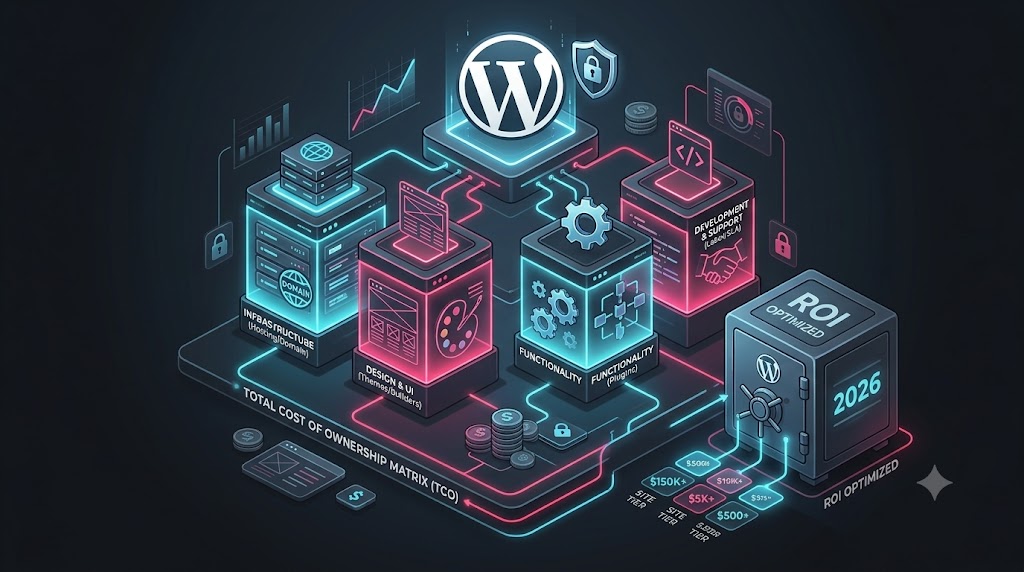
10. Total Cost of Ownership Matrix and Budget Calculator
To calculate the true three-year total cost of ownership for your web project, use this framework formula:
Total 3-Year Investment = Initial Development Cost + (Annual Hosting & Domain Costs × 3) + (Annual Software Licenses × 3) + (Monthly Maintenance & Support SLA × 36)
Factoring in multi-year lifecycle costs prevents unexpected budget surprises down the line and ensures your digital platform remains adequately funded for ongoing business growth.
11. How to Maximize ROI and Avoid Hidden Expenses
To keep project costs under control while maximizing long-term performance, apply these engineering practices:
- Avoid Unnecessary Premium Plugin Subscriptions: Build custom core functionality using clean, lightweight code modules instead of installing bloated third-party plugins for small tasks. Explore our guide on Object-Oriented Custom WordPress Plugin Development.
- Invest in Quality Hosting Early: Choosing reliable managed cloud infrastructure saves thousands of dollars in emergency developer fees caused by server crashes and downtime. Learn more in our guide on WordPress Performance Optimization.
- Prioritize Clean Mobile-First UI: Ensure your design layout focuses on core user conversion paths and mobile responsiveness before adding heavy visual animations.
- Work with Experienced Development Partners: Partnering with experienced full-stack engineers who understand database performance and clean architecture saves significant time and money over the site lifecycle.
Ready to Plan Your Next Website Project?
Whether you need a high-converting business site, a custom WooCommerce store, or an enterprise industrial catalog (such as our work on the Tauschspindel Industrial Equipment Catalog), we are here to help.
Visit our Main Homepage, read our story on the About Page, explore technical insights on our Blog Hub, or reach out directly via our Contact Page to discuss your custom website budget and architectural roadmap.
Need help with this topic?
Send us your details and we will contact you.